Smart Light Dimming Energy Calculator
Estimate dimmed lighting kWh from rated watts, fixture count, dim level, driver response curve, and runtime. Compare actual dimmed load against full-output kWh without using cost data.
⚙Real dimming presets
▣Dimming inputs
◫Selected curve
Linear LED driver
Power follows dim level closely. A 50% dim level is estimated as roughly 50% of rated watts.
◧Bulb and dimmer spec comparison grid
▤Reference tables
| Driver curve | 25% dim | 50% dim | 75% dim | Best use |
|---|
| Preset scene | Fixtures and watts | Dim and curve | Runtime | Monthly kWh |
|---|
| Bulb or dimmer type | Typical watts | Common curve | Low-end behavior | Planning note |
|---|
| Formula step | Expression | Unit | Meaning |
|---|---|---|---|
| Rated load | fixtures x watts | W | Full output group power |
| Curve factor | driver curve at dim % | x | Power share at that dim level |
| Dimmed load | rated load x curve factor | W | Estimated power while scene is on |
| Daily energy | dimmed load x runtime / 1000 | kWh | Energy for one active day |
| Monthly energy | daily kWh x active days | kWh | Energy for the entered month |
◇Dimming calculation tips
While dimming the lights in the home can reduce the energy that those lights use, there are also different outcome to the energy that can be created from dimming the lights depending upon the way in which the lights are used. When the lights are dimmed, the brightness of the lights can be adjusted, but the amount of power that the lights draw does not necesarily change in the same way that the brightness of the lights change. Consequently, the brightness of the lights and the power draw of the lights are separate variables, along with the number of hours that the lights are on, that must be considered in determining the total amount of energy that the lights consume.
The calculator that is provided allows for the user to input certain data regarding the lights that are to be dimmed, and calculates the amount of energy that those lights will use. Data that can be entered into the calculator includes the fixture counts, the rated watts of each light fixture, the dim level of the lights, the driver curve of the lights, the runtime of the lights, and the number of days each scene is active. The calculator is useful in acknowledging that the watts of lights that are dimmed does not necesarry follow a straight line in relation to the dim level of the lights.
How dimming lights changes energy use
Some light drivers will reduce the power that the lights draw in a way that is proportional to the dim level of the lights, while other light drivers may draw a minimum amount of power from the lights even when the lights are dimmed to low brightness level. The behavior of these light drivers can change the kilowatt-hour calculation of the lights. The driver curve for the lights can help to determine how the power is drawn by the light relative to the brightness of the lights.
For instance, standard linear light drivers will draw power according to the dim level of the lights. However, light drivers that include an element that maintains warmth to the lights (warm dim engine) or that have a low level of brightness for which they draw power (low end floor) will draw a minimum amount of power from the lights even when the lights are dimmed. By altering the driver curve that the user enters into the calculator, the user can see how each different type of driver curve can change the energy use of the lights in kilowatt-hour.
The runtime of the lights can also help to determine the total energy use of the lights. For instance, if the lights remain on for many hour during the day, the energy use of the lights will be high even if the dim level is low. For instance, it is possible for a hallway light to remain on for eight or nine hours at a dim level of 25%.
The 25% dim level will reduce the amount of power that the lights draw, but the number of hours that the lights are on for will still contribute to the total energy use of the lights. Consequently, by altering the runtime of the lights that are to be dimmed in the calculator, the user can determine the effect that the runtime will have on the total energy use by the lights. Bulb types can also play a role in the amount of power that the bulbs consume when they are dimmed.
For instance, an A19 smart LED bulb and a phase-cut retrofit lamp of the same rated watts will have different power draw curves when they are dimmed to the same levels. The phase-cut retrofit lamp may have certain electronics that prevent the power draw from the bulb from dropping to the same level as brightness of the light. By entering different types of bulbs into the calculator, it is possible to determine which type of bulbs will lower the energy use of the lights each month.
Although many people focus upon the percentage levels of the lights that are dimmed, that percentage is not necessarily the same as the energy savings that is created. Factors such as the driver curve, the minimum load of the lights, and the runtime of the lights influence the energy use of the lights in kilowatt-hours. These factors are separated in the calculator so that each can be adjusted independently of the others.
This separation of variables within the calculator can help to compare two scenes within the same set of lights. For instance, it is possible to compare the energy use by a living room that is dimmed to a 45% level to the energy use by the same living room when it is dimmed to a 60% level but for a shorter amount of time. Finally, the seasonal use of the lights can impact the amount of energy that the lights use in a year.
For instance, a patio light may be used for four hours each night during the summer, but may be off for the winter. By entering the number of active day for each scene into the calculator, it is possible to model these difference in the number of hours that the lights are on each month. By entering the active days for each scene, it is possible to understand the energy use by each scene during the year.
For instance, a scene that uses a small amount of energy during one month can use a great deal of energy during a year if it is active each day for many month. In addition to the data entry fields, the calculator also includes reference tables. These reference tables include information about the different types of driver curves for lights, such as how the lights may appear at 25%, 50%, and 75% dim levels.
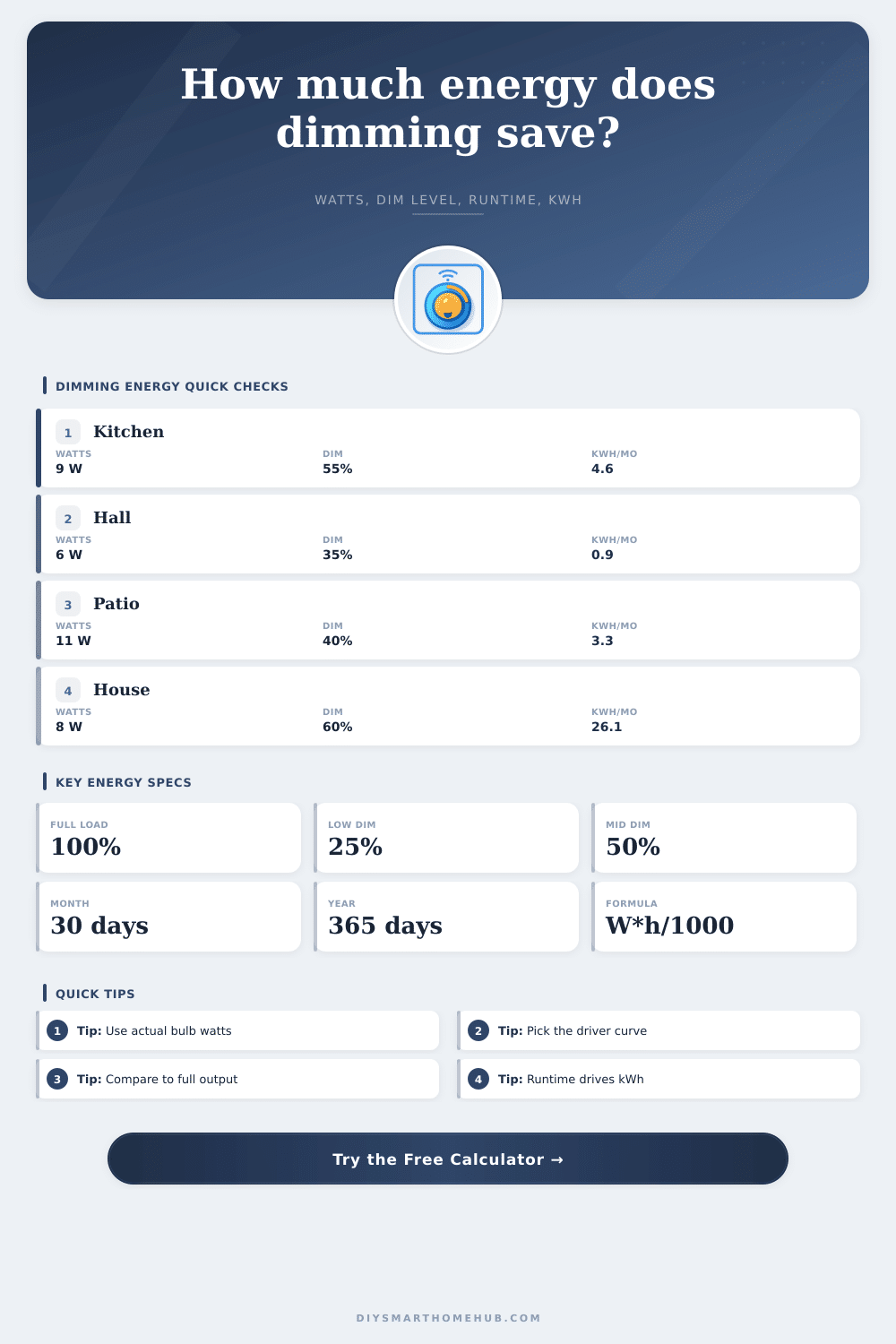
Additionally, the tables include examples of the different scenes of lights that may be installed in a home, along with the energy that each scene uses each month. These examples help to indicate how the energy use will change with different settings of the driver curves or runtimes for the lights. These example scenes can be used as a starting point for each individual reader to adjust the settings within the calculator to their own homes.
It is common for individuals to believe that if the lights are dimmed to a certain percentage, that a proportional amount of energy will be saved. This is not necessarily true, however; the electronics that are required for each light driver often increase the energy that is used by many small lights. Additionally, the energy use of a scene that may include a high-wattage fixture that is dimmed can be less than a scene that includes many low-wattage lights at a medium brightness level.
These comparisons are made possible by the fixture count and the rated load of each light fixture. The value of using this calculator is that it transforms a general idea about lighting scenes into a number for energy use for the lights. For instance, it is possible to use the calculator to determine whether adding additional lights to the home will still remain within the energy budget of the household.
Additionally, the lighting scenes in one part of the home can be compared to another scene in the home; shortening the runtime of the lights in one room may allow for the increasing brightness of the lights in another part of the home. Thus, this calculator allows each individual to determine the energy use of the lights in the home based off their specific lights and scenarios for dimming.