Internet Bandwidth Calculator
Estimate the download speed, upload speed, advertised plan size, and monthly data load for streaming, gaming, video meetings, cameras, smart devices, WiFi loss, concurrency, and headroom.
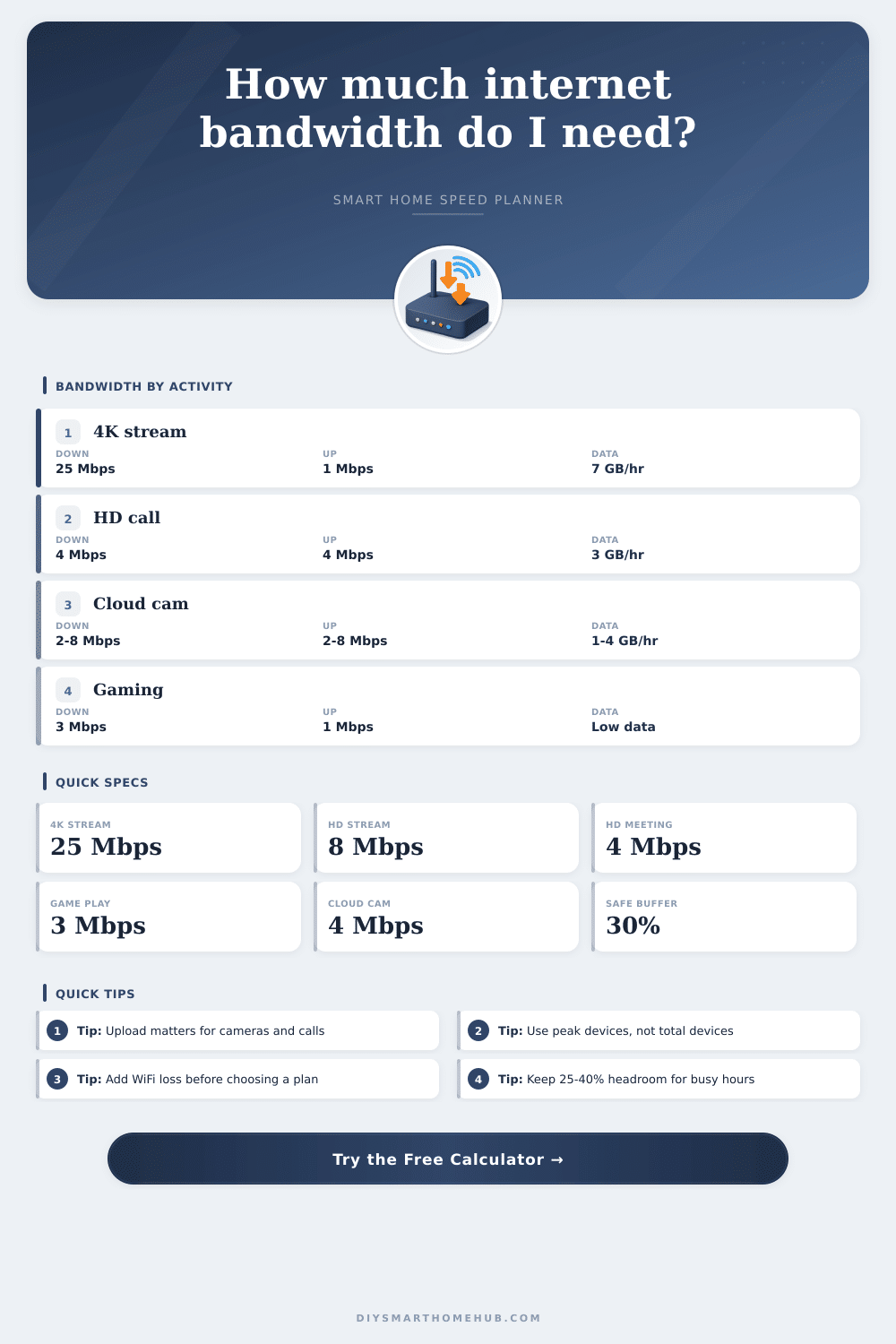
| Activity | Download | Upload | Notes |
|---|---|---|---|
| 4K UHD video stream | 25 Mbps each | 0.5-1 Mbps | Higher for high frame rate or multiple TVs |
| 1080p HD stream | 5-8 Mbps each | 0.5 Mbps | Calculator uses 8 Mbps for margin |
| 720p / mobile stream | 3-4 Mbps each | 0.3 Mbps | Useful for tablets and phones |
| HD video meeting | 3-4 Mbps each | 3-4 Mbps each | Upload is just as important as download |
| Online gaming session | 3 Mbps each | 1 Mbps each | Low latency and stability matter more than raw Mbps |
| Smart Home Load | Download | Upload | Planning Rule |
|---|---|---|---|
| Battery sensor or smart plug | 0.05-0.1 Mbps | 0.02-0.05 Mbps | Small per device, but many devices add airtime |
| Smart speaker or display | 0.2-2 Mbps | 0.1-0.5 Mbps | Bursty when streaming, idle most of the day |
| Doorbell or 1080p camera | 1-4 Mbps | 1-4 Mbps | Cloud recording mainly consumes upload |
| 2K / 4K camera | 2-8 Mbps | 2-8 Mbps | Use the high end for continuous recording |
| Hub, bridge, or controller | 0.1-0.5 Mbps | 0.1-0.5 Mbps | Usually light, but needs reliable connectivity |
| Connection Type | Typical Upload | Latency Traits | Best Fit |
|---|---|---|---|
| Fiber | Often symmetrical | Low and stable | Cameras, creators, remote work, gaming |
| Cable | Often 5-20% of download | Good, can vary at peak time | Streaming-heavy homes with moderate upload |
| 5G home internet | Variable | Signal-dependent | Flexible homes with tested signal quality |
| DSL or fixed wireless | Limited | Distance and congestion sensitive | Light smart home use and lower stream counts |
| Plan Size | Usable At 80% WiFi | Practical Household | Watch For |
|---|---|---|---|
| 100 Mbps down | 80 Mbps | 1-2 people, HD streaming, light smart devices | Can feel tight with 4K plus meetings |
| 300 Mbps down | 240 Mbps | Small family, several streams, normal smart home | Upload may still be the bottleneck |
| 500 Mbps down | 400 Mbps | Busy family, 4K, gaming, meetings, cameras | Router placement and upload tier matter |
| 1 Gbps down | 800 Mbps | Large home, heavy downloads, creator uploads | Devices and WiFi may not reach full speed |
Many households have teh limits of their internet connection due to the various device that are connected to the internet at the same time. For instance, one member of the household may be streaming a 4K movie while another member is on a video call with a friend. Each of these activities can place a strain on the internet connection that causes it to lag or even freeze.
While the internet plans that consumers may be provided are limited to certain amounts, the actual use of the internet connection within the household may not adhere to these limits. Factors like the data that transmit over the internet connection place demands on that connection. Streaming videos of any resolution requires a large amount of data.
How to Find the Right Internet Plan for Your Home
Furthermore, 4K resolutions require a high amount of data due to the high amount of data that is transmitted through both the 4K resolution and the 4K audio of the video. Additionally, streaming videos of lower resolutions on devices like smartphones or tablets also use data. The number of screens that are streaming content at the same time is the more important figure rather than the total number of devices in the house.
Video call platforms require both upload and download speeds for the video and audio to be streamed to the called parties. If many members of the household work from home, the upload speed of the internet connection can become a limiting factor. Other devices like cloud cameras also use some of that upload speed.
Thus, the internet plan may support high download speeds, but fail due to insufficient upload speeds for cameras and video calls. While the bandwidth that each smart home device individually require is small, the total bandwidth that all smart devices of the smart home uses can become a problem. Each device may use only a small amount of bandwidth, but the number of devices that are working together can cause stuttering on the smart home network.
A calculator can be used to enter the total number of smart devices that are part of the smart home. WiFi connections typically do not provide the full internet speed to the devices that are connected to the network. Even if the router is of a moddern make and model, some of the speed can be lost due to the distance of the devices from the router, the number of walls between the device and the router, and interference with other electronic devices.
A tool can account for this loss so that the internet plan suggested to the consumer include some headroom for the loss of speed on the WiFi network. Otherwise, the internet plan may not provide the full amount of data to the smartphones, laptops, tablets, and other devices. The number of devices in the household that are accessing the internet at the same time will impact the amount of bandwidth that the connection can provide.
While it is true that not every device within the household will be using the maximum amount of bandwidth at the same time, there will be instances during the month where this occurs. The number of devices can be adjusted on a calculator that determines the necessary internet plan. A low number can be used to calculate the amount of bandwidth needed during periods when the devices are not all in use at once, while a higher number can account for times when all of the devices is in use.
The ratio at which data is uploaded to the internet can be a factor to consider when purchasing an internet plan. For example, internet plans using cable internet connections may offer upload speeds that are significantly lower than the download speeds. However, fiber internet plans typically offer similar upload and download speeds.
The internet data upload ratio can be accounted for in the calculator. While the focus of the calculator may be upon measuring the data download speeds of the internet connection, it is also important to ensure that the connection includes sufficient data upload speeds for cameras and video calls. Another data figure is the amount of data that the internet connection must provide to each device within the household each month.
Streaming videos, like 4K videos, require a significant amount of data each hour. Cloud cameras require a steady stream of data to the cloud each month. Devices that participate in video and online games will use less data each month, but the data that is used by those devices should still be accounted for in the determination of the amount of data that each device requires each month.
The amount of data that the internet plan provides to each device each month can be a determining figure if that internet plan have a data cap. Many factors can impact the speed at which the internet reaches the devices within the household. The placement of the router, the age of the devices, and even the number of networks of neighboring houses can all impact the internet speeds at which the devices within the household are provided.
A speed test can be performed to determine the speed at which the devices are being provided with the internet. However, the speed test should be performed during the evening, when the majority of internet activity occurs within the household. Performing a speed test at another time of day may reveal speeds that are more higher than those that are experienced by the devices within the household.
To determine the number of Mbps that the devices in the household require, the variables that impact the internet speed to the devices should be entered into an online calculator. Each of these variables can be adjusted so that the calculation reflect the most accurate amount of data that will be required from the internet plan. For example, the number of devices that are actively using the internet at once can be adjusted.
Furthermore, the calculation can account for the number of devices that are streaming video, participating in video calls, online gaming, or utilizing other bandwidth-intensive tasks. The results of that calculation can be compared with the current internet plan that is provided to the household. Based off these results and the type of internet connection (DSL, fiber, cable), it is also possible to determine if the current internet service provider and technology can handle the upload requirements of the device in that household.