RGB Color Calculator
Convert RGB channels to hex, HSL, HSV, relative luminance, alpha-blended output, contrast ratio, smart LED duty cycles, and gamma-corrected channel values.
🎨Smart LED color presets
⚙Color inputs
👀Live preview
Formula breakdown
💡Smart LED output specs
🗂Reference tables
| Color data | Formula or scale | Output range | Smart home use |
|---|---|---|---|
| RGB | R, G, B channels from 0 to 255 | 16,777,216 colors | Most LED apps, automations, dashboards, and CSS colors. |
| Hex | #RRGGBB where each pair is base 16 | #000000 to #FFFFFF | Compact color storage for scenes and interface themes. |
| HSL | Hue angle, saturation, lightness | 0-360, 0-100%, 0-100% | Useful when changing hue while keeping perceived lightness similar. |
| HSV | Hue angle, saturation, value | 0-360, 0-100%, 0-100% | Common picker model for bulbs because value maps to brightness. |
| Relative luminance | 0.2126 Rlin + 0.7152 Glin + 0.0722 Blin | 0.000 to 1.000 | Contrast and UI readability checks for smart panels. |
| Preset scene | RGB channel data | Hex | Typical use |
|---|---|---|---|
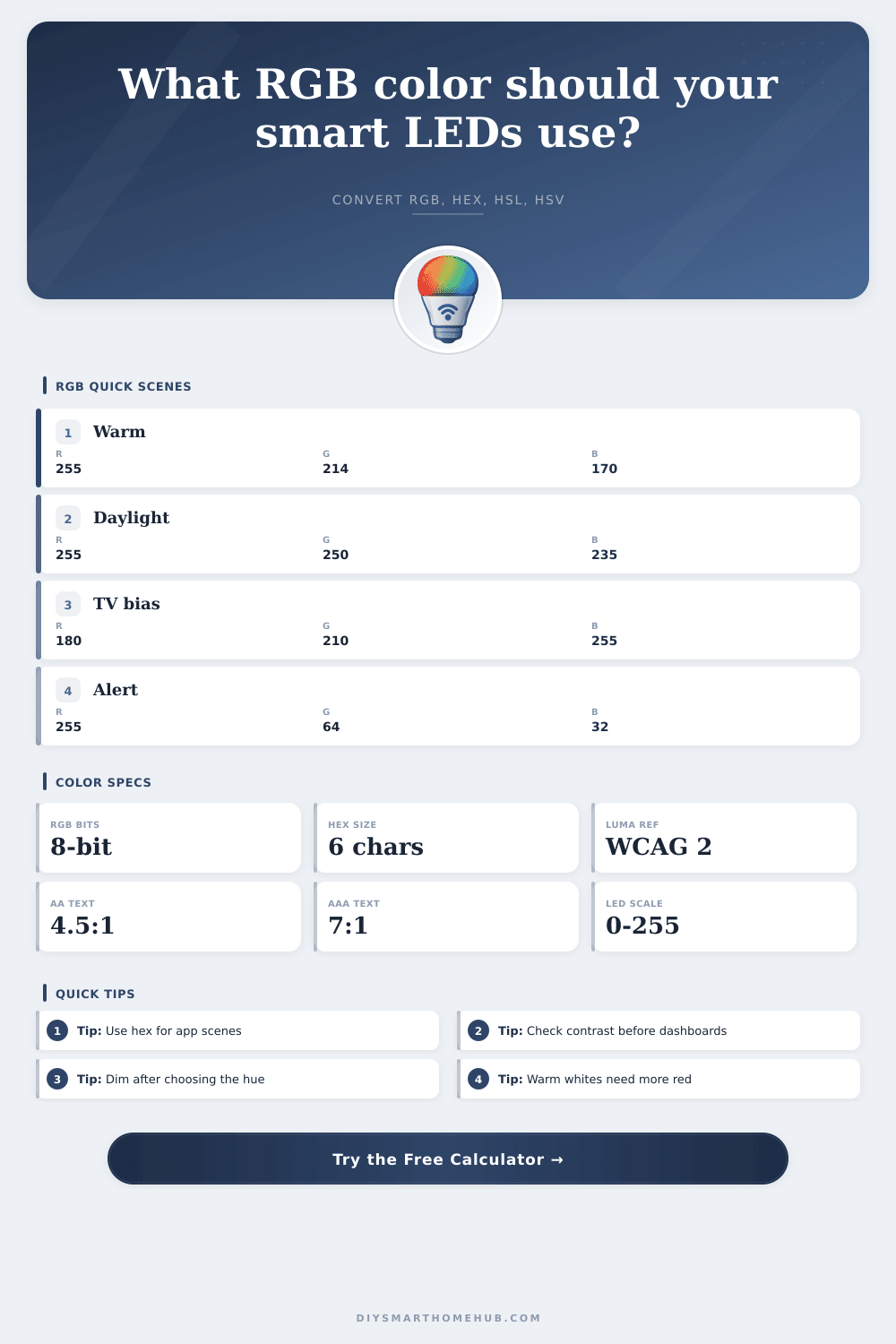
| Warm white 2700K approximation | 255, 214, 170 | #FFD6AA | Evening lamps and low-glare accent light. |
| Soft white 3000K approximation | 255, 228, 206 | #FFE4CE | Kitchen or hallway general lighting scenes. |
| Daylight 6500K approximation | 255, 250, 235 | #FFFAEB | Task scenes where neutral visibility matters. |
| TV bias blue | 180, 210, 255 | #B4D2FF | Cool wall wash behind a display. |
| Alert red | 255, 64, 32 | #FF4020 | Doorbell, leak, or security notification scenes. |
| Plant purple | 160, 64, 255 | #A040FF | Decorative grow-room accent with strong blue and red content. |
| Formula | Steps used here | Result | Why it matters |
|---|---|---|---|
| Hex conversion | Round each channel, convert to two-digit base 16 | #RRGGBB | Gives an exact scene value for apps and CSS. |
| HSL hue | Use max, min, delta, and dominant channel branch | Degrees on color wheel | Separates color family from lightness. |
| HSV value | Value = max(R, G, B) / 255 | Brightness-like percent | Matches many smart bulb color pickers. |
| sRGB linearization | c / 12.92 if c <= 0.03928, otherwise ((c + 0.055) / 1.055)^2.4 | Linear light channel | Needed for luminance and contrast math. |
| Contrast ratio | (lighter luminance + 0.05) / (darker luminance + 0.05) | 1:1 to 21:1 | Checks if dashboard labels or icons remain readable. |
| Contrast target | Ratio | Use case | Calculator verdict |
|---|---|---|---|
| Decorative only | Under 3:1 | Accent light without text or icons | Low readability |
| Large UI text | 3:1 or higher | Large labels, status tiles, wall dashboards | Large text pass |
| Normal UI text | 4.5:1 or higher | Home Assistant cards, control panels, mobile widgets | AA pass |
| High readability | 7:1 or higher | Small text or always-on dashboards | AAA pass |
🔋Smart LED and color spec comparison grid
| LED profile | Channel set | Best color math | Practical note |
|---|---|---|---|
| RGB strip or bulb | Red, green, blue | Use full RGB and dim together | White is mixed from RGB, so warm whites can look tinted. |
| RGBW bulb or strip | RGB plus one white channel | Extract the shared minimum RGB value to white | Cleaner whites and lower RGB channel load at pale colors. |
| RGBWW tunable white | RGB plus cool white and warm white | Use RGB for hue, white channels for CCT scenes | Best for rooms that switch between task and evening light. |
| Addressable RGB pixels | Per-pixel RGB | Use 8-bit RGB, gamma-correct low brightness | Animation gradients look smoother with gamma correction. |
| Dashboard color chip | sRGB display pixels | Use sRGB luminance and contrast ratio | Screen readability depends more on luminance than hue name. |
💡Color calculation tips
Color matching are inherently a difficult task because color appears differently on different systems. A color that appear to be correct on the wall may not appear correct on the car’s dashboard. A color that appear to be correct on paper may not appear correct on an LED strip light.
Because color can appear differently on different systems, color calculator can be used to convert the color numbers to data that can be used by LED controllers. Color calculators remove the need to guess at correct color setting for different devices. A color calculator make it possible to have exact color values for different color systems.
How to Use a Color Calculator for LED Lights
RGB values are important for color because they matches the way that LED hardware produces light. RGB values contain three channels: red, green, and blue. Each of those channels can range from zero to full strength.
These three channels can produce any color in the visible spectrum, and most color controllers can understands those RGB values. When using a color calculator, the user can enter the RGB values, and the color calculator can perform the math for the LED controller. This save the user from having to manually enter any conversions of RGB to other color formats.
Hex code are used for color but serve a different function than the RGB values. The hex codes allow for colors to be compressed into six characters. These codes are easy to use in saving scenes in LED controllers or copying colors into a stylesheet, for example.
A color calculator maintains the RGB and hex code values so that users dont have to manually perform the base-sixteen math necessary for these conversions. The HSL color model use three components to define a color. The hue is the color of the light, the saturation is how much gray is in the color, and the lightness is how close the color is to white or black.
Individuals who want to be able to maintain the color family yet vary the brightness of that color often prefer this color model. The three components allow individuals to make adjustments to the color and brightness independently of one another. The HSV color model is largely the same than the HSL color model, except that the lightness value in HSL becomes the value component in HSV.
The value in LED controls is the brightest channel of the color. Some smart bulb use this component to control brightness. When using LED lights of different make and models, it is important for individuals to understand which color model each manufacturer use so that the color does not change unexpectedly from one device to the next.
The luminance value of a color can be used to determine if the color is readable against another color. This value takes into account the reflected light from the color. A color calculator can calculate the luminance of a color so that it can be compared with the luminance of another color.
Using this information, the contrast ratio of the two color can be calculated. The contrast ratio makes it possible to determine if a label will be readable or if it will dissapears against its background. Alpha blending allow for colors to appear differently on different backgrounds.
If an LED color is placed on a background, the color may appear differently. By using a color calculator, the user can adjust the opacity of the foreground so that colors can be previewed on non-neutral background. This is important in ensuring that colors will appear as desired on the backgrounds on which they will be used.
Gamma correction is used to allow for a smooth perception of brightness from low levels to high levels of brightness. Because the brightness level of LEDs do not decrease in a linear fashion, small changes in low brightness levels can result in a dramatic change in brightness. Gamma values allow for the pulse of an LED strip to be adjusted to ensure that brightness appears to change smoothly.
A color calculator can apply a chosen gamma value to the RGB channels to make sure that brightness changes appear smoothly on LED strips. Smart LED profile change the way that color numbers interact with the hardware. An RGB strip use the red, green, and blue channels to emit white light and uses alot of power to do so.
An RGBW strip use a white channel in addition to the RGB channels so that less power is used to create white light. A tunable white LED setup use a warm white channel and a cool white channel so that the color temperature of the light can be adjusted. A color calculator can be used to estimate the amount of white channel and color load required for these different profiles.
Contrast target for text use a contrast ratio to determine the readability of the text. A contrast ratio of three to one is used for decorative element. A contrast ratio of three to one is also used for large text displays.
For normal text the contrast ratio should be four and a half to one. For text that is smaller than normal the contrast ratio should be seven to one. A color calculator can make a flag to show which contrast the color combination meets so that the reader dont have to memorize the contrast ratios.
When used in real rooms, colors can react with other element of the room. For instance, diffusers can change the saturation of colors in the room. Colors can also reflect the light that emanate from the LED fixtures.
LED bulbs may be binned such that two LED bulbs have the same values for each channel yet display differently in comparison to one another. To solve these problems, it is recommended that individuals first lock the channel number of each LED fixture then adjust the colors on the LED hardware itself to account for these variables. Before any color is adjusted, it is important to first decide what that color is to accomplish within the room.
For instance, if the intention is to create an ambiance for the evening, a warm white LED color of medium brightness and gamma would be used. If the LED strip is to be used as a notification light then high saturation levels of LED color of full brightness will be used. A color calculator removes the need for any color math so that individuals can focus on the function that they would like the LED color to have within the room.
Once the color is adjusted, that color will travel clean from one app to the next, from one LED controller to the next, and from the documentation to the LED strips.