Multi-room Audio Delay Calculator
Estimate room-to-room audio delay from listener distance, network buffering, device latency, sample-rate frame buffers, and existing sync offsets.
Full delay breakdown
Wired LAN streamer
Small buffer and low jitter. Distance and device DSP usually matter more than network delay in this profile.
Wi-Fi multi-room speaker
Moderate buffering keeps playback stable. Use the jitter allowance when multiple rooms share congested airtime.
AirPlay-style zone
Buffered playback can be very stable, but the app offset often needs a larger base delay than local analog rooms.
Cast speaker group
Group playback generally relies on timestamped buffering, so network buffer and device latency both deserve separate inputs.
Bluetooth speaker
Codec and radio buffering dominate the result. Treat Bluetooth as a separate path instead of a normal network room.
AVR Zone 2 output
Processing modes, room correction, HDMI, and analog paths can differ. Custom latency is useful after measuring the zone.
| Path difference | Acoustic delay | Metric equivalent | Formula note |
|---|---|---|---|
| 3 ft | 2.67 ms | 0.91 m | feet / 1.125 = ms at room temperature |
| 6 ft | 5.33 ms | 1.83 m | Useful threshold for close stereo mismatch |
| 12 ft | 10.66 ms | 3.66 m | Common kitchen-to-sofa path difference |
| 25 ft | 22.22 ms | 7.62 m | Large room or adjacent-room listening point |
| 50 ft | 44.43 ms | 15.24 m | Whole-home zones start to sound detached |
| Buffer size | 44.1 kHz | 48 kHz | 96 kHz |
|---|---|---|---|
| 64 frames | 1.45 ms | 1.33 ms | 0.67 ms |
| 128 frames | 2.90 ms | 2.67 ms | 1.33 ms |
| 256 frames | 5.80 ms | 5.33 ms | 2.67 ms |
| 512 frames | 11.61 ms | 10.67 ms | 5.33 ms |
| 1024 frames | 23.22 ms | 21.33 ms | 10.67 ms |
| Profile | Planning latency | Jitter allowance | Calculator use |
|---|---|---|---|
| Wired LAN streamer | 4 to 12 ms | 1 to 3 ms | Local synchronized players and direct Ethernet paths |
| Wi-Fi multi-room | 20 to 45 ms | 5 to 15 ms | General smart speaker groups on a normal home AP |
| Mesh Wi-Fi group | 45 to 85 ms | 12 to 25 ms | Wireless backhaul or distant rooms with retries |
| Buffered ecosystem zone | 55 to 95 ms | 4 to 12 ms | AirPlay-style or Cast-style synchronized playback |
| Bluetooth speaker path | 120 to 220 ms | 10 to 35 ms | Codec-buffered speaker, patio, or portable zone |
| Project type | Typical distance gap | Main delay driver | Expected adjustment |
|---|---|---|---|
| Same-room stereo pair | 0 to 6 ft | Distance and DSP | 0 to 10 ms |
| Living room to kitchen | 10 to 25 ft | Distance plus Wi-Fi buffer | 20 to 60 ms |
| Whole-home party group | 20 to 60 ft | Network buffer and jitter | 45 to 110 ms |
| TV bar plus remote room | 8 to 35 ft | TV and soundbar processing | 50 to 130 ms |
| Bluetooth patio zone | 15 to 45 ft | Bluetooth codec latency | 140 to 260 ms |
Audio delay occur when the music arrives at different times in different rooms. Audio delay often happens for several reason related to audio delay. When you move from one room to another, you will notice a delay in the music arriving in each of these rooms.
This is due to a lack of balance between each of the rooms. Distance are one of the main causes of audio delay. Distance causes audio delay because sound travels at a specific speed through the air.
Why Sound Is Delayed Between Rooms and How to Fix It
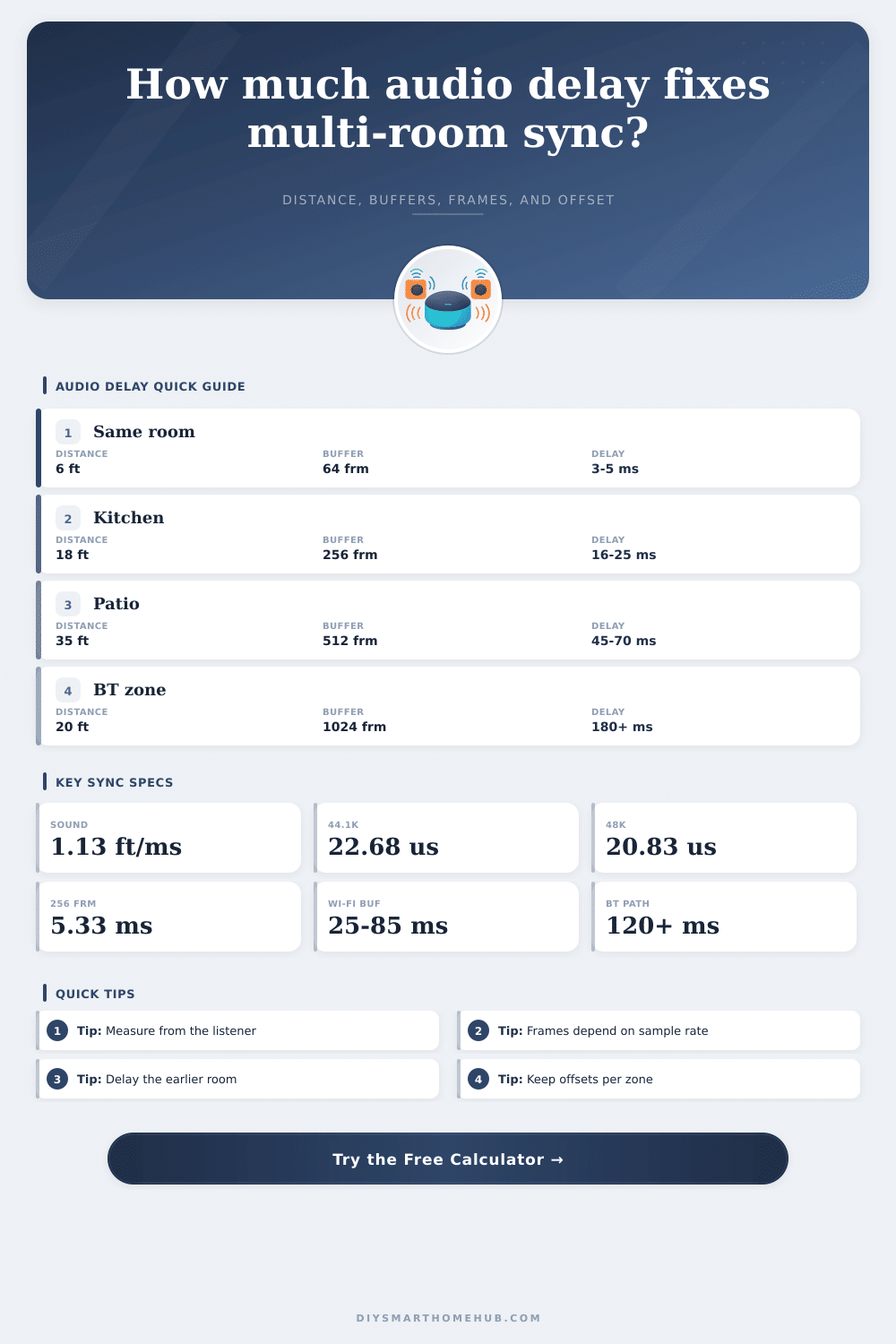
Sound travels approximately one foot every millisecond. If your listener is closer to one set of speaker than they are to another set of speakers, then the listener will hear the music from the closer speakers sooner then they will hear the music from the farther rooms. The distance between each of the speakers create a delay for that speaker.
You can use a calculator that determines audio delay to manually enter each of these distances into the calculation to determine the audio delay between each set of speakers. Distance is not the only cause of audio delay, however. Network buffering can also be a cause of audio delay.
Many of these systems add buffering to the audio signal before it leave the network. For instance, a Wi-Fi group of speakers may hold back tens of milliseconds of audio to ensure that the audio signal is stable as it passes through the network. Mesh networks may have an even higher delay for the same reasons.
Bluetooth speakers also often have audio delay. Bluetooth audio latency is often high, usually exceeding 150 milliseconds of audio delay due to the Bluetooth codec and Bluetooth radio stack. Because of this high latency, a Bluetooth speaker will need to have a different strategy applied to compensate for audio delay than may be used for a Wi-Fi speaker system.
Another cause of audio delay is device processing. For instance, if one of your rooms use a soundbar with room correction, or a speaker system with a smart speaker with digital signal processing (DSP), the audio signal will be delayed 30 to 70 milliseconds before the speaker driver begins to move. Additionally, if one zone uses an analog amplifier and another zone uses a television processor, the signal will be delayed in each of these processors at slightly different times.
You can use a device profile selector in a delay calculation to account for these different devices. Another cause of audio delay is the sample rate and frame size. The audio signal is sent in blocks of samples.
The amount of time that it takes to fill each of these blocks of samples depend upon the length of the audio buffer and the sample rate of the audio signal. For instance, at a sample rate of 48,000 samples per second, a buffer of 256 frames will take approximately five millisecond to fill each frame. If the size of the audio buffer or the sample rate is changed, the amount of time that it takes to fill each of these frames will increase.
This can cause issues for devices with different buffer settings. An additional cause of audio delay is existing sync offsets. Many devices will have a fixed sync offset to ensure that they stay in sync with each other.
These offset values are often already in place in the system. Any additional addition to audio delay created by a new compensation will likely create an offset in the system that is out of sync with the others. An offset field in a calculation will allow you to ensure that you do not add these conflicting sync offsets.
In addition to all of the causes of audio delay described above, audio delay compensation settings should include a few millisecond of safety margin. Due to the fact that the temperature in each of the rooms can change, or that individuals can move in the rooms, there will be slight changes to the audio signal. The few milliseconds of safety margin will help to ensure that the audio signal remains in sync with the listener even under these unfavorable conditions.
When determining which rooms to delay, there is a specific rule that a user should follow. The room that arrives earlier to the listener should be delayed. For instance, if the living room speakers are closer to the listener than the speakers in the kitchen, the calculated audio delay compensation will delay the living room room.
The room that is already late with the music should not be delayed. When audio delay is being fixed, there are a few mistake that many people tend to make. One mistake is to measure from the speakers rather than from the listening chair in each of the rooms.
If you measure the distance from the speaker instead of from the listening chair, the audio delay calculation will produce incorrect results. Another mistake is treating a Bluetooth zone as if it were a room that use a network connection. This can create audio delay compensation that is too small for the high latency of Bluetooth speakers.
Lastly, people often ignore any difference in sample rates between devices when they try to connect rooms that contain both older devices and newer devices to each other. This can create drift in the audio signal between those speakers. While temperature and humidity can also change the speed of sound, these changes are small enough to fall within the safety margin for audio delay.
The mismatch between audio signal reception between zones, however, cannot be absorbed by a safety margin. For instance, the wired streamer and the Bluetooth patio speaker will always have audio delay characteristics that differ from each other. Once you are finished determining the reasons for audio delay and calculating the delay compensation for each zone, you should test the results of your calculations.
Play the same song in each of the speakers throughout the house. Walk the path that the listener will take through the house. Make adjustments to the largest audio delay offset until all of the zones of speakers has synchronized sound.
Once they are synchronized, make small adjustments to the safety margin to fine-tune the delay compensation within each zone. Your goal is to create a system where the music appears to stay with the listener as they move through the house.