Chroma Subsampling Calculator
Compare 4:4:4, 4:2:2, and 4:2:0 video sample ratios from resolution, refresh rate, bit depth, blanking overhead, display use, and link capacity to see bandwidth savings and text clarity tradeoffs.
🎯Real video and display presets
Presets are editable planning scenarios. Real devices may label RGB as full chroma, YCbCr 4:4:4 as full chroma, and may switch chroma modes automatically when the selected link is short on bandwidth.
⚙Signal inputs
📋Current signal summary
📊Reference tables and spec grids
Chroma sample ratio reference
| Format | 2x2 luma | 2x2 chroma | Samples per pixel |
|---|---|---|---|
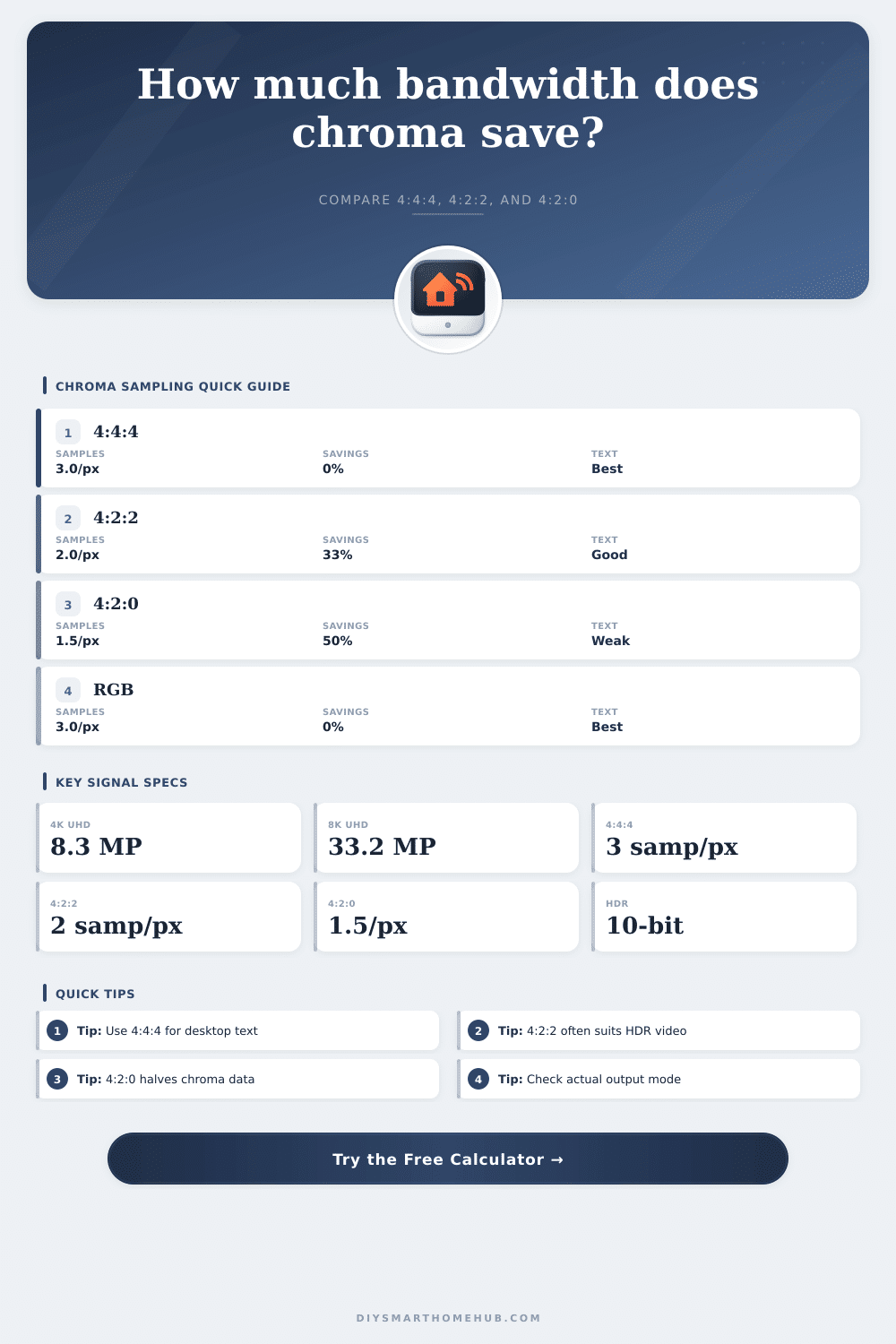
| RGB / 4:4:4 | 4 Y | 4 Cb + 4 Cr | 12 / 4 = 3.0 |
| YCbCr 4:2:2 | 4 Y | 2 Cb + 2 Cr | 8 / 4 = 2.0 |
| YCbCr 4:2:0 | 4 Y | 1 Cb + 1 Cr | 6 / 4 = 1.5 |
| Bandwidth formula | Pixels x Hz | x bit depth | x samples/pixel |
Bit depth and effective bpp
| Format | 8-bit | 10-bit | 12-bit |
|---|---|---|---|
| 4:4:4 / RGB | 24 bpp | 30 bpp | 36 bpp |
| 4:2:2 | 16 bpp | 20 bpp | 24 bpp |
| 4:2:0 | 12 bpp | 15 bpp | 18 bpp |
| Savings vs 4:4:4 | 0 / 33 / 50% | 0 / 33 / 50% | 0 / 33 / 50% |
Video/display spec comparison grid
| Spec | Usable comparison | Common chroma fallback | Typical fit |
|---|---|---|---|
| HDMI 1.4 | 10.2 Gbps gross TMDS | 4K60 often drops to 4:2:0 | 1080p, 4K30 |
| HDMI 2.0 | 18.0 Gbps gross TMDS | 4K60 HDR often uses 4:2:2 | 4K60 class |
| DisplayPort 1.2 | 17.28 Gbps payload | 4K60 4:4:4 usually fits | 4K60 monitor |
| DisplayPort 1.4 | 25.92 Gbps payload | High refresh may use DSC | 1440p high Hz |
| HDMI 2.1 FRL | 35.56 to 42.67 Gbps payload | 4K120 4:4:4 likely fits | 4K120, 8K DSC |
Use-case clarity planning
| Use case | Best format | Acceptable | Watch for |
|---|---|---|---|
| Desktop text | 4:4:4 | 4:2:2 only if necessary | Color edges on small fonts |
| Slides/charts | 4:4:4 | 4:2:2 | Red and blue thin lines |
| Games | 4:4:4 | 4:2:2 | HUD text and UI borders |
| Movies | 4:2:2 or 4:2:0 | 4:2:0 | High-contrast subtitles |
| Security video | 4:2:0 | 4:2:2 | Color labels, timestamps |
🧮Common signal examples
Uncompressed payload examples
| Signal | Chroma | Depth | Payload with 5% |
|---|---|---|---|
| 1080p60 | 4:4:4 | 8-bit | 3.14 Gbps |
| 4K24 film | 4:2:0 | 10-bit | 3.14 Gbps |
| 4K60 HDR | 4:2:2 | 10-bit | 10.45 Gbps |
| 4K120 PC | 4:4:4 | 10-bit | 31.35 Gbps |
| 8K60 HDR | 4:2:0 | 10-bit | 31.35 Gbps |
Bandwidth savings formulas
| Item | Formula | Example | Meaning |
|---|---|---|---|
| Pixels/frame | W x H | 3840 x 2160 | 8.29 Mpx |
| 4:4:4 bpp | Depth x 3 | 10 x 3 | 30 bpp |
| 4:2:2 bpp | Depth x 2 | 10 x 2 | 20 bpp |
| 4:2:0 bpp | Depth x 1.5 | 10 x 1.5 | 15 bpp |
| Savings | 1 - samples / 3 | 1 - 1.5 / 3 | 50% |
💡Chroma planning tips
Chroma subsampling dictate the amount of color information that is sent through a video signal. If using formats that use full chroma subsampling, such as 4:4:4, then color information is sent at the same resolution as the brightness information. The 4:4:4 format sample every pixel three times to create an image.
The 4:4:4 format allow for the highest level of color precision within video connections. For connections that use reduced chroma subsampling, such as 4:2:2 and 4:2:0 formats, less color information are sent through the connection. The 4:2:2 format reduces the amount of color information horizontally across the screen.
How Chroma Subsampling Affects Picture Quality and Bandwidth
The 4:2:2 format samples every pixel two times. Similarly, the 4:2:0 format reduces the amount of color information horizontal and vertically across the screen. The 4:2:0 format samples every pixel 1.5 times.
As such, reduced chroma subsampling reduces the amount of data that is sent along the connection, however, it also reduces the precision of the color information along the edges of objects within the screen. The calculator can determine the amount of bandwidth that is required to send video signals through a connection. To determine the amount of data that must be sent through a connection each second, the resolution, refresh rate, bit depth, and chroma subsampling format of the signal are required.
The resolution of the signal is the amount of pixels that are to be refreshed each second. The refresh rate of the signal is the amount of times that resolution is to be refreshed each second. Bit depth is the amount of bits that are use for each sample in the signal.
Chroma subsampling is the method of determining the amount of samples that carry color information. Each of these variables has an impact upon the amount of bandwidth requirements for a signal. Changing the resolution will change the amount of bandwidth requirements.
Changing the refresh rate will change the amount of bandwidth requirements. Changing the bit depth will change the amount of bandwidth requirements. Changing the chroma subsampling format will change the amount of bandwidth requirements.
One of the best examples of the impact of chroma subsampling is in the connection of computers to televisions. When connecting computers to televisions, the televisions will often default to a chroma subsampling format of 4:2:0 or 4:2:2. These format are capable of carrying the high resolution signals that is produced by computers.
High resolution signals, such as 4K screens at 60Hz refresh rates with HDR capabilities require a significant amount of bandwidth. If the bandwidth of the connection is not sufficient to carry the data requirements of 4:4:4 chroma subsampling, then the system will automatically utilize a format of reduced chroma subsampling. Reduced chroma subsampling will make thin text or lines of color appear softly and blurry on screen.
Additionally, reduced chroma subsampling affects desktop tasks and presentation slides more than movie viewing. There are different bandwidth capabilities for each type of video connection. HDMI 2.0 connections has a gross bandwidth of 18 Gbps of data per second, however the usable bandwidth is less due to audio and blanking data.
DisplayPort connections have different bandwidth capabilities due to the differences in encoding efficiency of signals through DisplayPort connections. The calculator can help to compare the calculated data to the capabilities of the video connection. Additionally, the calculator also accounts for data needed to transmit audio and video connection data.
Should the calculated data for a signal approach the capabilities of the video connection, the system will either automatically reduce the chroma subsampling of the video or force a reduction in the refresh rate of the screen. The clarity score can help to provide an understanding of the impact of reduced chroma subsampling on certain types of screens. The clarity score applies different penalties to different types of screen uses.
For instance, the clarity score provides desktop and presentation screen uses with higher penalties due to the necessity of color information and color detail to perform tasks on the screen. For movie screenings, the color detail is less important as the imagery used in movies is more naturaly in representation of color than tasks that are performed on a desktop screen. Thus, the clarity score does not ensure the visual quality of the screen, but instead is a tool to help understand the visual quality that can be provided by a screen with different settings for chroma subsampling.
One of the additional data inputs for the calculator is for the blanking overhead of the screen. Within televisions and monitors, there are blanking periods for horizontal and vertical screens, which increases the amount of pixels per second that must be processed by the screen. The calculator includes a percentage for this data input, which will be applied to the calculated bandwidth requirements.
The user can modify the percentage for blanking overhead for different types of screens. Five percent is the default percentage for blanking overhead for current screens and televisions. Another misconception regarding video connections is that increasing the bit depth of the signal will always provide an improvement in the visual quality of the screen.
Using HDR screens with ten bits per sample will increase the range of colors that can be displayed on the screen. However, the benefit of increasing bit depth to ten bits will only be seen if the bandwidth of the connection is able to accommodate the data from ten-bit HDR. Should the bandwidth of the connection be insufficient for ten-bit HDR, the system will reduce the chroma subsampling of the signal.
Thus, the visual quality of the screen may appear soft even with a bit depth of ten bits. Video streaming services and security cameras often use chroma subsampling of the 4:2:0 format as it saves a significant amount of bandwidth. For security cameras, the 4:2:0 chroma subsampling is acceptable since the color information from the security camera feeds does not contain fine text in any given area.
However, using the 4:2:0 format is not the ideal choice for video connections to desktop computers as it makes it difficult to read small text or spreadsheet labels. In general, it is best to begin with the chroma subsampling format of highest quality for the screen and connection. The use of reduced chroma subsampling should be used only if the bandwidth calculations for the connection indicate that the connection is unable to support the higher quality of chroma subsampling.
For instance, a short and high quality cable may be able to support 4:4:4 chroma subsampling for videos at 4K resolution at 60 Hz refresh rates through HDMI 2.0. However, if the refresh rate of the screen is increased beyond 60 Hz, or if HDR is selected for the screen, the same cable may no longer be able to support 4:4:4 chroma subsampling. The same logic can be applied to video capture and editing setups.
Chroma subsampling of 4:2:2 at ten bits will provide a balance between color depth and support