Smart Camera Detection Distance Calculator
Estimate practical smart camera range from resolution, active sensor size, focal length, DORI pixel density, target size, smart detection pixel needs, IR range, and real scene conditions.
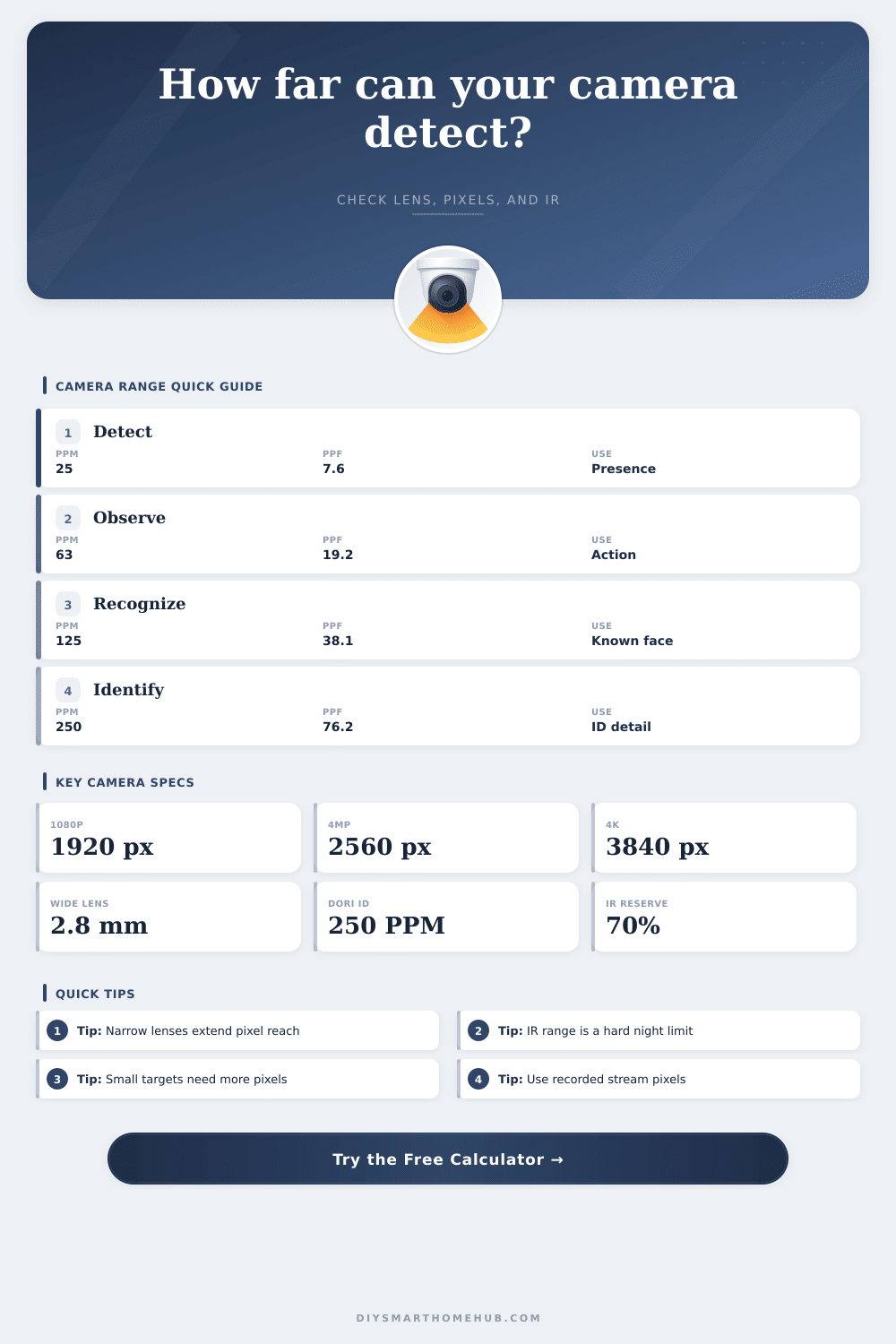
| Goal | Pixels per meter | Pixels per foot | Minimum smart target pixels | Practical meaning |
|---|---|---|---|---|
| Detect | 25 PPM | 7.6 PPF | 24 px wide object | Person, car, or package is present in the scene. |
| Observe | 63 PPM | 19.2 PPF | 40 px wide object | General activity, clothing color, and movement direction. |
| Recognize | 125 PPM | 38.1 PPF | 72 px wide object | Known person, known car, or repeated visitor can be recognized. |
| Identify | 250 PPM | 76.2 PPF | 120 px wide object | Face or plate detail in a clean, well-lit capture. |
| Lens on 1/2.8 inch sensor | Approx. HFOV | 2MP detect | 4K detect | 4K identify |
|---|---|---|---|---|
| 2.8 mm wide lens | 89.6° | 126 ft / 38 m | 252 ft / 77 m | 25 ft / 8 m |
| 3.6 mm general lens | 75.5° | 162 ft / 49 m | 324 ft / 99 m | 32 ft / 10 m |
| 4 mm balanced lens | 69.7° | 180 ft / 55 m | 360 ft / 110 m | 36 ft / 11 m |
| 6 mm narrow lens | 49.8° | 269 ft / 82 m | 538 ft / 164 m | 54 ft / 16 m |
| 8 mm tele lens | 38.4° | 359 ft / 109 m | 718 ft / 219 m | 72 ft / 22 m |
| 12 mm long lens | 26.2° | 538 ft / 164 m | 1077 ft / 328 m | 108 ft / 33 m |
| Target type | Width used | Detect pixels | Identify pixels | Why size matters |
|---|---|---|---|---|
| Person body | 1.7 ft / 0.52 m | About 13 px | About 130 px | Good for person alerts across entries and yards. |
| Face detail | 0.55 ft / 0.17 m | About 4 px | About 42 px | Needs a tight view for reliable review detail. |
| Package face | 1.3 ft / 0.40 m | About 10 px | About 99 px | Small objects disappear sooner than people. |
| Vehicle width | 6 ft / 1.83 m | About 46 px | About 457 px | Vehicle detection works farther than face detail. |
| License plate | 1 ft / 0.30 m | About 8 px | About 76 px | Plate capture needs narrow aiming and short exposure. |
| Condition allowance | Multiplier | What it represents | Best used for | Range effect |
|---|---|---|---|---|
| Clean daylight | 100% | Low compression, low blur, focused lens | Strong porch or counter lighting | No range reduction |
| Normal smart camera | 85% | Compression, mild noise reduction, normal angle | Most WiFi cameras and NVR streams | Range reduced 15% |
| Night IR or motion | 70% | IR noise, target angle, moving subject | Driveway, gate, and yard alerts | Range reduced 30% |
| Hard night scene | 55% | Motion blur, low contrast, soft edges | Long yards and street views at night | Range reduced 45% |
| Camera setup | Typical sensor and stream | Typical lens | Detection strength | Watch point |
|---|---|---|---|---|
| WiFi doorbell camera | 2MP to 5MP, wide sensor crop | 1.8 to 2.8 mm | Strong nearby person and package detection | Faces shrink quickly beyond the porch path. |
| Fixed wide turret | 2MP to 8MP, 16:9 stream | 2.8 to 4 mm | Good room, garage, and short driveway awareness | Wide views trade distance for coverage. |
| Fixed narrow bullet | 4MP to 8MP, standard sensor | 6 to 12 mm | Better recognition at gates, lanes, and aisles | Aiming must match the target path closely. |
| Varifocal PoE dome | 4MP to 12MP, adjustable view | 2.7 to 13.5 mm | Best for tuning exact DORI distance after mounting | Recheck focus and recorded stream resolution. |
| Long-range LPR camera | 4MP to 8MP with fast shutter | 12 to 50 mm | Strong plate detection and identify distance | IR angle and exposure matter as much as pixels. |
| Panoramic smart camera | 6MP to 12MP, stitched view | Ultra-wide fixed | Excellent area detection and context | Pixels per target fall after dewarping. |
When you choose a smart camera, you must consider the detection range of the smart camera. The detection range of a smart camera isnt limited to the distance that the smart camera is advertised in the packaging of the smart camera. The detection range of the smart camera will depend on the number of pixels that fall on the object that you want the smart camera to detect.
That object can be a person, a package, or even a license plate. Instead of asking the question of how far can a smart camera see, you should ask the question of how far can a smart camera see with enough detail for your needs? Smart cameras use the value of pixels per meter (or pixels per foot) to determine the visual detail that a smart camera can provide.
How Far a Smart Camera Can See with Enough Detail
For example, if a smart camera contains 25 pixels per meter, the person can see if someone is in the scene. However, if the smart camera has 125 pixels per meter, then the smart camera can identify the face of a family member. If the smart camera has 250 pixels per meter, the smart camera can identify a license plate or the identity of an individual in the scene.
The lens that you choose for the smart camera will impact the pixel density of the smart camera. If you choose a wide lens, this will allow the smart camera to cover a larger area. However, the pixels per meter will be lower for this lens.
Alternatively, a narrow lens will allow the smart camera to cover a smaller area. However, the pixel density will be higher. For example, a smart camera that has a wide lens may be able to detect movement at 80 feet.
However, it may only be able to recognize a face at 20 feet. The smart camera with the narrow lens may have a smaller field of view. However, the pixels will be able to stretch farther across the scene.
Calculations can help you determine the right lens for your smart camera based off the size of your target and the detail you require. Smart cameras use infrared reflectors that allow them to see in the dark. However, the infrared reflector may not be able to reach the distance that the smart camera advertises.
If the target is blurry, if the smart cameras video is compressed to send to your smart phone, or if the target is at an odd angle to the smart camera, the infrared reflector may not be able to reflect enough infrared light to your smart phone to provide an adequate view. For example, an infrared reflector that has a 60 foot range may only be able to provide 40 feet of detection for your smart camera. However, a smart camera calculator will allow you to enter the resolution of the smart camera, the focal length of the lens, the size of the target, and the lighting in the scene to calculate the usable distance of your smart camera.
This calculator will determine the smallest of three distances for the smart camera: the DORI optical limit, the target-pixel limit, and the usable infrared distance. This single distance that is calculated is the distance that you should plan your smart camera installation for your target. The size of the object that you want your smart camera to detect will impact the detection range for that smart camera.
A large object will gather a larger number of pixels with the smart camera than a smaller object. Thus, the larger the object, the farther that the smart camera can detect that object. For example, if a smart camera can see a large vehicle that is six feet wide, it will gather more pixels than if it were spotting a person.
However, if the object is small in size, the object will lose pixels quickly. The smart camera will have more difficulty detecting a persons face than it would detecting a car. For these same reasons, a smart camera may be able to detect a car that is twenty feet from the smart camera.
However, it may not be able to detect the label on a small package that is twenty feet from the smart camera. A table can show you the different sizes of targets and how many pixels those targets will require to be detected. The conditions of the scene in which your smart camera is located will have an impact on the number of usable pixels that your smart camera can capture.
For example, if your smart camera is located in an area that is exposed to daylight all day, your smart camera can capture all of its pixels. However, if the scene is heavily compressed, or if the scene includes motion in the scene, the number of usable pixels will be reduced. The video that smart cameras capture is rarely the same as the smart camera videos that are shown in the smart camera advertisements.
The quality of smart camera videos can be reduced by 15 percent for normal feeds, but can be 30 percent reduced for smart cameras that is detecting the scene in the dark. If your smart camera is detecting motion in darkness, the quality of the video can be reduced by as much as 45 percent. The first step in planning the installation of your smart camera is to determine the information that you want the smart camera to provide.
If you want to know if the individuals enter your yard, a smart camera with a wide lens and low resolution will meet your needs. However, if you would like to recognize the individuals that enter your yard, the smart camera will need to have a narrow lens to provide high resolution of the individuals. A smart camera calculator will allow you to visually see the tradeoffs that the information requirements of your smart camera will create for your smart camera.
For example, a calculator will show you the detection range of the smart camera with individual limits of pixels, lighting, and target size. Additionally, if you are replacing your current smart camera with a new smart camera of higher resolution, you may have to change the lens or the mounting angle of the current smart camera. If you dont change the lens or the mounting angle, the extra pixels that the smart camera can take in will spread across a wider scene, and the distance at which the smart camera can detect your target will be the same as your current target.
Thus, prior to buying a smart camera or remounting your current smart camera, you should of run these calculations to ensure that you do not make the mistake of thinking that the resolution of the smart camera will fix your detection range problem.