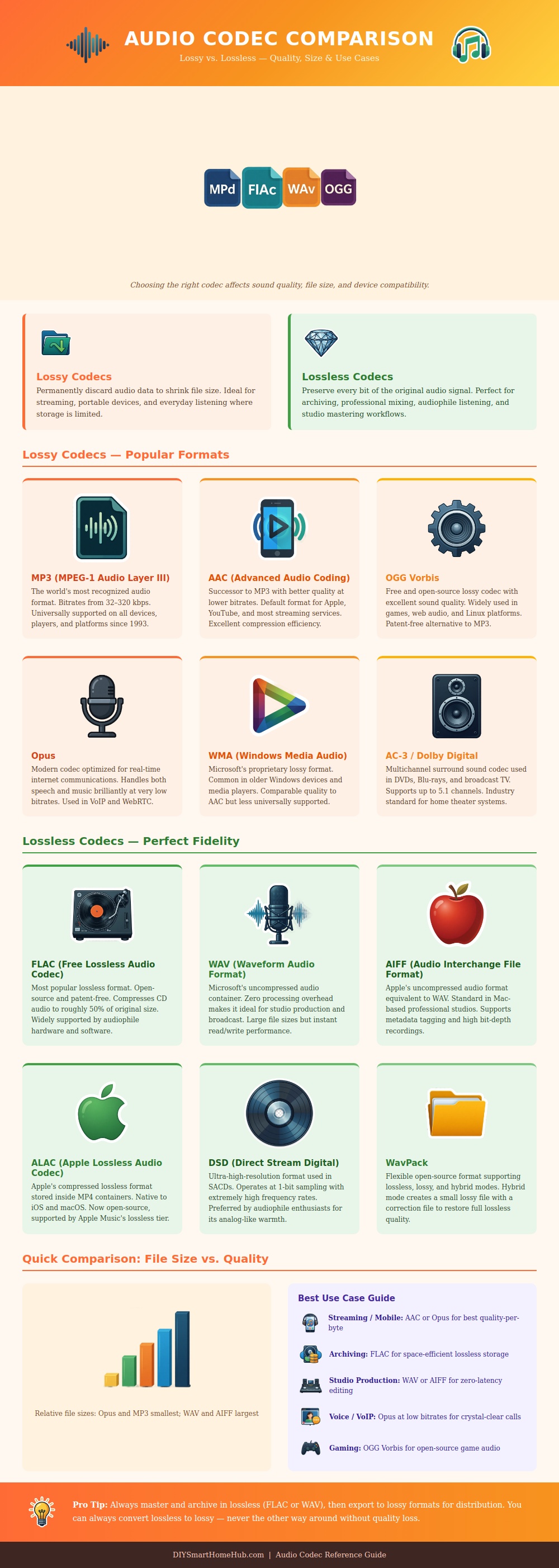
Audio codecs determines how much information will be kept or remove from a music file, which directly impacts the file size of the music on a device and the quality of the sound that is play back from that device. Many people feels that music files are large due to the songs themselves, but music files are actualy large due to the audio codec that is used to store the music files. Audio codecs can either remove information from a music file to make the file smaller, or it can pack the information with the file to make it smaller.
If a codec remove information from a music file, the file will be smaller in size, but the audio quality will be less because the removed information cannot be recovered. If a codec do not remove information from the music file, however, the audio quality will be highly, but the file size will remain large due to amount of information that the file contains. Lossy audio codecs are audio codec that remove information from a music file to make the file size smaller.
What Are Lossy and Lossless Audio Codecs
Lossy audio codecs are most useful for individuals who would like to saving storage space on there phones or other devices. The use of lossy audio codecs, however, result in the permanent loss of information from the music file. Some example of lossy audio codecs include MP3 files, AAC files, and Opus files.
Lossless audio codecs are audio codecs that store all of the original information from the music file, but make the file smaller. Lossless audio codecs allows for files to be smaller than uncompressed music files, but they still contains each and every data bit from the original music file. Some examples of lossless audio codecs includes FLAC files, ALAC files, and WAV and AIFF files.
WAV and AIFF files do not use compression, which ensures that they is very large in size compared to lossy or even lossless audio files. Still, these audio file types are often used in recording studios where software applications can easy read them. Based off the use of the music files, individuals can choose which audio codec to utilize.
For example, if the music files is to be used on a phone with limited storage space, an individual should use a lossy audio codec so that the music files will take up very little space on that device. For archiving music files, however, individuals should use a lossless audio codec so that the audio quality will be protect over time. Finally, if the music files is to be used within a recording studio, the WAV audio file format should be used since it is compatible with all audio software applications.
It is always best for individuals to have a lossless master copy of they important music files. Lossy files can be converted into lossless files, but the information has already been permanent removed from those files, so lossless files cannot be converted into lossy files. Thus, keeping a lossless master copy of music files will ensure that audio quality isnt lost over time, and that the most highest possible quality of music is available to the listeners.