Aspect Ratio Calculator
Simplify width and height into a ratio, resize to a target format, and calculate crop or padding changes for screens, video, images, dashboards, and smart display layouts.
| Format | Ratio | Decimal | Typical dimensions | Best fit |
|---|---|---|---|---|
| Square media | 1:1 | 1.000 | 1080 x 1080, 2048 x 2048 | Icons, profile images, square tiles |
| Classic display | 4:3 | 1.333 | 1024 x 768, 2048 x 1536 | Tablets, legacy monitors, slide capture |
| Photo frame | 3:2 | 1.500 | 6000 x 4000, 3000 x 2000 | Camera stills and photo prints |
| Productivity display | 16:10 | 1.600 | 1920 x 1200, 2560 x 1600 | Laptops, control panels, work monitors |
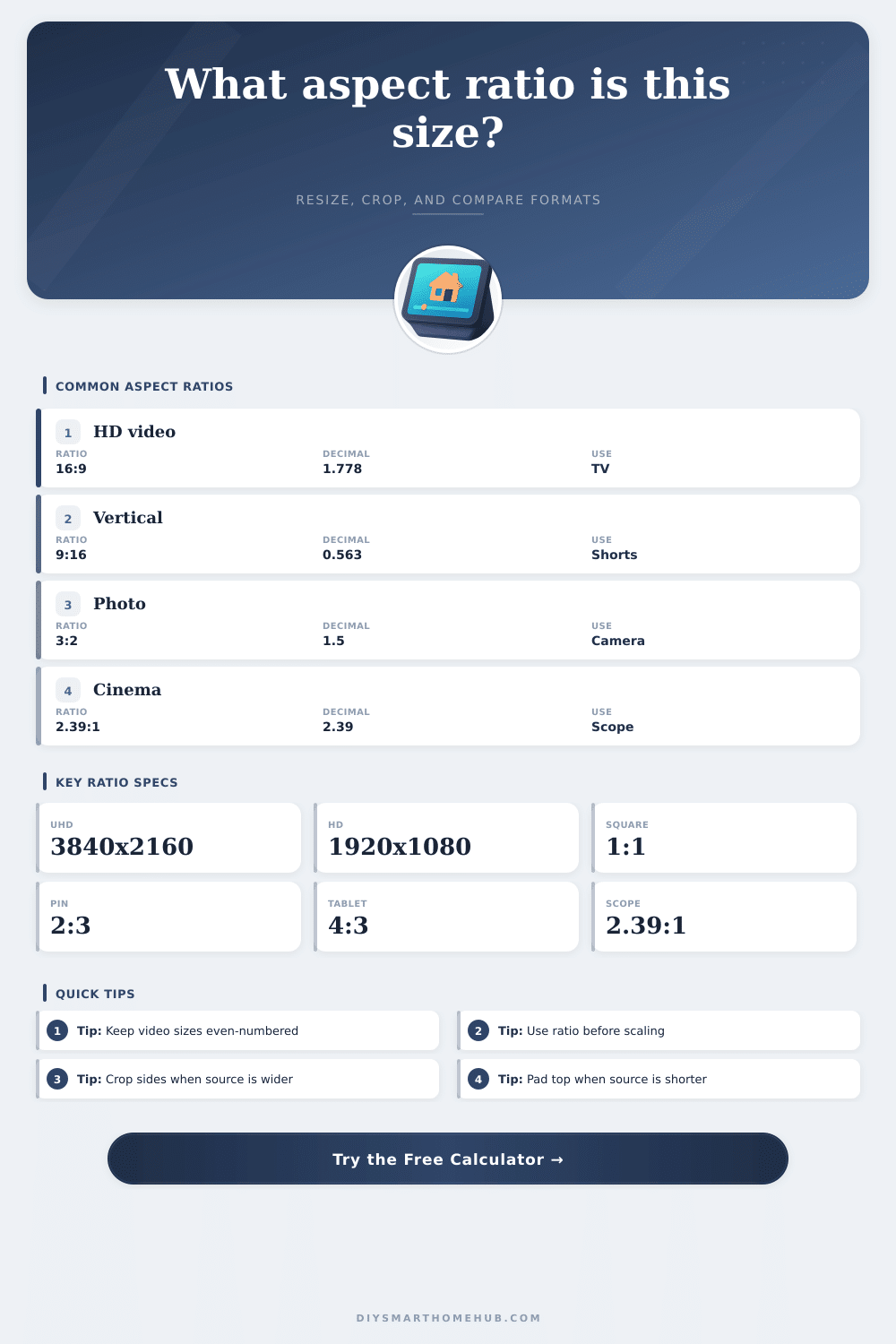
| HD and UHD video | 16:9 | 1.778 | 1280 x 720, 1920 x 1080, 3840 x 2160 | TVs, projectors, streams, dashboards |
| Ultrawide monitor | 43:18 | 2.389 | 3440 x 1440, 6880 x 2880 | Wide desks, simulators, timeline editing |
| Cinema scope | 2.39:1 | 2.390 | 4096 x 1716, 2048 x 858 | Scope projection and cinematic frames |
| Media target | Recommended size | Aspect ratio | Decimal | Resize note |
|---|---|---|---|---|
| Horizontal HD video | 1920 x 1080 | 16:9 | 1.778 | Scale evenly to 1280 x 720 or 3840 x 2160 |
| Vertical short video | 1080 x 1920 | 9:16 | 0.563 | Crop left and right from landscape sources |
| Square feed image | 1080 x 1080 | 1:1 | 1.000 | Crop the longer side or pad with background |
| Pinterest style pin | 1000 x 1500 | 2:3 | 0.667 | Vertical layouts keep important content central |
| Presentation widescreen | 1920 x 1080 | 16:9 | 1.778 | Matches most modern TVs and conference displays |
| Presentation standard | 1024 x 768 | 4:3 | 1.333 | Use only when the display is known to be 4:3 |
| Device class | Example resolution | Simplified ratio | Diagonal formula use | Planning note |
|---|---|---|---|---|
| HD TV or projector | 1920 x 1080 | 16:9 | 2202.9 px diagonal | Clean integer scaling to 4K UHD at 2x each axis |
| QHD monitor | 2560 x 1440 | 16:9 | 2937.2 px diagonal | Same ratio as HD, with 1.778x total pixels versus 1080p |
| WUXGA monitor | 1920 x 1200 | 8:5 | 2264.2 px diagonal | Often labeled 16:10; useful for tool panels |
| Ultrawide monitor | 3440 x 1440 | 43:18 | 3729.0 px diagonal | Wider than 21:9 by exact pixel simplification |
| Tablet display | 2048 x 1536 | 4:3 | 2560.0 px diagonal | Rotates cleanly between 4:3 and 3:4 layouts |
| Smart display panel | 1280 x 800 | 8:5 | 1509.4 px diagonal | Equivalent to 16:10 for wall dashboards |
| Print or image size | Ratio | Decimal | Matches without crop | Crop risk |
|---|---|---|---|---|
| 4 x 6 photo | 3:2 | 1.500 | Most DSLR and mirrorless stills | Low from 3:2 cameras |
| 5 x 7 photo | 7:5 | 1.400 | Some portrait and frame layouts | Small side crop from 3:2 |
| 8 x 10 photo | 5:4 | 1.250 | Classic portrait prints | Noticeable side crop from 3:2 |
| 11 x 14 photo | 14:11 | 1.273 | Gallery and wall frames | Moderate crop from 3:2 |
| A-series paper | 1.414:1 | 1.414 | A4, A3, A2 scaled paper | Close to 7:5, not 3:2 |
| Panorama print | 2:1 | 2.000 | Wide crops and stitched images | High from standard photos |
Aspect ratio describes the relationship between the width of a frame and the height of a frame. Aspect ratio is a mathematical relationship between width and height, and that relationship are expressed as a simple number. The aspect ratio of a file will determine how that content displays on screens of any size, whether it requires cropping to fit within the frame, and even if video content will fill that television without creating black bars on the screen.
While many people may believe that aspect ratio is a property of a file, aspect ratio is actualy just the relationship between the width and height of the content. By understanding the relationship between width and height, it is possible to make any required resize and crop calculations without performing the calculations by hand. An aspect ratio calculator can provide the dimensions of a file, the area of the frame, and a simplified aspect ratio, as well as provide information regarding whether the aspect ratio will maintain the content of the file or if it will result in the loss of information from the frame.
What Is Aspect Ratio and How It Affects Images and Video
The aspect ratio calculator can determine the method necessary to transform content shot at one aspect ratio to another, such as cropping the sides of an image or adding letterbox bars to a video to fill the frame. Furthermore, the aspect ratio calculator can provide information as to what percentage of the image will be reserved for interface element or text for that screen. Because interface elements or text may cover important content on screen, this percentage can be a helpful measurement to take into consideration in the production of that content.
The aspect ratio calculator allows for various rounding options, as many video encoders and LED processors only accept certain numbers. These video encoders and LED processors often feature a preference for even numbers within the video, as well as for those numbers to be multiples of eight or sixteen pixels. By choosing the appropriate rounding setting for the aspect ratio calculator, it is possible to avoid needing to reencode that file after it has been created.
Additionally, the aspect ratio calculator can work in either pixels or inches and centimeters, each of which may be necessary for different types of project. Each common aspect ratio was created to solve a specific problem. For instance, the 16:9 aspect ratio has become the standard for HDTV as it is the compromise between the 4:3 aspect ratio and the cinematic formats.
Additionally, phones in portrait mode utilize the 9:16 aspect ratio, or the 16:9 aspect ratio flipped on its side. Furthermore, filmmakers used the 2.39:1 aspect ratio for “cinema scope” films because they needed more space horizontally for their film shots. When an image is resized for another frame, it is important to select the proper method for that resize.
For instance, fitting the image within a bounding box will ensure that the entire image is preserved in the file, but it may leave empty space within the desired frame. Additionally, filling the box but cropping the image will remove some content from the image, but ensure that the image fully fills the frame. Other methods of resizing an image can be used to ensure that the width of the image is the same than the target frame, or that the height is the same as the target frame.
The aspect ratio calculator makes these calculations, which can save users from having to calculate these values themselves. When images or videos need to be compared to screens of the same aspect ratio, the diagonal measurements are helpful to know. Two screens may have the same aspect ratio, but different diagonal measurements.
Furthermore, screens of different diagonal measurements have different areas. This area of the screen impacts the pixel density of the screen, which determines how sharply the screen will appear. The aspect ratio calculator publishes both diagonal measurements to help with this comparison.
When comparing print sizes, different constraints are introduced due to the dimensions of paper. For instance, prints that are 8 inches by 10 inches may require cropping if the image was taken with a 3:2 aspect ratio. Yet, a print that is 4 inches by 6 inches will contain more of the original frame than an 8 inch by 10 inch print.
These reference tables within the aspect ratio calculator can save users the time to calculate these different print dimensions themselves. A second reason for using aspect ratios instead of pixel measurements is that screens are often not viewed under ideal conditions. For instance, the screens on a television may often feature reflections on the edges of the screen, or the screens on a phone may have interface elements on the corners of the screen.
By leaving a percentage of the frame in the aspect ratio calculator for these screens, these screens will not cover the important elements of the image. The aspect ratio calculator can apply the percentage of the frame for these screens after the main aspect ratio calculations are performed. Finally, working with aspect ratios is more efficient than working with pixels alone.
For instance, both a 1920 inch by 1080 inch frame and a 3840 inch by 2160 inch screen has the same aspect ratio of 16:9. Thus, any cropping that is applied to one will be the same as the other. Furthermore, aspect ratio calculations can be used to help determine which elements of the original frame are essential to the image and which can be sacrificed to maintain the aspect ratio.