WiFi Link Budget Calculator
Estimate received signal, SNR, usable margin, and clear-path range for smart home access points, outdoor cameras, sensors, and wireless bridges.
Link Budget Results
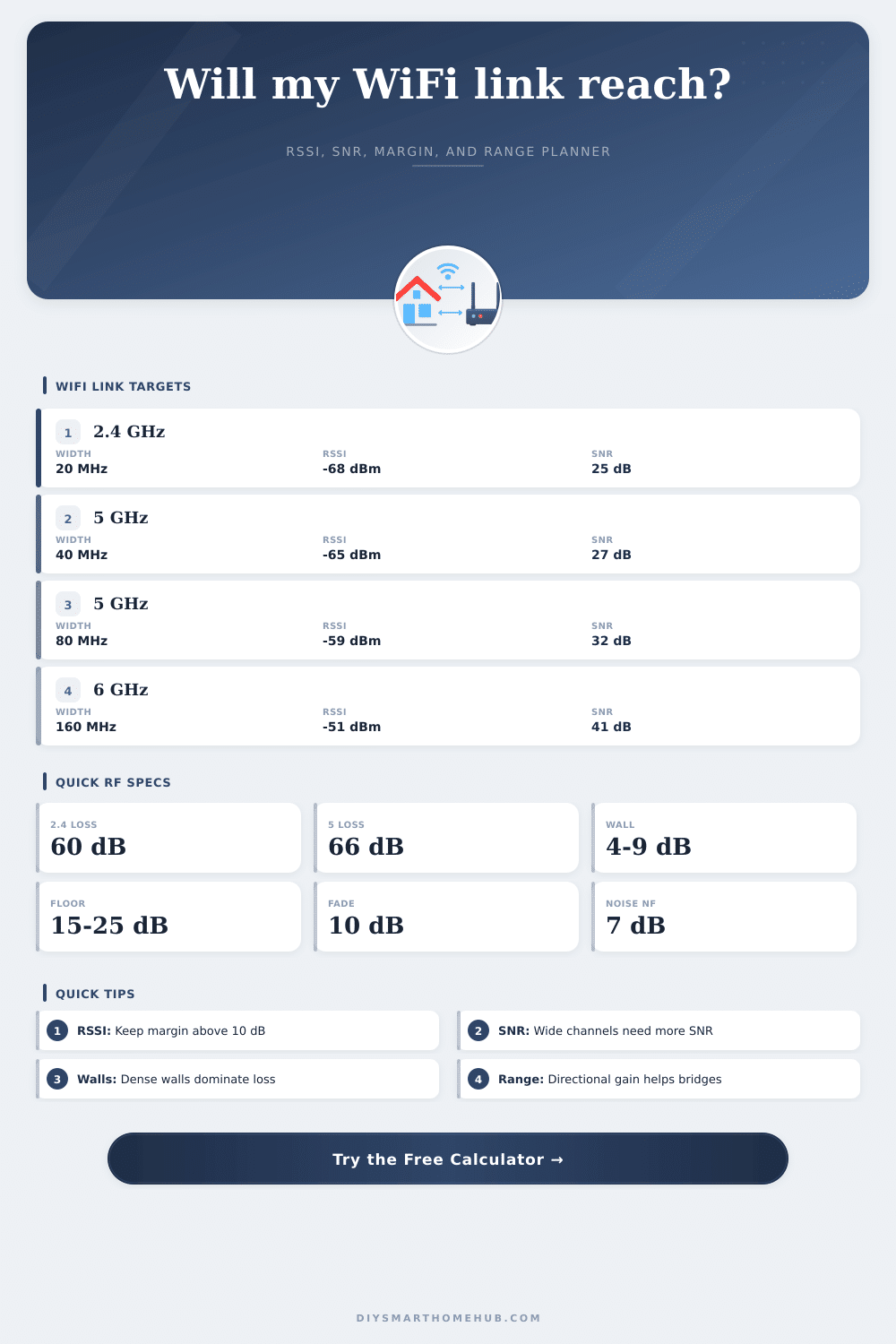
| Profile | Frequency Used | Channel Width | Target RSSI | Target SNR | Typical PHY Reference |
|---|---|---|---|---|---|
| 2.4 GHz low-rate IoT | 2412 MHz | 20 MHz | -88 dBm | 4 dB | 6 Mbps legacy-safe link |
| 2.4 GHz high-rate | 2437 MHz | 20 MHz | -68 dBm | 25 dB | 72 Mbps single-stream MCS7 |
| 5 GHz camera or AP | 5180 MHz | 40 MHz | -65 dBm | 27 dB | 200 Mbps single-stream MCS7 |
| 5 GHz WiFi 5/6 | 5500 MHz | 80 MHz | -59 dBm | 32 dB | 433 to 600 Mbps single stream |
| 6 GHz WiFi 6E/7 | 6175 MHz | 80 MHz | -57 dBm | 34 dB | 600 Mbps single-stream class |
| 6 GHz backhaul | 6415 MHz | 160 MHz | -51 dBm | 41 dB | 1200 Mbps single-stream class |
| Site Profile | Added Path Loss | Noise Rise | Fade Reserve | Best Use |
|---|---|---|---|---|
| Clear indoor line of sight | 0 dB | 0 dB | 8 dB | Same-room AP, mesh node, or desktop bridge |
| One light wall | 6 dB | 2 dB | 10 dB | Bedroom, hallway, or office through drywall |
| Two interior walls | 14 dB | 3 dB | 12 dB | Apartment and small-house room-to-room links |
| Dense walls or appliance path | 24 dB | 5 dB | 15 dB | Kitchen, masonry, utility area, or basement path |
| One floor or ceiling | 20 dB | 4 dB | 14 dB | Upstairs AP to downstairs camera or sensor |
| Exterior wall or coated glass | 30 dB | 4 dB | 16 dB | Garage, patio, yard, or window-adjacent link |
| Clear Distance | 2.4 GHz FSPL | 5 GHz FSPL | 6 GHz FSPL | Midpoint Fresnel Radius |
|---|---|---|---|---|
| 25 ft / 7.6 m | 57.7 dB | 64.4 dB | 65.5 dB | 1.6 to 2.6 ft |
| 50 ft / 15.2 m | 63.7 dB | 70.4 dB | 71.5 dB | 2.3 to 3.7 ft |
| 100 ft / 30.5 m | 69.8 dB | 76.4 dB | 77.6 dB | 3.2 to 5.2 ft |
| 250 ft / 76.2 m | 77.7 dB | 84.4 dB | 85.5 dB | 5.1 to 8.3 ft |
| Scenario | Typical Distance | Useful Profile | Antenna Style | Planning Target |
|---|---|---|---|---|
| Same-room TV or desktop | 15 to 30 ft | 5 GHz 80 MHz | Internal AP and client antennas | 25 dB or more link margin |
| Bedroom through one wall | 35 to 60 ft | 2.4 GHz high-rate or 5 GHz 40 MHz | Internal AP antenna | 10 to 20 dB margin |
| Detached shed bridge | 80 to 180 ft | 5 GHz 40 or 80 MHz | Directional panel at one or both ends | Clear Fresnel path and 15 dB margin |
| Battery sensor or lock | 40 to 120 ft | 2.4 GHz low-rate IoT | Small internal antenna | Stable RSSI above -80 dBm |
| 6 GHz mesh backhaul | 20 to 50 ft | 6 GHz 160 MHz | Mesh-node antenna array | Very clear path and high SNR |
A link budget calculation are a method of determining whether a wireless signal will be strong enough to reach a specific device. Wireless signals tend to lose strength as they travel through walls, floor, and the open air. Therefore, it is necessary to understand the behavior of the signal after it has covered the distance between the access point and the device in order to ensure that it has strong enough signal strength to reach the device.
To calculate the link budget, the technician measures the signal strength that the access point emits. The antenna gain is added to this value. Any factors that reduce the strength of the signal, such as the distance between the access point and device, obstacles in the path, and signal losses in the cable that connect the devices are subtracted from the total signal strength.
How to Calculate a Wireless Link Budget
The resulting signal strength is the strength of the signal at the receiving end of the wireless link. If this value is higher than the signal strength that the device requires, then there is a margin in the link between the access point and the device. This margin accounts for the signal losses that may occur in the environment, such as when a door is closed or when a neighbor begin to operate there wireless network.
Many people only become aware of wireless link problems once the hardware has been installed into the desired locations. For example, a wireless security camera may work during the daytime but may drop frame during the night. Similarly, sensors may work during the summer but may fail to detect leaves when they grow over the trigger sensors on the trees.
Link budget calculations can factor in these environmental considerations. The distance between the access point and device, the band of the signal, the channel width, and the obstacles in the link path can be considered in the calculation of the link budget. Factors that are considered in the link budget calculation are the level of signal strength that the device will receive, the signal to noise ratio of the signal, and the amount of margin that will exist between the signal strength of the link and the signal strength that the device requires.
The link budget calculation must factor in the different behaviors of the various portions of the radio spectrum. For instance, lower frequencies can travel longer distances and pass through obstacles more easy than higher frequencies. Additionally, the lower frequencies are shared with a greater number of devices within the wireless band.
Higher bands can carry more data but require a stronger and cleaner signal to do so. These factors mean that the link budget calculation can support high data rates on one setting but only low data rates on another setting. An exterior wall or a path that passes near metal ductwork will introduce more loss to the signal than a single drywall wall.
Antenna placement is more important than increasing the transmit power of the signal. While increasing the transmit power will help the signal reach the device, there is a limit to how high the power of the signal may be increased. Most devices are close to the limit on their maximum transmit power.
The signal can be improved by ensuring the antennas are aimed at each other, and that the first Fresnel zone is clear. The first Fresnel zone is the area of the air that exists between the two wireless devices. Any obstructions within this area will impact the signal, as any metallic object will reduce the strength of the signal.
The link budget calculation can determine the distance between the two antennas; however, it assumes that the conditions of the obstacles in the path will remain the same. If the distance between the two devices is increased, the link budget will shift from an acceptable link to a marginal link. Any additional wall or floor will add to the path loss of the signal.
One way to mitigate this problem is to change from an internal antenna to a directional panel antenna at one or both end of the link. Before hanging any hardware, it is important to run a link budget calculation. The profile for the link, the distance between the two devices, and the obstacles between the devices should be entered into the calculation.
If the link budget reveals that the signal will be too weak to reach the device, then options can be considered to increase the link budget. These options may include reducing the distance between the devices, improving the antennas or their alignment, or using a different band or data rate. Utilizing the link budget calculation to alter these variable will reveal which option will be of the greatest help in increasing the strength of the link.
Link budgets can also reveal whether links that appear to be difficult to establish can still be worked out. For instance, a backyard sensor that is difficult to reach with the 2.4 GHz band may still work at a lower data rate. Similarly, a mesh network node that appears to have a marginal link may work perfectly if the line of sight between the two nodes can be ensured.
Link budget calculations cannot account for small change to the environment that may occur over a period of many months. For instance, the placement of furniture, doors that may be opened or closed, or the introduction of neighboring wireless network may all impact the link between two devices. The fade reserve is included in link budget calculations as a means of providing for these small changes in the link environment.
The fade reserve isnt the signal strength of the link and does not represent power that is wasted by the devices in the link; rather, it is the portion of the link budget that ensures the link will not drop if there are small changes to the link environment. Thus, link budget calculations can prevent regrets regarding the installation of wireless networks and devices.