Uninterruptible Power Supply Calculator
Estimate recommended UPS wattage, VA capacity, runtime energy, and battery pack count for routers, servers, PCs, switches, and security gear before the next outage.
📌Preset UPS Scenarios
⚙Load and Runtime Inputs
UPS Sizing Summary
Enter load, runtime, and battery details to see a recommended UPS class and battery estimate.
📊UPS Class Reference Grid
Compact Network UPS
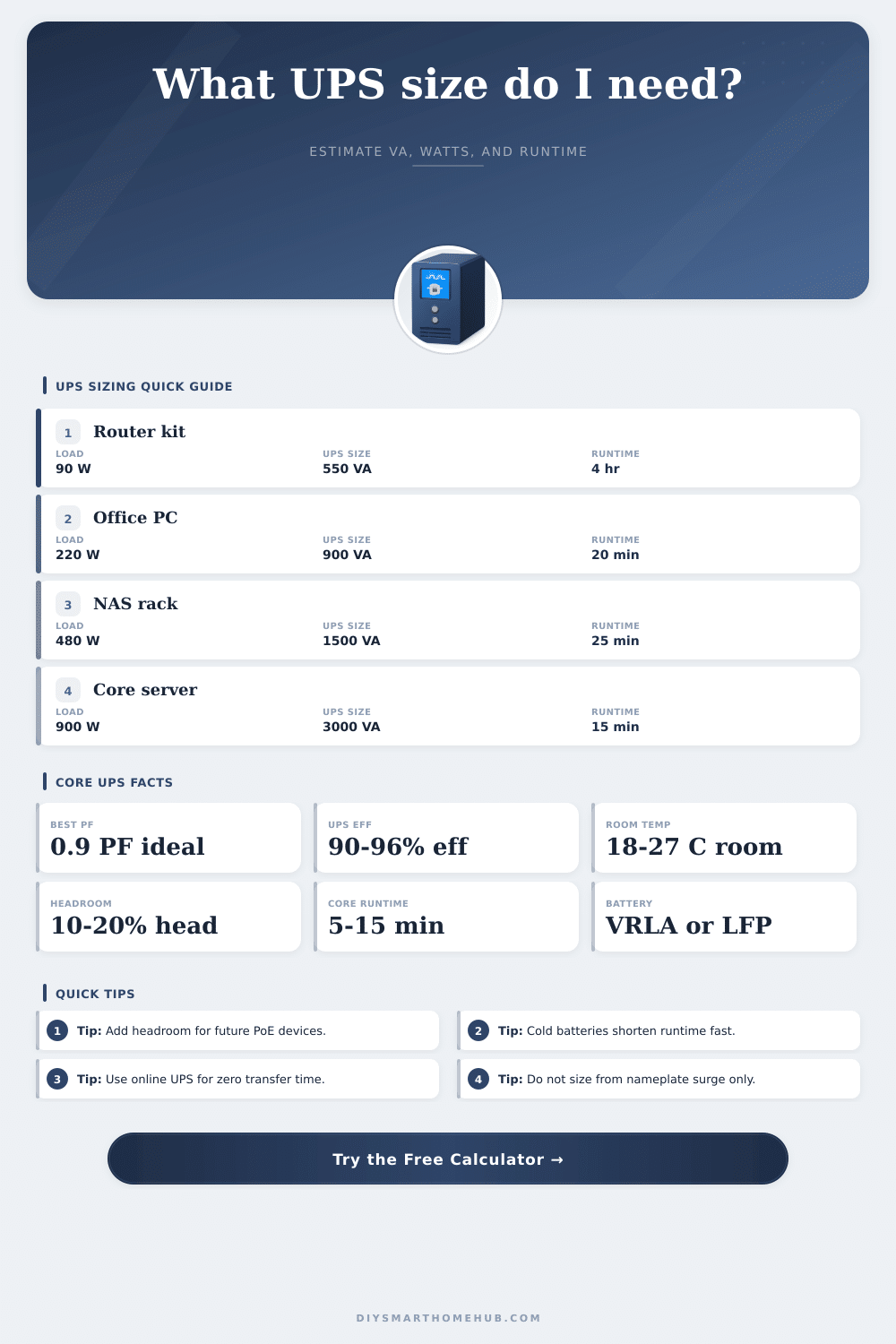
550-900 VA Router, modem, APBest for low-power network shelves, fiber ONTs, and a few low-draw cameras when you need minutes to a few hours of backup.
Desktop Tower UPS
1000-1500 VA PC, NAS, displayCommon for workstations, point-of-sale equipment, and small NAS stacks where clean shutdown time matters more than all-day runtime.
Rack UPS
2200-3000 VA Switches, serversSuited to core switches, PoE loads, virtualization hosts, and security racks that need higher battery bus voltage and stronger charger output.
Extended Runtime UPS
5-10 kVA Closet or branch nodeUsed when the UPS must support long ride-through windows or multiple external battery cabinets instead of a short shutdown bridge.
📋Reference Tables
| Critical Load | Suggested UPS Size | Typical Internal Battery | Practical Runtime Goal |
|---|---|---|---|
| 75-125 W network shelf | 550-900 VA | 24V 7-9Ah | 1-4 hours |
| 180-300 W workstation | 1000-1500 VA | 24V to 48V 9Ah | 12-30 minutes |
| 350-600 W NAS rack | 1500-2200 VA | 48V to 72V 9Ah | 15-45 minutes |
| 700-1200 W server stack | 3000 VA online | 192V 5-9Ah | 10-25 minutes |
| 1.5-2.5 kW closet | 5-6 kVA online | External strings | 10-60 minutes |
| Topology | Transfer Time | Efficiency | Best Fit |
|---|---|---|---|
| Standby / Offline | 6-10 ms | 95-97% | Simple network gear and light desktop backup |
| Line-Interactive | 2-6 ms | 93-96% | Workstations, NAS units, and mixed network racks |
| Online Double-Conversion | 0 ms | 90-94% | Servers, telecom gear, noisy mains, and sensitive loads |
| Scenario | Load | Runtime Target | Typical Recommendation |
|---|---|---|---|
| Fiber ONT + router + switch | 70-120 W | 2-4 hr | 900 VA line-interactive with extra battery energy |
| Home office PC + monitor | 180-260 W | 15-30 min | 1500 VA tower UPS |
| 8-bay NAS + PoE switch | 350-550 W | 20-45 min | 2200 VA rack UPS |
| NVR + cameras + modem | 150-320 W | 1-2 hr | 1500-2200 VA with external battery |
| Small virtualization host | 700-950 W | 10-20 min | 3000 VA online UPS |
🛠Practical Runtime Tips
A plug-in power meter or UPS management software gives better numbers than the label on a PC power supply, especially for modern efficient electronics.
Laser printers, heaters, and motors can force a much larger UPS than the critical electronics actually need, so keep them off the battery-backed outlets.
Cool rooms cut available capacity, while hot rooms shorten battery life. Runtime math that ignores room temperature often looks better than reality.
If servers need five minutes to flush data and power down, size the UPS for that shutdown window plus reserve instead of aiming for exact zero.
An Uninterruptible Power Supply, or UPS, are a device that provides backup power to electronic equipment in the case that the electrical grid fail. UPS equipment is important because it prevent the equipment from shutting off with the power outage. In the case of a power outage, a UPS allows the user to save there work or allows servers to shut down.
Additionally, many people purchase UPS equipment without calculating the power need of the equipment they will be using. If you dont calculate the power needs of the equipment prior to purchasing a UPS, the UPS may fail to provide enough power for the equipment to run for even a shortly period of time. To purchase the correct UPS for the equipment, it is first important to understand the difference between watts and volt amps.
Choose the Right UPS for Your Devices
Watts measure the power that the equipment use. Volt-amps measures the power that the UPS must be able to handle. Because of the power factor of IT equipment, the number of volt-amps necessary will always be more higher than the number of watts that the equipment uses.
For example, if the router use 100 watts of power, it may require a UPS with a capacity of 110 volt-amps. Should these two value not be accounted for, the UPS may shut down. Another factor to consider is the actual load that the equipment will draw.
Equipment manufacturers may print a maximum rating for the power supplies for the equipment. However, that maximum rating do not indicate the length of time that the battery will last. It is recommended that a power meter be used to measuring the actual power draw of the equipment.
Additionally, some extra capacity is recommended for the UPS. The extra capacity is use to account for power spikes when equipment is started, as well as to allow for any new equipment to be added to the UPS. The chemistry of the battery that is include in the UPS can also affect the amount of power that it can provide.
Commonly, the type of battery that is included in UPS units is a lead acid battery. However, lead-acid batteries lose significant capacity if the battery are too low in temperature. Due to the fact that lithium batteries can provide more usable capacity then lead-acid batteries, lithium batteries are also different from lead-acid batteries in numerous other ways.
The topology of the UPS will impact in what way the UPS utilize the batteries. For example, an online double conversion UPS will provide the best transition from grid power to battery power, but will use more power during normal operation. A line interactive UPS will fall somewhere in the middle in both performance and cost, and may be suitable for desktop computers in general, but will not provide the same seamless transition from grid to battery as an online UPS.
In order to extend the life of the batteries within the UPS, it is important to ensure that certain types of device are not connected to the UPS. For instance, it is recommended that you do not connect a printer or space heater to a UPS. The power spikes that these devices create will drain the UPS battery very quick.
Instead, use separate surge protectors for these devices, and only use a UPS for essential computers and servers. The temperature at which the UPS is deployed can also impact its runtime. For example, if the temperature in the room in which the UPS is located drop below 60 degrees Fahrenheit, the lead-acid batteries will lose a large portion of their capacity.
If the UPS is located in a cold garage, the batteries will have decreased runtime due to the temperature. Thus, the UPS should be located in an area where the temperature is control so that the expected runtime of the UPS can be maintained. Finally, the charger for the UPS should be able to recharge the batteries after the power outage.
If the UPS is very large and contains many battery, the charger will need to have a high enough output to recharge the batteries before the next power outage. If the battery charger take too long to recharge the batteries, the UPS will not be able to function during the next power outage. Thus, it is important to ensure that the UPS will be able to run for the expected amount of time by measuring the equipment, the factor of the power, and the temperature in which it is deployed.