TV Viewing Distance Calculator
Calculate ideal sofa distance, screen size, field of view, 4K/8K detail benefit, and vertical viewing angle from real screen geometry.
Full calculation breakdown
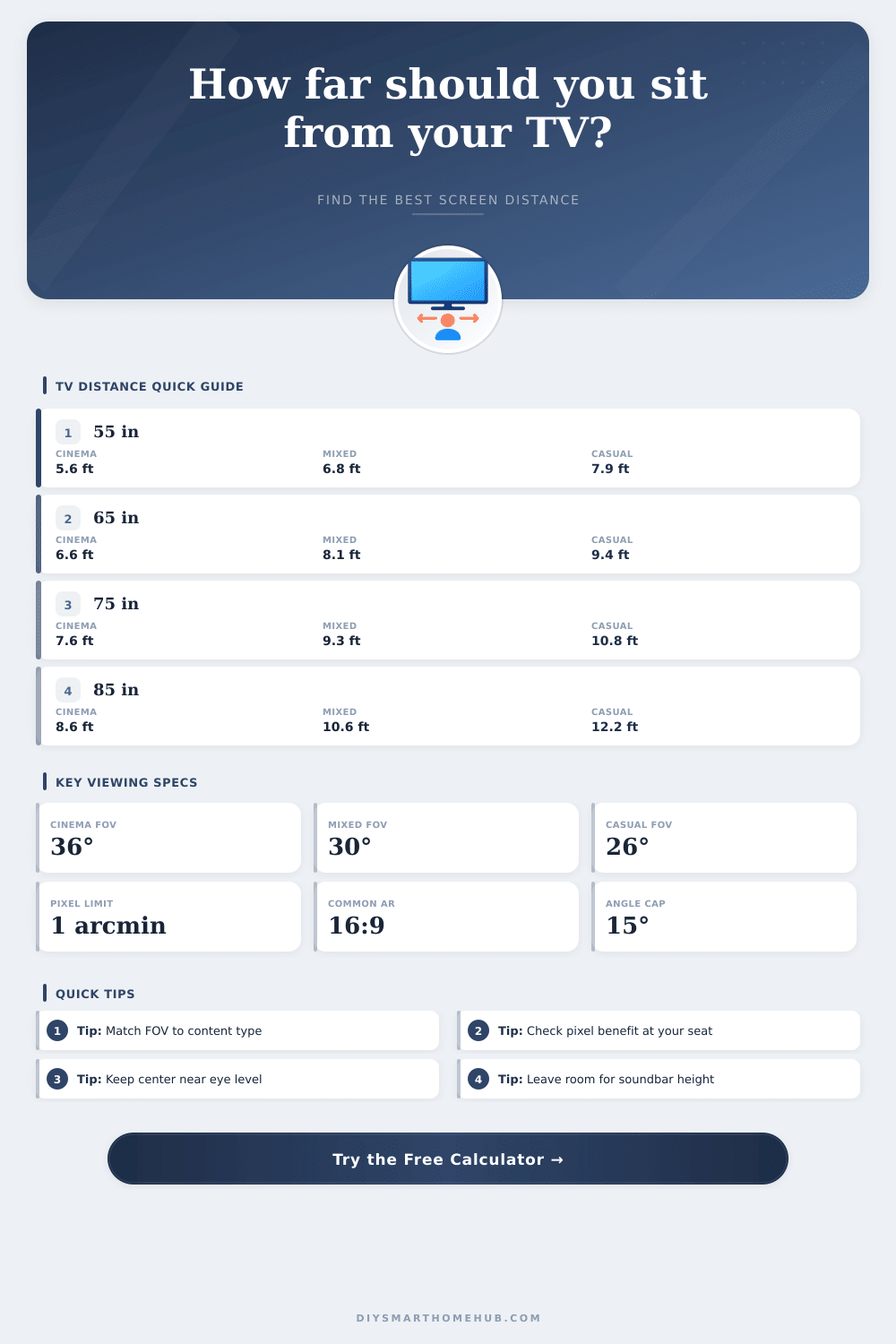
| Screen size | 36° cinema | 30° mixed use | 26° casual TV |
|---|---|---|---|
| 43 in | 4.4 ft / 1.3 m | 5.3 ft / 1.6 m | 6.2 ft / 1.9 m |
| 50 in | 5.1 ft / 1.6 m | 6.2 ft / 1.9 m | 7.2 ft / 2.2 m |
| 55 in | 5.6 ft / 1.7 m | 6.8 ft / 2.1 m | 7.9 ft / 2.4 m |
| 65 in | 6.6 ft / 2.0 m | 8.1 ft / 2.5 m | 9.4 ft / 2.9 m |
| 75 in | 7.6 ft / 2.3 m | 9.3 ft / 2.8 m | 10.8 ft / 3.3 m |
| 85 in | 8.6 ft / 2.6 m | 10.6 ft / 3.2 m | 12.2 ft / 3.7 m |
| 98 in | 9.9 ft / 3.0 m | 12.2 ft / 3.7 m | 14.1 ft / 4.3 m |
| 120 in | 12.1 ft / 3.7 m | 14.9 ft / 4.6 m | 17.3 ft / 5.3 m |
| Screen size | 1080p detail limit | 4K detail limit | 8K detail limit |
|---|---|---|---|
| 43 in 16:9 | 5.6 ft / 1.7 m | 2.8 ft / 0.9 m | 1.4 ft / 0.4 m |
| 55 in 16:9 | 7.2 ft / 2.2 m | 3.6 ft / 1.1 m | 1.8 ft / 0.5 m |
| 65 in 16:9 | 8.5 ft / 2.6 m | 4.3 ft / 1.3 m | 2.1 ft / 0.6 m |
| 75 in 16:9 | 9.8 ft / 3.0 m | 4.9 ft / 1.5 m | 2.5 ft / 0.7 m |
| 85 in 16:9 | 11.1 ft / 3.4 m | 5.6 ft / 1.7 m | 2.8 ft / 0.9 m |
| 98 in 16:9 | 12.8 ft / 3.9 m | 6.4 ft / 2.0 m | 3.2 ft / 1.0 m |
| Aspect ratio | Width from diagonal | Height from diagonal | Viewing note |
|---|---|---|---|
| 16:9 TV | 87.2% of diagonal | 49.0% of diagonal | Standard for HDTV, 4K, 8K, and streaming |
| 16:10 display | 84.8% of diagonal | 53.0% of diagonal | Slightly taller; same diagonal feels a little smaller in width |
| 2.35:1 scope | 92.0% of diagonal | 39.2% of diagonal | Wider cinema screen needs more wall width |
| 4:3 classic | 80.0% of diagonal | 60.0% of diagonal | Taller picture, narrower horizontal field of view |
| Seat distance | 5° vertical offset | 10° vertical offset | 15° comfort limit |
|---|---|---|---|
| 6 ft / 1.8 m | 6.3 in / 16 cm | 12.7 in / 32 cm | 19.3 in / 49 cm |
| 8 ft / 2.4 m | 8.4 in / 21 cm | 16.9 in / 43 cm | 25.7 in / 65 cm |
| 10 ft / 3.0 m | 10.5 in / 27 cm | 21.2 in / 54 cm | 32.2 in / 82 cm |
| 12 ft / 3.7 m | 12.6 in / 32 cm | 25.4 in / 65 cm | 38.6 in / 98 cm |
| Room scenario | Typical seat distance | Screen for 30° | Screen for 36° |
|---|---|---|---|
| Small bedroom | 6 ft / 1.8 m | 48 in 16:9 | 59 in 16:9 |
| Apartment sofa | 7 ft / 2.1 m | 57 in 16:9 | 69 in 16:9 |
| Standard living room | 8.5 ft / 2.6 m | 69 in 16:9 | 84 in 16:9 |
| Large family room | 10 ft / 3.0 m | 81 in 16:9 | 98 in 16:9 |
| Dedicated theater row | 12 ft / 3.7 m | 97 in 16:9 | 118 in 16:9 |
1080p TV
Best when seating is far enough that pixel structure is not visible. Large 1080p screens usually need more distance than 4K panels.
4K TV
Works well at cinema-style distances because pixels stay fine at wider fields of view. Most living room recommendations now assume 4K.
8K TV
Pixel detail benefit appears only at very close seating or very large screens. Field of view is usually the stronger design limit.
Projector
Screen size often comes from the wall and throw setup. Use field of view first, then check pixel density and screen height.
Another significant factor to consider is the distance between the sofa in the room and the screen. The distance between the sofa and the screen impact the viewer’s perception of the screen’s image. If the viewer is too close to the screen, the image will look like a grid of square on the screen.
If the viewer is too far from the screen, the action on the screen will not appear life-size on the screen. The distance between the sofa and the screen also impacts the viewer neck comfort and the strain on they eyes. Because the distance between the sofa and the screen impacts the viewers’ perception of the screen’s image, you must consider the distance when setting up the living room.
How to Pick the Right Screen Size and Where to Put It
The width of the screen is more important than the diagonal measurement of the screen. The width of the screen also depend on the screen’s aspect ratio. A 65-inch screen with a 2.35:1 aspect ratio will have a wider screen than a 65-inch screen with a 16:9 aspect ratio.
This means that a 65-inch screen with a 2.35:1 aspect ratio will feel larger in the living room than a screen of the same measurement with a 16:9 aspect ratio. A screen calculator can calculate the width of the screen by entering the screen’s diagonal measurement and the aspect ratio of the screen. The field of view is the relationship between the width of the screen and the distance at which the viewer is positioned in relation to the screen.
A thirty degree field of view is most common for living rooms. This field of view allow viewers to look away from the screen at their phones or their conversation partners while they are viewing the screen. Thirty-six degrees of field of view is used for dedicated home theaters.
For televisions with a twenty-six-degree field of view, the screen is meant to be background noise in the living room. These field of view measurements are based on studies that measured the point at which viewers no longer noticed the screen’s edges. Using a screen calculator, these degrees of field of view can be translated into inches or centimeters to mark the floor where the sofa will be positioned.
The resolution of the screen and the pixel density of the screen impact how viewers see the screen. If a screen has 4K resolution, it has four times as many pixels as a screen with 1080p resolution. If the screen’s pixels are too close for viewers to see them individually, the higher resolution will not benefit the viewers.
If the viewers are too far from the screen, the 4K screen will not look as sharp as a 1080p screen. At closer distances, the higher resolution will produce a screen that allows viewers to see the screen’s details more sharp. The screen calculator will report the distance at which one pixel of the screen will subtend one arcminute of viewing angle.
This distance is the measurement for 20/20 vision. The height of the screen above the floor impacts the neck comfort of the viewer. The center of the screen should be at the viewer’s seated eye level.
Depending on the distance between the sofa and the screen, the center of the screen may need to change to ensure that viewers dont have to strain their necks to look at the screen. For instance, if the distance between the sofa and the screen is eight feet, a small difference in screen height is acceptable. If the distance between the sofa and the screen is twelve feet, a small change in screen height will cause viewers to strain their necks to look at the screen.
The limit for viewer comfort is fifteen degrees above or below the viewer’s direct point of view. Viewers should not of have to look beyond fifteen degrees to see the screen’s edges; otherwise, they will strain their necks to look at the screen for the entire length of the movie. Real rooms have features that impact screen placement.
For example, a soundbar system may require the screen to be mounted at a higher elevation. A console placed at a low elevation in the living room may require that the screen is placed at a lower height. The windows in the room may require that the sofa is not positioned in the center of the room.
These placement constraints will change the viewing angle of the screen. The screen calculator will provide a target viewing angle for the screen in the room. Using this target, viewers can make a compromise to accommodate the constraints of the room.
The aspect ratios of the screen will impact the layout of the living room furnitures. For example, if the screen is meant to display movies in a 2.35:1 aspect ratio, the credenza in the living room will have to be wide enough to accommodate the width of the screen. A 2.35:1 aspect ratio screen may require a different furniture arrangement than a screen with a 16:9 aspect ratio.
Additionally, for screens that use projectors, the throw distance impacts the screen size. The throw distance is the distance between the projector’s lens and the wall on which the screen is projected. The throw distance determines the screen size.
The screen size impacts the field of view of the screen for viewers in the living room. The pixel density of the screen and the field of view impact the viewer’s experience of the screen. For example, if a viewer is using a 85-inch 8K television screen, the viewer’s field of view may be nine feet.
At this distance, the screen’s pixels will not be visible. However, if the viewer is viewing the same screen from fourteen feet, the field of view will be smaller. At this distance, the viewer’s field of view will miss some of the screen’s details.
The smaller field of view allows the resolution of the screen to provide insurance for future content with even higher resolutions. Screen calculators can report the pixel density of the screen and the field of view that the screen will provide for viewers at the same time. Many people make mistakes when purchasing a screen for their living room.
For instance, some may purchase the largest screen that will fit on the living room’s wall. This screen may feel too large for viewers’ seating position on the sofa. Many people with televisions with 1080p resolution may purchase these screens because they work for the viewer’s viewing distance from the screen.
However, when they sit back on their sofa to enjoy the screen’s content, they may notice that the screen appears to be soft. Viewers can avoid these mistakes by calculating the living room’s screen geometry before purchasing a screen. Before purchasing a screen for a living room, viewers should measure the room.
You need to measure the distance from the sofa to the wall. The viewer’s eye height when seated on the sofa must be measured. Additionally, the diagonal size of the screen must be measured.
These three measurements are required to calculate the viewing angle of the screen in the living room. Using these measurements, viewers can calculate whether the screen will be correct in the viewer’s living room.