Satellite Dish Alignment Calculator
Compute geostationary look angles, compass heading, LNBF skew, slant range, and estimated beamwidth for home TV dishes, broadband terminals, or larger backyard reflector setups.
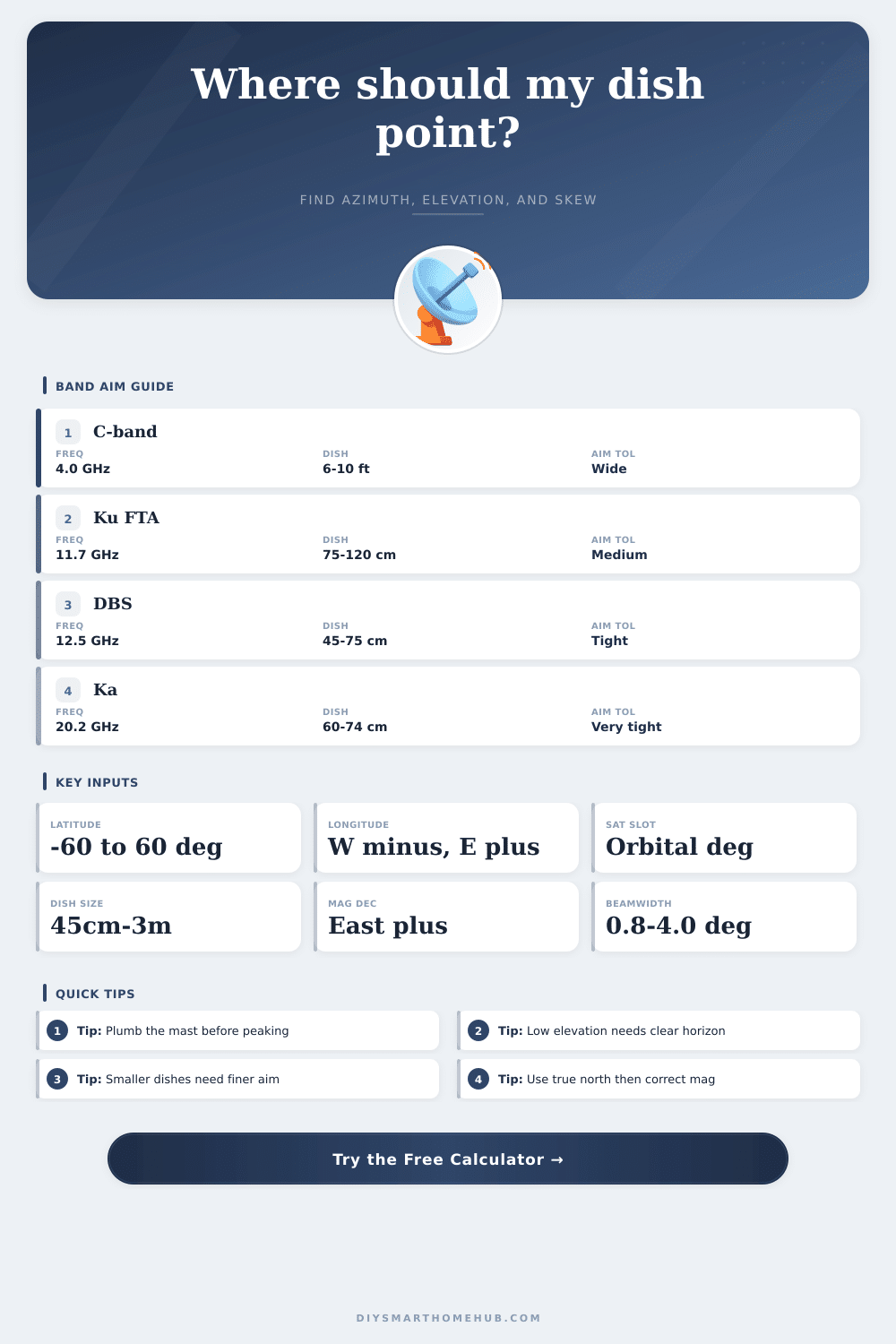
Use negative longitudes for west and positive longitudes for east. Enter magnetic declination as positive for east and negative for west so the displayed compass heading matches the local magnetic north offset.
| Dish size | 12 GHz beamwidth | Half-power aim | Typical use |
|---|---|---|---|
| 45 cm / 18 in | About 4.0 deg | About 2.0 deg | Travel DBS and compact urban installs |
| 60 cm / 24 in | About 3.0 deg | About 1.5 deg | Typical home DBS or mild fringe coverage |
| 75 cm / 30 in | About 2.4 deg | About 1.2 deg | Ku offset dish with better rain margin |
| 90 cm / 36 in | About 2.0 deg | About 1.0 deg | FTA, narrower arc spacing, and weak footprints |
| 120 cm / 48 in | About 1.5 deg | About 0.8 deg | Fringe Ku or higher-data-rate fixed links |
| Profile | Center freq | Default dish | Offset | Recommendation |
|---|---|---|---|---|
| DBS household | 12.55 GHz | 18 to 24 in | 24 deg | Fast home TV alignment with narrow mast error budget |
| Ku FTA offset | 11.70 GHz | 75 to 90 cm | 22 deg | General free-to-air use with manageable rain fade |
| Ka broadband | 20.20 GHz | 74 cm | 22 deg | Very tight peaking for consumer internet terminals |
| C-band prime focus | 4.00 GHz | 180 cm or larger | 0 deg | Wide beamwidth but large reflector and clear arc needed |
| X-band data | 8.20 GHz | 120 cm | 0 to 5 deg | Professional fixed links with stronger gain target |
| S-band mobile | 2.20 GHz | 100 cm | 0 to 10 deg | Lower frequency profile with wider beam and looser peak |
| Scenario | Typical site | Orbital slot | Main thing to watch |
|---|---|---|---|
| Townhouse TV dish | 25 to 45 deg latitude | 101W to 119W | Roof edge and nearby trees near 30 to 50 deg elevation |
| Rural Ku FTA | Open yard or pole mount | 72W to 103W | Arc sweep across multiple satellites and mast plumb |
| Ka broadband terminal | Apartment or office wall mount | 95W to 100W | Sub-degree peaking and connector weatherproofing |
| C-band backyard dish | Low-clutter rural property | 87W to 139W | Southern horizon clearance and actuator travel |
| Low-latitude install | Near equatorial regions | Any nearby slot | Large skew angles even when elevation looks forgiving |
To align a satellite dish with a satellite in space, one must understand the geometric relationship that exists between the two. A satellite dish must point in the direction of the satellite that it receives signals from. Because geostationary satellites remains in a fixed position in space relative to the Earth, the satellite dish must remain pointed in one direction.
If the dish is not pointed towards the satellite, it wont be able to receive any signal from the satellite. In order to align the satellite dish with the satellite from which it receives signals, there are three measurement that must be made: the azimuth of the dish, the elevation of the dish, and the skew of the dish. The azimuth is the measurement of the direction of the dish, measured from true north.
How to Align a Satellite Dish
The elevation of the dish is the angle of the dish measured from the horizon. You must adjust the rotation of the LNB attached to the dish to account for the slant of the signal received from the satellite. Small errors in any of these measurements will result in the loss of the signal from the satellite.
Thus, great precision is required in aligning the dish. One factor that many people must consider when using a compass to determine the azimuth of the satellite dish is the magnetic declination of the area in which the dish is located. A compass will point to magnetic north, but the azimuth of the dish must be measured from true north.
The difference between magnetic north and true north is the magnetic declination, and this value differs according to the location of the satellite dish. If magnetic declination is not taken into account when determining the azimuth of the dish, the satellite dish will not align with the satellite. In order to avoid this issue, one can use a tool that accounts for magnetic declination, or you can calculate the declination prior to aligning the dish to the satellite.
The size of the satellite dish and the frequency with which the dish receives signals also play a role in the precision with which the dish must be aligned. Larger dishes that are used to receive signals in the C-band portion of the radio frequency spectrum have a wider beam of radio waves than smaller, high-frequency satellite dishes that operate in the Ka-band and Ku-band portions of the radio frequency spectrum. Because of this, the larger dishes has a greater degree of tolerance in how precisely they must be aligned to the satellites.
However, because of the narrow beam of the smaller satellite dishes, even a slight error in alignment will result in the loss of the signal received from the satellite. In these cases, it is essential that the satellite dish is mounted in such a way that the mast upon which the dish is mounted is perfectly vertical. If it isnt vertical, then the entire satellite dish will be mounted at an angle, making it difficult to achieve the precise alignment of the dish.
An additional adjustment that must be made to the satellite dish is the skew of the dish. As stated above, the skew of the dish is the rotation of the LNB that is attached to the dish. Because the signals from the satellites arrive at the satellite dishes at a slant, you must rotate the LNB on the satellite dish to allow for the signal to enter the device.
The amount of skew that is required for the satellite dish to align with the signal depends upon the latitude at which the satellite dish is installed and the position of the satellite that emits the signal. At high latitudes, the signal will hit the LNB almost direct, requiring little rotation of the LNB. Closer to the equator, however, the signal will hit the LNB at a steeper angle, and the LNB will have to be rotated to allow the signal to enter the satellite dish properly.
A calculator is often used to determine the amount of skew that should be applied to the LNB on the satellite dish. The skew can be adjusted by rotating the LNB either in a clockwise or counter-clockwise direction. The sign of the skew will be positive or negative depending on whether the satellite is located in the Northern or Southern Hemisphere, respectively.
In order to achieve the best signal possible from the satellite, one technique can be applied that is referred to as peaking. During the peaking technique, the signal strength from the satellite is monitored while making small adjustments to the alignment of the satellite dish. By loosening the bolts that attach the satellite dish to the mast upon which it is mounted, the dish can be slowly adjusted in small increments.
As the satellite dish is moved, one can watch the signal meter to determine if the signal strength increases. The azimuth and elevation of the satellite dish can be adjusted in turn until the strongest signal is found, at which time all of the bolts that hold the dish to the satellite mast should be tightened. If the dish is not tightened properly, it may shift from its aligned position, which can lead to the signal from the satellite dropping.
It is also essential that the path between the satellite dish and the satellite itself is unobstructed. Any objects that may interrupt the signal from the satellite will prevent the satellite dish from receiving any signal from the satellite. One such obstruction may be trees, buildings, or hills situated between the satellite and the satellite dish.
This is especially true of satellites that have a low elevation angle relative to the location of the satellite dish. In this case, the signal travels through a greater portion of the atmosphere and must pass over more physical obstacles to reach the dish. Prior to attempting to align the satellite dish, one should scout the horizon for any potential obstructions of the signal.
Finally, it is necessary to ensure that the satellite dish itself is protected from the weather. Each of the connectors attached to the satellite dish should be weatherproofed. Should the satellite dish become wet, it will mimic the symptoms of a misaligned satellite dish.
By taking the steps described above, an individual will be able to properly align their satellite dish to receive the signal from the satellite.