IP Camera Data Usage Calculator
Estimate network data, monthly transfer, retention storage, and average upload demand for IP cameras using bitrate, codec, frame rate, activity, and recording schedule.
IP Camera Data Usage Results
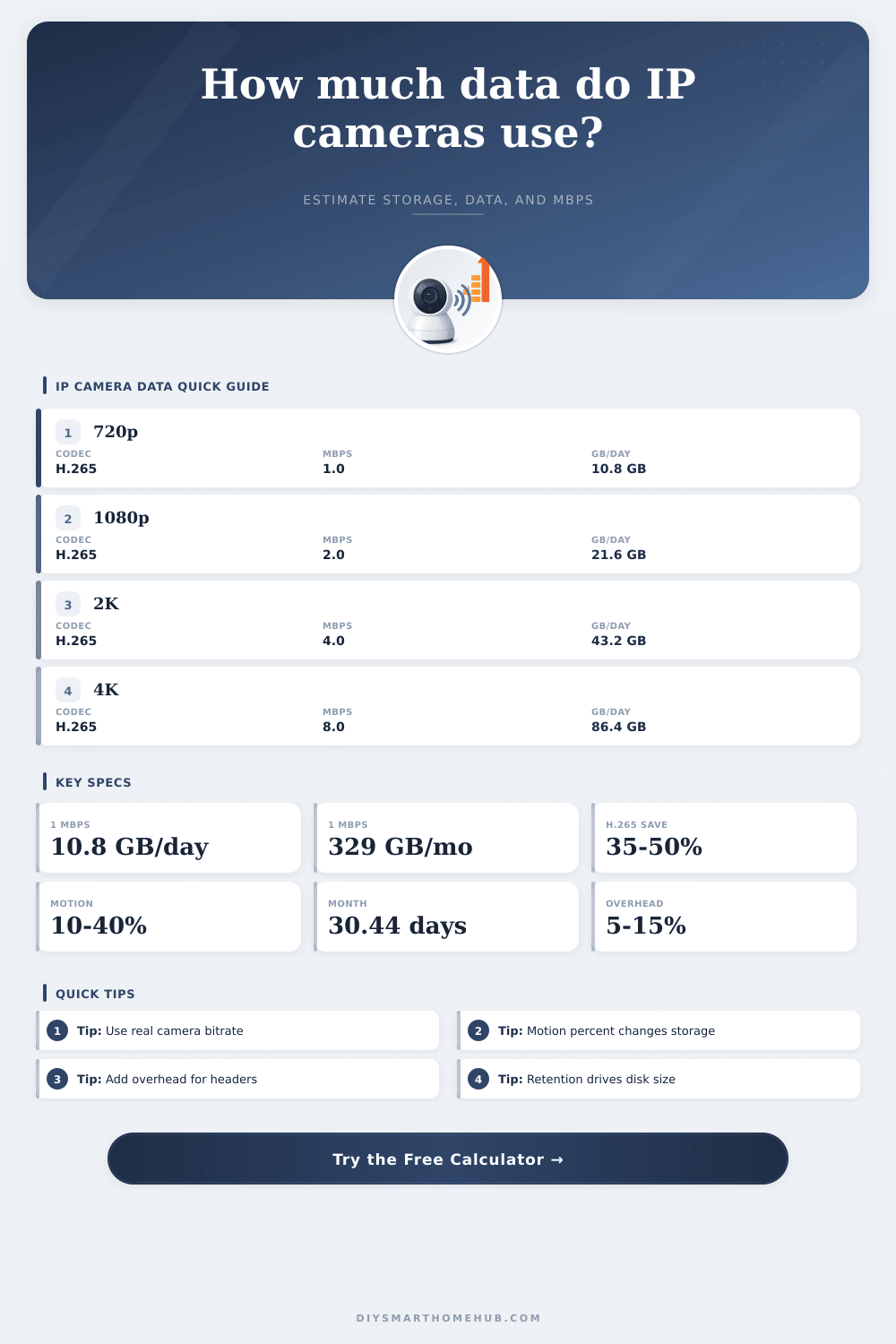
| Camera Profile | Typical Bitrate | GB Per Day | 14-Day Storage |
|---|---|---|---|
| 720p H.265 low activity | 0.7 Mbps | 7.6 GB | 0.11 TB |
| 1080p H.265 balanced | 1.5 Mbps | 16.2 GB | 0.23 TB |
| 1080p H.264 high detail | 2.5 Mbps | 27.0 GB | 0.38 TB |
| 2K / 4MP H.265 balanced | 4 Mbps | 43.2 GB | 0.60 TB |
| 5MP H.265 high detail | 6 Mbps | 64.8 GB | 0.91 TB |
| 4K H.265 balanced | 8 Mbps | 86.4 GB | 1.21 TB |
| 4K H.264 high detail | 12 Mbps | 129.6 GB | 1.81 TB |
| Setting | Calculator Factor | Best Use | Data Effect |
|---|---|---|---|
| H.264 standard | 1.00x | Maximum compatibility | Baseline |
| H.265 / HEVC | 0.65x | Modern NVRs and cameras | About 35% lower |
| H.265+ smart encode | 0.55x | Static scenes | About 45% lower |
| AV1 efficient encode | 0.50x | Newer cloud cameras | About 50% lower |
| 10 fps | 0.75x | Entries and rooms | Lower motion detail |
| 30 fps | 1.35x | Driveways or vehicles | Higher data rate |
| Recording Pattern | Activity % | Example Area | Storage Multiplier |
|---|---|---|---|
| Rare events | 5% | Doorbell clips | 0.05x |
| Quiet motion | 10% | Side gate | 0.10x |
| Normal home motion | 20% | Hallway or porch | 0.20x |
| Active outdoor zone | 35% | Driveway | 0.35x |
| Busy monitoring | 50% | Shop floor | 0.50x |
| Continuous recording | 100% | NVR 24/7 | 1.00x |
| Project | Camera Mix | Daily Data | 30-Day Storage |
|---|---|---|---|
| Doorbell event camera | 1 x 1080p, 10% motion | 2 to 4 GB | 0.06 to 0.12 TB |
| Apartment coverage | 4 x 1080p, 20% motion | 18 to 30 GB | 0.54 to 0.91 TB |
| Whole house NVR | 8 x 2K, continuous | 350 to 470 GB | 10.5 to 14.1 TB |
| 4K driveway detail | 2 x 4K, 35% motion | 65 to 105 GB | 2.0 to 3.2 TB |
| Small shop monitoring | 12 x 1080p, 50% motion | 200 to 300 GB | 6.1 to 9.1 TB |
When you install security cameras, you must consider the amount of data that the security cameras will produce. Security cameras produce data for two reason: they record images, but they also create data. The amount of data that security cameras produce depends on the object that are being filmed.
For example, if one security camera is used to monitor a quiet hallway and another monitor a busy driveway, then the security cameras will produce different amounts of data. These differences will become even more prominent with the addition of more security cameras to the network. The bitrate of each security camera will determine the amount of data that each security camera will generate.
How Much Data Do Security Cameras Use?
The resolution of each security camera will impact the bitrate of that security camera. Cameras with higher resolutions has higher bitrates because they contain more detail. The codec of each security camera can also impact the bitrate.
A newer codec may produce the same scene of a security camera in fewer bits of data. Another factor that will affect the amount of data that each security camera produces is the frame rate. Thirty frames of security camera footage per second will produce more data than fifteen frame of security camera footage per second.
Each of these factors must be considered because the amount of data from each security camera must be contained in a finite amount of storage space and with a limited upload capacity for that network of security cameras. Security cameras that sit in areas that experience little motion will produce less data than security cameras that film areas with a lot of activity. For instance, a security camera that watches a door that is rarely used will produce less data than a security camera that watches a stores storefront.
The active percentage of each security camera will determine the amount of data that is written to the storage disk for that security camera system. Security cameras that continuously record data will create the most data of all security cameras in operation, as the activity of the area that is being filmed is the only variable that is removed. A data calculator can be used to determine the amount of data that will be produced by each security camera based off the activity of the filming area.
The length of time that the security camera footage is retained will determine the amount of storage space requirements for each security camera. For example, if an individual determines that they would like to retain fourteen day of security camera footage, a certain amount of storage space will be required. However, retaining thirty days of security camera footage will require approximately twice as much storage space.
The data requirement for security footage may force some individuals to purchase a larger hard drive for their security camera system or to store their security camera data in the cloud. An overhead factor will be created in the calculation of the data requirements for each security camera. This factor may include the amount of audio data that the security camera produces, as well as data created through the retransmission of data across the network.
Including this factor will ensure that an individual does not deplete their storage space for their security cameras before the retention period for those data file. Bandwidth planning is separate from the planning of storage for security camera footage. While storage is focused upon the average amount of data that is produced by each security camera over time, the data for bandwidth refers to the peak data that is produced by all security cameras when they are streaming data simultaneously.
If an individual underestimates the amount of data that will be produced during the peak of security camera activity, the data will produce buffering for the security cameras while they are streaming their footage. The average amount of data that the security cameras upload will indicate the upload capacity for that network on a daily basis. However, the peak data will show if the individual’s router and internet subscription can handle the amount of data from their security cameras.
In addition to the variables that is considered when creating a security camera system, there are other variables that will impact the amount of data that is produced by each security camera. Security cameras that have night vision will produce more data from each camera because the footage will contain more noise from the images of the area that is being filmed during the night. Additional factors that may impact the amount of data that is created by the security cameras include the weather, moving shadows, and even insects in the filming area.
Furthermore, the placement of the security cameras can impact the amount of data that those security cameras create. A security camera with a wide view of a parking lot will produce more data than a security camera with a narrow field of view of a doorway. Each of these variables may impact security camera systems, so it is necessary to test the data stream from each security camera to determine the true amount of data that will be produced.
Another factor that may impact the data created by security cameras is the complexity of the scene that is being filmed by the security cameras. Scenes that contain a lot of static in the background of the security camera will produce less data than scenes that have constantly changing views. Security cameras with smart codecs will allocate fewer bits of data for areas in the security camera feed that remain unchanged.
However, if the security camera films moving trees, for instance, the smart codec security camera may struggle with the amount of data that must be processed by that security camera system. In this case, it will be necessary to test the security cameras with the final settings of the codec for the security cameras to determine if the codec will create the amount of data savings that was expected from implementing that codec. The type of storage hardware that is used for the security cameras may also impact the security camera system.
Hard drives that are created for consumer use may wear out at a faster rate than surveillance hard drive. Another factor that may shorten the lifespan of a hard drive is the temperature and vibration of the area in which the hard drive is placed. Using cloud storage for security camera data will eliminate the need for physical hard drives for security cameras.
However, storage in the cloud may introduce other costs to the security camera system such as upload limits and costs. These limits may impact both the internet and cloud service bill of the individual that establishes the security camera system. For example, an individual may have a limited amount of data that can be uploaded to the internet each month; thus, a limitation of the amount of data that can be uploaded to the cloud.
Additionally, many individual make mistakes when they install security cameras. One of the most common is considering only the resolution of the security cameras when calculating the amount of data that will be created by the security cameras. For example, a security camera that is set to 4K resolution will create more data than a 1080p security camera, even if the bitrate for each security camera is lower.
However, the 4K security camera may have a soft image because the bitrate is too low to allow for the high resolution images to be captured with clarity. Adjusting the frame rate or codec settings for the security cameras will produce the most data savings. Another mistake is to assume that activity detection will reduce the amount of data that is created by the security cameras.
If the settings for the motion detection for the security cameras is set too high, the security cameras may continuously record security camera footage of the area that is being filmed by the security cameras. When planning a security camera system, there are several scenarios to test the security cameras according to the variables described above. Each scenario may involve adjusting the percentage of activity for the security cameras, changing to a different codec for the security cameras, or even changing the length of time that the security camera footage is retained.
Each of these scenarios may allow the individual to determine how to best fit the security cameras into the existing hard drive for the security cameras, or to avoid purchasing an upgrade for those security cameras. These scenarios may also allow the individual to determine if their internet connection can carry the amount of data that the security cameras will produce. Finally, the planning of security cameras and the data that the security cameras will create should revolve around the value of the security camera footage.
Some locations may require that security cameras continuously record high-resolution security footage of the area. Other locations may only require that the security cameras record clips of the activity in those areas. By determining the value of the security footage and the requirements for those security cameras, the individual can make decisions regarding their security camera hard drives and bandwidth plan.