Ethernet Cable Length Calculator
Estimate cable for home network drops, PoE cameras, access points, wall plates, patch cords, slack loops, and the 100 meter Ethernet channel limit.
Your Cable Plan
| Cable Type | Common Home Use | Channel Limit | 10G Guidance |
|---|---|---|---|
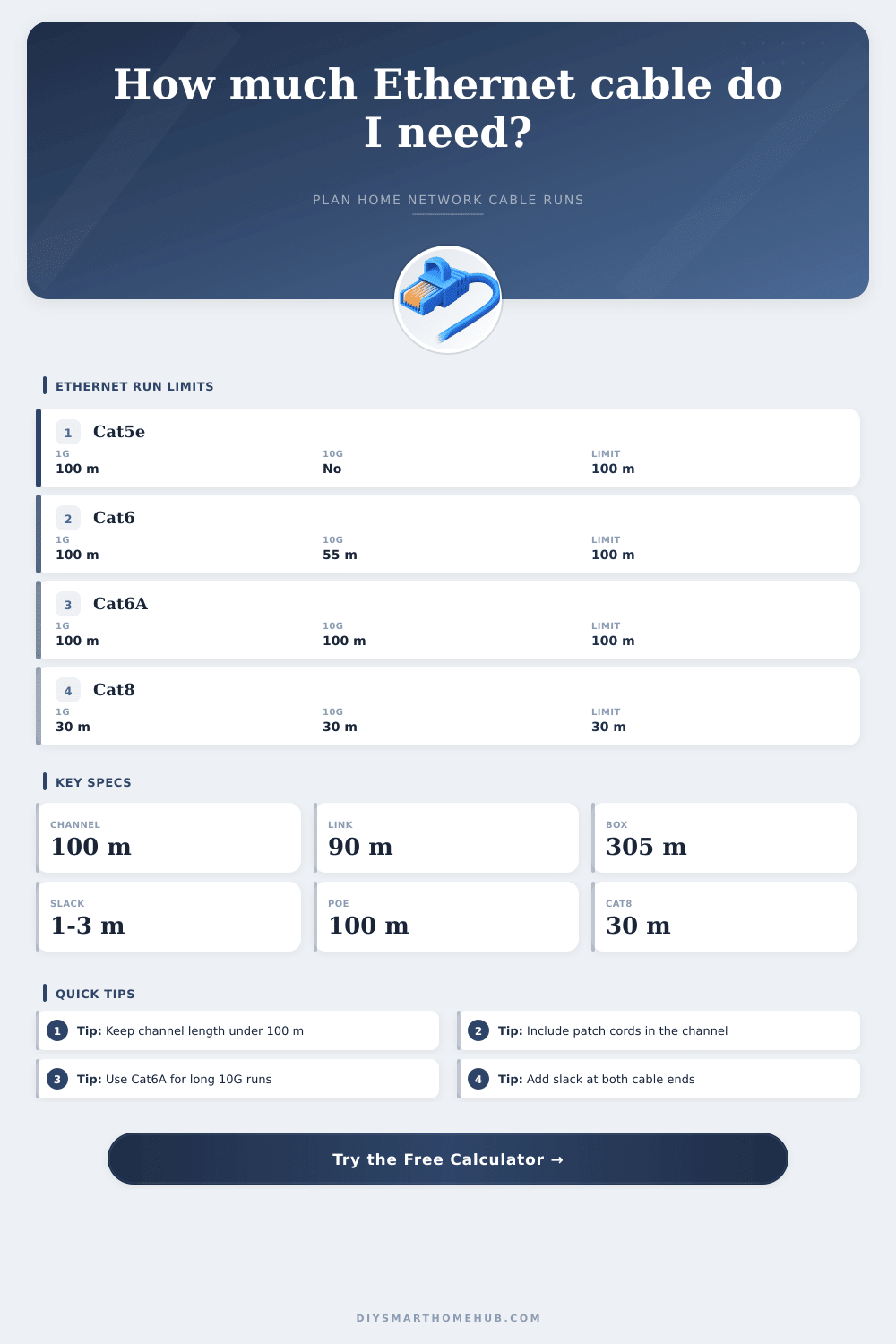
| Cat5e | 1 GbE drops, cameras, printers | 328 ft / 100 m | Not specified for 10G home runs |
| Cat6 | General home runs and PoE access points | 328 ft / 100 m | Up to 180 ft / 55 m in many 10G installs |
| Cat6A | Long 10G backbone, office, NAS rooms | 328 ft / 100 m | 10G to 328 ft / 100 m |
| Outdoor Cat6 | Exterior cameras, soffits, detached spaces | 328 ft / 100 m | Use category rating plus weather rating |
| Cat8 | Short equipment-room channels | 98 ft / 30 m | 25G / 40G class, short range only |
| Run Component | What To Count | Typical Allowance | Calculator Use |
|---|---|---|---|
| Horizontal route | Closet to destination path | Measured one-way length | Main distance input |
| Vertical rise | Wall cavity, rack, ceiling drop | 6-20 ft / 2-6 m | Added once per run |
| Service slack | Extra cable at both ends | 2-6 ft / 0.6-1.8 m each end | Doubled per run |
| Patch cords | Rack and device leads | 6-20 ft / 2-6 m total | Channel limit check |
| Pull buffer | Waste, reroute, labeling | 5-20% | Added to cable to buy |
| Smart Home Drop | Typical Runs | Planning Length | Secondary Check |
|---|---|---|---|
| Home office desk | 1-2 drops | 45-90 ft / 14-27 m | Patch cord length |
| Wall TV console | 1-2 drops | 35-80 ft / 11-24 m | Low-voltage plate slack |
| Ceiling access point | 1 drop | 60-120 ft / 18-37 m | PoE channel margin |
| Outdoor camera | 1 drop each | 80-180 ft / 24-55 m | Outdoor-rated jacket |
| Whole house bundle | 6-12 drops | 600-1200 ft / 183-366 m | Box count and labels |
| Route Style | Allowance Added | Best Match | Why It Matters |
|---|---|---|---|
| Direct measured path | 0% | Laser or tape measured routes | Use when the route is already traced |
| Along walls / attic joists | 8% | Most retrofit home runs | Accounts for right-angle routing |
| Conduit with pull slack | 12% | Smurf tube, EMT, PVC paths | Helps with sweeps and pull ends |
| Outdoor path | 15% | Soffit, exterior, garage routes | Allows drip loops and service loops |
| Rack or patch panel | 5% | Short cabinet links | Small allowance for dressing cables |
Calculating the correct length of a network cable is a necesary part of setting up a home network. The correct length of cable for a given installation will ensure that you will not run out of network cable during installation. If the length of the network cable is too short, you will have to purchase additional network cable from the store.
However, if the length of the network cable is too long for the distance that must be covered, the network channel will not perform as expected. You must measure the length of the network cable between the two device to be connected. This length will be the length of the network cable that will ultimately be purchased, with additional length provide for various other reasons as well.
How to Measure and Plan Network Cable Length
The length of the network cable as it will appear on the blueprint is rarely the same as the length that the network cable will travel from one location to the next. In some instances, the walls between the locations of the devices to be connected is not constructed with straight walls. Additionally, the joists in those walls will force the network cable to take a detour around those joists.
Each corner that the network cable passes through will add to the length of the network cable. Additionally, every corner has a required bend radius for network cables of various categories. There are various routing styles that can be used when installing network cables, and each requires a different length of network cable.
A direct route between two devices will require very little extra length for network cable. However, routing the network cable along attic joists or along the walls between two devices will require right angle and service loops in the network cable. Using conduit for the network cable will require additional length for the sweep allowances in the conduit.
Outdoor drops will require additional length for drip loops at exterior outlets and service coils for weather-rated drops. A network cable length calculator will account for each of these routing styles before adding slack and patch cords to the calculated length. The extra length of network cable that is purchased beyond the length required for the path between the two devices is referred to as slack.
The length of slack that is purchased will allow the network cables to be neatly organized in the wall plate at each location. Additionally, slack is required at each end of the network cable run to allow the network cable to reach the patch panel without tension. Using slack allows for the network technician to re-terminate the network cable without having to purchase a new network cable.
The service profile will allow for the adjustment of the slack of the network cable, the patch cord allowance, and the percentage of buffer that will be provided in each network drop. These factors will ultimately determine the length of network cable that a person will have to purchase. The slack for a ceiling drop will be different than the slack that is required for an outdoor network camera installation.
Within the network cable run, there is a limit to the length of that network cable. This limit is referred to as the channel limit. Many people discover this limit too late in the installation process.
The entire network path from the switch port to the device port is referred to as the channel. That channel includes the permanent link of the network cable within the wall and the patch cords from the switch to the network cable and from the network cable to the device. The permanent link target is 90 meter for network cable runs.
The total length of the channel must remain under 100 meters. The length of the patch cords will reduce the length of the permanent link. A network cable length calculator will calculate both the permanent link and the total channel length to ensure that the permanent link does not come close to the 90-meter target.
The categories for network cables will affect the data speed of the network and the length of the network cable. Category 5e cables can handle data speeds of one gigabit per second. These cables do not officially support 10-gigabit per second network data speeds.
Category 6 network cables provides extra headroom for the network data speed and officially support 10-gigabit per second data speeds for shorter distances. Category 6A cables officially support 10-gigabit per second data speeds for the entire length of the network cable. These cables are best suited for homes that desire to transfer large files to a NAS device or install network cameras.
Outdoor and direct-burial network cables has special jackets to protect them from moisture and ultraviolet light. These jackets will not impact the data speed limits for the network. Category 8 network cables are designed for very short distances and are used within network equipment racks.
The number of identical network cable runs will impact the purchase of network cable. For one network camera, the length of the network cable can be ordered. However, if there are eight locations for network cameras, network cable must be purchased in full box.
The buffer percentage will account for the small length of network cable that is lost during the purchasing and installation process. If the percentage is not provided, it is possible that a person will run out of network cable before the last network drop is completed. The length of network cable that is ordered will not usually take the form of a single straight line between the two network locations.
A network cable run for a livig-room television may have to travel through two walls and into an attic to reach the office area. A network cable run to a detached garage may need to travel through a yard and into a soffit before it travels into the garage wall. The length of the network cable will be calculated according to each of these segments.
Each segment will also have requirements for the type of network cable jacket that will allow it to travel through those environments. A network length calculator will allow a person to adjust the length for the vertical rise of the network cable, the number of obstacles between the locations, and the routing style of the network cable. Patch cords are a component of the network channel, so they deserve some consideration.
Two six-foot patch cords will take up approximately four meters of the total length of the network channel. The longer the patch cords, the more of the network channel will be consumed. Service profile options will allow for the patch cord length adjustment.
This length will affect the slack, the patch cord allowance, and the buffer percentage. A variety of reference tables will show the differences between the various network cable categories, routing styles, and common smart-home network cable drops. These tables will allow the person to quickly compare the length requirements to a standard value.
These reference tables will also indicate the outdoor network cable requirements. The outdoor jacket will protect the network cable from environmental elements, but it will not impact the length of the network cable. By calculating the length of the network cable before purchasing it, a person can determine which network cable drops will require higher-grade network cable.
The length of the drop for a desk is not likely to require a higher-grade network cable than a long backbone drop for a media room. The same tool can calculate the length of network cable required and the length of network cable permitted by each category of network cable. By planning a network cable installation, a technician can remove the most common cause of rework on network installations.
By measuring the length of the network cable drop once and accounting for each segment of the route, the technician will purchase the length of network cable that will account for the actual route of the network cable. This will allow the technician to order the network cable, install it into the drop locations, and have the network channels within the home run within their limits.