Camera Lens Distance Calculator
Estimate the working distance, field of view, scene width, and magnification for smart cameras, CCTV lenses, USB cameras, and small sensor modules.
Each preset loads a real lens and sensor combination, then recalculates the distance needed to fit the chosen subject width in frame.
Camera lens distance result
Enter a lens, sensor, subject width, and working distance to compare the target framing with the actual view.
| Format | Width | Height | Typical use |
|---|---|---|---|
| 1/3 in | 4.80 mm | 3.60 mm | Basic CCTV |
| 1/2.8 in | 5.60 mm | 3.15 mm | 1080p to 4MP |
| 1/1.8 in | 7.18 mm | 5.32 mm | Low light 4K |
| 1 in | 13.20 mm | 8.80 mm | Machine vision |
| Lens | H FOV | Scene width | Framing use |
|---|---|---|---|
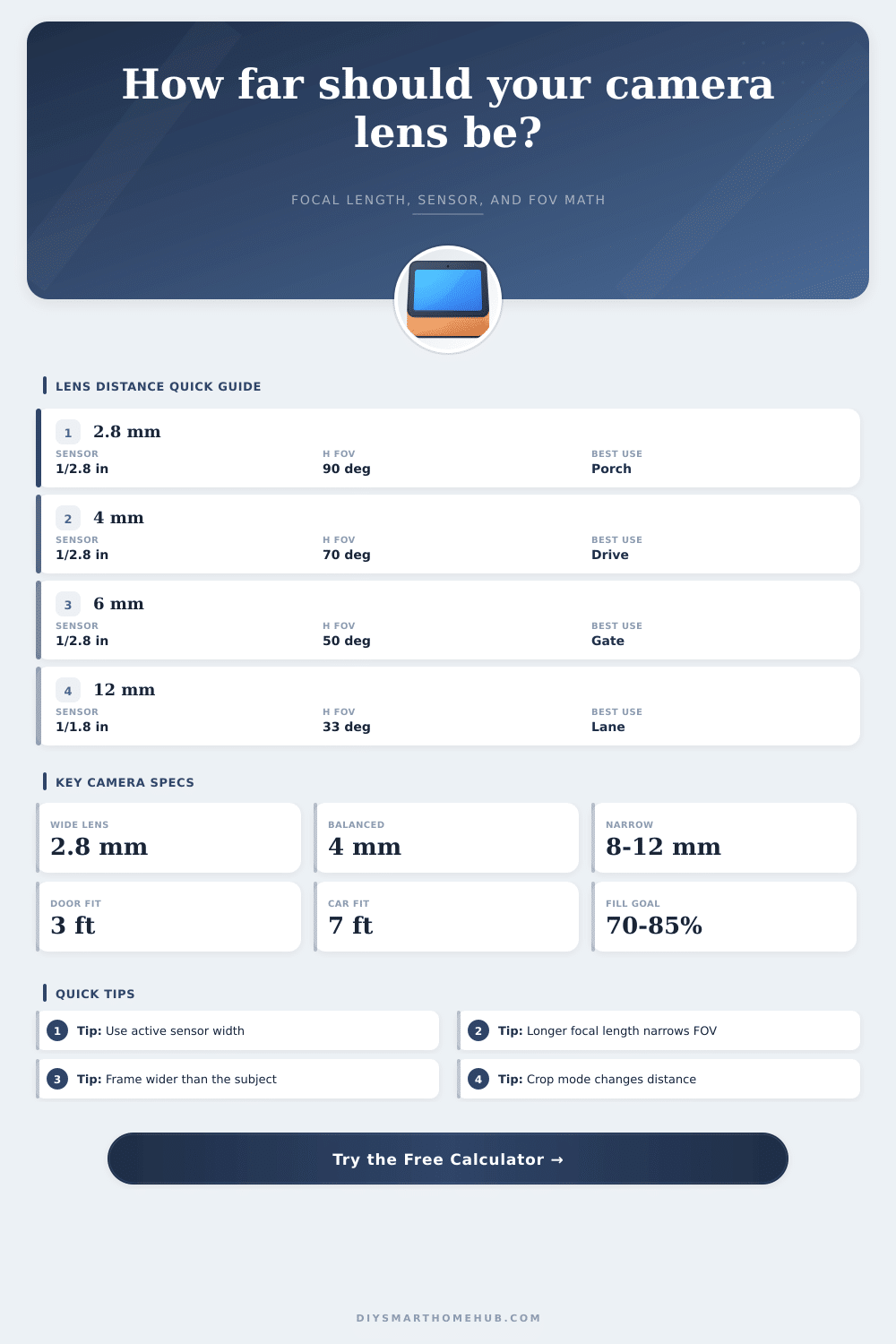
| 2.8 mm | 89.6 deg | 40.0 ft | Full porch |
| 4 mm | 70.0 deg | 28.0 ft | Driveway |
| 6 mm | 50.0 deg | 18.7 ft | Gate |
| 12 mm | 26.3 deg | 9.3 ft | Detail view |
| Subject | Width | Fill | Why it matters |
|---|---|---|---|
| Face and shoulders | 2 ft | 60-80% | Identification framing |
| Single door | 3 ft | 70-90% | Entry monitoring |
| Passenger car | 7 ft | 70-85% | Driveway framing |
| Garage bay | 10 ft | 80-95% | Vehicle and door view |
| Metric | Formula | Inputs | Output |
|---|---|---|---|
| H FOV | 2 atan(w/2f) | sensor, focal | deg |
| Scene width | 2D tan(FOV/2) | distance, FOV | ft or m |
| Distance | Wf/(w fill) | subject, lens | ft or m |
| Magnification | f/(D - f) | focal, distance | ratio |
Calculating the distance between the camera and the subject is a necessary task because the distance between these two elements will determine the usefulness of the camera’s footage. If the camera is set up too far from the subject, the camera’s footage will reveal close-up details that are not readable, such as faces or license plate. On the other hand, if the camera is too close to the subject, the footage will reveal that the camera’s field of view cut off the edges of the subject, forcing the placement of the camera to be awkward.
Each of these elements relate to three main components of the calculation required to determine the correct distance between those two elements. The field of view of the camera is the first of these three component. Cameras with short focal lengths allow for a wide spread of light to enter the camera, and the short focal length of the camera means that the subject fill less of the sensor area of the camera.
How to Find the Right Distance Between Camera and Subject
Cameras with long focal lengths compress the field of view of the subject, which allows the distant subject to be large within the recorded footage of the camera, while showing less of the area around the subject. Additionally, the size of the sensor also impacts the field of view; the larger the sensor area, the more wider of a field of view the camera will have. Thus, changing either the body of the camera or the lens will alter the field of view, meaning that the distance with the subject needs to be recalculated.
The working distance between the camera and the subject is the second component of the relationship between the two elements. The wider of the field of view that the camera allow the subject to be will allow the subject to be seen from a greater working distance. For instance, a lens that focuses on a doorway at six feet will reveal the entire porch at twenty feet.
The reverse is true for close-up subjects; bringing the camera closer to the subject will allow it to be seen in the screen without cutting it off. Frame fill percentage is the third component of the relationship between the camera and the subject. A subject that is of the same size as the frame of the camera may not completely fill the frame due to the angle at which the camera is aimed at the subject.
To provide some margin of error for the positioning of the camera, it is recommended that the frame fill percentage of the subject is at least twenty to thirty percent smaller than the size of the subject relative to the frame. This allows for the camera’s position to be adjusted due to factors such as wind or misalignments in how the camera is mounted. The frame fill percentage can be tested within the calculator to help determine how this affects working distance.
Crop settings is a fourth component of the calculation. Cameras often record footage in a 16:9 aspect ratio, despite the sensor used to capture the subject having a different aspect ratio. Additionally, many cameras use digital image stabilization, which crops the subject in the middle of the sensor’s field of view to smooth the recorded images.
These cropping settings reduce the sensor size that is used by the camera. A smaller sensor area results in a longer focal length, requiring the camera to be positioned further from the subject. Thus, the actual recorded width of the sensor and the crop percentage should be entered into the camera distance calculator.
Environmental variables can also impact the relationship between the camera and the subject. If there is glass in front of the camera’s lens, the lens may become frosted or experience flare within the recorded images. These factors will make the image soft and blur portions of the image that should be sharp.
The use of infrared illumination will also impact the image and contrast of the recorded footage. Finally, the mounting height of the camera can alter the perspective from which the camera view the subject. A subject that fills the frame when viewed from eye-level may not fill the same portion of the frame when viewed from a height of ten feet above the subject.
These variables indicate that the test shots that are taken during installation may not be the final result. Many installation errors is the result of incorrect information being entered into the distance calculation. For instance, the marketing resolution of the sensor is often used in place of the actual recorded width of the sensor.
Using the marketing resolution makes the calculated pixel density of the subject appear higher than the true pixel density. Additionally, the width of the subject should be measured at the plane of the subject. For instance, a person standing three feet in front of a doorway will require a different working distance from a camera than a subject of the doorway alone.
The camera distance calculator can review the status of the subject in the frame and the suggested movement of the camera. The final metric for determining if the camera’s footage will be useful is pixel density. Pixel density is the total number of pixels that are used to cover the subject of the camera’s footage.
Thus, even if the scene that is covered by the camera is wide, it is possible that the number of pixels on the face of an individual is not sufficient for those pixels to be recognizable. This metric is provided in the distance calculator as pixels per unit distance to allow the installer to determine if the lens and working distance between the camera and the subject meet the requirements of the installation. Because of the relationship between the lens and distance of the camera from the subject, different cameras will have different characteristics.
For instance, a doorbell camera may have a short focal length that allows for it to focus on a large area, allowing it to be positioned close to the door. A gate camera, however, may have a long focal length that focuses on a specific subject, requiring it to be set up over a longer distance from the subject to allow the subject to be seen. Understanding these relationships between the components of a camera allows for adjustments to be made to the focal length of the lens, the sensor size, or both to find the best distance between the camera and the subject.
Thus, using the distance calculation can prevent the camera from being mounted, checked, and mounted again.