Cable Tray Size Calculator
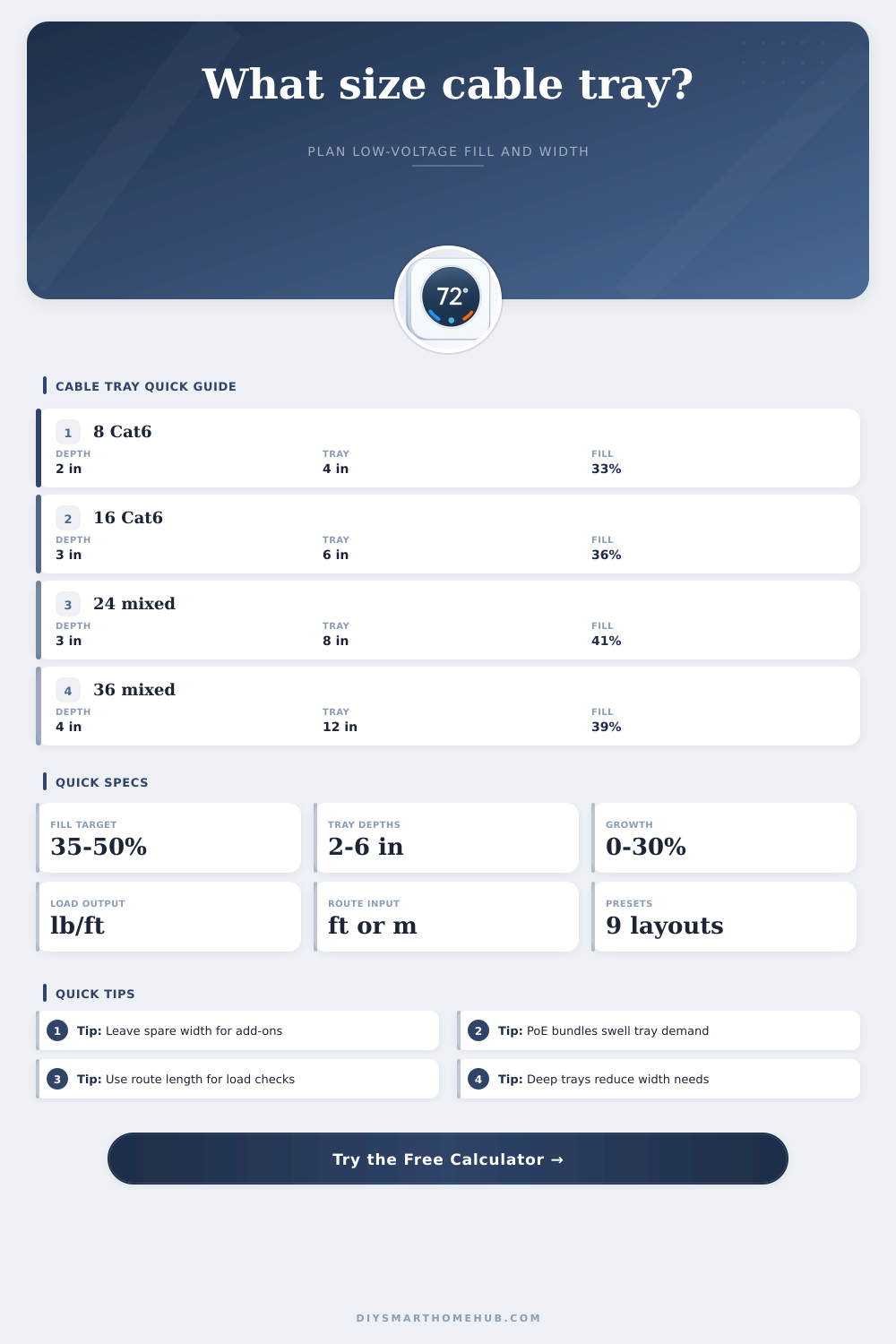
Estimate low-voltage tray width from cable counts, side rail depth, tray style, fill target, route length, and future growth before you lay out smart home backbone pathways.
This tool uses cable outside diameter for fill area, then selects the first standard tray width that clears the target fill after tray-style derating and your future growth allowance.
Calculation Breakdown
| Cable Type | Typical OD | Area per Cable | Weight per 1000 ft | Common Smart Home Use |
|---|---|---|---|---|
| Cat6 UTP | 0.24 in / 6.1 mm | 0.045 in2 | 24 lb | Rooms, TVs, access points |
| Cat6A F/UTP | 0.35 in / 8.9 mm | 0.096 in2 | 47 lb | High-PoE cameras and uplinks |
| RG6 coax | 0.275 in / 7.0 mm | 0.059 in2 | 37 lb | TV feeds and modems |
| 16/4 speaker | 0.30 in / 7.6 mm | 0.071 in2 | 33 lb | Distributed audio zones |
| 22/4 security | 0.18 in / 4.6 mm | 0.025 in2 | 14 lb | Sensors and keypads |
| Indoor fiber trunk | 0.47 in / 11.9 mm | 0.174 in2 | 68 lb | Backbone links and risers |
| Tray Width | 2 in Deep at 40% | 3 in Deep at 40% | 4 in Deep at 40% | 6 in Deep at 40% |
|---|---|---|---|---|
| 4 in | 3.2 in2 | 4.8 in2 | 6.4 in2 | 9.6 in2 |
| 6 in | 4.8 in2 | 7.2 in2 | 9.6 in2 | 14.4 in2 |
| 8 in | 6.4 in2 | 9.6 in2 | 12.8 in2 | 19.2 in2 |
| 12 in | 9.6 in2 | 14.4 in2 | 19.2 in2 | 28.8 in2 |
| 18 in | 14.4 in2 | 21.6 in2 | 28.8 in2 | 43.2 in2 |
| 24 in | 19.2 in2 | 28.8 in2 | 38.4 in2 | 57.6 in2 |
| Tray Style | Working Fill Factor | Width Range | Best Match | Design Note |
|---|---|---|---|---|
| Ladder tray | 1.00 | 6 to 36 in | Main trunk runs | Best for broad routes and easy drops |
| Ventilated trough | 0.96 | 4 to 30 in | Mixed bundles | Good containment with airflow |
| Wire mesh basket | 0.92 | 2 to 24 in | Retrofits | Fast to trim around rafters and racks |
| Solid bottom tray | 0.88 | 4 to 24 in | Clean closets | More containment but less free air |
| Channel tray | 0.80 | 2 to 6 in | Small branches | Use for short narrow device zones |
| Center-spine tray | 0.90 | 6 to 18 in | Single-row trunk | Good overhead access with lighter steel |
| Project Scenario | Typical Cable Mix | Practical Tray | Why It Lands There |
|---|---|---|---|
| Network closet branch | 8 Cat6 + 2 coax | 4 in x 2 in | Small bundle with room for one more drop |
| Camera corridor | 12 Cat6A + 4 security | 6 in x 3 in | PoE cable diameter drives the fill fast |
| Media room trunk | 10 Cat6 + 6 speaker + 4 coax | 8 in x 3 in | Audio and AV cable mix needs extra width |
| Whole-home backbone | 24 Cat6 + 8 Cat6A + fiber | 12 in x 4 in | Growth margin matters more than raw count |
| Detached garage link | 6 Cat6A + 2 fiber + controls | 6 in x 3 in | Backbone trunks take more space per cable |
| Estate core route | 36 mixed + 3 fiber | 18 in x 4 in | Leave spare tray for future wings and gates |
A tray that looks fine on day one can become painful to service once new cameras, access points, and gate runs are added. Leaving spare width preserves bend room and cleaner segregation.
Long backbones with many copper uplinks can load a tray faster than expected. Route length and support span help you spot branches that need more frequent supports or a stronger tray type.
When you are planning to install a smart home, you must choose the correct size for the cable tray. If you choose a cable tray that is too narrow, you will have a problem adding more cameras or other cables in the future. If you choose a cable tray that is too wide, you will be wasting material on empty space within the tray.
Therefore, choosing the correct size for the tray is important because you will want to be able to upgrade the smart home without having to rebuild it. Cable trays is often the better solution than using conduit for the low-voltage data and power lines to the smart home devices. The trays allow for air to circulate around the cables and this helps to reduce the heat that can build up from the Power over Ethernet (PoE) switches.
How to Choose the Right Cable Tray Size for a Smart Home
Reducing the heat in the lines helps to maintain the quality of the signal over longer distances. However, sizing the tray is more complicated than simply counting the numbers of cables that will go into the tray. Other considerations for tray sizing involve the physics of how the tray will be filled with the cables, the style of the tray, and how many of those lines you will need in the future.
Among the first considerations for tray size is the depth of the tray. The side rails of a tray are typically between 2 and 6 inches deep. Going with a deeper tray allows for fewer inches of width to contain the same number of cables.
For instance, a tray with a 3-inch deep side rails and a width of 6 inches provides 7 square inches of area for cable containment at a 40% cable fill rate, which is enough for a dozen Ethernet lines and coax cables. If the depth of the tray is shallower, such as 2 inches, then the tray will need to be wider to allow for the same number of lines. Another consideration of tray size is the number and size of the cables that will be placed into the tray.
Cat6 cables are relatively thin at approximately 1/4 of an inch in diameter. Therefore, Cat6 cables will fit into the tray. However, the Cat6A cables used for PoE cameras or fiber optic lines are thicker in diameter.
A fiber optic bundle also takes up alot of space within the tray as it has a cross-sectional area equivalent to four thin security lines. Therefore, fiber optic lines will fill the tray much more fast than security lines will. If you stuff the tray too tightly with the cables, you will reach the capacity of the tray too soon.
Professionals typically aim for a 35% to 50% target fill rate for tray capacity. Additionally, you should also allow for some space within the tray for bends in the cables. You should also plan for future needs of the smart home.
For example, if your client is considering installing smart shades in the future, then a 10% buffer may not be enough. Therefore, increasing the buffer to 20% or 30% will allow an 8-inch tray to handle the demands of future devices that may otherwise require an 12-inch tray. Additionally, another consideration is the length of the cables.
The longer the cables, the more their weight can affect the tray. Basic Cat6 cables weigh 24 pounds per thousand feet. The weight increases if fiber optic or coax cables are included in those lengths.
If the length of the cables is 50 feet or more, then the weight may make the cable trays sag. To avoid sagging trays, spans between supports should not exceed 5 or 6 feet in length. Using more cable supports (hangers) means more hangers will be required for the smart home installation.
However, more hangers will prevent the trays from bouncing when pulling the cables. Not all cable tray styles are created equally in terms of the equations used to calculate how many of the cables will go into each tray. For instance, wire mesh trays can be easily trimmed around rafters to accommodate placement within the home.
However, the weave of the tray will use up 8% of the tray capacity. Solid-bottom trays prevent dust from entering the cables which is beneficial for locations such as a garage. However, the solid trays will trap heat within the cables.
Therefore, they should be filled with fewer cables than other tray design. Trays with a center spine allow people to see all of the cables that are within the tray. These are typically used for applications with only one layer of cables.
Additionally, ladder trays are used for main pathways in the house and channel trays are used to connect to the devices. A common mistake that many people make when choosing a tray is ignoring the shape of the cable bundle. For example, some may find it easier to count the number of PoE cables, but they may not account for the possibility of the cables swelling when under load.
Speaker wire may also become kinked when the cables are placed into the trays. In these cases, using preset scenarios for smart homes can help people with these installation considerations. For instance, the installation of a media room may require an 8-inch tray.
Another example of a preset scenario is that a wing of the home with security cameras will require a 6-inch tray because of the thickness of the Cat6A cables. Another consideration is the weight of the cables. For example, if the backbone cable runs 75 feet and contains all types of cables, it can weigh 40 pounds.
This would be 8 pounds of weight every 5 feet. Any weight of the cables that goes beyond the ratings for the tray may result in the trays sagging in place or failing a building inspection. Additionally, the manufacturer should check the weight of the tray.
For example, aluminum trays can hold less weight than steel trays. Using cable tray presets can make the professional installer faster in laying out the cables. For example, the link between a smart home rack and a closet may only require a 4-inch wide tray for the Cat6 cables.
However, a large estate may require 18-inch ladder trays for the main cables with a 30% growth buffer for any future additions to the property. These planning tools will calculate the percentage of the tray that will be filled with the cables, the spare width for any future installations, and the load that each foot of cable will place onto the tray. The spare width is another important measurement because it will allow the installer to know how many inches of width there will be left over once the cables are placed into the tray to reach the target percentage for fill.
Additionally, the installation of the trays is another design consideration. For instance, ladder trays are easy to use when installing in a straight line. However, wire mesh trays are easier to use in odd angles within the home.
Therefore, for an open floor plan, using a wider tray will reduce the amount of cable end-clutter within the home. For installations of fiber optic cables, solid cable trays will help to avoid any pinch point along the cable route, although the fill of the tray should be monitored to ensure the bend radius of the fiber optic cables is not being violated. Finally, technology is changing the types of cables that are used in smart homes.
For instance, many smart homes use both Ethernet and fiber optic cables. Additionally, PoE++ is used to power lights and locks, which makes the cables thicker. Therefore, tray sizing should consider the impact of these emerging technologies so that the smart home does not require difficult retrofits to accommodate new technologies.
The best type of tray is not the cheapest or the largest tray available. However, the best tray is the one that allows the installer to successfully perform cable pulls and allow for future installations of devices to the smart home.