Antenna Range Calculator
Estimate free-space path loss, Fresnel clearance, radio horizon, and fade margin so you can size smarter outdoor Wi-Fi, LoRa, LTE, and point-to-point antenna links around a home, outbuilding, or remote gate.
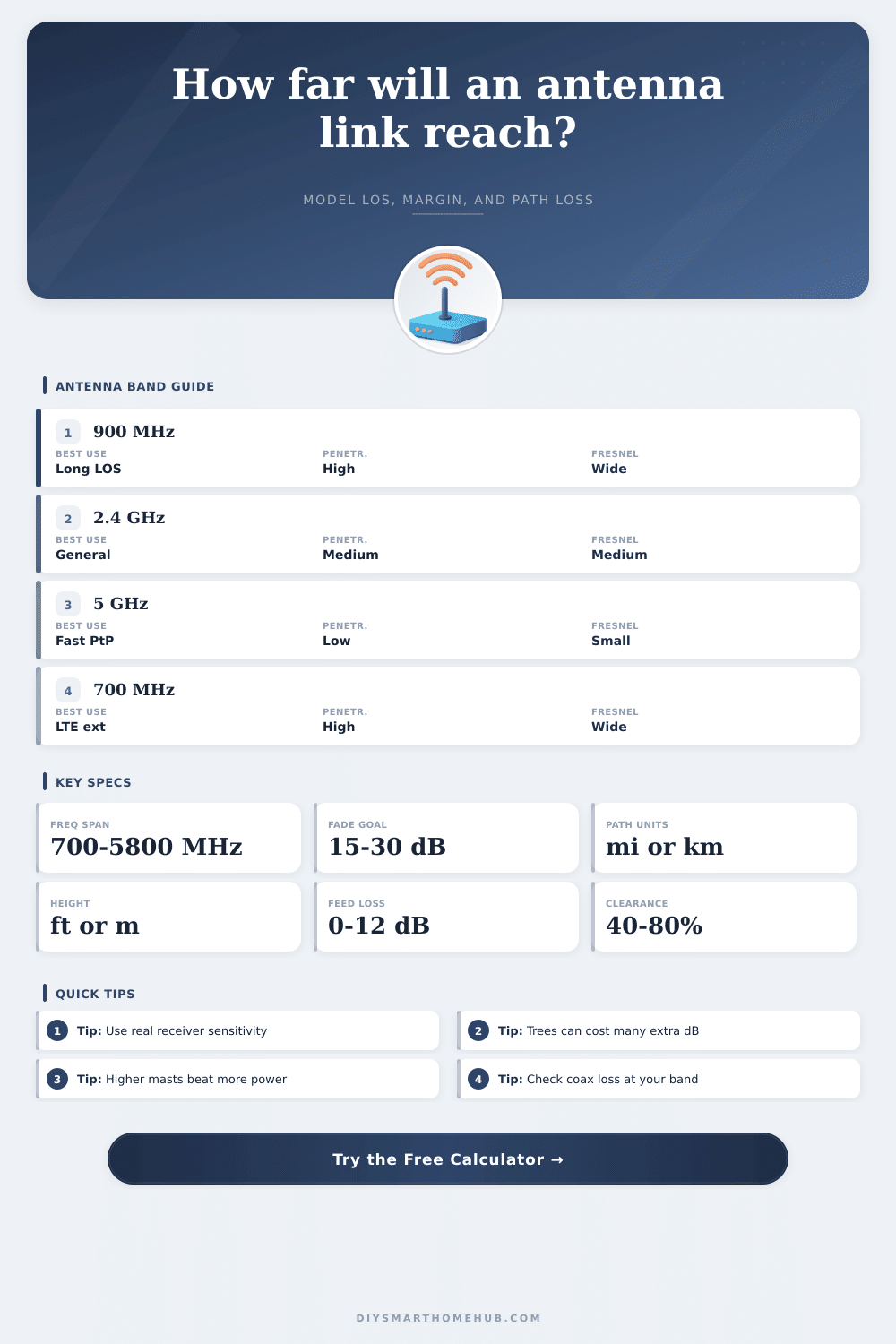
| Band | Typical Range Character | Obstacle Behavior | Best DIY Use |
|---|---|---|---|
| 700 to 915 MHz | Longest range per dB | Best penetration, largest Fresnel zone | Rural sensors, LTE, LoRa, gate links |
| 2.4 GHz | Balanced distance and throughput | Moderate foliage tolerance | Yard bridges, outbuildings, cameras |
| 5.0 to 5.8 GHz | Highest capacity, shorter practical reach | Needs cleaner line-of-sight | Fast point-to-point backhaul |
| 6 GHz and up | Very high bandwidth, very path-sensitive | Small Fresnel zone, weak penetration | Short rooftop links with perfect aim |
| Antenna Type | Typical Gain | Beam Style | Where It Fits |
|---|---|---|---|
| Rubber duck | 2 to 5 dBi | Wide omni | Short links, handhelds, test setups |
| Outdoor omni | 6 to 10 dBi | 360 degree | Yard coverage, cameras, gateways |
| Panel or patch | 8 to 16 dBi | Moderate directional | House to shed or office bridges |
| Yagi or dish | 15 to 30 dBi | Narrow directional | Longer clear LOS point-to-point |
| Margin | Path Conditions | Reliability Feel | Typical Use |
|---|---|---|---|
| 10 dB | Lab-clean LOS | Works, but little weather headroom | Bench tests and short indoor proofs |
| 15 dB | Short outdoor LOS | Usually fine in stable weather | Patio AP and nearby camera poles |
| 20 dB | Normal exterior clutter | Solid all-around planning target | House to garage or shed links |
| 25 to 30 dB | Seasonal trees or wet paths | Better reserve against fading | Rural bridges and mission-critical nodes |
| Cable | 2.4 GHz Loss / 100 ft | 5.8 GHz Loss / 100 ft | Planning Note |
|---|---|---|---|
| RG-58 | 23 to 26 dB | 35 to 40 dB | Fine for short jumpers, not long outdoor runs |
| LMR-240 | 13 to 15 dB | 21 to 24 dB | Works for modest rooftop pigtails |
| LMR-400 | 6 to 7 dB | 10 to 11 dB | Common upgrade when coax length matters |
| Direct-mount radio | Near zero | Near zero | Putting radio at the mast saves the most dB |
If trees, fences, or roof peaks clip the Fresnel zone, lifting both ends can recover many dB while also extending radio horizon. Extra radio power cannot repair a blocked line-of-sight path.
Many radios advertise a very low sensitivity only at their slowest modulation. Planning with the wrong receive threshold can make an apparently easy bridge collapse once you ask it for real camera or office traffic.
In order to connect a building to a distant workshop using a wireless internet connection, it is essential to understand how antenna range and signal strength works. Antenna range isnt simply a matter of how far the signal can travel; antenna range is the balance between signal strength and signal loss. Signal loss happens at every stage of the wireless internet connection, and various factor can cause signal loss, including the distance between the antenna and the device, the number of obstacle between the signal and the device, and the cable used in connecting the wireless internet equipment.
The frequency of the signal is another factor that will have a significant bearing on the signal. For example, signals at a lower frequency, such as 900 MHz, are beneficial for pass through obstacles like trees or buildings. However, because lower frequencies require a larger Fresnel zone to be clear of obstacles, the frequency at a higher value will have less loss of signal due to environmental obstacles.
How to connect a building to a workshop with wireless internet
On the other hand, higher frequencies, such as 5 GHz, offer faster transfer of data, but trees and other obstructions are more likely to block the data signal. Thus, the network needs must balance the frequency of the signal to determine the best frequency for establishing a wireless internet connection between the building and workshop. The height of the antennas that you’ll use in the setup is another factor that can impact the range of the signal.
As the antenna moves higher off of the ground, the radio horizon increase, which allows for the signal to travel further. Furthermore, increasing the height of the antenna will help ensure that the Fresnel zone is clear of any obstacles that may block the signal. However, raising the antenna will not help if the transmit power of the signal is too low, or if the sensitivity of the receiver is too low to receive the signal from the antenna.
Another factor in the determination of the range of the signal is the sensitivity of the receiver for that signal. The sensitivity of the receiver is the strength of the signal that is required for the receiver to successfully receive the data. In other words, you wont want to use the maximum data rate that can be transmitted between the two locations, as the data rates used for streaming video or moving files will require a stronger signal than the minimum required to receive the data at the receiver.
Additionally, the signal strength will have to take into account the fade margin for the signal. The fade margin is the strength of the signal that is needed to account for potential loss of signal due to environmental factors like rain and leaves on trees that may weaken the signal. In addition to these factors, the signal can also weaken along the feedline between the radio and the antenna.
The longer the coaxial cable between the radio and antenna, the more the signal will weaken. Thus, to combat this loss of signal, the radio can be mounted directly to the antenna outdoors, or you can use high quality coaxial cables, such as LMR-400 cable. It may be tempting to purchase larger antennas to increase the range of the signal, but ensuring that the signal is not lost along the feedline is one of the best ways to increase the strength of the signal.
Another method of calculating whether or not the wireless internet connection will work between two locations is to create a link budget for that network. The link budget is a calculation that takes into account the transmit power of the signal, the gain of the antennas, and all of the signal losses along the link. The result of this calculation will reveal whether or not the signal will be strong enough to reach the receiver with the sensitivity and fade margin that are required for the wireless connection.
If the signal is too weak, the link will not be successful in transmitting data between the locations. Furthermore, the link budget can also account for environmental loss of signal, such as obstacles in the path like trees or woods. Finally, it is important to consider that the environment in which the signal is transmitted may change over time.
For instance, trees will grow, leaves will grow, and those growing trees and leaves may enter the Fresnel zone and cause the signal to weaken. Thus, the network designers may have to plan for pruning trees or raising the antenna height to ensure that the signal is not blocked. By establishing a high fade margin and keeping the Fresnel zone clear of any obstacles, the wireless internet connection will remain stable between the two locations.
Thus, success in establishing a wireless internet connection between the building and workshop requires that the designers manage the antenna height, the frequency of the signal, and the signal loss.