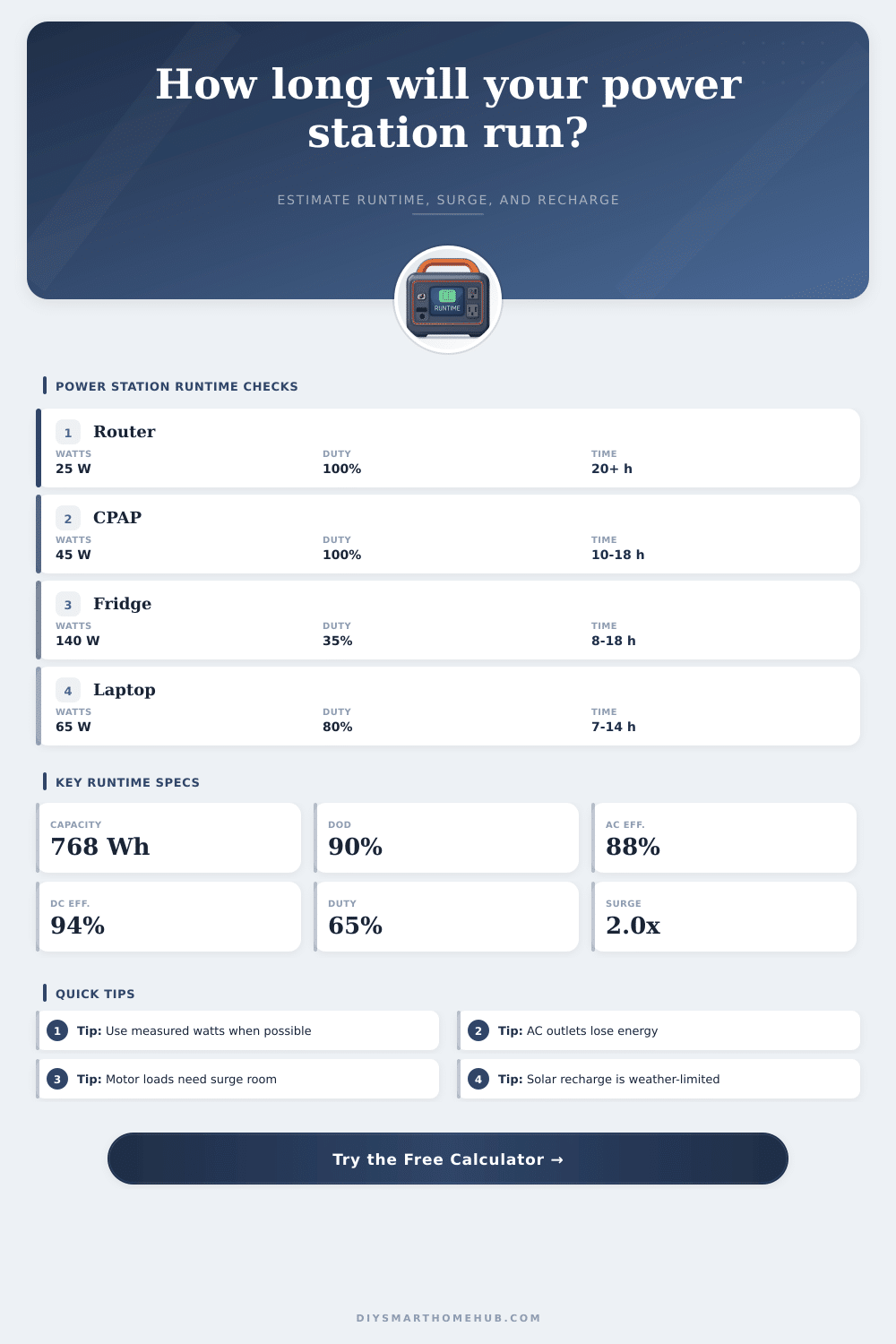
Portable Power Station Run Time Calculator
Estimate how long a portable power station will run AC and DC loads, how much usable battery energy remains after depth of discharge and efficiency losses, whether surge is supported, and how long recharge may take.
⚡Power station presets
🔋Runtime inputs
Calculation breakdown
⚙Battery and inverter spec grid
📊Portable power station capacity table
| Station class | Nameplate Wh | Typical inverter | Best runtime use |
|---|---|---|---|
| Compact backup | 250 to 350 Wh | 300 to 600 W | Router, lights, phone charging, small DC loads |
| Mid-size station | 500 to 800 Wh | 600 to 1000 W | Laptop workday, CPAP, short fridge support |
| Large portable | 1000 to 1600 Wh | 1200 to 2000 W | Fridge, camera NVR, freezer, small appliances |
| Expandable home backup | 2000 to 3600 Wh | 1800 to 3600 W | Longer outage loads and higher surge devices |
🔌Common load runtime reference
| Load scenario | AC watts | DC watts | Duty cycle | Planning note |
|---|---|---|---|---|
| Router, fiber ONT, mesh node | 0 to 10 W | 20 to 45 W | 100% | DC outputs avoid inverter idle losses when supported |
| CPAP without heated humidity | 30 to 60 W | 0 to 20 W | 100% | Use the medical device power label or watt meter |
| Refrigerator outage support | 120 to 220 W | 0 W | 25% to 45% | Surge and compressor duty cycle drive the result |
| Security NVR and cameras | 45 to 100 W | 15 to 60 W | 100% | Steady loads make runtime easier to predict |
| Small sump pump events | 600 to 1000 W | 0 W | 5% to 20% | Surge rating matters more than average watts |
⚡Surge and inverter headroom table
| Load type | Examples | Surge factor | Headroom target |
|---|---|---|---|
| Electronics | Router, laptop, monitor | 1.0x to 1.3x | 10% to 20% above running watts |
| Resistive appliance | Kettle, heater, toaster | 1.0x | Continuous rating must exceed running watts |
| Compressor | Fridge, freezer, small AC | 2.0x to 3.5x | Use the station surge rating and test if possible |
| Pump motor | Sump pump, small tool | 3.0x to 5.0x | Choose a station with generous surge duration |
☀Recharge estimate table
| Capacity to replace | 100 W solar | 400 W solar | 600 W wall input | 1200 W wall input |
|---|---|---|---|---|
| 300 Wh | 4.0 to 5.0 h | 1.0 to 1.4 h | 0.6 to 0.8 h | 0.3 to 0.5 h |
| 768 Wh | 10 to 13 h | 2.5 to 3.5 h | 1.5 to 1.8 h | 0.8 to 1.0 h |
| 1500 Wh | 20 to 25 h | 5 to 7 h | 2.9 to 3.5 h | 1.5 to 1.8 h |
| 3000 Wh | 40+ h | 10 to 14 h | 5.8 to 7 h | 2.9 to 3.5 h |
💡Runtime calculation tips
It’s easy for a power outage to happen. Next thing you know, the grid has gone black and there you are with your portable power station sitting in the corner. It’s got that glowing battery indicator. How much longer will it keep my CPAP machine running? How long will it run the refrigerator?
It won’t be as simple as plugging in and using the battery like there is no tomorrow. Batteries don’t have an equal amount of output time based off their capacity. There is invisible losses when used. Inverter conversion lose some energy. And if you want to extend life of your lithium battery, don’t let it get too low.
How to Calculate Your True Battery Runtime
This calculator ignores those inefficiencies. What is left over is the usable energy. What the box doesn’t tell you about. It is the marketing number on the box versus the actualy usable energy. Most people see “seven hundred watt-hours” and they stop. They don’t consider inverter overhead or depth of discharge limits. Because of this, their backup plan falters.
That seven hundred looks like a lot. But after accounting for inefficiency, it’s not as good than it sounds. Instead, the calculator asks for things like efficiency ratings and duty cycles which are more important to the bottom line than just how many watt hours is available. You know your load watts and plug them in. But then you tweak for efficiency and duty cycles to get a sense of the true value.
If I have a refrigerator, that doesn’t mean it’s running at full speed all the time. It turns on and off according to temperature settings. So something that has a lower running wattage but higher duty cycle will use much fewer total watt hours than one that simply run through all the time. You can lower your runtime estimate through efficiency.
When plugging something into an AC outlet at the station, remember that the station is going to have to convert the DC battery power to AC household current. This process creates waste, it’s inefficient and produces heat. On average, you’re losing 10-15% of your power output before you even get a single watt into whatever appliance you’ve plugged in. Depending on what efficiency percentage you enter, the calculator accounts for this loss and provides a more accurate representation of remaining time. By skipping over the inverter by plugging straight into a 12 volt DC socket or USB port, you avoid all of that. That little change from one outlet to another can tack on hours onto your runtime.
The other hidden variable is surge capacity. Before settling into their steady running draw, motors require a huge spike of power to get started. For example, a refrigerator requires only a hundred watts to stay cold, but it needs three times that when starting up to get going. That’s why your station need enough headroom to handle those spikes, otherwise it will shut down entirely, no matter how much charge remains in the batteries. Does your chosen unit have sufficient headroom to withstand those initial startup surges? The tool does.
Just as important as length of time needed for discharge is the time required to recharge. For example, if it’s going to be three days before the station fills back up from the wall after a long outage, that isn’t any use. Solar input also makes things more complicated because it doesn’t come in at a consistent rate; it depends on both efficiency of your panels and the weather. The estimates are geared toward helping you plan for worst case scenario, i.e., when you have little or no sun and little or no access to the grid. It moves the conversation away from “how much juice do I have” and more towards “how fast will I get my juice.
To plan effectively, however, you should of go past battery size and sticker price. Because you also want to know which batteries is going to work best with your gear, how your devices perform while on a charge (i.e., how much load will they put on the station), and how efficient they will be at drawing that charge. The calculator is the tool for that assessment, as it turns those ideas of watt-hours into real hours.
That’s when the uncertainty lifts and the guesswork ends, because then you begin to know… Not just hope, what your gear will do in practice when it matters.