Bit Depth Calculator
Compare display and video precision from bits per channel, RGB or YUV chroma sampling, HDR code steps, uncompressed payload, compressed storage, and signal headroom.
Real Video Presets
Signal Inputs
Results
Display Spec Comparison Grid
Bit Depth Reference Table
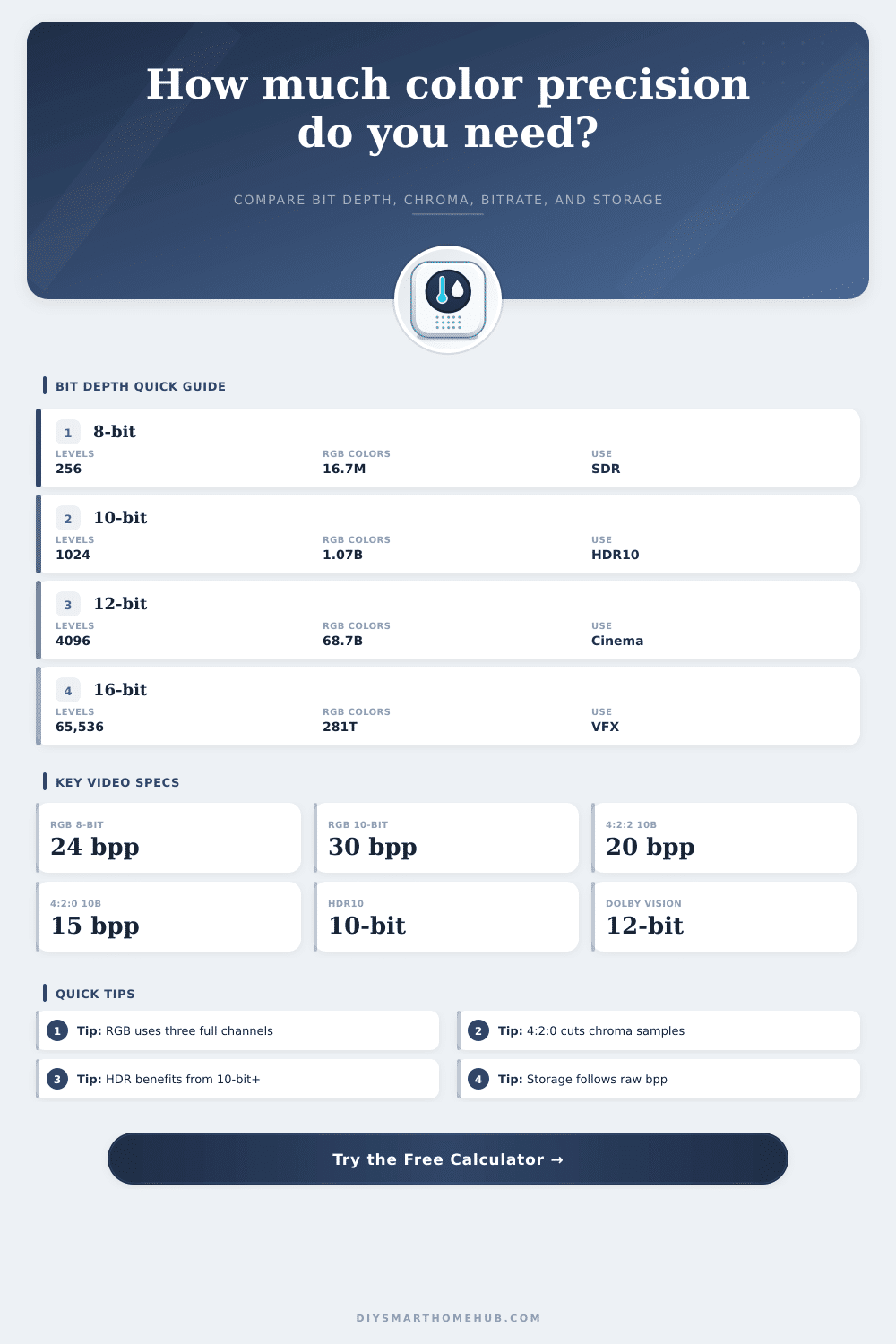
| Bits/channel | Code levels/channel | Full RGB color states | 1000 nit ideal step | Typical use |
|---|---|---|---|---|
| 6-bit | 64 | 262,144 | 15.87 nits/code | Low-cost panel with FRC |
| 8-bit | 256 | 16.7 million | 3.92 nits/code | SDR video and desktop work |
| 10-bit | 1,024 | 1.07 billion | 0.98 nits/code | HDR10, HLG, gradients |
| 12-bit | 4,096 | 68.7 billion | 0.24 nits/code | Cinema, Dolby Vision pipeline |
| 16-bit | 65,536 | 281 trillion | 0.015 nits/code | Linear VFX and image masters |
RGB and YUV Channel Sampling Table
| Format | Samples per pixel | Formula | 10-bit bpp | Best fit |
|---|---|---|---|---|
| RGB 4:4:4 | 3.0 | bits x 3 channels | 30 bpp | PC monitors, UI text, grading |
| RGBA 4:4:4:4 | 4.0 | bits x 4 channels | 40 bpp | Compositing with alpha |
| YUV 4:4:4 | 3.0 | bits x Y/Cb/Cr | 30 bpp | High-end video interchange |
| YUV 4:2:2 | 2.0 | bits x 2 average samples | 20 bpp | Camera masters and HDMI HDR |
| YUV 4:2:0 | 1.5 | bits x 1.5 average samples | 15 bpp | Streaming, discs, camera NVRs |
| Luma only | 1.0 | bits x Y | 10 bpp | Depth maps and monochrome video |
Video / Display Spec Comparison
| Spec or workflow | Common depth | Common chroma | Precision note | Planning cue |
|---|---|---|---|---|
| SDR TV or web video | 8-bit | YUV 4:2:0 | 256 code levels/channel | Good for normal SDR, weak for heavy gradients |
| HDR10 display chain | 10-bit | RGB, 4:2:2, or 4:2:0 | 1,024 code levels/channel | Minimum practical HDR precision |
| Dolby Vision style master | 12-bit | YUV or RGB pipeline | 4,096 levels/channel | More room for tone-map metadata workflows |
| PC monitor text and UI | 8-bit to 10-bit | RGB 4:4:4 | No chroma subsampling | Keep 4:4:4 for sharp colored text |
| Security camera recording | 8-bit to 10-bit | YUV 4:2:0 | Luma priority over chroma | Compression usually dominates storage |
| VFX image sequence | 16-bit | RGB 4:4:4 | 65,536 levels/channel | Large files, strong grading latitude |
Common Payload Examples
| Mode | Bit depth and chroma | Bits per pixel | Active raw payload | What changes most |
|---|---|---|---|---|
| 1080p60 SDR RGB | 8-bit RGB | 24 bpp | 2.99 Gbps | Refresh rate |
| 4K60 HDR 4:2:2 | 10-bit YUV 4:2:2 | 20 bpp | 9.95 Gbps | Chroma and overhead |
| 4K120 HDR RGB | 10-bit RGB | 30 bpp | 29.86 Gbps | Refresh doubles payload |
| 8K60 HDR 4:2:0 | 10-bit YUV 4:2:0 | 15 bpp | 29.86 Gbps | Resolution and compression |
| DCI 4K24 12-bit 4:4:4 | 12-bit YUV 4:4:4 | 36 bpp | 7.64 Gbps | Depth raises bpp |
Planning Tips
Bit depth is a technical measurement of how many step the system will use to describe each channel’s color. Bit depth determines how many values of brightness and color exist within each channel. Because of this relationship between bit depth and color values, bit depth is the reason that some images exhibit smooth color transitions while other images exhibit banding of colors.
Images with low bit depth will exhibit large transitions between colors, which will result in color banding. In contrast, images that have high bit depths will have very fine and small color transitions between each channel’s color, which will prevent color banding from occurring within those images. Bit depth can be considered when choosing the settings for a camera, monitor, or the way in which the image is to be delivered.
Bit Depth: How It Affects Color, Brightness and File Size
Beyond simply considering whether more bits is desired within the digital image, it is also important to consider whether that additional bit depth and color precision are worth the additional amount of data that those bits will create. Images with high bit depths allows for finer steps of color between each of the channels colors. These high bit depths are often utilized in situations when the captured image will be color graded or tone-mapped.
Images with low bit depths are often sufficient for those images that remain within a narrow range of brightness levels. However, low bit depths may exhibit color banding issues when viewed on displays that have the ability to display many different colors. Many individuals may opt to choose low bit depths for images because it will result in the creation of less data for that digital image.
Bit depth is one of the several different parameters for describing how colors are to be carried from one device to another. Parameters like resolution and frame rate will determine the size of each frame that the digital image is to be created by and how many of those frames will appear per second. Bit depth per channel will determine how many different brightness and color values exist within each channel.
Chroma subsampling will also impact how colors are to be carried from device to device. Chroma subsampling will not impact the luma channel, but it will impact the chroma channels and reduce the brightness of those colors to maintain smoothness within the digital image. High Dynamic Range (HDR) targets will impact how bit depth is applied to each digital image.
For digital systems with a low brightness value (such as 100 nits), the small steps created through low bit depths will not be as visible as they are for digital systems with high brightness values (such as 1000 nits or 4000 nits). The high brightness of the screens will make the small steps within bit depth visible to the viewers of the digital image. As a result, high brightness levels of a digital system will require higher bit depths than digital systems with lower brightness values.
Furthermore, higher peak luminance levels will require higher bit depths for those digital systems to ensure that higher brightness values have enough bits to create the smaller code steps to those brightness levels. The storage size of digital images is dependent upon the bit depth of each digital channel. To calculate the raw payload of the digital image, the resolution, frame rate, bit depth of each channel, and the sampling format will need to be determined.
Additional data will be necessary to account for any overhead data created by the digital interface or container in which the digital image is stored, as well as any compression of the digital image by applying a certain compression ratio to the digital image. Ten-bit digital channels will require more data to be stored than eight-bit digital channels if the images have the same resolution and frame rate. However, if the digital image is heavily compressed to save space, that heavy compression will create artifacts that may offset the benefits of utilizing ten-bit instead of eight-bit digital channels.
The bit depth and chroma format of a digital image are not independent of one another. For example, a 10-bit 4:2:0 chroma subsampling ratio will often allow for the transmission of less data than an 8-bit 4:4:4 chroma sampling ratio. This is due to the way in which each of these digital channels handles color.
A 10-bit 4:2:0 chroma subsampling will allow for greater precision of luminance levels but will lose resolution in its chroma channels. An 8-bit 4:4:4 chroma subsampling will lose no data in its chroma channels, but will lose precision in its color levels due to its use of a shallower bit depth. It is also important to ensure that the entire display chain for a digital image has appropriate bit depths for each component.
While many consumer devices are capable of receiving a 10-bit or 12-bit signal from the digital device, many of those devices will often process the signal at 8 bits before it is displayed on the screen. The consumer device may therefore throw away the bit depth of the digital device. Each of the components of the digital display chain will need to be checked to ensure that the bit depth is not silently downgraded from the incoming signal.
Bit depth can also be chosen for a digital image based off the demands of the different components of the digital image creation and display chain. For example, visual effects (VFX) pipelines will often use ProRes 10-bit 4:2:2 files to allow for deeper bit depths that will prevent rounding errors from occurring throughout the digital creation process. It is important to ensure that the digital image has enough bit depth to survive the processing steps that will be applied to the digital image.
Therefore, the digital image should of been processed with an understanding of the digital output and working backwards from that digital output to ensure that there is enough bit depth to survive each of the digital processing steps. It is also important to ensure that each component of the digital creation and display chain can receive and process the digital image with the appropriate bit depth. Each stage of digital processing will need to be reviewed to determine if any adjustment to the bit depth should be made.
For example, if the digital image is to be output as an 8-bit file, it is possible to capture the image at 10 bits. Furthermore, if the digital image is to be captured at 10 bits, the processing that is applied to the digital image will not experience posterization. Each component of digital creation will need to be reviewed to determine if the bit depth is appropriate for that stage in the digital image creation process.
Additional review of the digital image creation process will allow for adjustments to be made to ensure that the digital image and its components survive each stage of creation. For example, many digital devices will be able to receive 10-bit or 12-bit digital signals. However, as mentioned, many of those devices will process the signal at 8 bits before displaying the content of the digital device on the screen.
Therefore, each of the digital devices in the digital image creation process will need to be reviewed and adjusted as necessary to ensure that the signal is not silently downgraded in bit depth from stage to stage. Bit depth can be chosen for a digital image creation process for a variety of different reasons. Each of those reasons will impact the bit depth of each digital channel in the digital image.
For example, a digital image that is to contain visual effects will have different bit depths than a digital image of a static object. Digital image content creation software and hardware components will also impact the bit depths. Furthermore, digital files that are downloaded from the internet may have different bit depths due to the limitations of the digital file transfers and storage devices.
Each digital component will have a reason for its specific bit depths for each of the digital channels. Each component of digital image creation and digital image processing will impact the bit depths of each digital image. Each component will have a specific reason for the bit depths of each digital channel within the digital image.
Understanding these various reasons and effects of each of these components will allow for adjustments to each digital device and software to ensure that the digital image exhibits the desired qualities.