HDMI Bandwidth Calculator
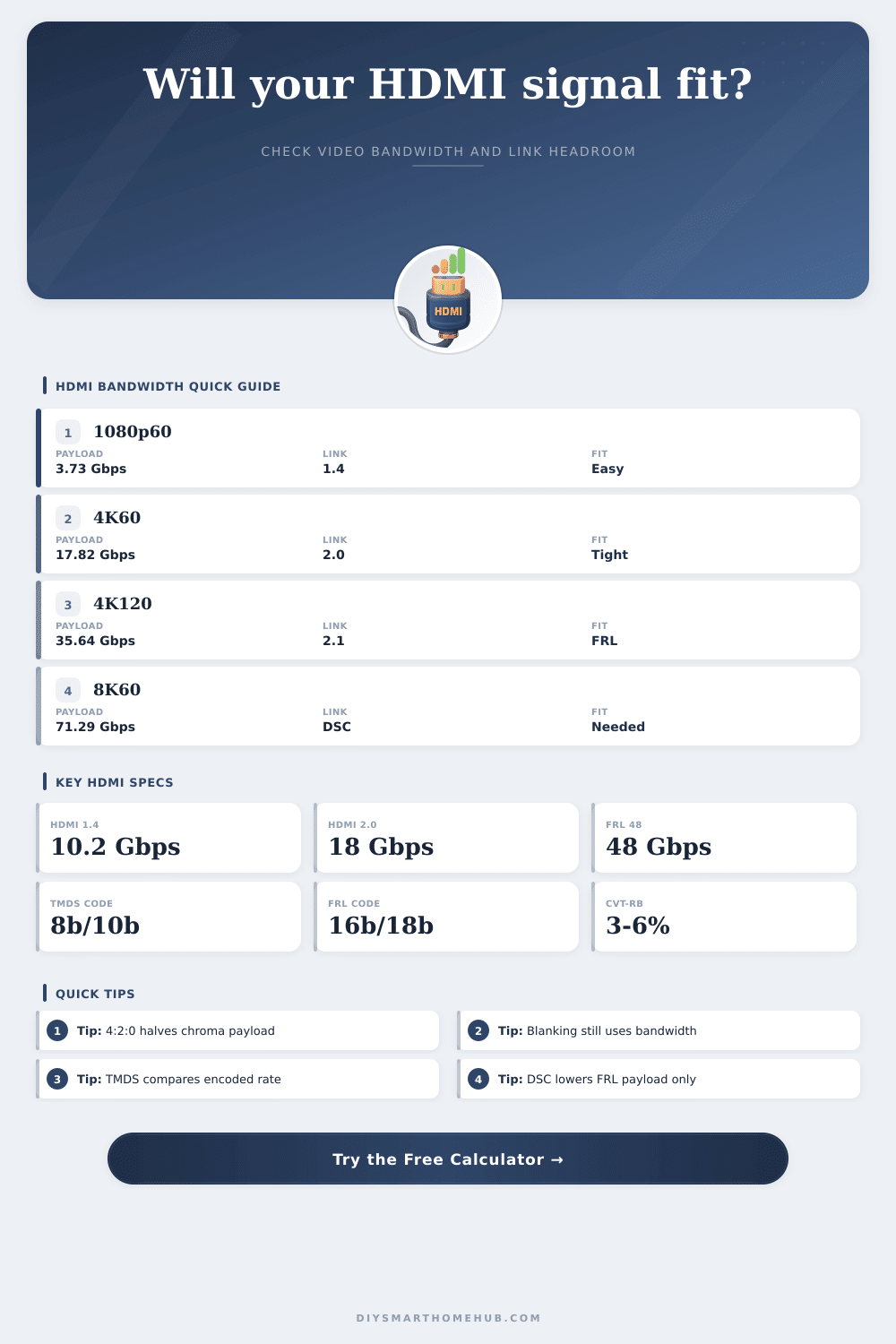
Estimate whether a video format fits an HDMI transport by combining resolution, refresh rate, bit depth, chroma subsampling, blanking overhead, TMDS encoding, FRL payload, and optional DSC compression.
🎯Real HDMI signal presets
Presets load editable planning values. Exact device support also depends on EDID, cable quality, source output modes, sink input modes, and whether DSC is actually negotiated.
📏Video timing and transport inputs
⚙Current signal spec summary
📊HDMI reference tables
HDMI spec comparison grid
| Transport | Gross rate | Payload math | Common fit |
|---|---|---|---|
| HDMI 1.4 TMDS | 10.2 Gbps | 8b/10b, about 8.16 Gbps payload | 1080p120, 4K30 8-bit |
| HDMI 2.0 TMDS | 18.0 Gbps | 8b/10b, about 14.4 Gbps payload | 4K60 8-bit 4:4:4 or 10-bit 4:2:2 |
| HDMI 2.1 FRL 24 | 24.0 Gbps | 16b/18b, about 21.33 Gbps payload | 4K60 deep color with reserve |
| HDMI 2.1 FRL 32 | 32.0 Gbps | 16b/18b, about 28.44 Gbps payload | 4K120 8-bit or 10-bit 4:2:2 |
| HDMI 2.1 FRL 40 | 40.0 Gbps | 16b/18b, about 35.56 Gbps payload | 4K120 10-bit 4:4:4 near the edge |
| HDMI 2.1 FRL 48 | 48.0 Gbps | 16b/18b, about 42.67 Gbps payload | 4K144 class or 8K with DSC |
Chroma and bit-depth payload factors
| Format | 8-bit | 10-bit | 12-bit |
|---|---|---|---|
| RGB / 4:4:4 | 24 bpp | 30 bpp | 36 bpp |
| YCbCr 4:2:2 | 16 bpp | 20 bpp | 24 bpp |
| YCbCr 4:2:0 | 12 bpp | 15 bpp | 18 bpp |
| Formula | depth × samples | 444 = 3 samples | 422 = 2, 420 = 1.5 |
Common uncompressed video payloads
| Signal | Chroma | Blanking | Raw payload |
|---|---|---|---|
| 1080p60 8-bit | 4:4:4 | 5% | 3.76 Gbps |
| 1440p144 8-bit | 4:4:4 | 5% | 12.84 Gbps |
| 4K60 10-bit | 4:2:2 | 8% | 10.75 Gbps |
| 4K120 10-bit | 4:4:4 | 5% | 31.35 Gbps |
| 8K60 10-bit | 4:2:0 | 5% | 31.35 Gbps |
Blanking overhead planning table
| Profile | Use | Overhead | Why it matters |
|---|---|---|---|
| Active only | Formula floor | 0% | Minimum payload before timing overhead |
| CVT-RB v2 | PC monitors | 3% to 6% | Reduced blanking keeps high refresh practical |
| CTA video | TV modes | 6% to 10% | Consumer timings include extra intervals |
| Legacy reserve | Older modes | 15% to 25% | Large porch/sync timing can break a link budget |
💡HDMI calculation tips
HDMI standards changes every few years. As a result of changes in HDMI standards, the requirements for an HDMI cables also change. Whereas in the past a person had to worry about whether or not an HDMI cable can carries a 1080p picture, today a person must ensure that an HDMI cable can carry 4K or even 8K resolution.
An HDMI bandwidth calculator can help a person to understands the requirements of an HDMI cable. An HDMI bandwidth calculator can help a person to understand if the signal from a source device will fit through an HDMI cable. To calculate the bandwidth requirement for an HDMI cable, a person must use a few different factor.
How an HDMI Bandwidth Calculator Works
For example, to calculate the number of active pixels in a video frame, you must multiply the width of the frame by the height of the frame. The total number of active pixels can be multiplied by the refresh rate of the display to determine the number of pixels that move every second. Those pixels per second can be multiplied by the number of bits per pixel to determine the raw payload for the HDMI signal.
An HDMI bandwidth calculator can make these calculations for the user, so that the user dont have to manually calculate these value. The HDMI signal contains more than just active pixels. For instance, the signal also includes “blanking” interval.
Those “blanking” intervals include data regarding synchronization of the signal, but does not include any data that display on the screen. Those “blanking” intervals consume some of the bandwidth that is available for transmitting the HDMI signal. The length of “blanking” intervals can differ with each type of timing standard.
Including “blanking” intervals in the calculation is one of the factors that determines whether the HDMI bandwidth calculator provide accurate results for the calculated value; using the wrong “blanking” interval will result in inaccurate results. The transport methods of an HDMI signal can also impact the available bandwidth for that signal. For example, HDMI versions before HDMI High Speed used TMDS encoding, which wraps eight bit of data inside ten transmitted bits.
Newer versions of HDMI, such as HDMI 2.0, can utilize FRL (Fast Transmission Rate), which packs sixteen bits into eighteen bit of data. An HDMI bandwidth calculator allows a user to choose the correct transport method; if the user chooses the incorrect transport method, the calculator will calculate the required bandwidth incorrectly. Chroma subsampling is another way to reduce the bandwidth for an HDMI signal.
Chroma subsampling reduces the color information that travels along the HDMI cable, but does not change the brightness information of the picture. For example, instead of 4:4:4 subsampling, a user can use 4:2:2 or 4:2:0 subsampling to save bandwidth. Using less subsampling for chroma data will reduce the bandwidth requirement for that HDMI signal; however, it will also reduce the color information that is send along the HDMI signal.
An HDMI bandwidth calculator displays the amount of bandwidth that will be saved by using less chroma subsampling. Another way to reduce the bandwidth requirements for an HDMI signal is through the use of DSC (Display Stream Compression) compression. DSC compression is a visually lossless method of reducing the data that travels along the HDMI cable.
Using DSC allows HDMI to support higher resolutions or refresh rates. However, both the source and display device must support DSC. An HDMI bandwidth calculator can apply the DSC compression ratio to the calculated value; however, the HDMI bandwidth calculator cannot determine if the devices supports DSC.
There are other variable in the calculation of the bandwidth for an HDMI signal that can affect the data, but which cannot be measured by an HDMI bandwidth calculator. For instance, the quality of the cable, the length of the HDMI cable, and the specifications of the HDMI devices can all impact the amount of bandwidth that is available for the signal. The length and quality of the HDMI cable can impact how close the signal is to the theoretical limit of the HDMI bandwidth.
In addition, HDMI receivers and HDMI switches can impact the bandwidth of the signal. As a result, it is helpful to include a reserve amount in the bandwidth calculations for these variable. The HDMI bandwidth calculator that is available to the public also includes reference tables to assist the user.
These tables display the different resolutions that the various version of HDMI supports. Additionally, these tables display the impact that different types of chroma subsampling can have on the bandwidth of the HDMI signal. These tables allow the user to understand the reasons why one setting may result in a comfortable fit of the signal along the HDMI cable, while another setting results in a warning message from the HDMI bandwidth calculator.
Today, individuals typically use HDMI bandwidth calculators only after they have purchase the HDMI devices that they will be connecting. However, if an individual performed these calculations prior to purchasing the devices, they would be able to understand if the existing HDMI 2.0 receiver can support 4K120 mode, or if the 8K source device will require the use of DSC to reduce the bandwidth requirements of the HDMI signal. An HDMI bandwidth calculator is a tool that allows a user to calculate the bandwidth that will be required by an HDMI signal.
Bandwidth is only one of the variables for an HDMI signal. Other variables include the frame rate of the signal, the color depth of the signal, and the amount of lag for the signal to travel from source to display device. An HDMI bandwidth calculator helps a user to understand these variables and to find a balance between each of the variable.
By understanding the relationship between these variables, a user can create an effective HDMI signal.