Security Camera Angle of View Calculator
Calculate horizontal, vertical, and diagonal angle of view from active sensor width, sensor height, and focal length, then convert that lens angle into real scene coverage at your target distance.
| Camera / lens setup | Active sensor example | Lens range | Typical horizontal AOV | Best angle fit |
|---|---|---|---|---|
| WiFi doorbell wide view | 1/3 to 1/2.8 inch crop | 1.8 to 2.8 mm | 90° to 140° | Close porch and package context. |
| Fixed turret overview | 1/2.8 inch 16:9 | 2.8 to 4 mm | 70° to 90° | Rooms, patios, garages, and short drives. |
| Balanced driveway camera | 1/2.7 to 1/1.8 inch | 4 to 6 mm | 50° to 75° | Vehicle path with more target size. |
| Narrow gate bullet | 1/2.8 inch or larger | 8 to 12 mm | 25° to 40° | Gate, walkway, side yard, and lane aiming. |
| Varifocal PoE dome | 1/2.8 to 1/1.8 inch | 2.7 to 13.5 mm | 24° to 100° | Field tuning after the camera is mounted. |
| Long-range plate camera | 1/1.8 inch preferred | 12 to 50 mm | 7° to 35° | Controlled vehicle lane, not area overview. |
| Sensor format | Active width | Active height | Diagonal | Notes for AOV math |
|---|---|---|---|---|
| 1/3 inch | 4.80 mm | 3.60 mm | 6.00 mm | Common compact indoor and older outdoor camera size. |
| 1/2.8 inch 16:9 | 5.57 mm | 3.13 mm | 6.39 mm | Very common 2MP to 8MP security camera crop. |
| 1/2.7 inch 16:9 | 5.37 mm | 3.02 mm | 6.16 mm | Often appears in 4MP and 5MP camera spec sheets. |
| 1/2 inch | 6.40 mm | 4.80 mm | 8.00 mm | Larger active area widens the same lens. |
| 1/1.8 inch 16:9 | 7.20 mm | 4.05 mm | 8.26 mm | Wider AOV and stronger low-light platform. |
| 1/1.7 inch | 7.60 mm | 5.70 mm | 9.50 mm | Large sensor format; diagonal AOV can be much wider. |
| Lens on 1/2.8 inch 16:9 sensor | Horizontal AOV | Vertical AOV | Width at 30 ft | Width at 10 m |
|---|---|---|---|---|
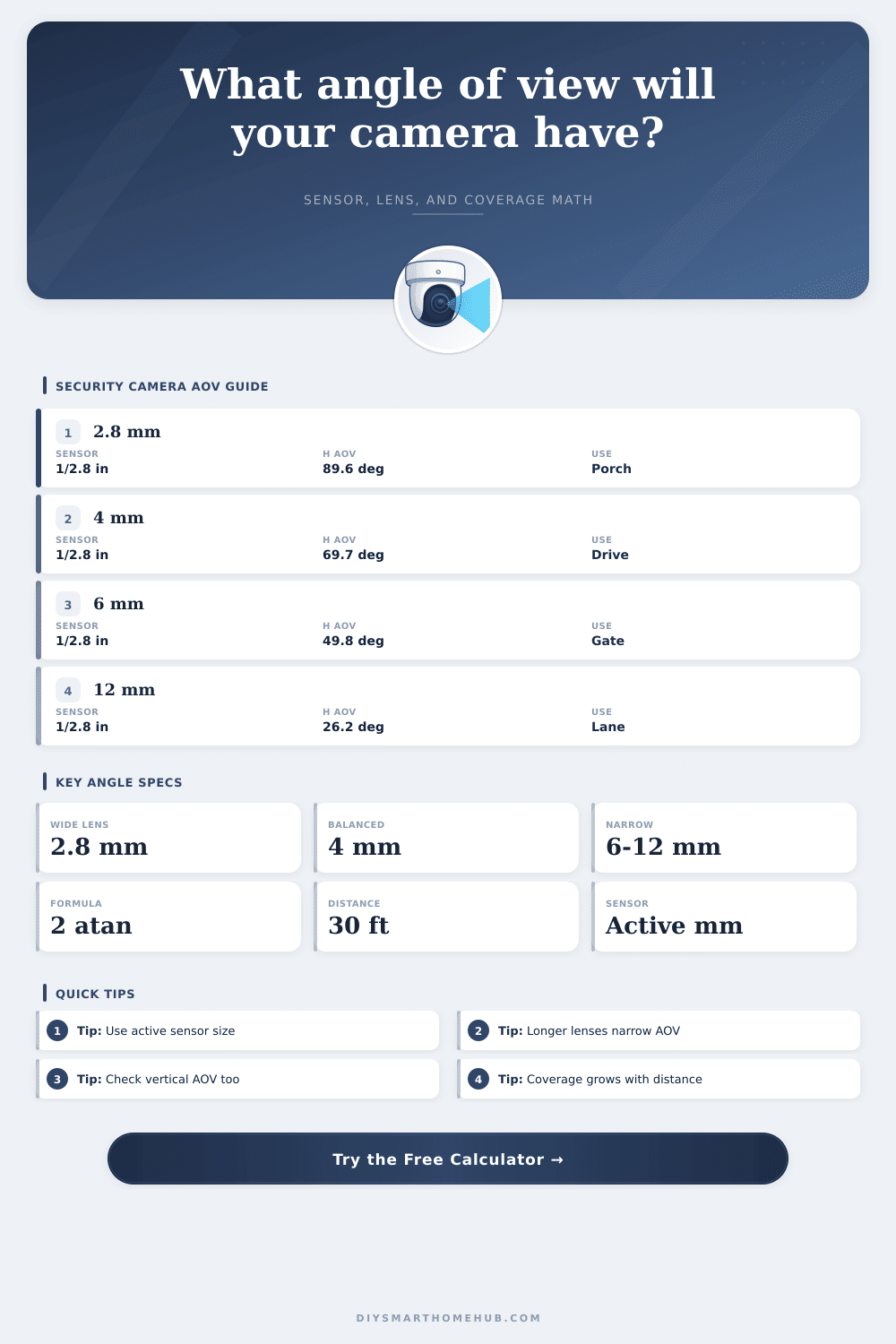
| 2.8 mm wide | 89.7° | 58.4° | 59.7 ft | 19.9 m |
| 3.6 mm general | 75.4° | 47.0° | 46.4 ft | 15.5 m |
| 4.0 mm balanced | 69.7° | 42.8° | 41.8 ft | 13.9 m |
| 6.0 mm narrow | 49.8° | 29.3° | 27.9 ft | 9.3 m |
| 8.0 mm tele | 38.4° | 22.2° | 20.9 ft | 7.0 m |
| 12.0 mm long | 26.2° | 14.9° | 13.9 ft | 4.6 m |
| Horizontal AOV band | Angle behavior | Coverage strength | Detail tradeoff | Common security use |
|---|---|---|---|---|
| 100°+ ultra-wide | Very broad scene | Whole porch or room context | Small targets shrink quickly | Doorbell, fisheye crop, indoor overview. |
| 70° to 100° wide | Wide but familiar perspective | Good area awareness | Moderate target size | Garage, patio, entry, short driveway. |
| 45° to 70° balanced | Controlled field | Less wasted side area | Better subject size | Driveway, gate, porch approach. |
| 20° to 45° narrow | Directional lane | Tight aim required | Higher pixels on target | Side yard, aisle, gate, plate lane. |
| Under 20° telephoto | Very tight view | Minimal context | Strong detail at distance | Long corridor and controlled vehicle capture. |
| Formula | Calculator variable | What it returns | Security camera note |
|---|---|---|---|
| Horizontal AOV = 2 x atan(sensor width / (2 x focal length)) | Width mm and focal mm | Left-to-right lens angle | Use active width, not sensor-format label alone. |
| Vertical AOV = 2 x atan(sensor height / (2 x focal length)) | Height mm and focal mm | Top-to-bottom lens angle | Important for faces, packages, and mount height. |
| Diagonal AOV = 2 x atan(sensor diagonal / (2 x focal length)) | Diagonal mm and focal mm | Corner-to-corner lens angle | Often advertised, but less useful for coverage width. |
| Coverage width = 2 x distance x tan(horizontal AOV / 2) | Distance and H AOV | Scene width at target plane | This is the practical span you can mark on a plan. |
| Pixel density = stream width / coverage width | Pixels and scene span | Pixels per ft or meter | Higher density means more detail at that distance. |
Choosing a security camera lens require understanding how much of a scene will appear on a screen. The amount of a scene that will appear on a screen are based off three physical factors: the size of the image sensor, the focal length of the lens, and the distance between the camera and the subject. If any of these three factors is changed, the field of view will change.
Each of these three factor relates to the other two factors, so that the others alone cannot determine each factor. However, calculators can be use to determine the field of view because the calculators is programmed with the three factors that relates to the field of view. The size of the image sensor is the first of the three factor that relate to the field of view.
How to Choose a Security Camera Lens
Security camera sensors are often labeled with sizes like 1/2.8 inch or 1/3 inch. These measurements is not always accurate to the width and the height of the sensor. Instead, the cameras often use a specific crop of the sensor for images with a 16:9 aspect ratio.
Each camera manufacturer use a different crop of the sensor, so the dimension of the sensor in millimeters should be entered into the calculator that determine the field of view. This will provide the most accurate measurement of the field of view. The focal length is the second factor that relate to the field of view.
A short focal length will create a wide field of view. This is useful for view large areas of a subject. A long focal length will create a narrow field of view.
This is useful for viewing subject that are far from the security camera and that need to be enlarged in the resulting security camera footage. The third factor that relate to the field of view is the distance between the security camera and the subject that is to be viewed. The distance will determine how much of the scene the specific lens that is attached to the security camera will cover.
For instance, if the lens is set to cover twenty feet of a driveway when the distance between the camera and the driveway is ten feet, then the same lens will cover forty feet of the driveway if the distance between the camera and the driveway are twenty feet. Thus, the distance between the security camera and the subject is another factor that will have an impact on the field of view of the security camera. Another factor that security camera calculators can calculate is the horizontal and vertical angle.
The horizontal angles will reveal how wide of an angle the security camera will view from left to right. The vertical angles will reveal how high of an angle the security camera will view from top to bottom. The vertical angles will be especially important in determining where the security camera is to be mounted.
If the camera is to be mounted high above the ground, then the vertical angle will need to be determined to ensure that object on the ground will be viewed by the security camera. Another measurement that relates to the field of view is the pixel density. The pixel density is determined by the width of the scene that is to be viewed by the security camera.
The resolution of the security camera’s image will be divide by the width of the scene to determine the number of pixel that relate to each foot of the scene. The pixel density will allow the security camera’s owner to determine how clear that the security camera will be of object that are within the scene. High pixel density will produce clear image of small object, while small pixel density will produce blurry image of small object.
Thus, calculating the pixel density will allow the security camera owner to ensure that the security camera provides the security of those object. In calculating the three factor described above, as well as the horizontal and vertical angle, the resolution of the security camera, and the pixel density of that security camera, the owner will be able to make more informed decisions about where to mount the security camera and how to illuminate the security camera’s viewing angle. Common mistake among the installation of security cameras often relate to incorrect information about these factor.
For instance, many individual will become familiar with the size of the sensor of the security camera by reading the specification of the camera. The size of the sensor is often approximated by the 1/2.8 inch or 1/3 inch measurements, and these measurement may not provide accurate information about the width and the height of the sensor’s area. Other individual will rely upon the angle of the security camera that are advertised for that model of security camera.
These advertised angle may not be accurate due to the different size of sensor for different brand of security camera, as well as the distance between the security camera and the object in the scene. These three factor are the information that will be used for all security camera installation; there is no other way to calculate the field of view. There are additional factor beyond these three that may impact the field of view of the security camera that is installed in a location.
For instance, the mounting height of the security camera may change the angle at which the security camera view the ground. Additionally, other obstruction to the viewing angle of the security camera may prevent the security camera from viewing those object in the scene. Other factor, like lighting, may prevent the security camera from properly viewing the object in the scene, especially during the nighttime.
Thus, these factor will impact the security camera in ways beyond the calculation of the field of view. The final goal of calculating these factor is to ensure that the security camera’s lens will provide a view of the scene that relate to the specific task that the security camera must perform. Security camera may be used to keep close watch over a patio, to read license plate of vehicle that approach a residence, and to monitor closed area for intruder.
Thus, prior to purchasing security camera, individual could of use the security camera lens calculator to determine the difference between these two need for security camera view. By knowing the angle of view, the width of the scene that is to be viewed, and the pixel density of the security camera, the individual can make more informed decision regarding the mounting of the security camera and the illumination of the viewed scene.