Contrast Ratio Calculator
Estimate native on/off contrast, ANSI checkerboard contrast, room-adjusted contrast, and dynamic contrast from measured white luminance, black luminance, ambient light, and display or projector behavior.
📌Real display and projector presets
⚙Contrast measurement inputs
Contrast results
📺Display / projector spec comparison grid
📊Contrast formula reference
| Metric | Formula used | What it reveals | Best reading method |
|---|---|---|---|
| Native on/off | White luminance / black luminance | Panel or projector light-engine contrast without room lift | Full white and full black, same picture mode |
| Ambient lift | Lux x reflectance factor / pi | How room light raises both white and black luminance | Lux meter at screen, factor set by screen surface |
| Room contrast | (white + lift) / (black + lift) | Practical perceived contrast in the viewing room | Use measured ambient lux during normal viewing |
| ANSI checkerboard | Average checker white / average checker black | Mixed-scene flare, blooming, lens scatter, and room bounce | 4x4 checkerboard with averaged square readings |
| Dynamic contrast | Boosted white / dimmed black with ambient lift | Spec-style dynamic behavior, not native simultaneous contrast | Compare separately from native and ANSI values |
📐Typical luminance and black-floor ranges
| Display type | White luminance | Black luminance | Native contrast range |
|---|---|---|---|
| OLED TV or monitor | 120 to 250 nits SDR, higher HDR windows | 0.0005 to 0.005 nits by meter limit | Very high; often meter-limited |
| Mini-LED LCD | 200 to 700 nits SDR, higher HDR peaks | 0.005 to 0.08 nits depending dimming | 3,000:1 to very high dynamic |
| VA LCD TV | 180 to 500 nits | 0.03 to 0.12 nits | 2,500:1 to 7,000:1 |
| IPS monitor | 120 to 350 nits | 0.12 to 0.45 nits | 700:1 to 1,400:1 |
| Home theater projector | 12 to 30 ft-L on screen | 0.003 to 0.08 ft-L | 500:1 to 10,000:1 by engine and room |
🎦Room light and screen surface reference
| Viewing condition | Ambient lux | Reflection factor guide | Contrast impact |
|---|---|---|---|
| Blackout theater | 0 to 2 lux | 0.5% to 2% | Native and ANSI readings stay closest to measured display behavior |
| Dim media room | 3 to 10 lux | 1% to 4% | Low black floors remain visible, but projection blacks rise quickly |
| Evening living room | 10 to 40 lux | 2% to 8% | LCD and projector black levels are often room-limited |
| Bright family room | 50 to 150 lux | 4% to 12% | White brightness helps, but black floor becomes the limiting factor |
| Daylight / kitchen zone | 150 to 400 lux | 6% to 18% | Room contrast may collapse even when native contrast is high |
🖥ANSI and dynamic contrast interpretation
| Measured result | ANSI contrast signal | Dynamic contrast signal | What to compare |
|---|---|---|---|
| Native high, ANSI low | Room bounce, lens flare, or local dimming limitations | May still advertise high dynamic numbers | Trust ANSI for mixed movies, sports, and games |
| ANSI near native | Excellent simultaneous contrast control | Dynamic mode is less important | Look for stable blacks in bright scenes |
| Dynamic far above native | Not a simultaneous measurement | Black dimmed on dark frames, white boosted on bright frames | Compare against native before judging picture depth |
| Room contrast low | Ambient lift dominates checkerboard blacks | Dynamic dimming cannot remove reflected room light | Reduce lux or reflection factor before replacing gear |
💡Measurement tips
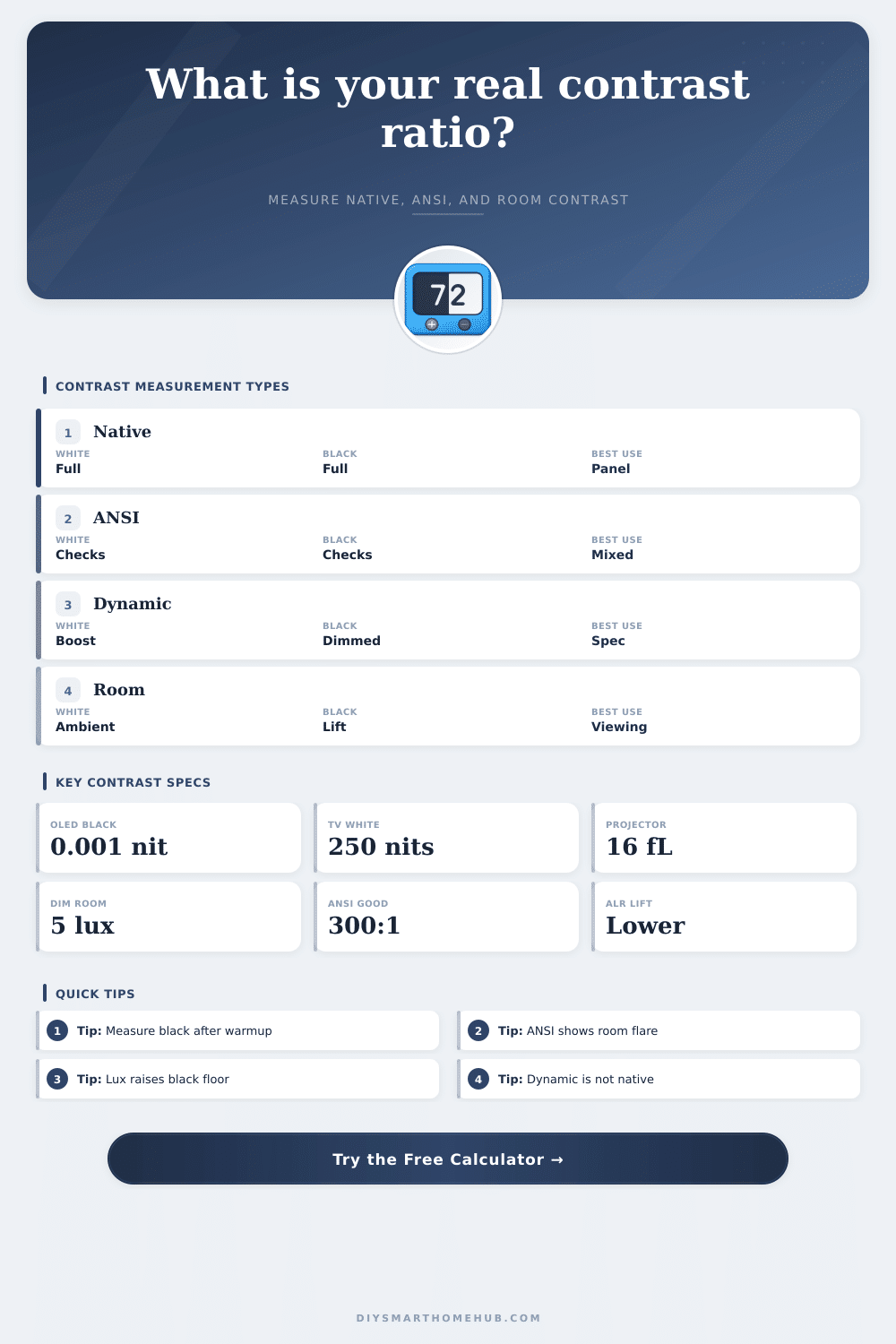
Contrast ratio are a measurement that expresses the difference in brightness between the brightest and darkest part of an image. Because the environment in which the display is viewed can affect contrast ratio, contrast ratio is an important measurement for every display. There are several different type of contrast ratio that can be calculated with the calculator on this page.
Native contrast ratio is a display or projector specification that measures the contrast between the brightest and blackest pixel in a display; this measurement is taken in a completely dark room. When people view displays, however, there is often ambient light in the viewing room that interact with the pixels of the display. Such ambient light brightens the darkest black of the display, as well.
How the Contrast Ratio Calculator Works
The contrast ratio calculator take into account ambient lux levels and the reflection factor of the display to provide an accurate view of the contrast ratio that the viewer will experience in the display’s actual viewing environment. Ambient lift is the brightness of the ambient light that is reflected off the viewing screen of the display. Projectors are especially affected by ambient light levels because the projector light travel through the air in the viewing room and can be reflected off the walls and ceilings of that viewing area.
Reflective displays can also reflect the light of the projectors lamp or the windows of the viewing room. The contrast ratio calculator takes ambient lux levels (the brightness of the ambient light) and the reflection factor of the viewing screen into account to calculate the true contrast ratio of the projector. ANSI contrast ratio is a specification of the contrast ratio of the projector that simulates the content that the audience views.
Full white and black screen contrast ratio values do not always reflect the contrast ratio of content that is viewed; the ANSI contrast ratio use a checkerboard pattern to determine contrast ratio values that are closer to the contrast of the content that is displayed. The ANSI contrast ratio is often lower than the native contrast ratio of the projector. The contrast ratio calculator on this page display both of these values.
Dynamic contrast is a mode of contrast ratio that is built into most moddern display device. Dynamic contrast modes brighten the screens during bright scene and darken the screens during dark scene. These contrast modes are often used to increase the contrast ratio of the screens during bright scene.
Dynamic contrast modes, however, do not brighten the screen in response to ambient light. The contrast ratio calculator on this page calculates dynamic contrast ratio by applying separate multiplier to the white and black contrast values of the display devices. The ambient light lift is applied to the contrast ratios of both bright and dark scene.
The input field on this page have a variety of function within the contrast ratio calculation. Fields for the luminance values of bright and dark screen calculate the native contrast ratio of the devices. The ambient lux and the reflection factor field calculate the contrast ratio of the devices within the viewing room.
The ANSI contrast ratio field calculate the contrast ratio of the devices when viewing content with bright and dark scene. The dynamic contrast selector model the contrast ratio within the range claimed by the manufacturers of the device. Each of these field impacts each of the results field; the contrast ratio calculator recalculates each result after any change to any field.
Most viewing room have different brightness from that required to calculate contrast ratio measurement of the displays. Displays are often measured in a darkened room when measuring their contrast ratio specification. The same display will exhibit a different contrast ratio in a living room with lamp.
Projectors are most affected by the viewing room brightness. This contrast ratio calculator allow for modeling of the effect of the viewing room on the contrast ratio of the displays. While contrast ratio specification of monitors and projectors recommend higher contrast ratio, the viewing environment in most home may actualy be a constraint on the contrast ratio of the content displayed on those screen.
Contrast ratio can be improved by controlling the ambient light level of the viewing room or by selecting a screen that reflect less light. This contrast ratio calculator allows individual to model these change to the viewing room. To ensure the accuracy of the contrast ratio calculation, certain technique should of been used to measure the contrast ratio input of the display.
Black contrast ratio reading should be taken after the monitor or projector has warmed up to the ambient temperature of the viewing room. The ambient lux measurement should be taken at the viewing position of the audience. The ANSI contrast ratio should be measured across a variety of square of the checkerboard pattern.
By following these technique for measuring the contrast ratio of displays, the contrast ratio calculator can calculate the contrast ratio of the displays accurately. This contrast ratio calculator display four different result of the contrast ratio calculation. The contrast ratio that the viewer experiences in the viewing room.
The native contrast ratio of the display device. The ANSI contrast ratio of the device when viewing content with bright and dark scene. The dynamic contrast ratio of the device, which models the contrast ratio that the device claim for bright and dark scene.
These four number should be displayed together on the page; interpreting any one of these contrast ratio alone can lead to misconception about the contrast ratio of the device. By understanding the relationship between the four contrast ratio value, an individual can select contrast ratio device and configure there viewing room to maximize the viewing experience of their audience. Displays with modest contrast ratio may have a higher contrast ratio experience in a darkened room than brighter display.
The calculation themselves are straightforward and easy to understand. The contrast ratio calculator allows individual to understand the difference between the contrast ratio of the hardware of the display device and the contrast ratio of the viewing environment.