Projector Screen Gain Calculator
Estimate screen brightness from projector lumens, image area, screen gain, viewing cone, and room light, then compare the result with practical foot-lambert and nit targets.
📌Quick screen gain presets
Each preset fills measured projection inputs. Change the screen size, calibrated lumen percentage, gain, ambient lux, or seating angle to match the actual room.
📽Projector, screen, and room inputs
📊Screen gain result
Use the breakdown to compare peak brightness, ambient veil, and seating cone at the same time.
⚙Screen and material spec comparison grid
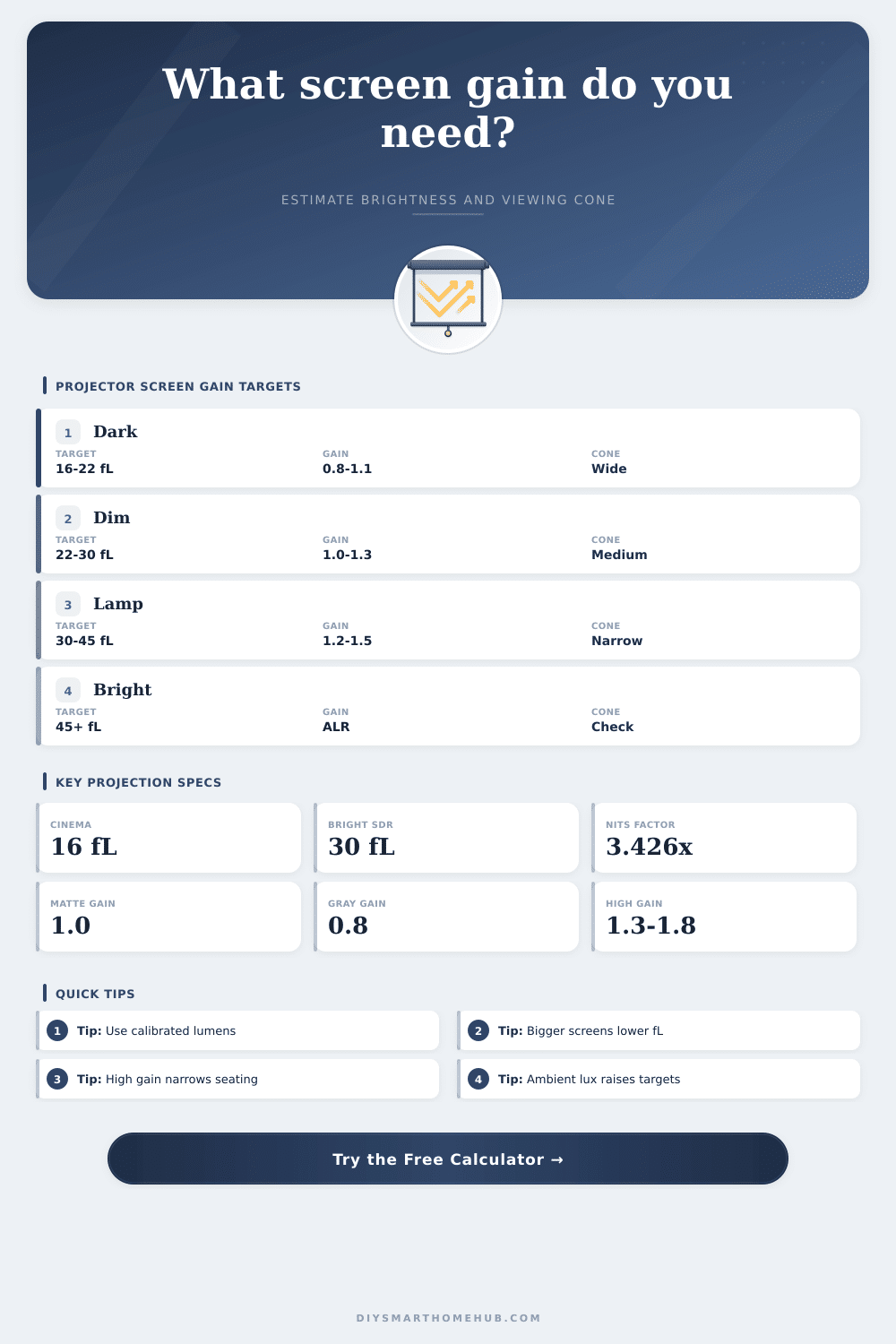
💡Brightness target reference
| Viewing condition | Useful target | Nits equivalent | Interpretation |
|---|---|---|---|
| Dark cinema room | 14–18 fL | 48–62 nits | Classic SDR theater brightness range for controlled light. |
| Dim media room | 20–30 fL | 69–103 nits | Good for mixed streaming, sports, and light wall reflections. |
| Living room lamps | 30–45 fL | 103–154 nits | Needs lumen headroom or a smaller screen to preserve image punch. |
| Bright multipurpose room | 45+ fL | 154+ nits | Often calls for ALR/CLR material plus controlled light direction. |
🎦Gain, cone, and material comparison
| Material type | Typical gain | Viewing cone | Best calculation use |
|---|---|---|---|
| Matte white vinyl | 0.95–1.1 | 160–180° | Baseline fL math, wide seating, color-neutral rooms. |
| Gray contrast | 0.7–0.9 | 140–170° | Improves perceived black level when lumens are not scarce. |
| Acoustic woven | 0.65–0.85 | 150–170° | Speaker placement behind screen with a brightness penalty. |
| Moderate high gain | 1.2–1.5 | 70–120° | Large screens or lower-lumen projectors with centered seating. |
| High gain optical | 1.6–2.4 | 35–70° | Long rooms where seats stay close to the projector axis. |
| UST CLR | 0.5–0.8 | 120–160° | Ultra-short-throw projectors rejecting overhead room light. |
☀Ambient light and reflected veil guide
| Screen lux reading | Room example | Brightness pressure | Calculator note |
|---|---|---|---|
| 0–5 lux | Dark theater | Low | Standard 16 fL targets can look full and natural. |
| 6–20 lux | Dim wall reflections | Moderate | Add brightness margin because black floor rises visibly. |
| 21–60 lux | Lamps or open doorway | High | Use higher fL targets and consider gray or ALR material. |
| 61–120 lux | Living room lights on | Very high | Screen size, projector output, and light direction dominate the result. |
📏Common screen size area table
| Diagonal and ratio | Image width | Image area | 1,500 effective lumens at 1.0 gain |
|---|---|---|---|
| 100 in 16:9 | 87 in | 29.7 sq ft | 50.5 fL / 173 nits |
| 120 in 16:9 | 105 in | 42.7 sq ft | 35.1 fL / 120 nits |
| 135 in 16:9 | 118 in | 54.0 sq ft | 27.8 fL / 95 nits |
| 150 in 16:9 | 131 in | 66.7 sq ft | 22.5 fL / 77 nits |
| 120 in 2.35:1 | 110 in | 35.6 sq ft | 42.1 fL / 144 nits |
📝Gain calculation tips
Screen size changes brightness more than many material swaps. If the result is below target, test a smaller diagonal before jumping to a narrow high-gain surface.
A high peak gain number is measured near the centerline. Wide seats can see much less brightness when the material has a tight half-gain angle.
When choosing a projector screen, there are several factors that you must consider. These factors includes the brightness of the projector, the material of the screen, and the amount of light that is present in the room. A projector produce a certain amount of light.
A screen can either spread or concentrate the light from a projector. The light in the room can also interact with the screen and wash out the image that is projected on the screen. Using a larger screen will result in a decrease in brightness of the projected image.
How to Choose a Projector Screen
If your seat is farther from the center of the room, the brightness of the image will also decrease. The calculator allow you to input the measurements of your screen and the materials that you are considering for your screen. Screen gain is the ratio of the light reflected back to the viewer by a screen versus the light reflected by a perfect matte screen.
A screen with a gain of 1.0 will reflect the same amount of light as the perfect matte screen. A screen with a gain of 1.3 will reflect 30% more light than the perfect matte screen, but it will have a narrower viewing cone. High gain screens are useful in those long and narrow rooms when you want the image to be bright for everyone who is sitting in the room.
High gain screens may appear dim for those who is sitting in a side seat in a wide living room. Foot-lamberts is the unit of measurement that is used to describe the brightness of a projected image. The brightness will be measured in foot-lamberts.
Many people wants to use 16 foot-lamberts in rooms that are dark. 16 foot-lamberts is the brightness standard for film projection. If there is ambient light in the room, the image may appear flatly.
The calculator will convert foot-lamberts into nits. Both units measures brightness. Ambient light will impact the image in two ways.
First, ambient light will increase the black level of the screen, since the ambient light will reflect off of the screen. Second, if the room is bright, you may have to make a choice between using more projector lumens, using a smaller screen, or using a screen that rejects the ambient light in the room. Ambient-light-rejecting screens will bounce the ambient light (mainly from the ceiling) away from the audience while reflecting the light from the projector back to the audience.
Ambient-light-rejecting screens has the disadvantage that they reflect less light and have a narrower viewing cone. These screens work best for those who have a projector that is close to the screen and who are sitting in the center of the room. Screen size is a factor that is very important to consider when you are choosing a screen.
If you double the size of the screen, the area of the screen will quadruple. This means the projector will have to produce four times as many lumens to provide the same brightness to the screen. This will make the screen appear dimmer.
The calculator will display the area of the screen in square feet and square meters. Once you have determined the area of the screen, the calculator will allow you to select a projector and determine whether or not the projector has enough lumens to provide enough brightness for your screen size. Viewing angle will determine how many people can view the screen and still see a bright image on the screen.
Most screen materials has a half gain angle. The half gain angle is the point at which the brightness of the screen is half the brightness of the center of the screen. If individuals sit beyond this angle, they will experience a decrease in brightness.
Some screen materials have a wider angle of view than others, but the screens with the widest angles of view have the disadvantage of having lower peak brightness. The calculator will estimate the brightness of the screen at various angles so that you can decide if the high gain screen will provide adequate brightness for everyone who is to view the screen. The type of projector that you use will impact the screen that you choose.
Laser projector will maintain the brightness of the projector for a longer period of time than those lamp projectors. This flexibility in brightness with laser projectors allows for more flexibility in either using a high gain screen or allowing for more ambient light in the room. Lamp projectors will lose some of their brightness over time as the lamp ages.
The calculator allows you to account for the aging of the lamp projector by using an output mode selector to account for the drop in brightness, and to account for eco modes that will decrease the brightness of the projector to allow the lamp to last for a longer period of time. Many individuals look at the gain of the screen, but the screen gain does not factor in brightness with ambient light in the room or viewing angles. For example, if the screen is gray and has a gain of 0.8, it may allow for an excellent image with a projector with many lumens and with a dark room.
If the same screen is used in a room with a gain of 1.8, the screen may appear harsh to those viewers. The calculator will allow you to consider all of these factors at once, rather than simply looking at the gain of the screen. The reference tables will allow you to make your decision about the screen.
The reference tables will show you various scenarios and brightness ranges for the various conditions in the room. The reference tables will also list the gain and cone values of various screen materials. These tables are merely starting points.
You will have to change the variables to account for your specific room. If the brightness is too low, you can always increase the lumens of the projector, use a smaller screen, use a screen with a higher gain, or decrease the ambient light in the room. Each of these four variables will have an impact on brightness.
Some patterns will become immediately visible once you have tested a few different scenarios with the screen brightness calculator. For instance, you can increase the brightness of the projector to account for the high gain screen that you are using, or the high gain screen will allow for a wider area of viewers. Using a smaller screen will provide better contrast than increasing the lumens of the projector.
The screen brightness calculator will allow you to see these trade-offs and decide which are the best for your specific room. You’re going to see alot of diffrent results. It should of been noted that furnitures can affect the room too.
The rooms size also matters. It is actualy quite simple once you get used to it. You will recieve a better result if you use teh calculator.