📶 WiFi Signal Range Calculator
Estimate your WiFi coverage area based on router standard, frequency band, environment, and obstacles
| Material | Signal Loss (dB) | Range Reduction | Notes |
|---|---|---|---|
| Open Air / No Walls | 0 dB | 0% | Baseline — full range |
| Drywall (Standard) | 3–4 dB | ~10–15% | Most common home wall |
| Wood Framing / Plywood | 4–6 dB | ~15–25% | Moderate attenuation |
| Brick / Masonry | 6–10 dB | ~25–40% | Significant absorption |
| Concrete / Cinder Block | 10–15 dB | ~40–60% | Heavy signal loss |
| Metal / Steel Stud | 15–30 dB | ~60–90% | Near-total blockage possible |
| Band | Max Indoor Range | Max Outdoor Range | Wall Penetration | Max Speed |
|---|---|---|---|---|
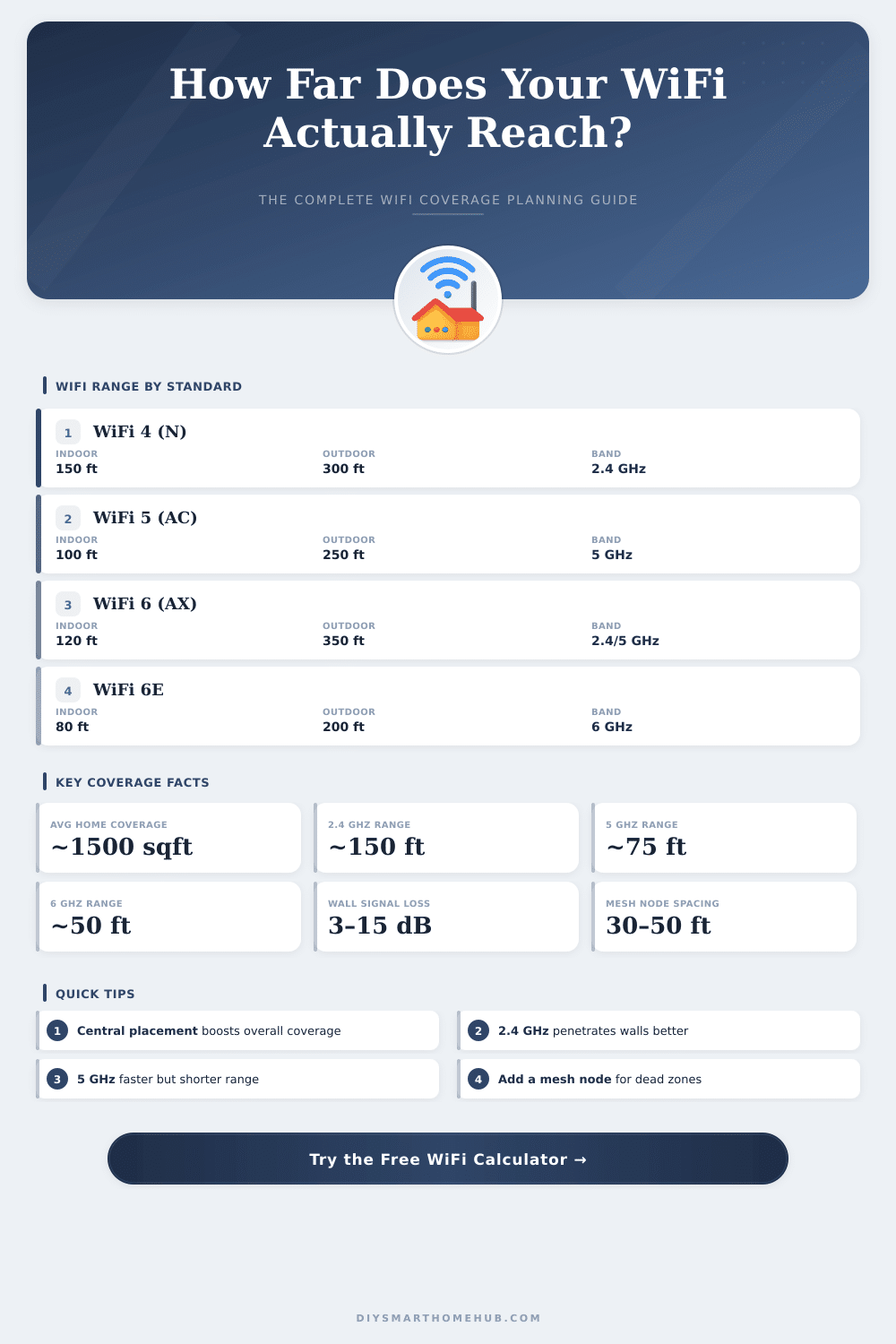
| 2.4 GHz | ~150 ft (46 m) | ~300 ft (91 m) | Excellent | 600 Mbps (WiFi 4) |
| 5 GHz | ~75–100 ft (23–30 m) | ~200–250 ft (61–76 m) | Good | 3.5 Gbps (WiFi 5) |
| 6 GHz | ~50–80 ft (15–24 m) | ~130–200 ft (40–61 m) | Poor | 9.6 Gbps (WiFi 6E) |
| Signal Radius | Coverage Area (sqft) | Coverage Area (m²) | Suitable For |
|---|---|---|---|
| 25 ft (7.6 m) | ~1,963 sqft | ~182 m² | Single room / studio |
| 50 ft (15 m) | ~7,854 sqft | ~730 m² | Small apartment |
| 75 ft (23 m) | ~17,671 sqft | ~1,641 m² | Medium home |
| 100 ft (30 m) | ~31,416 sqft | ~2,919 m² | Large home / small office |
| 150 ft (46 m) | ~70,686 sqft | ~6,567 m² | Outdoor patio / yard |
| 300 ft (91 m) | ~282,743 sqft | ~26,268 m² | Large outdoor area |
| Home Size | Sq Ft | Nodes Needed (WiFi 5) | Nodes Needed (WiFi 6) | Notes |
|---|---|---|---|---|
| Studio / 1BR | 400–700 | 1 | 1 | Single router usually enough |
| Small Home | 800–1,200 | 1–2 | 1 | May need extender in corners |
| Medium Home | 1,500–2,000 | 2 | 1–2 | Consider mesh system |
| Large Home | 2,500–3,500 | 3 | 2 | Mesh system recommended |
| Very Large Home | 4,000+ | 3–4 | 3 | Enterprise-grade mesh |
The force of the wifi signal is simply the power that your device receives from the router, whether it is your phone, tablet or computer. It appears as those little bars on the screen, or sometimes as something called RSSI (Measure of Received signal Force). The real rating uses dBm so decibel-milliwatts, and here it becomes a bit odd: the values always are negative, but less negative numbers show stronger signal.
For instance, -40 dBm beats -70 dBm, although it seems weaker at first. Usually, values between -30 and -70 dBm work well. Go outside that range, and problems will come.
What Affects Your WiFi Signal
For voice calls over wifi, signal of -67 dBm or better sounds fine.
The distance that your wifi reaches does not have one simple answer for everything. It depends on the used wifi standard and on the area. In open areas the signal can travel more far than in messy places.
Walls, metal objects and other barriers certainly step in and waste the signal. The mainstream factor is the number of walls or floors between you and the router, togehter with the materials of those walls. Drywall?
It lets the signal easily pass. Metal? That is much more hard.
Most routers can cover around 300 feet inside a home or up too 1500 feet outside. Even so, for real use, staying inside 150 feet of the router is the best. The 2.4 GHz band, very common, allows around 150 feet inside or two drywall walls, before the quality fails.
The 5 GHz systems, newer, do not go this far. Different wifi standards affect this also, 802.11 reaches about 115 feet inside, but extends to 390 feet outside, while 802.11b has similar range but can go up to 460 feet outside.
The place of your router makes a big difference. Of course, hiding it in a cabinet protects it from theft, but that blocks the broadcast. The router really should stand centered, away from walls and heavy things that block its signal.
The more central it is in the space, the more well the wifi covers the whole home.
Here the thing with 2.4 GHz; it is totally packed. You could easily have dozens of devices in one home, that compete for the bandwidth, which raises something called the noise floor. Good noise floor is about -90 dBm, but the wifi starts to fail, when the ratio of signal to noise falls under 20 dB.
So, your wifi signal must be at least 20 dB stronger than the background noise. Nearby popular nets also interfere, so apps like WiFi Analyzer help to see what channels your neighbors use. Everything affects the result, sending power, band choice, antenna design, receiving sensitivity, distance to the router and whether thesignals have clear air or must go through walls.