🤖 Roomba S9 Battery Life Calculator
Estimate runtime, charge cycles needed, and coverage based on your home size and cleaning settings
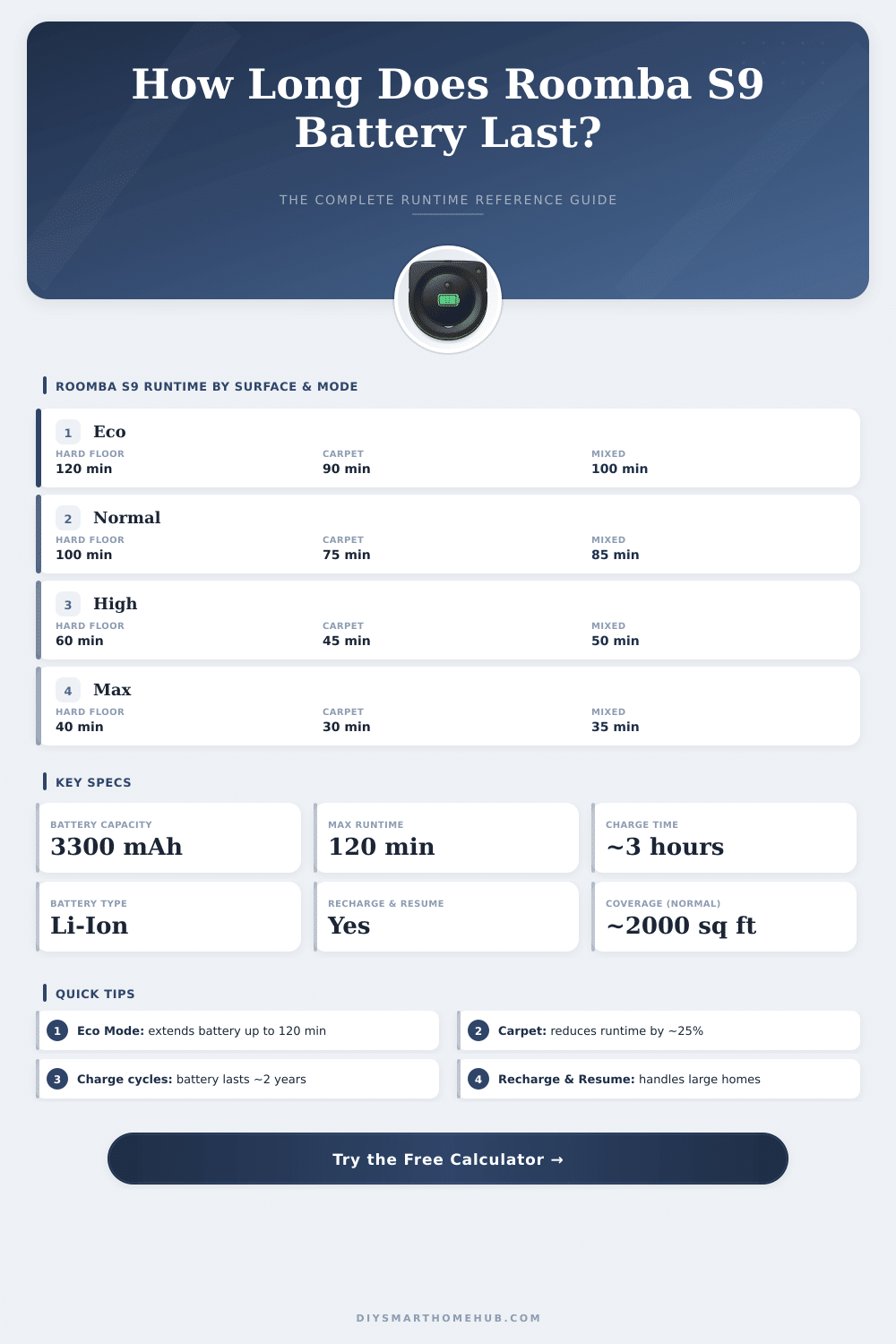
| Cleaning Mode | Hard Floor | Low Carpet | High Carpet | Mixed |
|---|---|---|---|---|
| Eco Mode | 120 min | 100 min | 80 min | 105 min |
| Normal / Auto | 100 min | 85 min | 65 min | 88 min |
| High Suction | 70 min | 58 min | 45 min | 62 min |
| Max / Boost | 45 min | 38 min | 30 min | 40 min |
| Cleaning Mode | Sq Ft (imperial) | m² (metric) | Rooms (~12x14) |
|---|---|---|---|
| Eco | Up to 2,100 sq ft | ~195 m² | ~12 rooms |
| Normal | Up to 1,750 sq ft | ~162 m² | ~10 rooms |
| High | Up to 1,200 sq ft | ~111 m² | ~7 rooms |
| Max | Up to 750 sq ft | ~70 m² | ~4 rooms |
Full Capacity
Slight Wear
Noticeable Drop
Replace Soon
(OEM Battery)
Time
to 80% capacity
14.4V
| Cleans Per Week | Cycles / Month | Cycles / Year | Est. Battery Life |
|---|---|---|---|
| 1x / week | 4 | 52 | ~7–8 years |
| 3x / week | 13 | 156 | ~2–3 years |
| 5x / week | 22 | 260 | ~1.5–2 years |
| Daily (7x) | 30 | 365 | ~1–1.5 years |
| Twice daily | 60 | 730 | ~6–12 months |
| Home Size | Charges Needed | Total Clean Time | Mode Recommended |
|---|---|---|---|
| Under 800 sq ft | 1 charge | 45–90 min | Any |
| 800–1500 sq ft | 1 charge | 60–110 min | Normal or Eco |
| 1500–2000 sq ft | 1–2 charges | 100–160 min | Normal |
| 2000–2500 sq ft | 2 charges | 150–200 min | Eco / Normal |
| 2500+ sq ft | 2–3 charges | 200+ min | Eco recommended |
The Roomba S9 has power for good cleaning, but because it runs on battery, that has limits. Later the battery either stops working or can no longer keep charge. If your S9+ can not turn on or turns off after some minutes of cleaning, that usually shows clearly that the battery needs change.
This device can work up to two hours on full charge although it really reaches only around 60 minutes. The original battery had 14.4V and capacity of 1800mAh. Because the S9+ aims on more tough surfaces than prior models, the engineers designed it to reach around one hour of use.
Roomba S9 Battery Problems and Replacements
Naturally, the real time depends on whether you clean carpets or smooth floor; some drain it much more quickly than others.
Here is something that hit many users: a software update that totally ruined the situation. It apparently set the carpet speed in “automatic” mode and did not allow to turn it off, what quickly drained the battery for some unlucky owners. The soultion that helped was to switch to silent mode, and honestly, it still cleans quite well, not a lot stays after it anyhow.
When the S9-series first appeared, getting back-up battery was almost impossible. Third-party makers had not yet entered the market, and iRobot itself did not sell replacements. So many owners found themselves in a difficult situation.
Soon after the market for replacements grew quickly. Now you find reliable options, for instance lithium-ion rechargeable batteries with 5200mAh and 14.4V, that work with S9, S9+, 9150 and 9550. For other models of Roomba S-series there are also 3300mAh versions.
Those market replacements are made to last and fit well with your robot vacuum.
A battery that works longer helps to clean the whole floor well. Good batteries not only cover the whole distance, but also aim more strongly, sometimes lasting six times more then cheap ones. Many folks asked, whether a jump to 5200mAh market battery would beat the 4400mAh original, what is a fair question when buying.
Swapping the battery is not hard. There are even guides on the web to lead you through the process. If you want the official version, contact the customer service of iRobot at 1-800-727-9077, who can sell you an original replacement.
Problems with charging also happen sometimes. Some users say that their S9 stays on the charger almost the whole day without any progress. Others see an error message that asks to check if the battery is well installed.
Usually that shows a bad battery instead of a broken robot. One way to test is to leave the battery in the S9 during charging, then remove it and use it in a 12-volt lantern at 2 amps to seehow long it lasts at 14 volts.