🤖 Roomba 985 Battery Life Calculator
Enter your room size and floor type to estimate exactly how long your Roomba 985 battery will last per cleaning cycle.
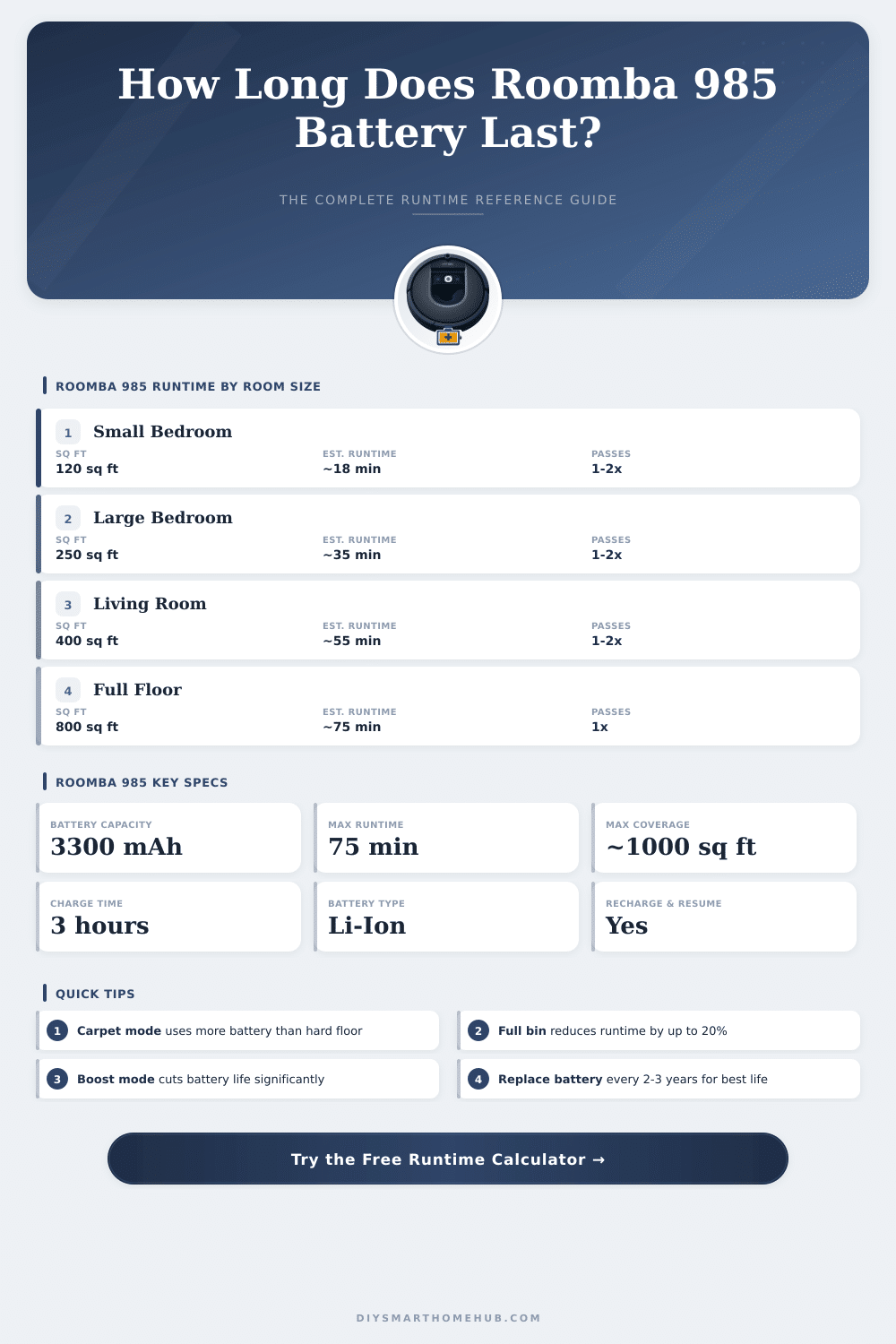
| Room / Space | Sq Ft | Sq M | Normal Runtime | Boost Runtime | Passes Possible |
|---|---|---|---|---|---|
| Small Bathroom | 50 sq ft | 4.6 m² | ~8 min | ~6 min | 4-5x |
| Small Bedroom | 120 sq ft | 11.1 m² | ~18 min | ~14 min | 3-4x |
| Medium Bedroom | 200 sq ft | 18.6 m² | ~30 min | ~23 min | 2-3x |
| Large Bedroom | 300 sq ft | 27.9 m² | ~45 min | ~34 min | 1-2x |
| Living Room | 400 sq ft | 37.2 m² | ~60 min | ~45 min | 1x |
| Open Plan Area | 600 sq ft | 55.7 m² | ~68 min* | ~51 min* | 1x (partial) |
| Full Apartment | 800 sq ft | 74.3 m² | 75 min* | ~60 min* | Recharge needed |
| Large Home Floor | 1200 sq ft | 111.5 m² | Multi-cycle | Multi-cycle | Recharge & resume |
*Roomba 985 supports Recharge & Resume — it will dock, recharge, and continue automatically.
| Battery Age | Approx. Capacity | Max Runtime (Hard Floor) | Max Runtime (Carpet Boost) | Recommended Action |
|---|---|---|---|---|
| 0 – 6 months | 100% | 75 min | 45 min | Normal use |
| 6 – 18 months | 85–95% | 63–71 min | 38–43 min | Monitor performance |
| 18 – 30 months | 65–85% | 48–63 min | 29–38 min | Consider replacement |
| 30+ months | Below 65% | Under 48 min | Under 29 min | Replace battery |
| Metric | Imperial | Metric Equivalent | Notes |
|---|---|---|---|
| Cleaning Speed (Normal) | ~13 sq ft/min | ~1.2 m²/min | Open hard floor |
| Cleaning Speed (Carpet) | ~10 sq ft/min | ~0.93 m²/min | Low pile carpet |
| Cleaning Speed (Boost) | ~8 sq ft/min | ~0.74 m²/min | High pile / Boost |
| Max Area Per Charge | ~975 sq ft | ~90.6 m² | Hard floor, new battery |
| Max Area (Low Carpet) | ~750 sq ft | ~69.7 m² | Low pile, new battery |
| Max Area (High Carpet) | ~560 sq ft | ~52.0 m² | Boost mode, new battery |
| Battery Capacity | 3300 mAh | 3300 mAh | Lithium-Ion |
| Full Recharge Time | ~3 hours | ~180 minutes | From fully depleted |
The batteries for Roomba form a big expense, when thinking about the long life of that robot. Those devices require special batteries, designed to satisfy the power needs of the machine. One can not use normal rechargeable AA-batteries in Roomba.
Every series of model has its own batteries made specially for them.
Roomba Battery Types and How to Care for Them
Various kinds of batteries exist, according to the used Roomba-series. For the e-, i- and j-series of Roomba, one finds a lithium-ion replacement Battery, but not for the j9+. The 600- and 800-series, for example the models 614, 640, 670, 675, 680, 690, 801, 805, 850, 860, 890 and 960, use lithium-ion Battery of 1800 mAh. Also third-party improved batteries with 3300 mAh capcaity work with the 500-, 600-, 700-, 800- and 900-series.
The iRobot XLife Extended Life Battery provides double more cleaning cycles than the prior Advanced Power System-battery, what doubles the use time before needing replacement.
Charging until fully usually takes two until three hours. After full charging, Roomba can work on hard floors until two hours. Some batteries deliver only 70 until 80 minutes of work.
On some models, the Battery duration reaches even 120 minutes. Important too note is, that Roombas never become truly turned off, because the WiFi-link stays active. Like this the Battery can drain after some hours, if the robot does not stand on its charger.
Turning on the rule of Battery saving in Roomba helps to escape that.
NiMH stays a reliable kind of Battery and is safer for everyday users than lithium variants. Less new models of Roomba received NiCd-batteries, that lasted only one hour. Changing to lithium Battery commonly shows clear improvement.
When one replaces the Battery in J7+ with a new one of bigger capacity, the increase in cleaning time can be impressive. Even so, some third-party batteries fail already after five months.
The original Roomba-battery commonly lasts around four years before needing replacement. Early models from the first decade had batteries, that did not last a whole year. Sometimes Roomba entirely refuses a third-party Battery.
Mistakes during cleaning, like Mistake 1 or Mistake 19, can appear. Mistake 19 means, that the dock can not charge or that the power is outside normal range. Sometimes the fault sits on the contacts of the dockstation, that wears out, rather than the Battery itself.
Longleaving of Roomba in rule of maintenance also can destroy the Battery.