🔋 Ring Spotlight Cam Battery Charge Time Calculator
Estimate exactly how long your Ring Spotlight Cam battery will take to charge based on current level, charger type, and conditions.
1A Output
2A Output
Avg Output
Avg Output
1.5A Output
mAh
Voltage
Energy
| Charger Type | Output | Est. Charge Time | Notes |
|---|---|---|---|
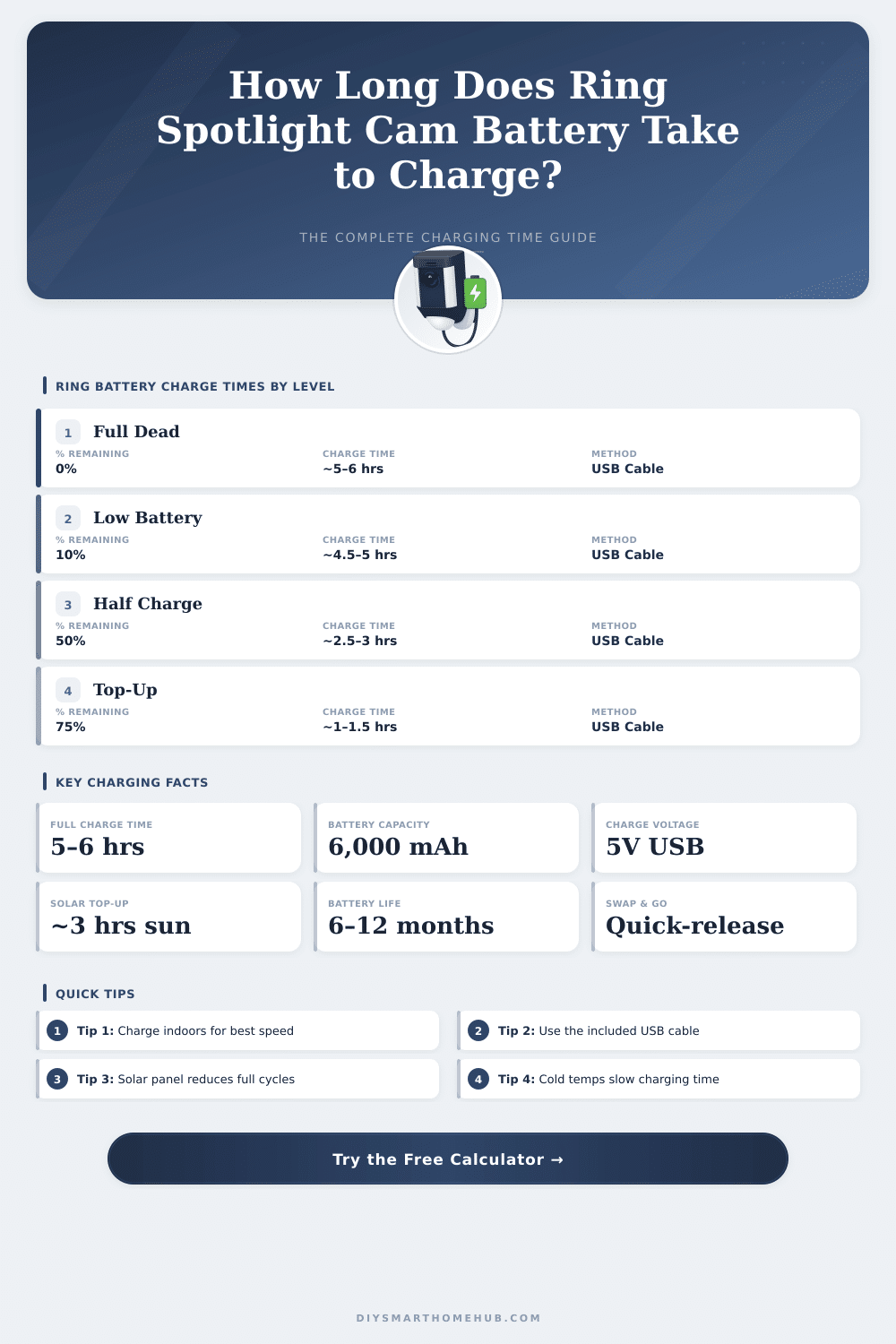
| USB Standard Cable | 1A / 5W | 5 – 6 hours | Included with Ring; most common |
| USB Quick Charge | 2A / 10W | 3 – 4 hours | Third-party; check compatibility |
| Power Brick / Wall Adapter | 1.5A / 7.5W | 4 – 5 hours | Faster than standard USB |
| Ring Solar Panel | ~0.8W avg | Maintenance only | Keeps battery topped up, not for charging from dead |
| Ring Solar Panel Plus | ~2W avg | Very slow (days) | Better than standard panel; still supplemental |
| Starting Level | Charge Needed | Est. Time (USB Std) | Est. Time (USB Quick) |
|---|---|---|---|
| 0% (Dead) | 100% | 5.5 – 6 hrs | 3 – 3.5 hrs |
| 10% (Critical) | 90% | 5 – 5.5 hrs | 2.7 – 3.2 hrs |
| 20% (Low) | 80% | 4.4 – 4.8 hrs | 2.4 – 2.8 hrs |
| 35% (Moderate) | 65% | 3.6 – 3.9 hrs | 1.9 – 2.3 hrs |
| 50% (Half) | 50% | 2.7 – 3 hrs | 1.5 – 1.8 hrs |
| 75% (Good) | 25% | 1.4 – 1.5 hrs | 0.7 – 0.9 hrs |
| 80% (Nearly Full) | 20% | 1.1 – 1.2 hrs | 0.6 – 0.7 hrs |
| Condition | Temperature Range | Time Multiplier | Impact |
|---|---|---|---|
| ❄️ Cold | Below 40°F / 4°C | +30 – 50% | Lithium ions slow significantly |
| 🟢 Normal | 60 – 85°F / 15 – 30°C | Baseline | Optimal charging conditions |
| 🔥 Hot | Above 95°F / 35°C | +10 – 20% | Thermal throttling reduces charge rate |
| Usage Level | Daily Motion Events | Battery Life | Charges Per Year |
|---|---|---|---|
| Light | 1 – 5 events/day | 9 – 12 months | 1 – 2 times |
| Moderate | 6 – 15 events/day | 4 – 6 months | 2 – 3 times |
| Heavy | 16 – 30 events/day | 2 – 3 months | 4 – 6 times |
| Very Heavy | 30+ events/day | 4 – 6 weeks | 8 – 12 times |
The Ring Spotlight Cam Battery is a security camera for outdoor use that can mount almost anywhere. It includes a rechargeable battery, that one can swap easily outside, without needing to remove the whole setup. Simply mount the camera, adjust the viewing angle by means of the mounting bracket and check the area that it covers.
Because of its battery power, no professional is needed to install it.
Ring Spotlight Cam Battery: Easy to Install and Battery Tips
The camera records video in 1080p HD, detects motion and has built-in LED lights. Thanks to night vision, it works just as well at day as at night. Two-way audio lets you hear and talk with folks at the house.
Real time alerts appear on your phone, when motion happens. There is also personal recognition function, but that requires a separate Ring Home subscription.
The life of the battery is one of the main advantages. One estimates, that it can last from six to twelve months between charges, depending on the use of the camera and lights. At average activity, one can expect three to six months with one single charge.
Even so some users know, that the energy goes away more quickly. For instance, some person charged it fully, but it shut off after two days. Others reach only two to three months with full charge, even if they add a second battery.
Here are some tips. If the camera runs only on battery, it saves energy, which a bit limits the motion detection. Getting many warnings daily clearly boosts the drain of the battery.
That device accepts up to two batteries at once. With the Spotlight Cam Plus Battery release comes one rechargeable battery pack. One can buy back-up batteries and dual chargers.
The software of the camera uses one battery until it almost ends, before switching too the second. It should switch at roughly 20 percent, although some notice, that that happens closer to 10 percent.
To charge the battery, turn the bottom cover left to open and release it. Then pull the battery and charge it separately using the mini-USB charging port. The design with quick swap ensures, that the camera stays mounted, while the battery charges somewhere else.
Keeping a second battery as reserve, you always stay ready to use. That same battery packs work with various Ring devices, like the Video Doorbell 2, Video Doorbell 3, Stick Up Cam Battery and more.
Solar panels offer another option. With just a few hours of direct sunshine a day, such a panel keeps the camera charged all day. Some users choose cheap third-party solar panels from Amazon instead of the official Ring brand, and they say, that those work well.
Also cold weather can hurt the battery, when some cameras shut off during heavy cold in the northeast.
Cloud storage costs three dollars a month, but nothing like that is included in the box. Common criticism deals about the slowness between motion detection and the showing of the video on the phone. Ring issued a second app calledRapid Ring, that specifically helps to show the live video more quickly after motion detection.