📹 Ring Recording Storage Calculator
Find out exactly how many recordings Ring stores and how long they last on your plan
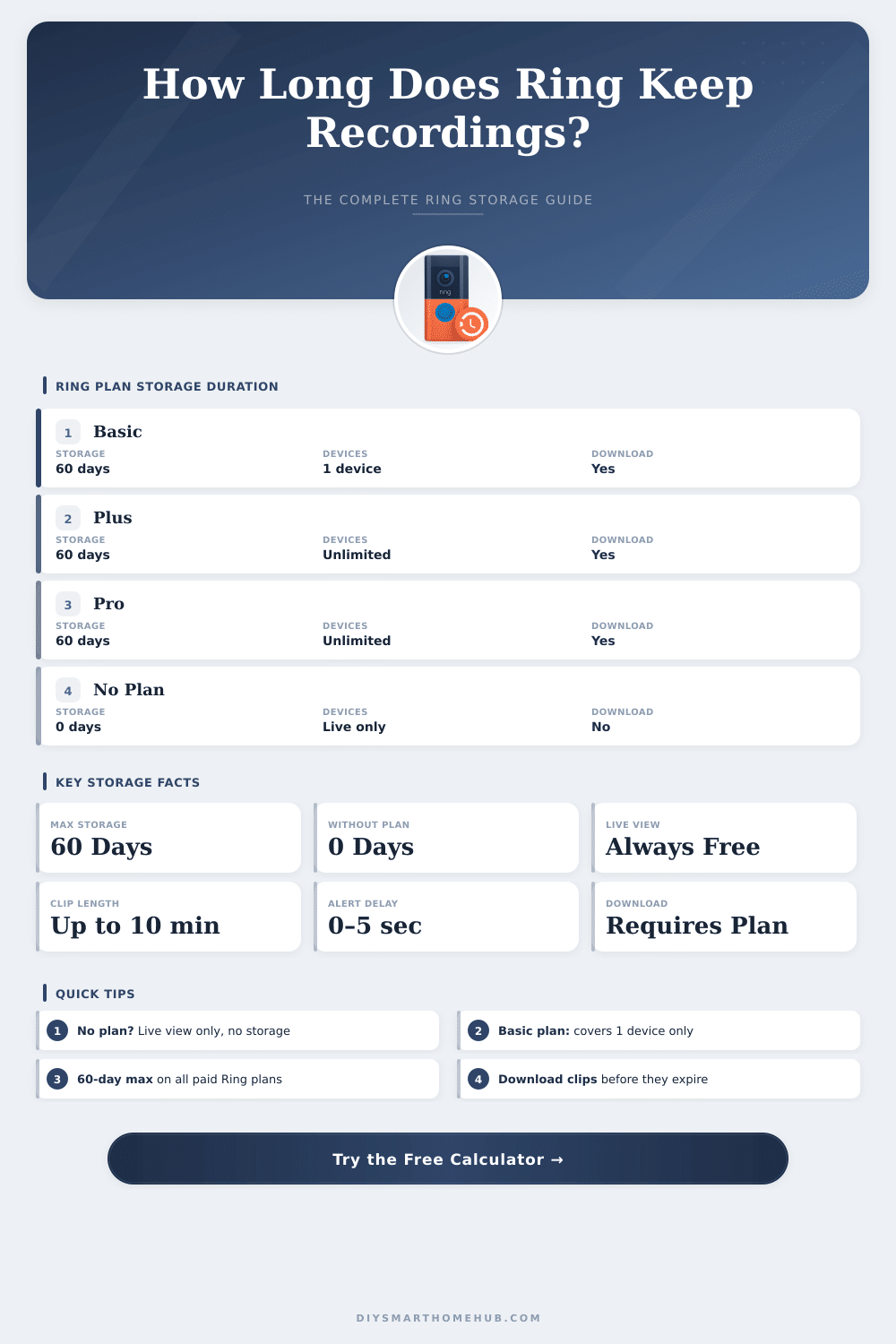
| Plan | Cloud Storage | Cameras Covered | Video Download | Snapshot Capture | Extended Warranty |
|---|---|---|---|---|---|
| No Plan | None (0 days) | All (live only) | No | No | No |
| Basic | 60 days | 1 device | Yes | Yes (3–14 min) | Yes (1 yr ext.) |
| Plus | 60 days | Unlimited | Yes | Yes (3–14 min) | Yes (all devices) |
| Pro | 60 days | Unlimited | Yes | Yes (3–60 sec) | Yes (all devices) |
| Resolution | Bitrate | 30-sec Clip | 1-min Clip | 5-min Clip | 10-min Clip |
|---|---|---|---|---|---|
| 720p HD | ~1.5 Mbps | ~5.6 MB | ~11.25 MB | ~56 MB | ~112 MB |
| 1080p Full HD | ~2.5 Mbps | ~9.4 MB | ~18.75 MB | ~94 MB | ~188 MB |
| 1080p Enhanced | ~3.5 Mbps | ~13.1 MB | ~26.25 MB | ~131 MB | ~263 MB |
| 2K HDR | ~5 Mbps | ~18.75 MB | ~37.5 MB | ~188 MB | ~375 MB |
| 4K Ultra HD | ~8 Mbps | ~30 MB | ~60 MB | ~300 MB | ~600 MB |
| Events/Day (per cam) | 7-Day Total | 30-Day Total | 60-Day Total (max) | Storage Used (1080p, 30s) |
|---|---|---|---|---|
| 5 events/day | 35 clips | 150 clips | 300 clips | ~2.8 GB |
| 10 events/day | 70 clips | 300 clips | 600 clips | ~5.6 GB |
| 20 events/day | 140 clips | 600 clips | 1,200 clips | ~11.3 GB |
| 40 events/day | 280 clips | 1,200 clips | 2,400 clips | ~22.5 GB |
| 80 events/day | 560 clips | 2,400 clips | 4,800 clips | ~45 GB |
| Device | Max Resolution | Default Clip | Motion Zones | Pre-Roll |
|---|---|---|---|---|
| Ring Video Doorbell (4th Gen) | 1080p HD | 30 sec | 3 zones | 4 sec color |
| Ring Video Doorbell Pro 2 | 1536p HD+ | 30 sec | Advanced | 6 sec color |
| Ring Stick Up Cam (3rd Gen) | 1080p HD | 30 sec | 3 zones | 4 sec B&W |
| Ring Floodlight Cam Pro | 1080p HD | 60 sec | Advanced | 4 sec color |
| Ring Spotlight Cam Plus | 1080p HD | 30 sec | 3 zones | 4 sec color |
| Ring Indoor Cam (2nd Gen) | 1080p HD | 30 sec | 3 zones | No |
| Ring Pan-Tilt Indoor Cam | 1080p HD | 30 sec | 360° | No |
| Ring Always Home Cam | 1080p HD | 30 sec | Home route | No |
Ring cameras work well for home safe systems, and are well known for their use. Ring cameras start recording by means of detecting move. When the app notices something moving, it starts to save video in the account.
For most wired Ring cameras and doorbells, the length of the recording is set to automatic mode. That automatic feature makes the recordings more precise, because it starts when move starts and ends when the move is no longer detected.
How Ring Cameras Record and Save Videos
Because we are talking about wired devices the lengths of recording can be set to 50, 60, 90 or 120 seconds. When the automatic recording length is switched, the camera can end filming because of no move. Some users turn off the automatic mode and choose strict 120-second recordings, to not lose important moments.
Ring subscription plans and trial periods mean saving of videos in the Ring account. The standard settings in United States store 30 days for 4K devices and 60 days for 1080p and 2K devices. One can change those settings to shorter or longer tiems, up to 180 days.
Videos of every doorbell sound, move detection or live view can be downloaded, shared and watched again during that 180-day limit. Without a subscription, the system simply notes when move happened.
Ring cameras rely fully on the cloud. There is no local saving option directly in the devices themselves. One benefit of that is, that even if someone steals the camera, the filmed material stays protected in the cloud.
A normal Ring device films only during move detection, but now you can set up continuous 24/7 recording in the cloud. This needs a premium plan. For instance, a setup with six cameras that films around the clock with a Ring top subscription costs about 215 dollars yearly, with saving of the recordings during six months.
Using the Ring app, touching the settings of a particular camera, you can reach visual options, scroll threw a timeline, watch events and save clips.
When the Ring alarm goes off, cameras and doorbells can start filming as soon as the alarm sounds. In such cases, everything counts twice. Ring devices do not record when they should not, which matters for issues about privacy.
For devices on battery, turn the sensitivity of move detection to max and set snapshots every 30 seconds to catch more activity. Even so, that quickly drains the battery, so charge it fully before is wise. Battery-based devices do not support 24/7 recording.
Some users later switch to other brands that offer subscription-free continuous recording for all cameras, but Ring stays a heavily used solution withmore than 1.4 million sold doorbells only in 2020.