🔔 Ring Doorbell Recording Duration Calculator
Calculate how long your Ring Doorbell records per event, per day, and per month based on your exact settings
| Events/Day | 30s Clip – Daily | 60s Clip – Daily | 120s Clip – Daily | Monthly (30s) |
|---|---|---|---|---|
| 5 events | 2.5 min | 5 min | 10 min | 75 min |
| 10 events | 5 min | 10 min | 20 min | 150 min |
| 20 events | 10 min | 20 min | 40 min | 300 min |
| 30 events | 15 min | 30 min | 60 min | 450 min |
| 50 events | 25 min | 50 min | 100 min | 750 min |
| 100 events | 50 min | 100 min | 200 min | 1,500 min |
| Resolution | Clip Length | File Size (approx) | 100 Clips | 1,000 Clips |
|---|---|---|---|---|
| 720p | 30 sec | ~15 MB | ~1.5 GB | ~15 GB |
| 1080p HD | 30 sec | ~25 MB | ~2.5 GB | ~25 GB |
| 1080p HD | 60 sec | ~50 MB | ~5 GB | ~50 GB |
| 1080p HD | 120 sec | ~100 MB | ~10 GB | ~100 GB |
| 1536p HD+ | 60 sec | ~75 MB | ~7.5 GB | ~75 GB |
| 1536p HD+ | 120 sec | ~150 MB | ~15 GB | ~150 GB |
| Plan | Cloud Storage | Devices Covered | Video Sharing |
|---|---|---|---|
| No Plan | None (Live View only) | N/A | No |
| Protect Basic | 30 days history | 1 device | Yes |
| Protect Plus | 60 days history | Unlimited | Yes |
| Protect Pro | 60 days history | Unlimited + 24/7 | Yes |
| Location Type | Avg Events/Day | Daily Recording (30s) | Monthly Recording (30s) |
|---|---|---|---|
| Rural / Very Quiet | 3 – 8 | 1.5 – 4 min | 45 – 120 min |
| Quiet Suburban | 8 – 20 | 4 – 10 min | 120 – 300 min |
| Busy Suburban | 20 – 40 | 10 – 20 min | 300 – 600 min |
| Urban / City | 40 – 80 | 20 – 40 min | 600 – 1,200 min |
| Commercial / Retail | 80 – 150 | 40 – 75 min | 1,200 – 2,250 min |
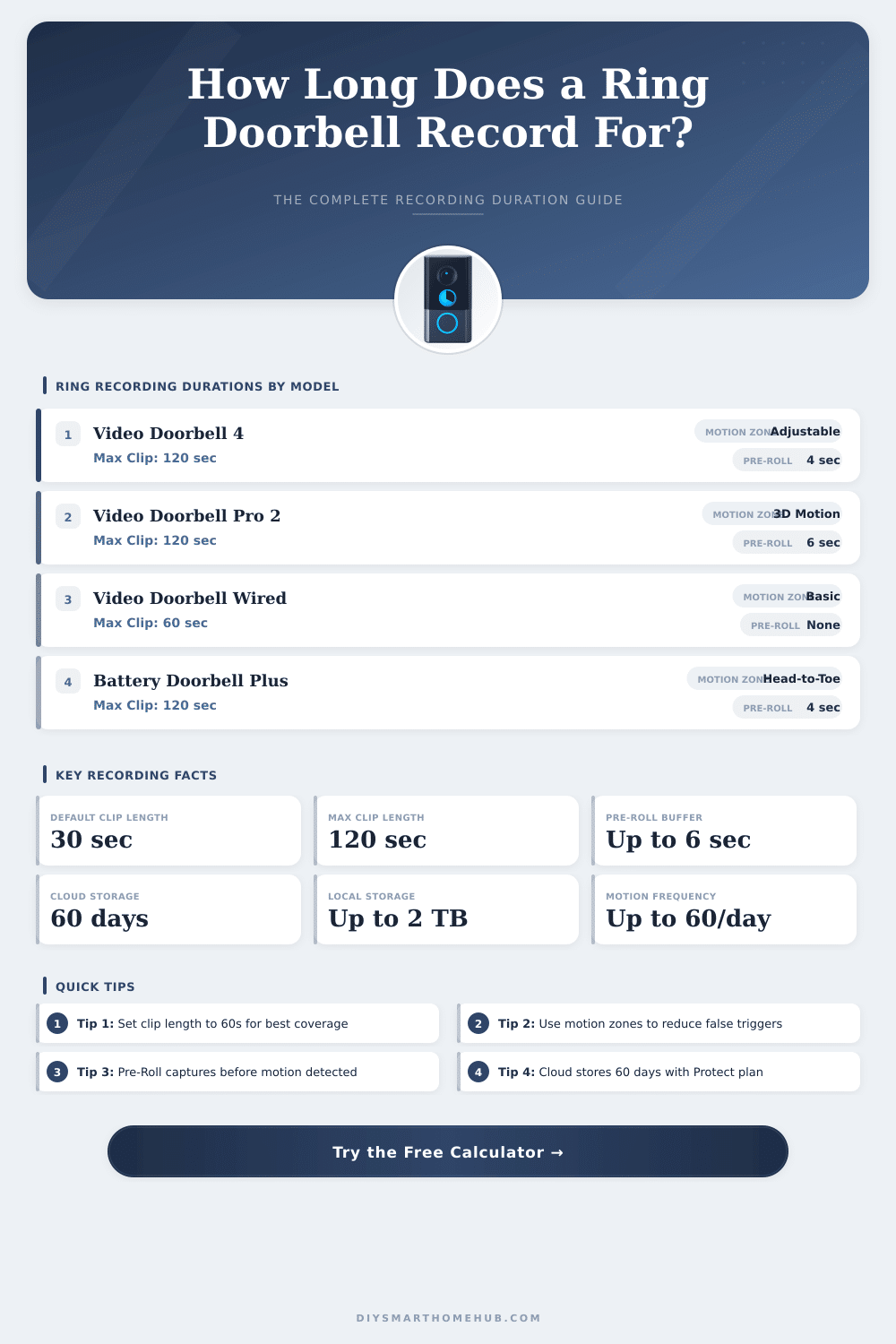
Ring Doorbell do not record video all the time outside the box, that commonly tricks many people. Rather, they turn on only when they detect some motion. The most many Ring devices work like this: they watch set areas, and when motion happens, they start to film.
Usually you can get only around 15 seconds of video after the sound of the bell.
How Ring Doorbells Record Video
It is possible to do continuous recording 24/7, but here comes the limit, it counts only for certain models and needs a subscription from Ring to use it. The Wired Professional Ring Doorbell (3rd Generation), Wired Elite Ring Doorbell (2nd Generation), Outdoor Camera and Outdoor Camera Plus all can use it. That needs fixed wiring, or connection to a plug or power through Ethernet.
Cameras on battery? They drain the power too quickly, especially during winter so continuous recording simply does not work for those devices, even if you would want it.
If you fully skip the subscription, the Ring Doorbell does not save or record anything. Instead you receive only warnings about motion and access to live image. This live view allows you to look at who stands at your door in real time.
When the bell sounds or a warning comes on your phone, you can see the vistior, whether you are home or not. Also there is a speaker and microphone, so talking with anyone standing there is easy.
The Ring Protect basic plan costs three dollars monthly or around 30 dollars yearly. It includes video storage for one Ring Doorbell or camera, with cloud storage up to 60 days. Switching to a more expensive level, you receive longer storage, from less then a week up to 180 days, together with the option to download video freely, if you want to save it.
Some Ring Doorbell models have pre-recording, that catches some seconds before motion truly happens. Even so, not every model has this. The bell can start filming 3 to 5 seconds before motion enters the zone.
Officially, motion causes automatic saving of 30 seconds of video when it detects it.
Set the motion settings directly in the Ring app. Go to Devices, choose your Ring Doorbell, then to Settings and you have the control. Raise the sensitivity for motion to maximum if you want, and in higher settings you can change the frequency of motion from normal too common.
Connecting your Ring alarm to other cameras or Ring Doorbell units, they start recording as soon as the alarm sounds.
Android, iPhone and iPad can save screen for live video without subscription for all. Options like Eufy, Reolink and Wyze offer local storage, if that matters for you. The Ring Doorbell itself costs around 100 dollars at Amazon, although the newer model with better color video ismore around 220 dollars.