🔋 Ring Alarm Keypad Battery Life Calculator
Estimate how long your Ring keypad battery will last based on your household usage patterns
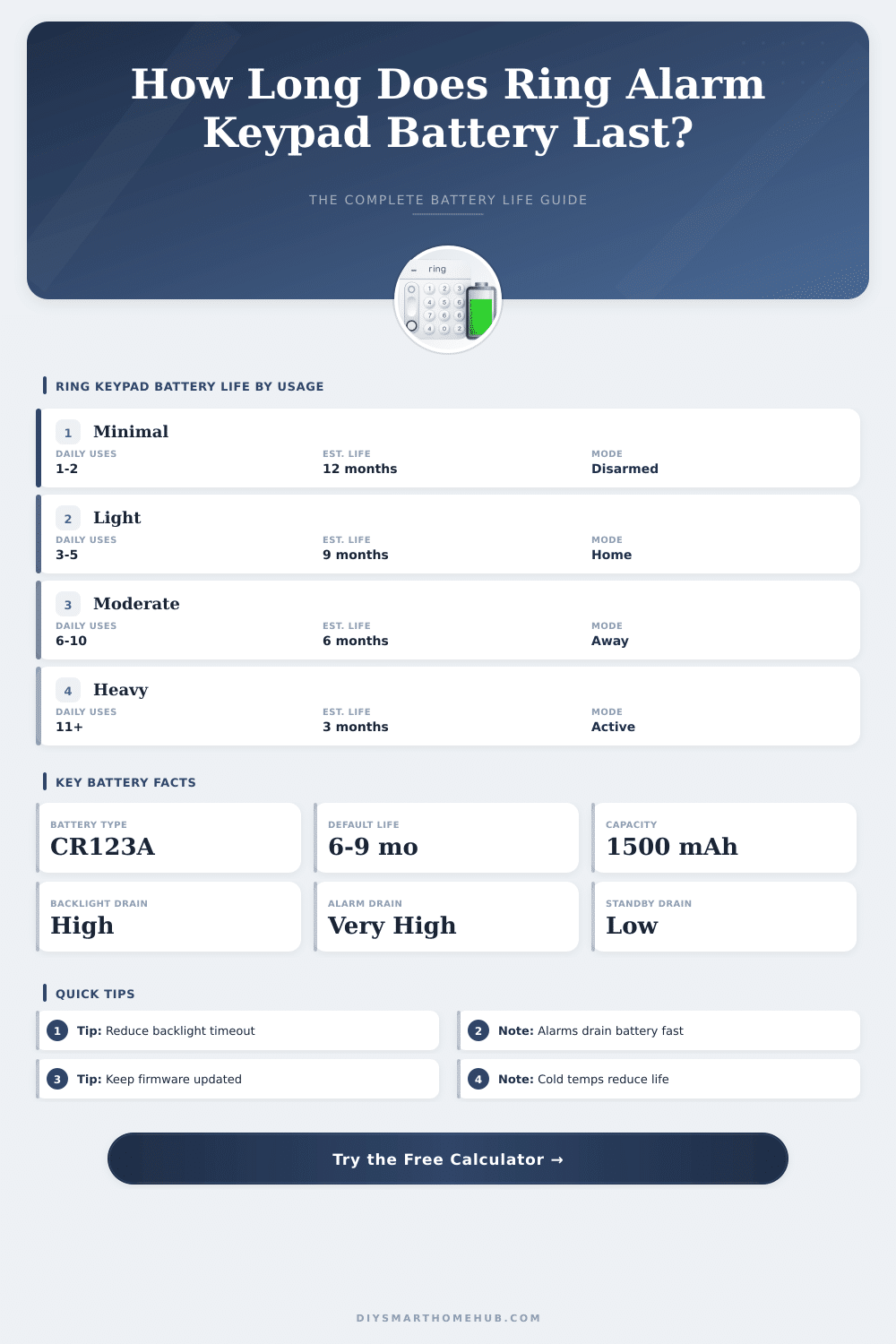
| Usage Pattern | Daily Events | Gen 1 Battery Life | Gen 2 Battery Life | Notes |
|---|---|---|---|---|
| Minimal (vacation home) | 1–2 | 10–12 months | 12–18 months | Standby mode mostly |
| Light (single occupant) | 3–4 | 8–10 months | 9–12 months | Low backlight use |
| Moderate (couple/family) | 5–8 | 5–7 months | 6–9 months | Normal household |
| Heavy (busy household) | 9–14 | 3–5 months | 4–6 months | Kids, frequent entry |
| Very Heavy (business/rental) | 15+ | 1–3 months | 2–4 months | Consider USB-C power |
| Activity / Feature | Power Draw | Impact Level | Typical Duration |
|---|---|---|---|
| Standby (idle mode) | ~0.05 mA | Very Low | Continuous |
| Backlight on (each use) | ~15 mA | Medium | 5–60 sec per use |
| Keypad button press | ~10 mA | Low–Medium | ~1 sec per press |
| Alarm siren activation | ~80 mA | Very High | 1–10 min per event |
| Z-Wave communication | ~25 mA | Medium | ~0.5 sec per sync |
| LED status lights | ~3 mA | Low | Continuous when active |
| Firmware update | ~40 mA | High | 5–15 min total |
| Specification | Gen 1 Keypad | Gen 2 Keypad |
|---|---|---|
| Battery Type | 4x AA Alkaline | 1x CR123A or USB-C |
| Battery Capacity | ~4x 2500 mAh (10,000 mAh total) | 1500 mAh |
| Typical Battery Life | 6–12 months | 6–12 months (battery mode) |
| USB-C Power Option | No | Yes (unlimited life) |
| Standby Current Draw | ~0.2 mA | ~0.05 mA |
| Operating Temp Range | 32–104°F (0–40°C) | 32–104°F (0–40°C) |
| Low Battery Alert | Ring app notification | Ring app + keypad LED |
| Presses/Day | Backlight (15s) | Monthly mAh Used | Est. Months (CR123A) |
|---|---|---|---|
| 2 presses | 30 sec/day | ~22 mAh | ~15 months |
| 4 presses | 60 sec/day | ~37 mAh | ~9 months |
| 8 presses | 2 min/day | ~65 mAh | ~5 months |
| 12 presses | 3 min/day | ~95 mAh | ~3.5 months |
| 20 presses | 5 min/day | ~150 mAh | ~2.5 months |
If your Ring Keypad Gen 2 is used more than 8 times per day, plugging it in via USB-C will completely eliminate battery replacement. The Gen 2 supports continuous USB-C power while still functioning normally on battery as backup.
CR123A lithium batteries outperform alkaline in cold environments. In temperatures below 40°F (4°C), alkaline batteries can lose 30–50% of their rated capacity. For outdoor or garage-mounted keypads, always use lithium CR123A batteries for accurate battery life estimates.
The Ring Alarm Keypad works by means of an internal Battery. Both the first generation model and the second generation model use this same base. Thanks to the Battery you can move the Ring Alarm Keypad freely through your house, without it needing to stay connected to a power outlet.
That makes it really practical to place it where it is most useful.
Ring Alarm Keypad Battery Life and Charging Tips
The Ring Alarm Keypad gets energy by means of the included USB charger and cable. You can use it either connected or disconnected. To fully charge the internal Battery, it requires some hours.
After a full charge, the Battery can last up to around seven months, depending on the use and the settings for saving energy. Some users find that it lasts almost six to ten months, but others noted that it empties much more soon, sometimes in less than two months.
Some settings help to keep the life of the Battery. One option is to set the Ring Alarm Keypad so that the LED lights flash only when one presses a button, instead of staying on always. There is also a setting for motion detection, that turns on the light when the Ring Alarm Keypad senses motion.
If the main button stays lit during the whole time, it uses more energy, and then the Ring Alarm Keypad must be connected to a permanent power source.
The Ring Alarm Keypad cannot be opened to replace the Battery. When it fails because of any reason, the advised step is to contact the support of Ring by means of their social pages too discuss options. There are batteries from third parties for refill, for example 2000mAh 3.7V Battery made to fit the Ring Alarm Keypad.
Some users met problems, where the Ring Alarm Keypad stopped charging or did not keep its Battery. One unit emptied from full to low in only one day after two years of use. An easy fix that helped some was to disconnect the Ring Alarm Keypad from the outlet and reconnect it.
The state of the Battery in the app mostly updates only when it becomes low or dangerously empty. A steady green light on the Ring Alarm Keypad means that it is fully charged.
There are reports about cases, where Ring Alarm Keypads freeze when one leaves them on a long term basis connected to the power cable. One fix is to use a smart switch to charge the Ring Alarm Keypad only as needed, instead of permanently connected. Others prefer to set the Ring Alarm Keypad by means of a USB-DC adapter installed behind a wall, so the Battery stays always full and one does not worry about it.
The Ring Alarm Keypad works by means of Battery and does not require the adapter towork, but permanently connected it means that one never must reset.