🔋 Ring Video Doorbell 3 Battery Charge Time Calculator
Enter your current battery level and charging method to get an accurate charge time estimate
Full Charge
Full Charge
Full Charge
Capacity
Per Hour
Adapter
Type
Alert Level
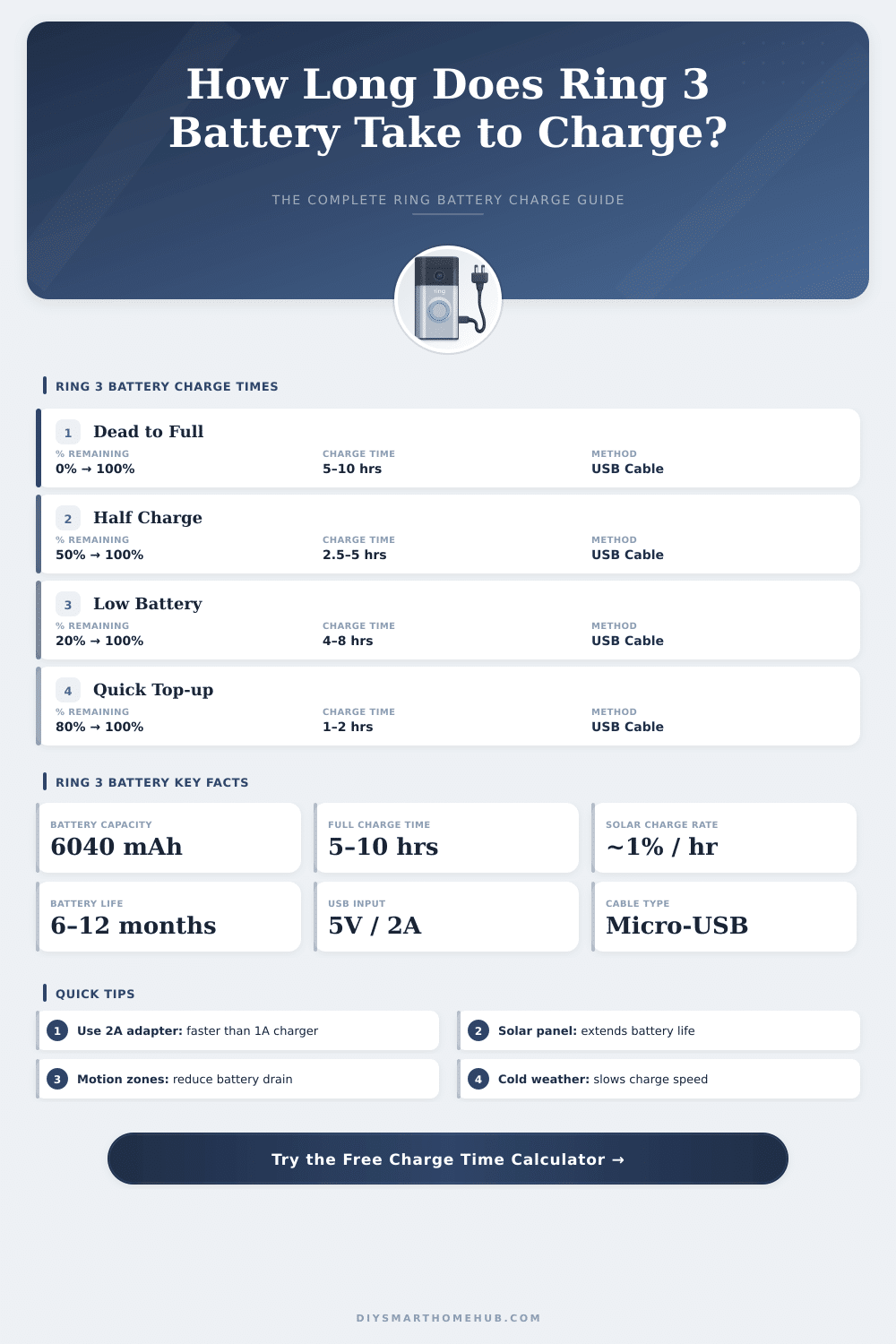
| Start → Target | % to Charge | USB 5V/2A | USB 5V/1A | PC USB (500mA) |
|---|---|---|---|---|
| 0% → 100% | 100% | 5–10 hrs | 8–12 hrs | 15–20 hrs |
| 20% → 100% | 80% | 4–8 hrs | 6.5–10 hrs | 12–16 hrs |
| 50% → 100% | 50% | 2.5–5 hrs | 4–6 hrs | 7.5–10 hrs |
| 75% → 100% | 25% | 1.3–2.5 hrs | 2–3 hrs | 3.8–5 hrs |
| 10% → 80% | 70% | 3.5–7 hrs | 5.6–8.4 hrs | 10.5–14 hrs |
| 0% → 50% | 50% | 2.5–5 hrs | 4–6 hrs | 7.5–10 hrs |
| Solar Condition | Charge Rate | Hrs to +10% | Hrs to Full (0%) | Maintains Charge? |
|---|---|---|---|---|
| Direct Sunlight (sunny day) | ~1%/hr | ~10 hrs | ~100 hrs | With low usage |
| Partly Cloudy | ~0.5%/hr | ~20 hrs | ~200 hrs | Borderline |
| Overcast / Cloudy | ~0.1–0.2%/hr | 50–100 hrs | 500–1000 hrs | No |
| Solar Panel Pro (sunny) | ~2–3%/hr | ~4 hrs | ~40–50 hrs | Yes (avg use) |
| Night / No Light | 0%/hr | N/A | N/A | No |
| Temperature Range | Impact | Time Multiplier | Notes |
|---|---|---|---|
| Below 32°F (0°C) | Significantly slower | 1.5–2.0x longer | Li-ion chemistry slows |
| 32°F–60°F (0°C–15°C) | Slightly slower | 1.1–1.3x longer | Cool but functional |
| 60°F–86°F (15°C–30°C) | Optimal | 1.0x (baseline) | Best charging speed |
| 86°F–104°F (30°C–40°C) | Slightly reduced | 1.05–1.1x longer | Battery protection kicks in |
| Above 104°F (40°C) | Charge may stop | N/A | BMS protection active |
| Usage Level | Events/Day | Est. Battery Life | Annual Charges Needed |
|---|---|---|---|
| Very Low | 1–5 | 9–12 months | 1–2 per year |
| Low | 5–10 | 6–9 months | 1–2 per year |
| Moderate | 10–20 | 3–6 months | 2–4 per year |
| High | 20–40 | 1–3 months | 4–12 per year |
| Very High | 40+ | 1–4 weeks | 12–52 per year |
The Ring Video Doorbell 3 includes a Battery even so one can also connect it by cables to the house. Many homes already have working doorbells hence remove the old and strip two wires of low voltage after it. Some customers choose the wired version, thinking that it fully escapes the need of Battery but actually it still uses it.
The life of the Battery in the Ring 3 varies a lot. During average use, one full charge can last for three to six months. Heavy motion alerts or many direct looks can reduce that to only one or two months.
Ring Video Doorbell 3 Battery Life and How to Charge It
Use of light or seasons can extend it to six to twelve months. Cold weather affects it strongly also. During winter with temperatures under 15°F, the Battery only lasts two to three weeks.
In summer it can reach one and half to two months on full charge.
Setting all motion settings to maximum drains the Battery much more quickly. Some users no that the Battery lasts only four days when everything is on high level. Around three weeks are more typical experience for Battery powered Ring 3 during normal usage.
The best way to avoid gaps is to buy a second Battery. Like this one charges one while the second powers the doorbell. Swapping the two batteries regularly helps keep everything running smooth.
To charge the Battery, one uses the USB cable that comes in the box. Simply plug it into any USB power source. Some users charged theirs by a USB hub connected to a computer, and after some hours the red light turned off and the green light stayed on, showing full charge.
A double Battery charging station is available and works as a fast charger.
The Ring Video Doorbell 2 and the Ring Video Doorbell 3 use the same Battery. So batteries bought for the Doorbell 2 work well in the Doorbell 3. Other batteries are available from third party stores also.
One option is a rechargeable Battery of 6040 mAh rated at 3.65 V, that works for the Ring Doorbell 2, 3, 3 Plus and 4. Another choice is a Battery of 3.7 V and 5200 mAh, that includes a one year guarantee.
To check the level of the Battery, open the Ring app, go to the main panel and click the settings of the camera. It shows the percentage of the Battery and the main power use. A message appears under features that use extra energy.
Reducing the sensitivity of the motion detector can help the Battery last longer. Keeping the Battery warm also is useful incold situations.
To remove the Battery, press the silver tab and slide it out. Replacing it back in is simply the reverse process. If the doorbell lost the network or stopped working, reconnecting the Battery connection sometimes brings it online right away.