📹 NVR Storage Calculator
Calculate exact hard drive storage for your security camera system — by resolution, bitrate, retention, and codec.
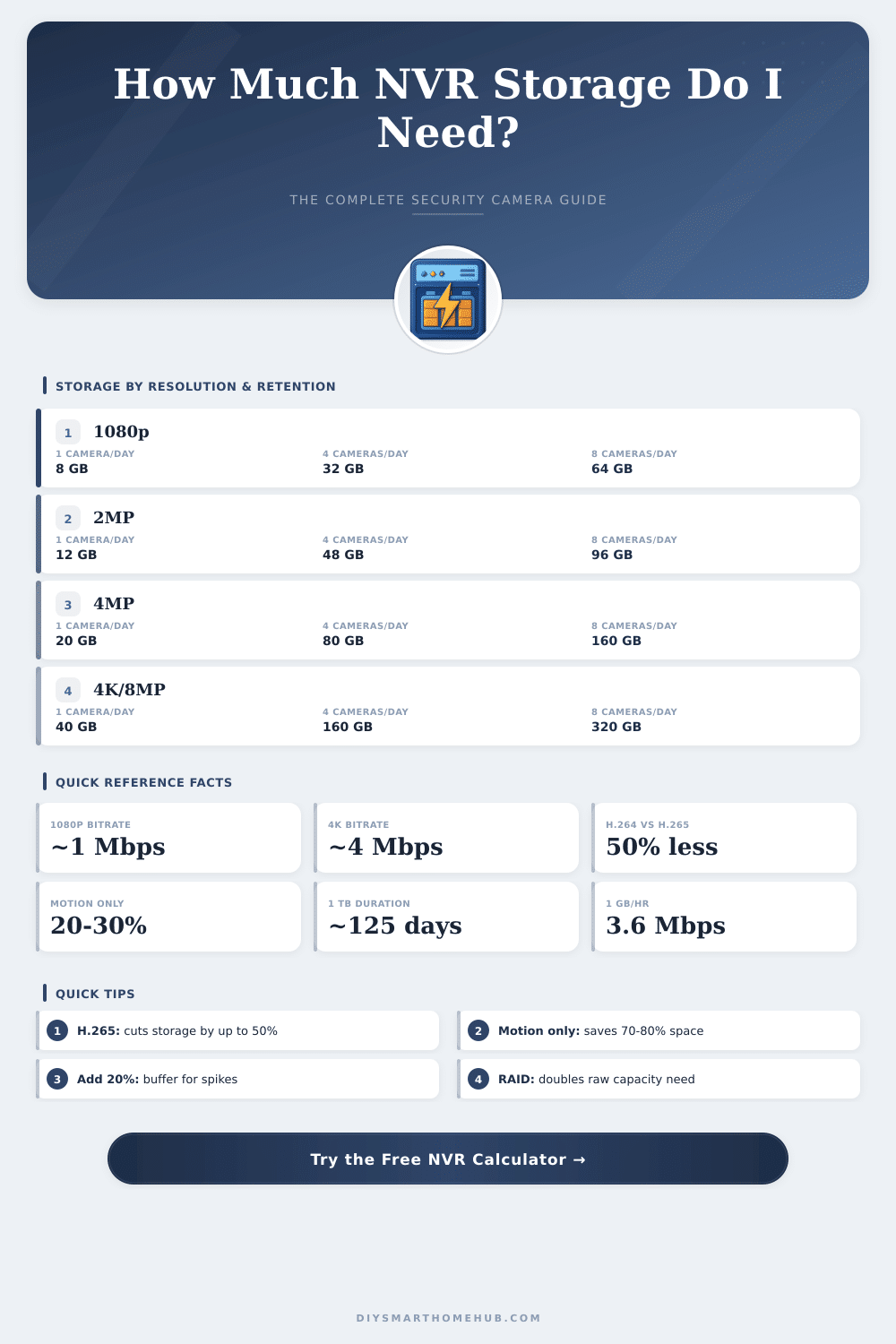
| Resolution | H.264 (GB/day) | H.265 (GB/day) | 15 FPS H.265 (GB/day) | Motion Only H.265 (GB/day) |
|---|---|---|---|---|
| 720p (1MP) | 10.8 | 5.4 | 2.7 | 1.1–1.6 |
| 1080p (2MP) | 21.6 | 10.8 | 5.4 | 2.2–3.2 |
| 2MP Enhanced | 27.0 | 13.5 | 6.75 | 2.7–4.0 |
| 4MP | 43.2 | 21.6 | 10.8 | 4.3–6.5 |
| 5MP | 54.0 | 27.0 | 13.5 | 5.4–8.1 |
| 4K / 8MP | 86.4 | 43.2 | 21.6 | 8.6–13.0 |
| 12MP | 162.0 | 81.0 | 40.5 | 16.2–24.3 |
| Drive Size | 1080p Retention | 4MP Retention | 4K Retention | Usable Capacity |
|---|---|---|---|---|
| 1 TB | ~23 days | ~11 days | ~5 days | ~930 GB |
| 2 TB | ~46 days | ~23 days | ~11 days | ~1,860 GB |
| 4 TB | ~92 days | ~46 days | ~23 days | ~3,720 GB |
| 6 TB | ~139 days | ~69 days | ~34 days | ~5,580 GB |
| 8 TB | ~185 days | ~92 days | ~46 days | ~7,440 GB |
| 10 TB | ~231 days | ~115 days | ~57 days | ~9,300 GB |
| 12 TB | ~277 days | ~138 days | ~69 days | ~11,160 GB |
| Recording Mode | Active Hours/Day | Multiplier vs 24/7 | Effective Daily Storage | Use Case |
|---|---|---|---|---|
| Continuous 24/7 | 24 hrs | 1.00x | 100% | High-security zones |
| Scheduled 12 hr | 12 hrs | 0.50x | 50% | Business hours only |
| Scheduled 8 hr | 8 hrs | 0.33x | 33% | Night shift only |
| Motion Only | ~4–6 hrs avg | ~0.25x | ~25% | Residential, low traffic |
| Motion + Schedule | ~3–4 hrs avg | ~0.15x | ~15% | Efficient hybrid |
Net Video Recorder, or NVR, is made up of hardware that records and stores video films from IP cameras in stores. The device connects directly with security cameras through a net and commonly carries internal hard disk for local storage. Big advantage of NVR is the skill to manage the huge crowds of video data that current watching systems produce.
Storage options normally use internal hard disk installed in the upper ports. Some NVR units allow adding drives with up to 16 TB capacity by means of full slots for 3.5-inch sizes. Other models offer several disk slots For instance, certain NVR units own four places for HDD drives and fit to preserve up to 30 days of material for 18 4K cameras or 60 full HD cameras.
How NVRs Store Video and How Long They Keep It
Needed is to check the maximum HDD storage that NVR can use, whether inside or outside. Some users operate two 10 TB disks, while others reach four, eight or even sixteen recordings plus net storage. Also NAS devices work, because many NVR units back storage to iSCSI targets, FTP servers or SMB shares.
Choose the right tpye of hard disk. Western Digital Purple and Seagate SkyHawk both work well for watching targets and are heavily used. The SkyHawk of 4 TB handles workload up to 180 TB yearly and backs up to 64 simultaneous HD video streams without lost performance.
Many favour enterprise recordings as WD Gold or Seagate Exos, because the programming in watching recordings are adapted for NVR units, that flows one file after file to the recording, while normal buffers write in bigger bits.
SSD drives do not deserve use in consumer grade NVR systems widely. Those recorders are planned for HDD drives as storage. Mechanical recordings work more for massive storage.
Even sew, some SSD drives with very high write lifespan can handle old surveillance, and the price difference maybe will shrink during some years.
Real storage results adjust a lot. Eight cameras that record all day on 8 TB recording gives around 13 days. One 16 TB recording offers almost 54 days.
2 TB recording is enough for 22 days. With 4 TB and eight 1080p cameras, one gets roughly 18 days. For 20 cameras over 30 days, you need around 40 TB or more.
If NVR arrives to its storage limit, it does not simply halt. It cycles over the most old data and keeps on recording. Most NVR units last up to five years depending on the setting, but well taken care they last more long.
Cloud storage offers an option with distant access to films from any device. Even so, NVR systems cost more than DVR solutions. PoE also makes wiring simpler, becauseEthernet cables feed IP cameras directly.