I love my pets, especially my dogs and cats. However, some people are allergic or get allergens (allergic reactions) to some animals. And you certainly don’t want your friends or visitors to suffer an allergic reaction whilst visiting as this would be rather embarrassing!
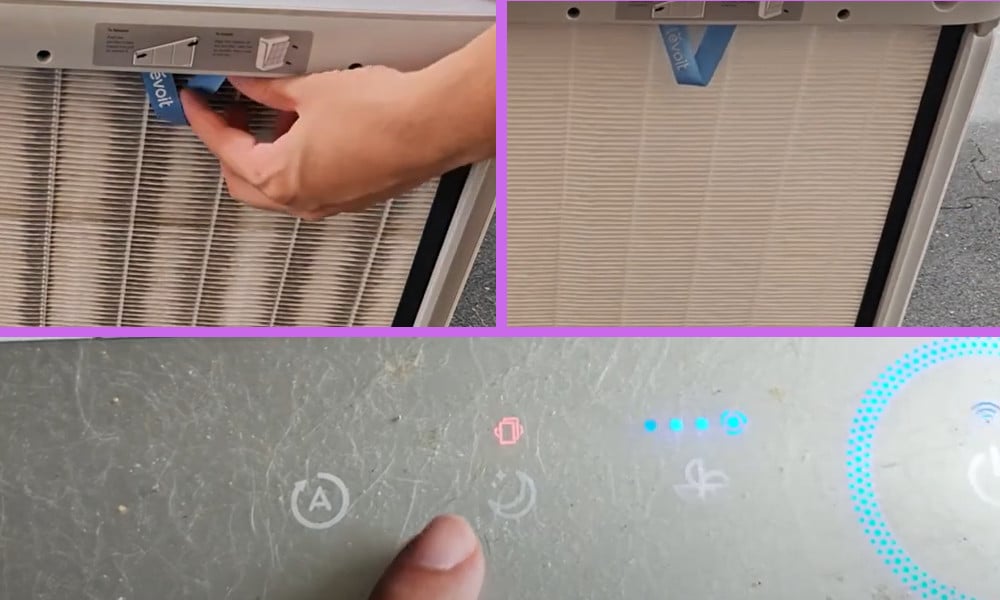
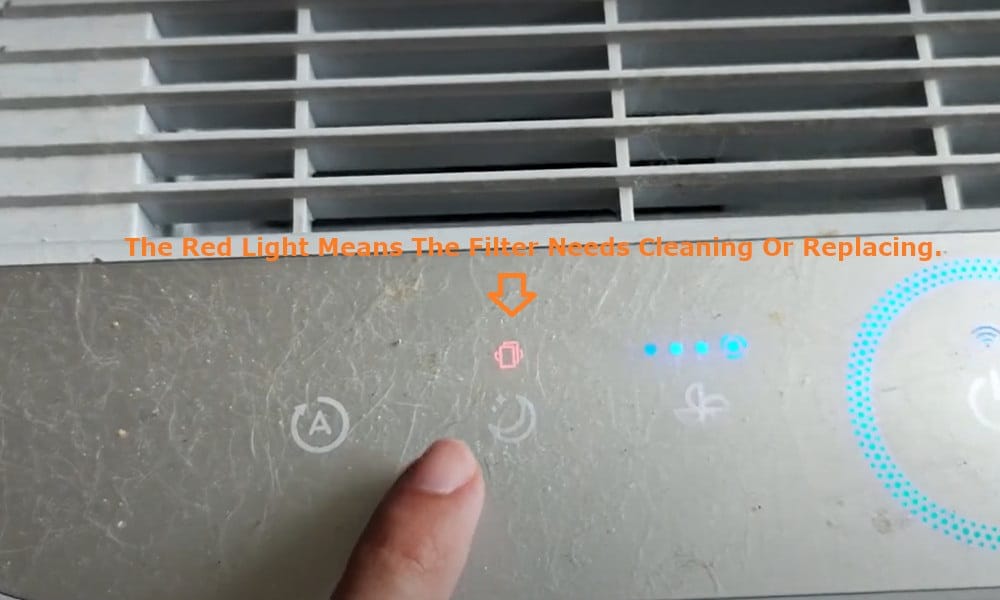
So, what I have in my house is a Levoit Pet Air Purifier, and it works wonderfully. So wonderfully in fact that it will occasionally display a red light on its control panel.
I made a short video about this topic and you can watch it first before you continue reading this article. You can watch it below.
On my video, I showed how I fixed the red light issue. I can either clean the air filter or replace it with a new one. I decided to replace the Levoit filter with a new one. It’s actually very easy to do.
Levoit Pet Air Purifier Red Light: What It Means and What You Should Do
The purpose of the red light is usually to advise you that the filter needs cleaning or replacing. I have found more often than not that when the red light is displayed the filter does actually need replacing, especially in the seasons when your pet may be moulting.
Changing your Levoit Pet Air Purifier’s filter is easy. Firstly, remember to always switch off and unplug the appliance, and then simply remove the front panel – you will probably encounter clumps of hair or fur on the filter cover.
Unclip the filter cover at the top left and right corners, and remove. You will be now be able to see the filter and confirm that it does need replacing if it is very dirty.
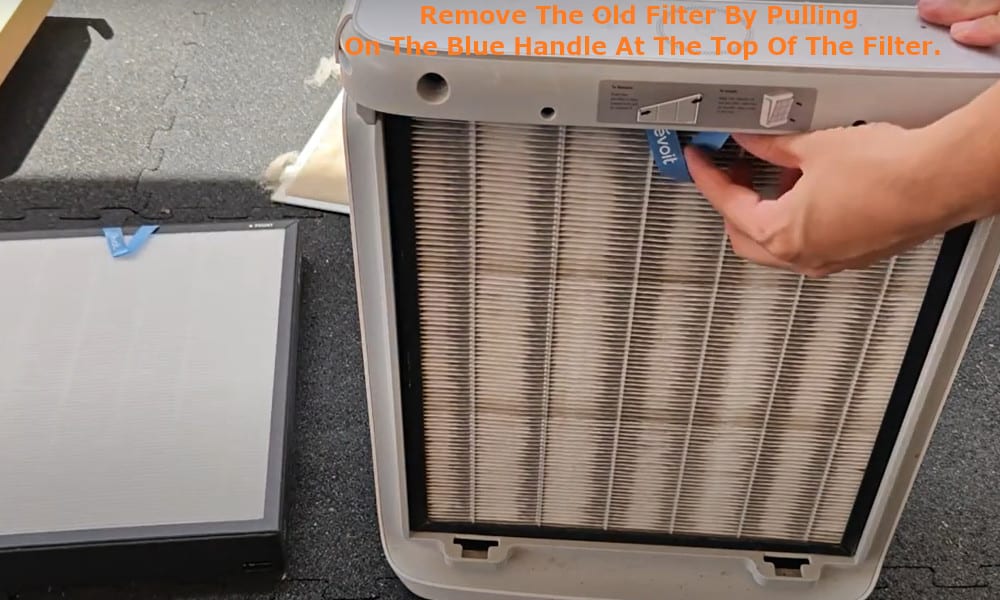
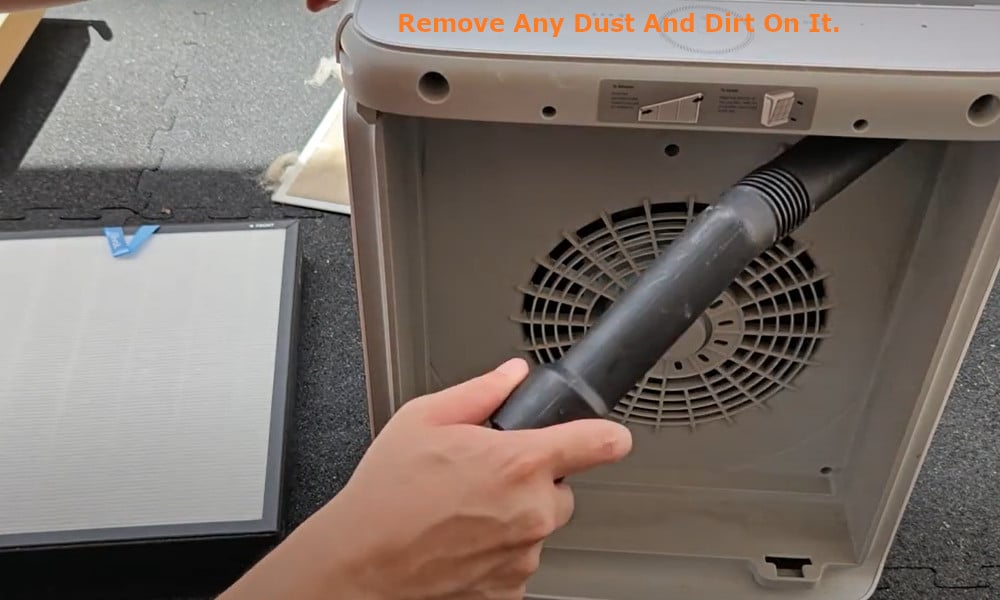
Remove the old filter by pulling on the blue handle at the top of the filter. Before inserting the new filter, ensure to hoover out any remaining dirt and dust from the inside of the filter compartment.
Also, hoover the filter cover to remove any dust and dirt on it so that too doesn’t get sucked into your new filter.
Next, take the opportunity to give your Purifier a good wipe down – like all appliances which carry out cleaning and purifying tasks, they do get dirty and should be cleaned and maintained regularly.
Once done, insert the new filter. Note that the white side should be facing out, and the black side facing inside of the appliance. Ensure to clip the new filter securely in place, followed by the filter cover and then the front panel.
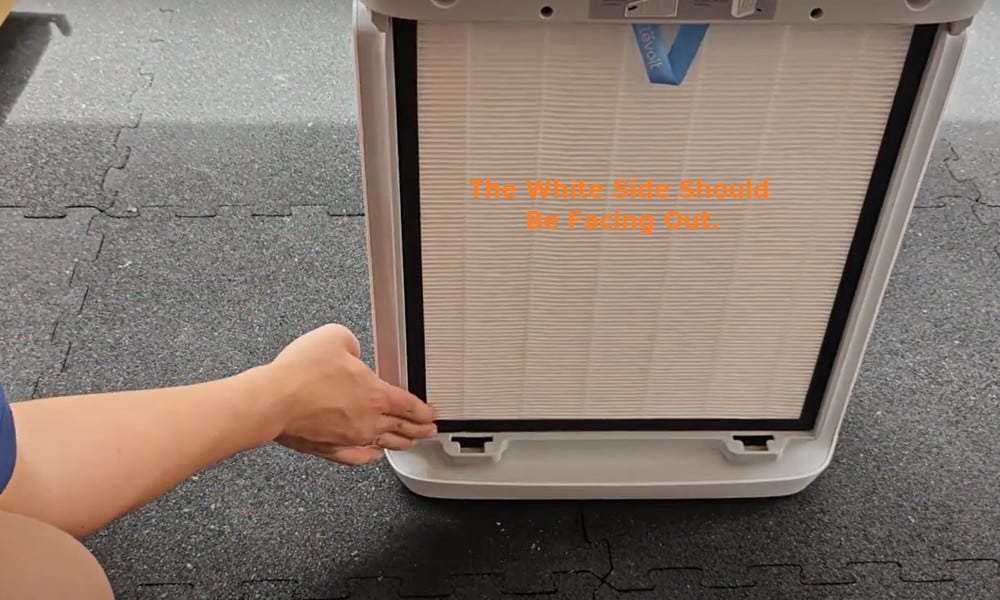
If you do not make sure that they are all clipped in place securely, this can be another reason for the red light on the control panel to display.
Now you can plug in and switch on your Pet Air Purifier again. Once done, press and hold down the filter reset button for approximately five seconds.
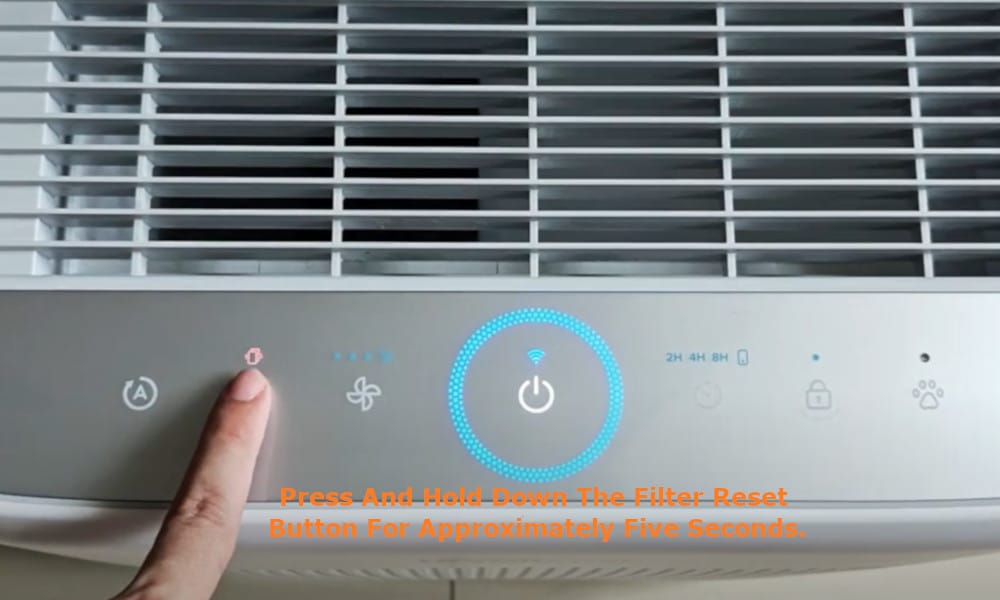
The red light on the control panel should have disappeared, and you are now ready to put your Levoit Pet Air Purifier back to work.