VESA Calculator
Check whether a TV or monitor fits a mount by comparing VESA hole spacing, screen size, weight class, mount plate range, adapter offset, and rear clearance.
1.Real VESA presets
2.Screen and mount inputs
Enter screen and mount specs to check compatibility.
3.VESA spec cards
Common on compact monitors and light desk-arm screens.
The most common pattern for 24 to 32 inch monitors.
Typical on many 32 to 43 inch televisions and displays.
Often seen around 50 to 55 inch screens with lighter panels.
Horizontal spacing can exceed vertical spacing on thin TVs.
Common match for 55 to 75 inch fixed and tilt wall mounts.
Frequent pattern for 75 to 86 inch panels and wide plates.
Needs a wide wall plate and careful stud-position planning.
4.Reference tables
| Screen class | Common VESA patterns | Typical weight class | Mount style | Watch point |
|---|---|---|---|---|
| 22 to 24 inch monitor | 75x75, 100x100 mm | 6 to 14 lb | Desk arm or small wall plate | Arm rating and recessed holes |
| 27 to 32 inch monitor | 100x100 mm | 10 to 25 lb | Heavy monitor arm | Tilt torque matters more than static weight |
| 32 to 43 inch TV | 100x100, 200x100, 200x200 mm | 15 to 35 lb | Small full-motion or tilt mount | Plate may block rear HDMI or power |
| 50 to 55 inch TV | 200x200, 300x200, 300x300, 400x300 mm | 25 to 55 lb | Medium tilt or fixed mount | Horizontal rail position and centerline |
| 65 to 75 inch TV | 300x300, 400x300, 400x400, 600x400 mm | 40 to 90 lb | Large wall mount | Weight headroom and stud span |
| 77 to 86 inch TV | 400x400, 600x400, 800x400 mm | 65 to 130 lb | XL tilt or heavy full-motion mount | Wall-plate width and arm extension load |
| Mount profile | Plate range used | Typical rating | Typical wall depth | Best use |
|---|---|---|---|---|
| Monitor arm | 75x75 to 100x100 mm | 22 lb | 45 mm | Small monitors and light displays |
| Small full-motion TV | 75x75 to 200x200 mm | 44 lb | 55 mm | Bedroom TVs, kitchens, compact displays |
| Medium tilt TV | 100x100 to 400x400 mm | 88 lb | 50 mm | Common 43 to 65 inch tilt installs |
| Low-profile fixed TV | 100x100 to 400x400 mm | 110 lb | 25 mm | Flat wall look when ports are sideways |
| Large full-motion TV | 200x200 to 600x400 mm | 132 lb | 70 mm | Large screens needing swivel or pull-out access |
| XL tilt wall mount | 300x300 to 800x400 mm | 176 lb | 65 mm | Large and extra-wide VESA televisions |
| Clearance formula | Calculator use | Meaning | Risk signal |
|---|---|---|---|
| Net depth = mount depth - port clearance - cable bend | Rear clearance result | Shows usable gap after connectors need space | Negative net depth means blocked ports |
| Edge clearance = screen edge - VESA half span | Screen proportion check | Confirms holes are not modeled outside screen body | Less than 25 mm is unusual on TVs |
| Shift = sqrt(offsetX^2 + offsetY^2) | Adapter shift card | Total adapter center movement from hole conversion | Large shift changes final screen center |
| Headroom = rating - screen weight | Weight result | Spare static capacity before dynamic load | Below 25 percent is a cautious flag |
| VESA / mount spec comparison | Compatible if | Adapter needed if | Usually avoid if | Extra check |
|---|---|---|---|---|
| 75x75 screen on 100x100 arm | Arm includes 75 mm holes | Arm has only 100 mm pattern | Arm minimum weight is above monitor weight | Confirm tilt tension range |
| 100x100 screen on TV wall mount | Plate minimum includes 100x100 | Plate starts at 200x200 | Plate is wider than screen body | Check port and plate overlap |
| 200x200 TV on 400x400 mount | Rails accept 200 mm height and width | Slots skip the 200 mm position | Mount arms cover cable ports | Check screw length and spacers |
| 400x300 TV on 400x400 mount | Vertical slots include 300 mm | Plate only has square holes | Vertical rails cannot clamp uneven spacing | Confirm listed 400x300 support |
| 600x400 TV on 400x400 mount | Mount maximum width is at least 600 mm | Weight is fine but width is short | Adapter exceeds mount rating | Use a wider wall plate |
5.VESA mounting tips
This calculator checks dimensional and load compatibility only. Always follow the mount maker's screw, spacer, wall structure, and installation requirements for the actual product.
When you are purchasing a mount for your television or your monitor, you need to make sure that the mount is compatible with your television or your monitor. A mount must be compatible with your television and monitor in order to properly install the television or monitor onto the mount. If the mount isnt compatible with the television or monitor, then the installation of the monitor or television to the mount will be unable to occur.
One of the factors that will influence whether the mount is compatible with the television or monitor is the spacing of the screw holes on the back of the television or the monitor. The screw hole spacing is often referred to as a VESA pattern of the monitor or television. The VESA pattern is measured in millimeters, and represents the distance from the center of one screw hole to the center of the other screw hole on the television or monitor.
Make Sure the Mount Fits Your TV or Monitor
For example, if the VESA pattern is 200 by 200, that means that the distance from one screw to the next is 200 millimeters. This VESA pattern must match the VESA pattern of the mount. If the VESA pattern of the television or monitor does not match the VESA pattern of the mount, the mount will not be able to attach to the television or monitor.
Another factor that you must consider is the weight of the television and monitor. For example, televisions and monitors has specific weights, and the mounts have specific weight ratings. You must compare the weight of the monitor and television to the weight rating of the mount.
It is recommended that there is some margin of safety between the weight of the monitor or television and the weight of the mount. For example, if the television weighs twenty pounds, it is recommended that the mount has a weight rating of at least twenty-five pounds. Such a margin of safety accounts for the additional force created when the television or monitor is tilted.
The weight of the television or monitor should not be close to the weight rating of the mount. Another factor to consider is the rear clearance for the monitor or television. Rear clearance is the distance between the monitor or television and the wall on which the mount is attached.
There must be enough rear clearance for the cables for the monitor or television to be attached to the mount. If there isnt enough rear clearance for the cables, those cables may become pinched or crush. You must consider the depth of the mount and the depth of the monitor or television cables to determine if there is enough rear clearance.
For instance, low-profile mounts may not have enough rear clearance for televisions with large cable connectors. Another consideration for mount and television or monitor compatibility is the use of adapter plates. Adapter plates allow mounts to attach to televisions and monitors with VESA patterns that do not match the VESA pattern of the mount.
The use of an adapter plate, however, changes the center of gravity of the television or monitor. As a result, the adapter plate will change the height at which the television or monitor ends up once installed into the mount. For these reasons, you must account for the adapter plate when marking the wall on which the mount will be attached.
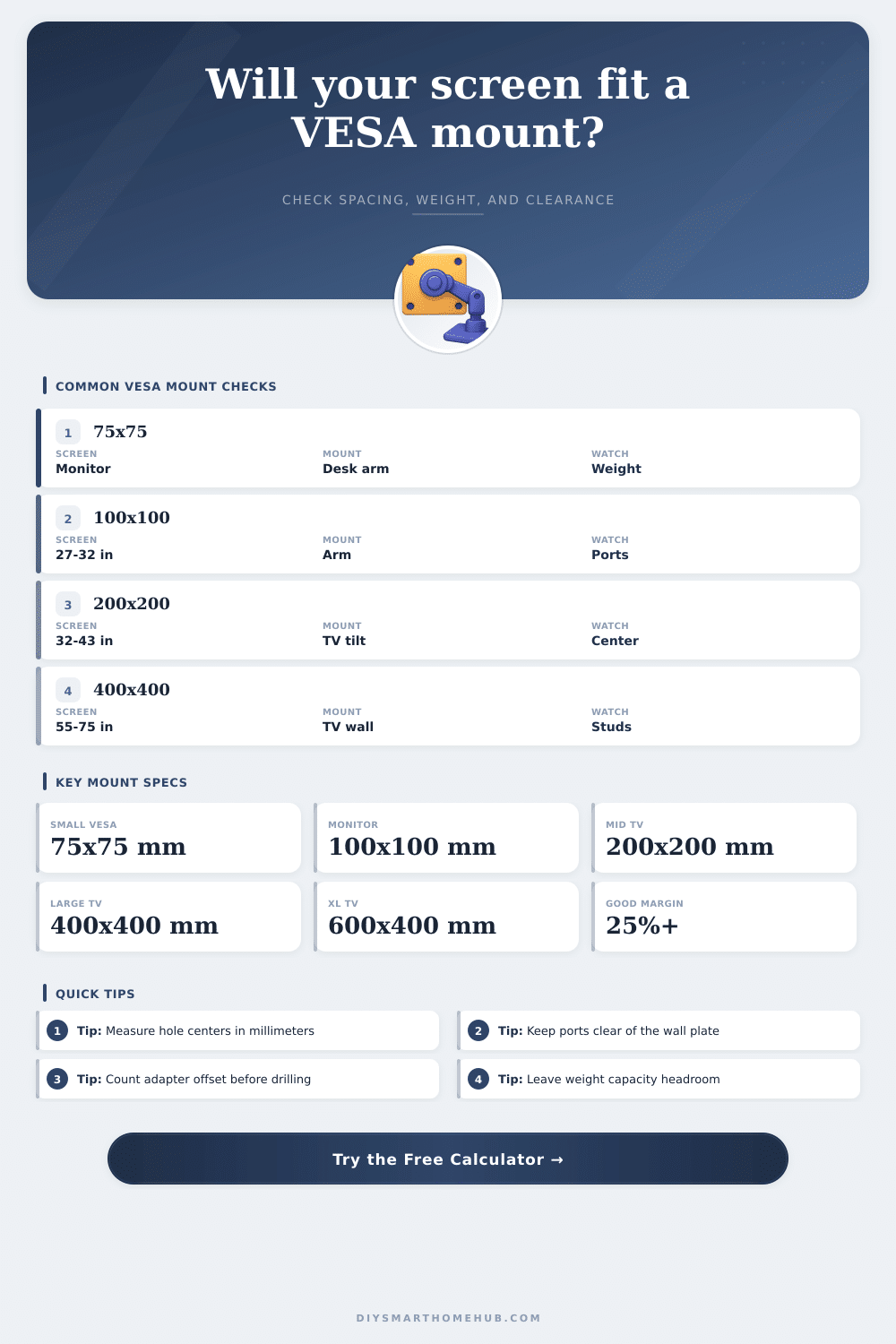
Not all televisions and monitors have the same VESA pattern, weight, and size. For example, compact monitors have VESA patterns of 75 by 75 or 100 by 100, and tend to weigh less than fifteen pounds. Mid-size televisions have VESA patterns of 200 by 200 or 300 by 300, and often use tilt mounts.
Large televisions, which are often 65 inches or larger in size, have VESA patterns of 400 by 400 or 600 by 400, and tend to weigh more than seventy pounds. For televisions of this size, both the weight of the televisions and the strength of the wall are of primary concern. Another factor to consider is the structure of the wall on which the mount will be attached.
Mounts are attached to a wall, and the wall must be able to support the weight of the monitor or television attached to the mount. Drywall is often not strong enough to support the weight of the monitor or television alone. Thus, you must attach the mount to the studs in the wall.
Furthermore, specific types of hardware may be required to attach the mount to these studs, such as toggle bolts. While the weight capacity of a mount indicates the strength of the hardware, that measurement does not take into account the strength of the wall. Thus, you must also consider the strength of the wall.
Finally, one of the best ways to ensure that your mount is compatible with your television or monitor is to use a calculator to determine the specification of each device, and to refer to tables that indicate the specifications of various mounts. For instance, monitor and television mounts often come with tables that indicate the depth of the mount, the weight capacity of the mount, and other specifications. In addition, there are often monitors and televisions calculators online that allow individuals to input the specifications for their monitor or television to determine its VESA pattern, its weight, and its size.
By using these tables and calculators, the individual can avoid making mistakes in the installation process. Thus, using a calculator prior to installing the mount will ensure that the mount is compatible with the monitor or television prior to drilling into the wall.