Smart Power Strip Load Calculator
Total six AC outlets plus USB charging, then compare the load against the power strip rating, breaker limit, continuous-use derating, per-outlet limits, and surge margin.
📌Quick power strip presets
Strip and circuit settings
Live load snapshot
Choose devices for each outlet. Custom watts override the profile value when entered.
🔌Outlet load list
Each outlet has a real device profile with running watts and a startup multiplier. Enter custom measured watts for unusual loads, smart plugs, or compact appliances.
Power strip load results
📊Outlet and device spec comparison grid
📘Reference tables
Use these values as planning defaults, then replace them with measured smart plug readings whenever you have them.
| Device profile | Typical running watts | Startup multiplier | Load behavior |
|---|
⚡Strip rating reference
| Strip / outlet type | Nameplate rating | Continuous 80% load | Best use |
|---|---|---|---|
| US 15 A, 120 V strip | 1800 W | 1440 W | General electronics and mixed smart-home loads. |
| US 20 A, 120 V circuit | 2400 W | 1920 W | Only useful if the strip and receptacle are also rated for it. |
| EU 10 A, 230 V strip | 2300 W | 1840 W | Moderate loads with regional plug compatibility. |
| EU / UK 13 A, 230 V fused plug | 2990 W | 2392 W | Higher voltage loads, still limited by strip quality and heat. |
| AU / NZ 10 A, 240 V board | 2400 W | 1920 W | Normal household equipment, not clustered heat appliances. |
🔋USB and surge planning table
| USB or surge item | Typical watts | How calculator treats it | Planning note |
|---|---|---|---|
| USB-A phone charging | 5 to 12 W | Adds to total strip watts. | Low draw, but several ports add heat inside the strip. |
| USB-C phone fast charge | 18 to 30 W | Adds average charging watts. | Peak may be short, average is usually lower. |
| USB-C laptop charge | 45 to 100 W | Adds as AC input load. | Count it like a small outlet load. |
| Motor or compressor start | 2x to 4x | Uses profile surge multiplier. | Leave extra reserve or avoid sharing the strip. |
| Heater cycling | 1.0x | No startup boost, high steady heat. | Often reaches the continuous limit first. |
🏠Common smart power strip scenarios
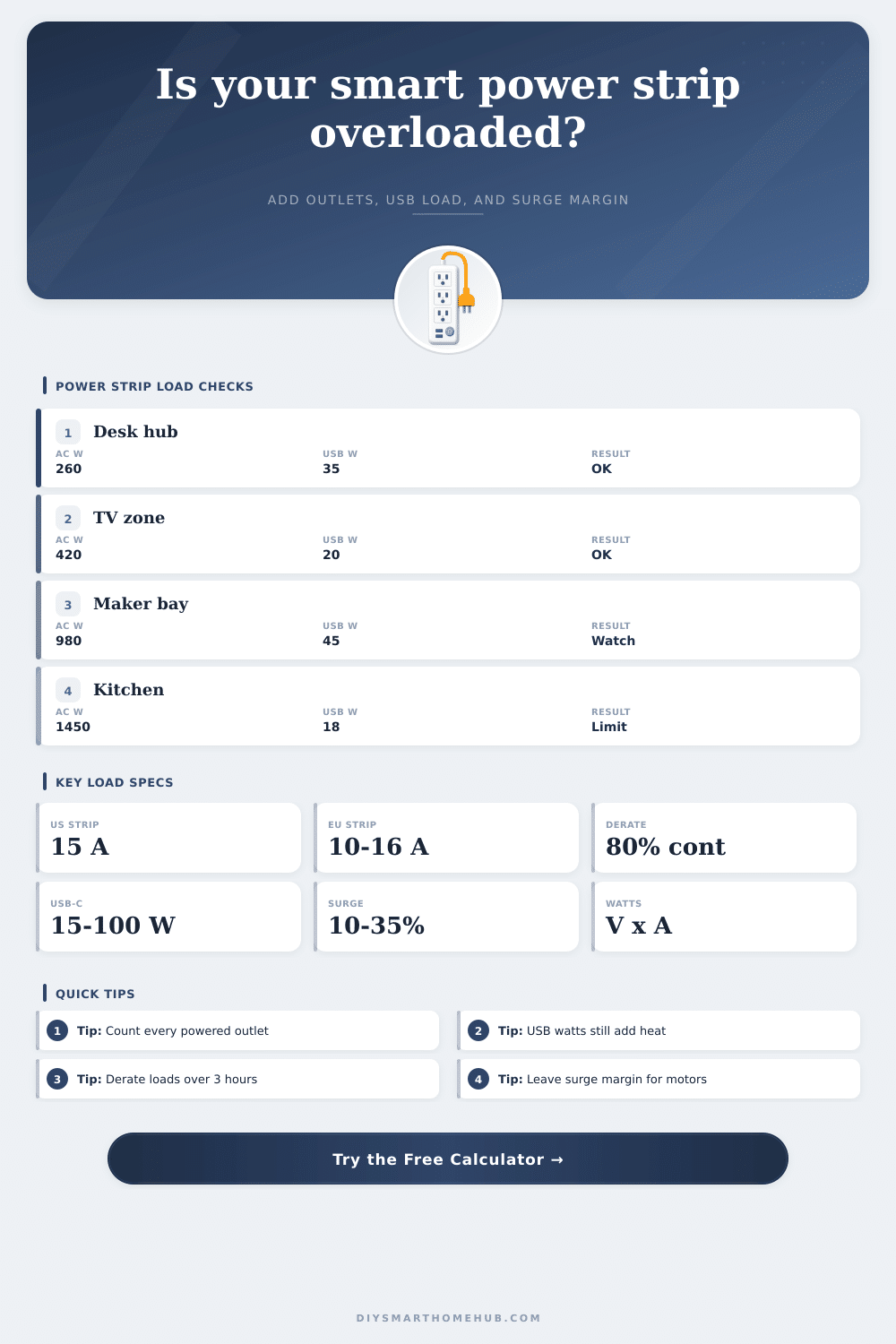
| Scenario | Typical AC load | USB load | Load risk cue |
|---|---|---|---|
| Work desk hub | 180 to 350 W | 20 to 60 W | Usually fine unless a space heater is added. |
| TV media console | 250 to 600 W | 10 to 30 W | Watch game consoles, receivers, and subwoofers together. |
| Network closet | 50 to 250 W | 0 to 25 W | Continuous derating matters because it runs all day. |
| Maker bench | 300 to 1200 W | 20 to 80 W | Heat tools can exceed outlet or strip limits quickly. |
| Kitchen counter strip | 600 to 1800 W | 0 to 30 W | One appliance can consume most of a 15 A strip. |
Many homes today contain device that are plugged into circuits that were not spesifically design to handle the number of devices that can be plugged into a smart power strip. Although a smart power strip may have many socket for devices to be plugged into, a smart power strip can still reach its limit due to the number of devices that are continuously on and draw power from the strip, devices that are being charged through the USB ports, and the wattage of each of those device. Furthermore, the manufacturer may state on the strip that it can handle a certain amount of current, but that amount is typically only with short-term use of the strip; the longer that devices are continuously on, the more the strip reduces the current to allow for the devices to not overheat.
A calculator can help to mathematically determine if a smart power strip will be able to handle the devices in the space by entering the voltage, the wattage of the smart power strip, the size of the breaker, and the amount of time that the devices will be run. In addition to the wattage of the devices in the strip, the load of the strip include the heat that the USB ports create; each device that is plugged into the USB port will add to the wattage of the strip. Furthermore, each device that is plugged into the smart power strip must also obey the continuous use rule; if devices is required to remain on for longer than a few hours, the safe ceiling of the wattage that can be draw from the strip will be reduced.
How to Check if a Smart Power Strip Can Handle Your Devices
This continuous use of the strip can also be accounted for in the calculator of the strip; by entering the length of time that the devices will be in operation, the calculator can apply a twenty percent reduction to the total wattage of the strip if the devices will run for three hour or longer. This continuous reduction in the safety of the strip also apply to devices that are on continuously, such as network closet or aquarium controllers; if the devices are required to remain on for long periods of time, the strip will reach the safety limit if this derating is not applied. In addition to the load of the devices, the surge that begins when devices start up can also impact the strip; devices that contain motor, heaters, and other devices can begin to draw several times the current of the device when first starting up.
The calculator account for this starting surge in that one can adjust its settings to allow for a certain amount of surge current if one of the devices is known to contain a motor or heater. Furthermore, the wattage of the devices does not need to be distribute equally among the outlets; some outlets may require more current than others, such as an outlet that must handle a space heater or a laser printer. The calculator also accounts for each of the individual outlets and check that each outlet is within the limits of the individual outlets.
Such a feature allow the person to find any problems with the smart power strip that may not otherwise be found through calculating the total wattage of the strip. Within a home, many of the devices that may be grouped at one desk may include a computer, monitors, a speaker, a lamp, and one or more USB device; additionally, the same circuit that feeds the desk devices may also supply current to a device like a bedside clock that is required to remain on all night. A calculator may allow for the devices to be added outlet by outlet to form an accurate picture of the devices that are to be supplied by the strip, and the total wattage of those devices can be compare to the limits of the strip and the branch circuit breaker.
Many people make mistake when attempting to calculate the load of the devices that will be added to a smart power strip. For instance, individuals may simply add up the wattage of the devices without converting those watts to amps, they may not account for the devices that are supplied by the USB ports, they may assume that any strip that is labeled as having a fifteen amp capacity can provide fifteen amps continuously for the devices at that strip, and the use of a reference table that has information about the watts of running and starting devices can correct each of these mistake. One of the variable that relates to each of the above factors is that each of the devices that are running within the strip will produce heat; the longer that the devices are on, and the more wattage that the devices use, the more heat that will be created within the strip.
Furthermore, if the strip is located in a dark spot in the house, such as behind a dresser, the strip will lose heat at a slower rate than if it were located in a well-ventilated space; thus, the strip will have different derating options if it is located in an enclosed space. The heat that the strip produces may also negatively impact the life of the component that are within the strip; the more heat that is create within the strip, the shorter the life of those components. Thus, once individuals have calculated the total wattage of the devices that are to be supplied by the strip, they can make a decision about whether the strip will be able to handle those devices: if the wattage of the devices is within the limits of the strip and the branch circuit breaker, and if there is a sufficient amount of headroom for the starting surge of the devices, the strip will be fine to supply those devices; however, if the calculations reveal that the margin for error is nearly zero, one can move one of the high-wattage device to a different circuit.