WS2812B Power Consumption Calculator
Estimate LED watts, supply amperage, daily energy, and power injection points using pixel count, density, brightness, color load, and reserve headroom.
Calculated Power Plan
| Formula | Use | Calculator method | Typical planning value |
|---|---|---|---|
| Peak LED amps | 5V pixel-side current | LEDs × 0.060A × color load × brightness | 60mA per RGB pixel at full white |
| Peak LED watts | Electrical load at pixels | Peak LED amps × 5V | 0.30W per pixel maximum |
| Supply amps | Power supply sizing | Peak watts ÷ bus voltage ÷ efficiency × reserve | Reserve commonly 20% to 40% |
| Daily energy | Runtime estimate | Peak watts × animation duty × hours ÷ efficiency | Wh/day and kWh/day output |
| Injection feeds | Current distribution | Ceiling of pixel-side amps ÷ 5A per feed | 5A feed target for planning |
| Strip density | Pixels per meter | Full white current per meter | Full white power per meter |
|---|---|---|---|
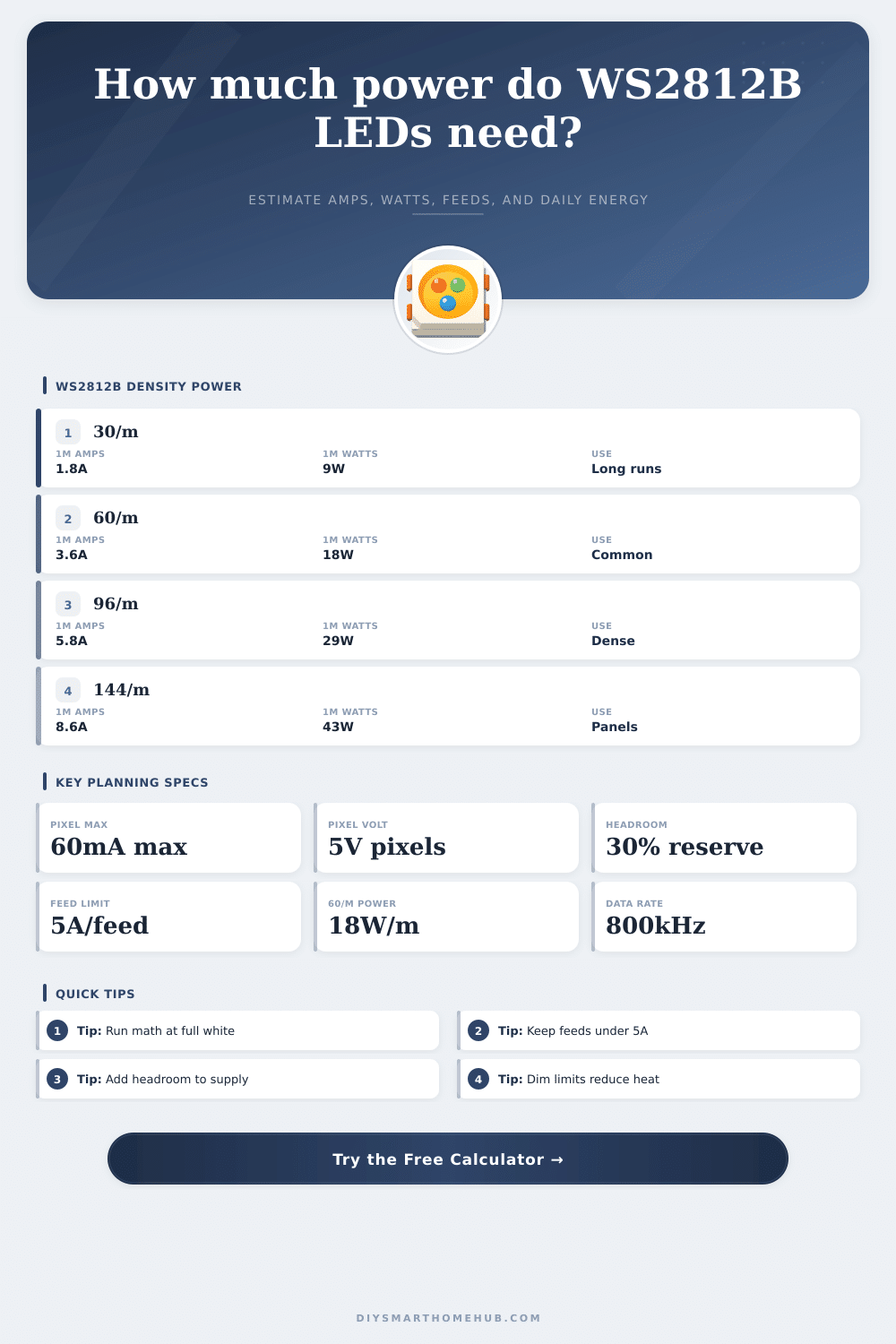
| Low density | 30 LEDs/m | 1.8A at 5V | 9W/m |
| Standard density | 60 LEDs/m | 3.6A at 5V | 18W/m |
| High density | 96 LEDs/m | 5.76A at 5V | 28.8W/m |
| Panel density | 144 LEDs/m | 8.64A at 5V | 43.2W/m |
| Color profile | Channel assumption | Current factor | Example for 300 LEDs at 100% |
|---|---|---|---|
| Full RGB white test | Red, green, and blue fully on | 1.00 | 18.0A, 90W |
| Warm white approximation | Red high, green medium, blue low | 0.72 | 13.0A, 64.8W |
| Solid single color | One RGB channel on | 0.33 | 6.0A, 30W |
| Ambient color scenes | Mixed colors with dim areas | 0.42 | 7.6A, 37.8W |
| Sparse chasing effects | Partial pixels lit at one time | 0.25 | 4.5A, 22.5W |
| Bus choice | Calculator efficiency | Supply amp formula | Best calculation use |
|---|---|---|---|
| 5V direct | 100% | LED watts ÷ 5V | Short runs, panels, compact builds |
| 12V distribution | 88% | LED watts ÷ 12V ÷ 0.88 | Medium runs with local 5V regulation |
| 24V distribution | 90% | LED watts ÷ 24V ÷ 0.90 | Longer distribution with buck regulators |
| Pixel-side 5V | Not a bus option | LEDs × 0.060A × load | Power injection and copper current math |
WS2812B RGB
SK6812 RGBW
WS2815 RGB
APA102 RGB
| Project type | Typical LEDs | Peak at full white | Practical planning note |
|---|---|---|---|
| TV bias light | 120 to 180 | 36W to 54W | Often dimmed below 40% for viewing comfort |
| Desk or shelf edge | 90 to 180 | 27W to 54W | Single color scenes use about one third of max |
| Kitchen under cabinet | 240 to 420 | 72W to 126W | Warm white approximations stay below full RGB white |
| Room cove or ceiling | 480 to 900 | 144W to 270W | Multiple feeds are normally required by the math |
| Matrix or display panel | 1024 to 2048 | 307W to 614W | Calculate for full white even when content is animated |
WS2812B LEDs contains within each component an individual controller for the LED and three LEDs that allow the component to producing light of different color. Each individual WS2812B LED can draw up to 60 milliamps of current when at maximum brightness and with all three color channels active. However, most projects will not operate at this maximum brightness level due to the harsh nature of full brightness white lights, as well as the fact that the brightness level waste alot of energy.
Consequently, you must determine what fraction of the 60 millamp maximum current value your specific project will require. The calculator allow you to enter the specifications for your specific project. The number of LEDs in your project, the density of your LED strip, your software brightness cap, and the type of color you will use will allow you to understand the theoretical current that your project will require.
How to work out power and cost for WS2812B LED strips
Additionally, entering the duty cycle and the number of hours per day that your project will be running will allow you to calculate the projected cost of electricity that will be required to power your project. The density with which the LEDs are contained within your strip is one of the factors that will have an impact on the current of each meter of your strip. A strip that contains 30 LEDs per meter will allow for even distribution of the current along each meter of copper within the strip.
Consequently, LED density of 30 per meter indicates that voltage drop will not be an issue along each meter of the strip. With 144 LEDs per meter, however, the resistance within the strip will cause voltage drop along the meter of the strip if you provide power from only one side of the strip. The color of the strip is another factor that is often overlooked when planning a project.
If you use solid blue colors, you will draw approximately one third the current then the amount required to provide full brightness white light to the strip. If you use ambient mixed color, you will draw a medium amount of current relative to solid blue and white light. Consequently, if you limit the colors to single colors or gradients within your project, you will draw less current.
The calculator accounts for these different color within a project. The brightness of the LEDs will have an impact upon the current draw of the strip. Using 50 percent brightness will reduce the current draw of the strip, though it will not be 50 percent of the current draw required with 100 percent brightness.
Projects that utilize brightness levels of 40 or 60 percent are typically sufficient for most projects, especially since using lower brightness levels means that the power supply for the strip will not heat up as rapid. In determining the power supply for your project, you must take into account that injecting more than five amp of current into a strip will cause the strip to heat up and for the voltage to drop along the strip. The calculator will indicate the number of injection point for the power supply for your strip.
Avoid providing power to a long strip from only one end of the strip. Otherwise, the far end of the strip may appear pink in color. To provide an estimate of the energy that will be used by your strip each day, the calculator will use the peak current draw to determine the size of the power supply for your project.
However, the calculator will use average current in calculating the daily cost of electricity. For instance, if your project is expected to use 40 percent brightness and ambient colors for six hour each day, the energy use will be modest. The same project that uses full brightness white light for six hours a day, however, will cost three times as much energy each day.
This cost estimate can help you determine if timer schedules or motion sensor will help to save on the cost of electricity for your project. The power supply for your project must contain some headroom for operation. For instance, if you expect the power supply to operate at 95 percent of its maximum capability, the power supply will become hot during operation and may even shut down.
Therefore, you should allow for a 30 percent reserve within the power supply. A 30 percent headroom factor is appropriate for allowing headroom for error in measurements in the calculations, as well as for future expansion of the project. The mathematics behind calculating the current requirements of a strip of WS2812B LEDs does not vary from project to project.
More LEDs will always require more current. Brightness will always have a correlation to the current draw of the LEDs. Density will also have a correlation to the number of injection points that you must provide for the power to the LEDs.
Consequently, you should run the calculations twice. First with the settings for your project, then with settings that allow for additional feature or additional pixels in the LEDs. By running the calculations twice, you will know if the power supply for the LEDs has enough headroom, or if you need to purchase a larger power supply for the project.