📶 WiFi Mesh Network Calculator
Calculate exactly how many mesh nodes you need for complete whole-home WiFi coverage
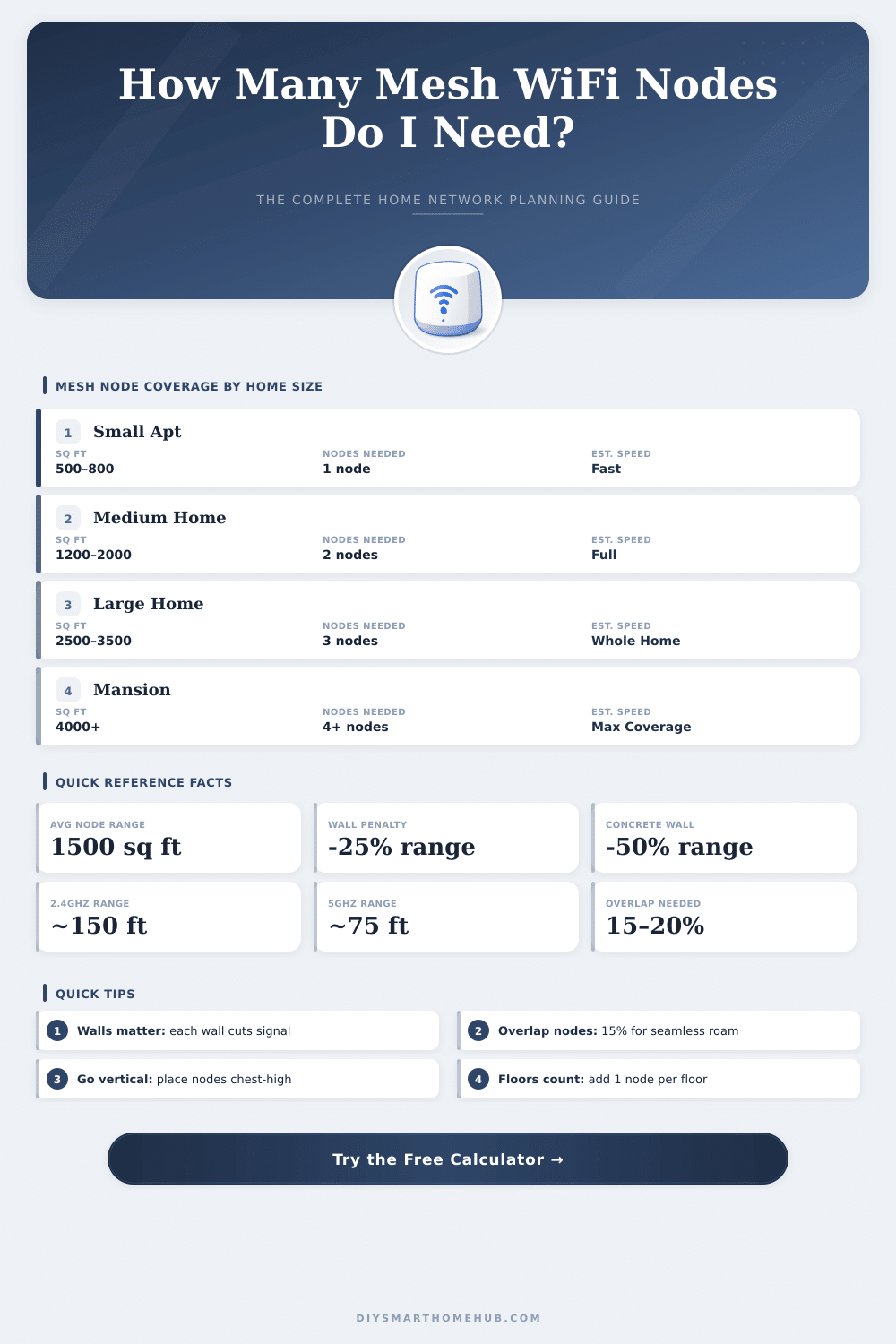
| Home Size | Sq Ft | Sq M | WiFi 4 Nodes | WiFi 5 Nodes | WiFi 6/7 Nodes |
|---|---|---|---|---|---|
| Studio / Apartment | 400–800 | 37–74 m² | 1 | 1 | 1 |
| Small Home | 800–1,400 | 74–130 m² | 1–2 | 1 | 1 |
| Medium Home | 1,400–2,200 | 130–204 m² | 2 | 1–2 | 1 |
| Large Home | 2,200–3,200 | 204–297 m² | 3 | 2 | 2 |
| Very Large Home | 3,200–4,500 | 297–418 m² | 4 | 2–3 | 2 |
| Estate / Mansion | 4,500+ | 418+ m² | 5+ | 3–4 | 2–3 |
| Material | Signal Loss | Effective Range Multiplier | Notes |
|---|---|---|---|
| Drywall / Wood | Low (3–5 dB) | 1.0x (no reduction) | Standard US construction |
| Plywood / OSB | Low–Medium (4–8 dB) | 0.9x | Subfloor, sheathing |
| Brick / Masonry | Medium (6–12 dB) | 0.75x | Older homes, fireplaces |
| Concrete / CMU | High (12–20 dB) | 0.5x | Basement, slab construction |
| Metal Framing | High (15–25 dB) | 0.6x | Commercial, some modern homes |
| Glass (Low-E) | Medium (6–12 dB) | 0.7x | Energy-efficient windows |
| Floors | Floor Penalty | Extra Nodes Needed | Placement Tip |
|---|---|---|---|
| 1 Floor | None | +0 | Center of floor plan |
| 2 Floors | −15% per inter-floor | +1 node minimum | One node per floor |
| 3 Floors | −15% per inter-floor | +2 nodes minimum | One node per floor |
| 4+ Floors | −15% per inter-floor | +3 nodes minimum | Node per floor recommended |
| Standard | Typical Indoor Range | Max Throughput | Ideal Coverage / Node |
|---|---|---|---|
| WiFi 4 (802.11n) | 70–100 ft (21–30 m) | Up to 600 Mbps | ~1,500 sq ft (139 m²) |
| WiFi 5 (802.11ac) | 100–120 ft (30–37 m) | Up to 3.5 Gbps | ~2,000 sq ft (186 m²) |
| WiFi 6 (802.11ax) | 120–150 ft (37–46 m) | Up to 9.6 Gbps | ~2,500 sq ft (232 m²) |
| WiFi 6E (802.11ax) | 100–130 ft (30–40 m) | Up to 9.6 Gbps | ~2,200 sq ft (204 m²) |
| WiFi 7 (802.11be) | 130–160 ft (40–49 m) | Up to 46 Gbps | ~3,000 sq ft (279 m²) |
Wi-Fi mesh systems allow you to get internet access through the whole home by using several access points that talk wirelessly between themselves. Rather than depend on one single router, that spreads the signal from one place that setup includes a main router together with extra units, called nodes or satellites. All those nodes work as one single Wi-Fi net, so that devices can transfer between them without dropping the link.
The main router binds to the modem and converts the wired internet link into Wi-Fi. Satellites later spread that signal more deeply in the house. A traditional system has only one router, that sends from a central spot, and because of that distant rooms commonly suffer from weak signal or dead zones.
How Wi-Fi Mesh Works and Helps Your Home
Wifi mesh systems settle that, placing access points around the whole home.
One advantage of wifi mesh is, that it organizes itself. The net automatically finds the best path from your device to the main router and to the whole internet. You can install and set separate access points yourself, but that commonly is hard work with not too good results.
Wifi mesh removes almost everthing from that hassle.
The idea is similar to big offices, where a main router binds to several access points. In wireless mesh however their are no cables between the nodes. Satellites trust in the nearest node for faithful wireless link, what can involve several hops.
On the other hand, wired backhaul always ensures better speed and stability. Some users tie their mesh satellites by means of Ethernet cables, to escape the loss of speed during wireless jumps.
There are many brands available. Eero, TP-Link Deco, Asus ZenWiFi, Netgear Orbi, Google Nest WiFi and Linksys Velop rank between the most liked. Systems like TP-Link Deco and Eero stand out because of their price and lower cost compared to Orbi.
Google Nest WiFi dropped the built-in smart speakers and added access to the 6 GHz band by means of support of Wi-Fi 6E. The TP-Link AXE5300 wifi mesh system uses Wi-Fi 6E for its backhaul, what is a nice extra.
One downside is the cost and the fit. To fully use the benefits, all nodes must be from the same maker. None promises, that future units will work with what you buy today.
Also, too many devices connected at once can slow down the data flow. Nearby nets or Bluetooth devices also can create problems.
With wifi mesh it is possible to once log in devices, that later transfer between access points without renewing the hello. It beats basic Wi-Fi extenders, especially in big spaces or several floors. Apps like Wi-Fi Analyzer help to check the signal strength in various rooms, so that you know, whether you truly need an extra node.
Sometimes one accesspoint is enough for the whole house, depending on the building and the layout. Sometimes not.