🔋 Roomba i7 Battery Life Calculator
Estimate how long your Roomba i7 battery will last based on your floor area and conditions
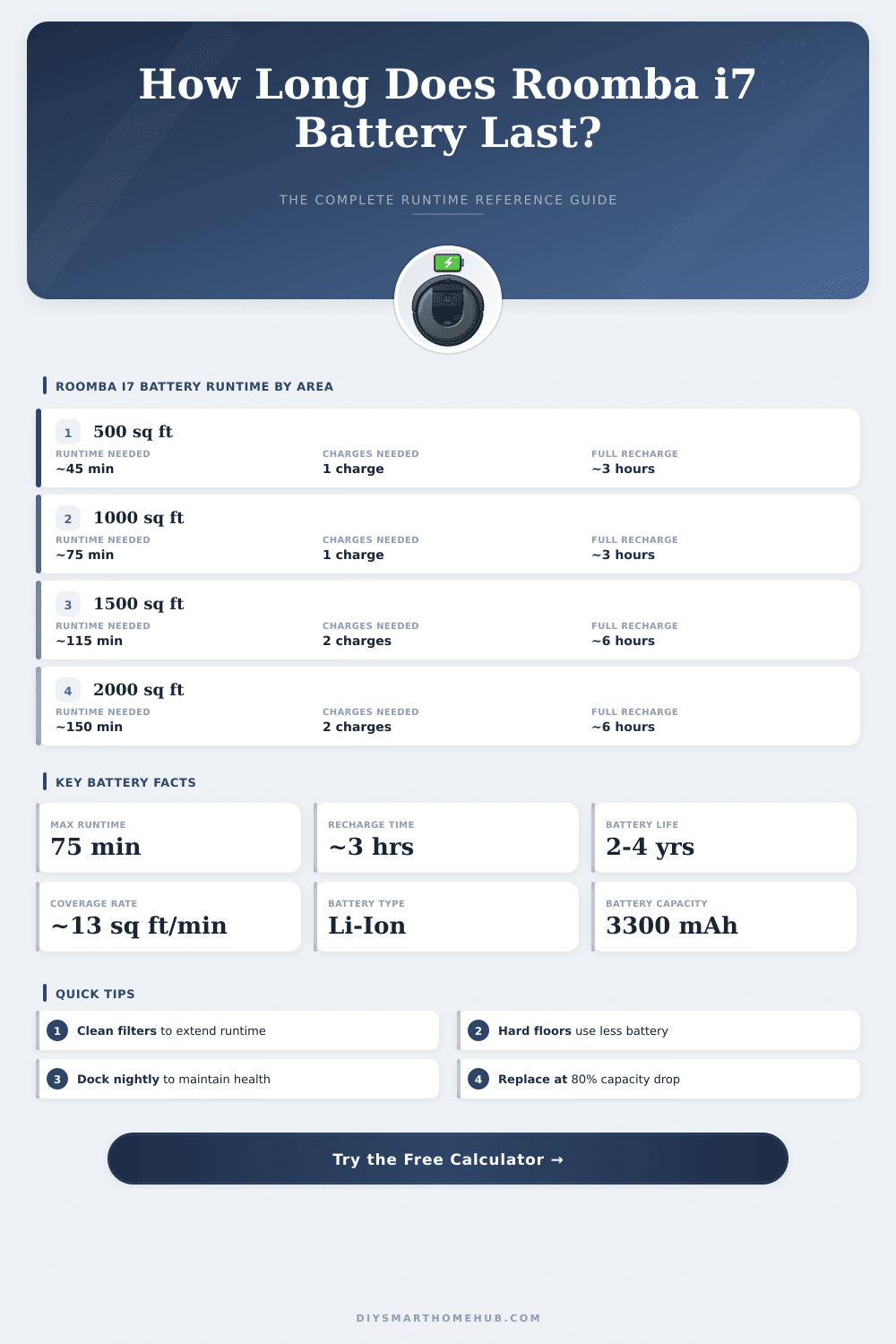
| Floor Area (sq ft) | Floor Area (m²) | Est. Runtime (Hard Floor) | Est. Runtime (Carpet) | Charges Needed |
|---|---|---|---|---|
| 250 sq ft | 23 m² | ~20 min | ~25 min | 1 |
| 500 sq ft | 46 m² | ~38 min | ~46 min | 1 |
| 750 sq ft | 70 m² | ~58 min | ~70 min (full) | 1 |
| 1000 sq ft | 93 m² | ~77 min | ~93 min | 1–2 |
| 1250 sq ft | 116 m² | ~96 min | ~115 min | 2 |
| 1500 sq ft | 139 m² | ~115 min | ~138 min | 2 |
| 2000 sq ft | 186 m² | ~154 min | ~185 min | 2–3 |
| 2500 sq ft | 232 m² | ~192 min | ~231 min | 3–4 |
| Battery Age | Approx. Capacity | Max Runtime | Coverage at 13 sq ft/min | Recharge Time |
|---|---|---|---|---|
| New (0–6 months) | 100% | 75 min | ~975 sq ft | ~3 hrs |
| Good (6–18 months) | 85% | ~64 min | ~830 sq ft | ~2.75 hrs |
| Aging (18–36 months) | 70% | ~53 min | ~685 sq ft | ~2.5 hrs |
| Old (36+ months) | 55% | ~41 min | ~535 sq ft | ~2.25 hrs |
| Replace (<50%) | <50% | <38 min | <490 sq ft | ~2 hrs |
| Home Type | Typical Area | Cleanable Area | Runtime (New Battery) | Charges to Complete |
|---|---|---|---|---|
| Studio Apartment | 350–500 sq ft | ~400 sq ft | ~31 min | 1 |
| 1-Bedroom Apt | 600–900 sq ft | ~650 sq ft | ~50 min | 1 |
| 2-Bedroom Home | 900–1200 sq ft | ~850 sq ft | ~65 min | 1 |
| 3-Bedroom Home | 1200–1800 sq ft | ~1100 sq ft | ~85 min | 1–2 |
| 4-Bedroom Home | 1800–2400 sq ft | ~1600 sq ft | ~123 min | 2 |
| Large Home | 2400+ sq ft | ~2000 sq ft | ~154 min | 2–3 |
The Roomba i7 comes with a Battery that is really a bit too small. The standard i7 has only 1800 mAh which seems small when one compares it to the many other robotic vacuums on the market. The s9, for instance, reaches up to 3300 mAh.
Also, many competing models work with batteries that weigh up to 5200 mAh. That shows a clear gap in the design.
Roomba i7 Battery Size, Life and Replacement Options
With one round, the i7+ gives around 75 minutes of use. That sounds good on paper, but if your home is quite big, it could not be enough. Some owners want a stronger Battery so that the robot can finish the cleaning without needing to pause for a reset.
The original i7 uses lithium-ion technology. There are back-up batteries that fit directly in the device, with specs of around 14.4 volt and 2600 mAh capacity, weighing about 250 grams. The body is made from strong ABS-plastic.
Those unofficial parts are desinged to work well with the Roomba i-series and other models. The compatibility covers many versions, like the i7, i7+, e5, e6, i3, i4, i8 and even the j7.
About the j7, it has a 2210 mAh Battery (same as the i8, actually). That is around 20 percent more then the standard i7. But here the good part: the Battery of the j7 fits perfectly in the i7 and works well, which is a handy option when looking for a replacement.
After some years, do not wonder if the Battery starts to lose its power. Some users noted visible drop after four years or more. The original replacement Battery costs around 90 euros, depending on the store.
Unofficial options exist, of course, but third-party batteries have their own risk of failures. Not every experience with unofficial parts was smooth, although honestly, trusting iRobot for batteries is not simple because they are experts of vacuums, not of batteries.
There is a whole range of more rugged unofficial options. One finds batteries of 3400 mAh up to 6800 mAh. On Amazon there is a 5200 mAh version that fits the i7 without problems.
For around forty dollars more than a standard Roomba Battery, one can buy a 6800 mAh unit. One user installed a bigger Battery in his i7 for more than a year without any problem, although iRobot officially says that it will not work.
If your i7 does not charge on the home base or loses power, sometimes swapping the Battery helps to fix the problem. When one puts in a fresh unit, fully charging it first does make a difference. Charge it to 100 percent, then leave it connected for at least two hours more.
Then, use the vacuum until the Battery fully runs out. That calibration helps the Battery work better later.
When the Battery finally fails, it usually is the first part that gives out. The red plate and the brush roller usually come later in thereplacement order. Those parts wear out around the same time.