🔋 Nest Thermostat Battery Life Calculator
Estimate how long your Nest thermostat battery will last based on model, usage, and setup
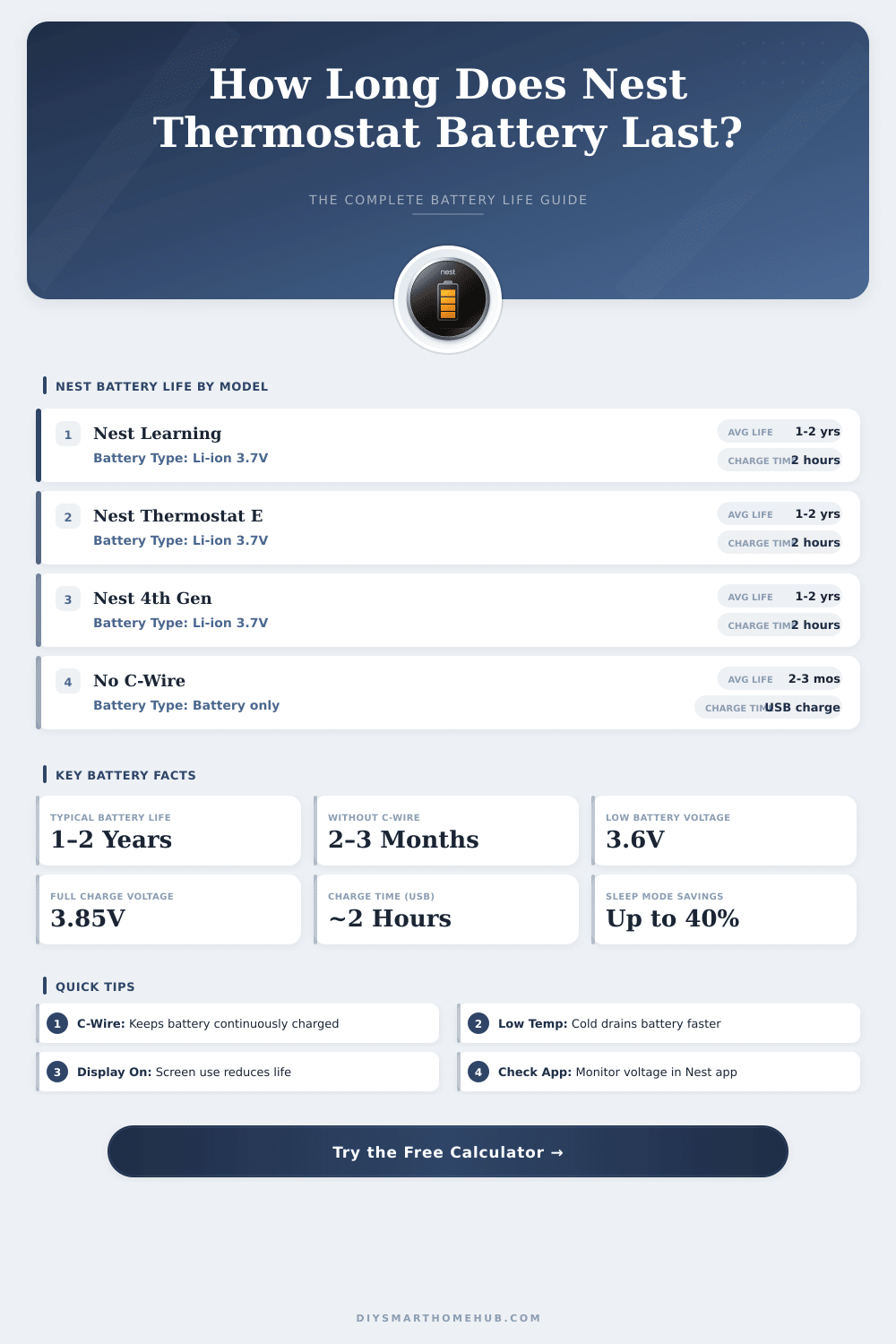
| Model | With C-Wire | Without C-Wire | Charge Method (No C-Wire) |
|---|---|---|---|
| Nest Learning (Gen 1–3) | 1–2 years | 2–3 months | USB Micro-B (2 hrs) |
| Nest Thermostat E | 1–2 years | 2–4 months | USB Micro-B (2 hrs) |
| Nest Thermostat 4th Gen | 1–2 years | 2–3 months | USB-C (2 hrs) |
| All Models (Eco Mode ON) | 2+ years | 3–5 months | Any USB method above |
| Temperature Range | °F / °C | Battery Impact | Estimated Life Reduction |
|---|---|---|---|
| Warm | Above 65°F / 18°C | Minimal drain | 0–5% |
| Moderate | 50–65°F / 10–18°C | Normal drain | 5–15% |
| Cold | Below 50°F / 10°C | Accelerated drain | 20–40% |
| Very Cold | Below 32°F / 0°C | Severe drain | 40–60% |
| Usage Level | Description | Display-On Hours/Day | Battery Life Impact |
|---|---|---|---|
| Low | Set-and-forget, auto schedule only | <5 min/day | +20–30% longer life |
| Moderate | Daily app checks, occasional adjustments | 5–30 min/day | Baseline (no impact) |
| High | Frequent manual adjustments, display active | 30+ min/day | 15–30% shorter life |
| Voltage Reading | Battery Status | Action Required | Estimated Time Left |
|---|---|---|---|
| 3.85V – 3.90V | Fully Charged | None | Full remaining life |
| 3.75V – 3.84V | Good | None | Weeks to months |
| 3.65V – 3.74V | Moderate | Monitor via app | Days to weeks |
| 3.60V – 3.64V | Low (Alert Zone) | Charge soon | 1–7 days |
| Below 3.60V | Critical | Charge immediately | Hours or less |
The Nest Thermostat has an internal Battery that helps to keep the mode during loss of the main power. In case of big failure, the device will use that back-up source until the normal electricity comes back. The Google Nest Learning Thermostat does not require back-up sources because the helpful Battery always resets itself automatically.
Even so over time, it can create some troubles.
Nest Thermostat Battery: Problems and Simple Fixes
For the Nest Thermostat of the 3rd generation, the Battery is made up of Li-Polymer type with power of 650 mAh and 2.1 Wh. It works at 3.7 volt, and its weight is only 12.1 grams. The size reaches around 1.97 by 1.7 by 0.78 inches.
There is also a back-up Battery of 380 mAh, that works for the Nest Learning Thermostat of the 2nd and 3rd generations.
Almost always the thermostat depends on its internal Battery. While it rests and does not do any action, the Battery resets itself. When it connects to WiFi, runs separate tasks or installs software updates, then the energy spills from the Battery.
To install a software update, you need at least 3.7 V, while 3.6 V is enough to turn on the screen, when someone walks too it.
Without a C-wire, the Battery will drain. The Learning Thermostat and Nest E can take energy from the main system to keep the Battery charged. Even so, if the Battery dies because of constant usage, that power draw maybe will no longer be enough.
The older the Battery, the more often you must reset it. When the thermostat requires more heating or cooling, also the Battery spills more quickly.
When the internal Battery gets weak, you can pull the Nest from the wall and charge it through the USB port for a short fix. Some models work directly through USB, if the usual links lack. After the recharge, the device will work only for short time before needing more, which usually means that the Battery needs a refill.
The Nest Thermostat is built to work even without a C-wire. Some versions use two AAA batteries. If the warning about low charge does not go away, try to swap them with good 1.5 V AAA alkaline batteries from a famous brand.
During power issues, when the back-up Battery is weak, the thermostat will warn on its screen and in the Google Home app. Through the Google Nest app you cancheck the power level of the device anytime.
Take care during the swap of the internal Battery. The Battery sometimes is stuck to the metal base of the main plate. The plug of the Battery can be covered by amber tape, that you must remove before you disconnect.
After everything is handled, the whole process lasts around five minutes.