Thread Network Hop Count Calculator
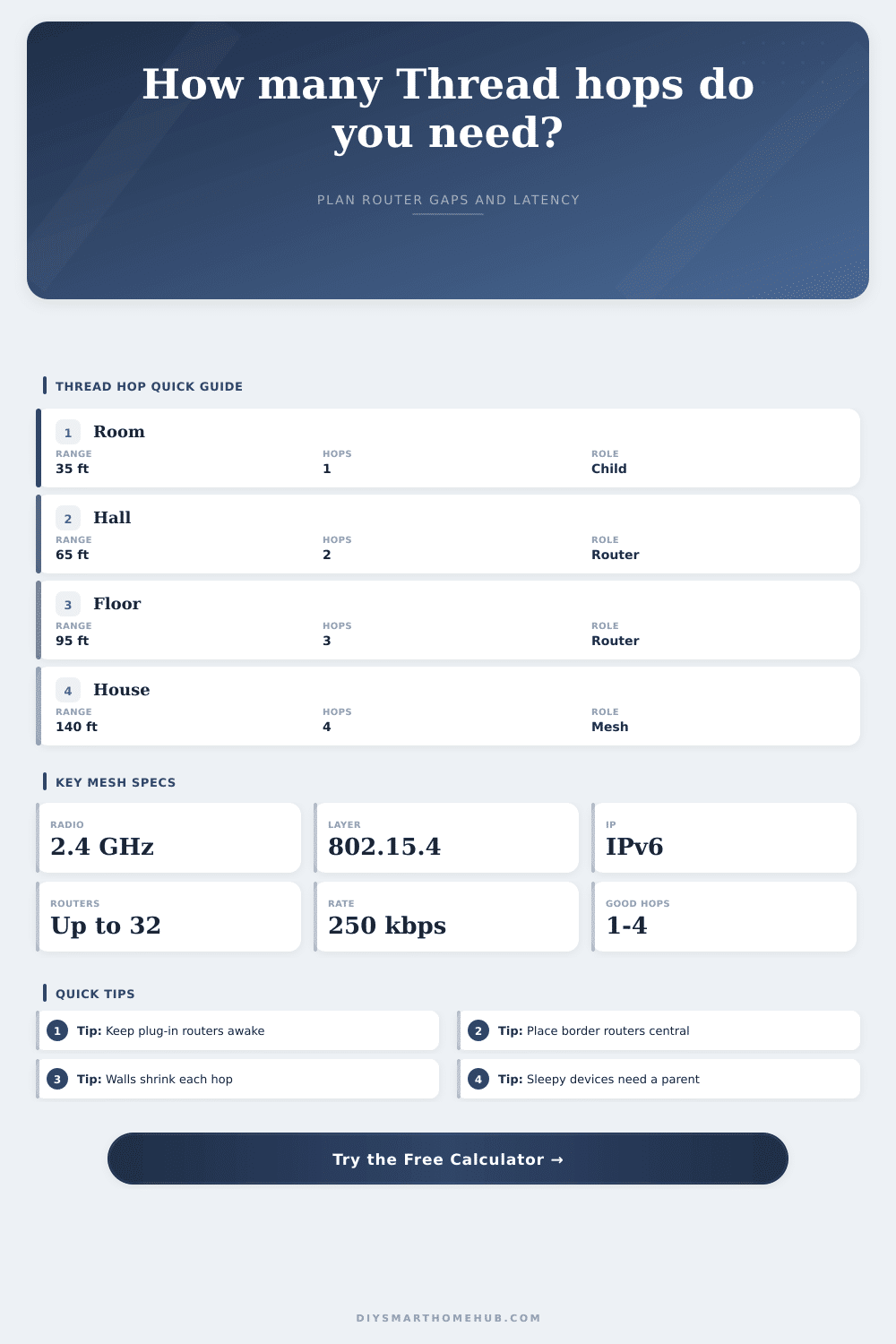
Estimate how many Thread mesh hops, router-capable devices, placement reserve, and planning latency you need between a border router and a smart home endpoint.
Preset scenarios8-10 real home Thread paths
Thread path inputs6-8 inputs, all editable
Thread mesh constantsSpecification-oriented planning values
Role and forwarding tableRouters create hops; children attach to parents
| Thread role | Routes for others? | Typical power | Hop count impact | Placement meaning |
|---|---|---|---|---|
| Border Router | Connects Thread to Wi-Fi or Ethernet | Always on | Starts the path | Place centrally when possible, with Ethernet or strong Wi-Fi backhaul. |
| Router | Yes, forwards packets | Always on | Adds a usable mesh hop | Use plug-in devices or powered accessories in hallways and room edges. |
| REED | Can become a router | Usually powered | May improve topology | Helpful near weak zones, but promotion depends on network conditions. |
| Full End Device | No | Often powered | Final child link only | Needs a parent router within the effective per-hop range. |
| Sleepy End Device | No | Battery | Final child link plus wake delay | Place a parent router close; the device may sleep between polls. |
Attenuation reference2.4 GHz Thread range planning
| Path condition | Planning loss | Best router gap | Hop quality | Common example |
|---|---|---|---|---|
| Open room | 0-10% | 30-50 ft | Strong | Border router and sensor in adjacent open rooms. |
| Drywall rooms | 12-25% | 25-40 ft | Good | Door sensors, blinds, plugs across typical interior walls. |
| Cabinets or appliances | 25-45% | 18-32 ft | Mixed | Kitchen, utility, metal racks, dense AV cabinets. |
| Floor or ceiling | 25-50% | 18-30 ft | Mixed | Border router downstairs, blind or sensor upstairs. |
| Masonry edge | 45-70% | 10-22 ft | Weak | Garage, exterior wall, detached room, concrete or brick. |
Hop latency comparison grid5+ columns for common outcomes
| Mesh path | Distance | Routers between | Estimated hops | Latency feel | Border router placement |
|---|---|---|---|---|---|
| Room contact sensor | 28 ft | 0 | 1 | Fast | Same room or nearby hall |
Planning interpretation tableWhat to do with the result
| Result band | Hop count | Range reserve | Router action | Expected behavior |
|---|---|---|---|---|
| Direct | 1 hop | Positive | No extra router needed | Best for room sensors, nearby locks, and same-floor devices. |
| Balanced mesh | 2-3 hops | Positive | Keep routers awake and evenly spaced | Typical whole-room or apartment layout with responsive control. |
| Long mesh | 4-5 hops | Small positive | Add a closer router or move the border router | Usually workable, but retries and latency become more visible. |
| Thin margin | Any hops | Negative | Add router-capable devices along the path | Endpoint may choose a weak parent or detach during interference. |
Turns out, when you put a Thread sensor in one corner of the living room and everything functions beautifully, then pick it up and move it across the room three feet to the left of TV stand, suddenly the app will spin forever waiting for a response. Even though it is still powered on, right next to the border router, and in full view of it, it somehow cannot get a signal through metal brackets, drywall, and insulation between them. That’s the hidden structure of a mesh network, where density matter more then distance.
Generally speaking, most folks figure wireless range as if it were a ruler laid down on their floor plan. In reality, it’s not so simple. Unless you can see radio waves, they bend around corners, scatter off objects and generaly absorb into things, all of which you won’t know about until after the fact. An average Thread hop in a normal room may be as long as 40 to 50 feet, but cross a single interior wall and that effective radius get much smaller. The calculator above do the math for you based off your specific conditions, so you don’t have to guess if that last router plug-in is actualy needed or just hogging a power outlet.
Why Moving Your Sensor Changes Everything
Understanding this is the first step: Devices aren’t created equal within a Thread network. Only devices capable of forwarding traffic from other devices, such as routers, can do this. Sleepy end device (like sensors) and battery-powered devices (such as contacts and lights) will connect to a parent, but won’t repeat traffic. That is an important point when building your network layout. If you have only battery-powered contacts and lights, there will be holes in your coverage that can never be filled with firmware upgrades alone.
Place powered nodes like hubs or plugs strategically to cover the distance between your border router and remote parts of your home. This would of help fill those gaps. The distance isn’t as important as where something sits. Short, stout links is better than long skinny ones. A router placed in the middle of the border also helps by reducing the hop count right away. Adding more devices doesn’t help much if there’s a minus sign next to your range reserve, which means distance and obstacles is outweighing the combined signal strength. That’s when moving an existing device into the trouble spot help more than adding another.
And then there’s walls… especially concrete/masonry which sucks up two-point-four gigahertz like a sponge. But latency doesn’t just increase based off distance, it also adds up as more hops is necessary to get from point A to B. At each forwarding point, there’s a little delay in sending packets again and waiting for them to be acknowledged. Even though the overall distance may be less, a route that takes four hops could end up feeling laggy relative to a straight-line connection. The page has a table of reference that shows how spacing between routers relates to perceived responsiveness. You can adjust this to match the balance between battery life and real-time control requirements.
Your home network is like playing telephone where everyone whispers the message on to the next person. As you add people standing in-between, the message is either lost or distorted. You don’t want as few hops as possible for their own sake, but rather as few reliable ones. Two or three good routers spread throughout your house will often be better than a really long string of furnitures trying to hold onto one another.
The upshot: It’s all about knowing your environment, then purchasing hardware. Reliable coverage doesn’t require pricey gear or symmetry, just a respect for the physical nature of radio waves and positioning your powered nodes so that they realy can see each other. Position them so they do not have to fight their way through layers of obstructions. Stop fighting the architecture, start working with it and the sensor in the corner will work just fine.