Purifier Placement Count for Open Plan Calculator
Estimate purifier count, effective CADR, target ACH, throw spacing, obstruction loss, and open-plan coverage from one room footprint.
| Target Use | ACH | Required CFM Formula | Placement Note |
|---|---|---|---|
| Light open-plan filtration | 4.0 | volume x 4 / 60 | Works with clear sightlines |
| Daily living area match | 4.8 | volume x 4.8 / 60 | Close to common room sizing |
| Higher particle control | 5.0 | volume x 5 / 60 | Good for kitchens and pets |
| Strong recirculation plan | 6.0 | volume x 6 / 60 | Needs more units or higher speed |
| Layout Type | Shape Factor | Wall Factor | Use In Calculator |
|---|---|---|---|
| Balanced rectangle | 1.00 | 0.96 | Even throw and clean sightlines |
| Long narrow plan | 0.88 | 0.92 | Spacing tightened along the length |
| L-shaped open plan | 0.82 | 0.86 | Corner leg needs extra count check |
| Broken sightlines | 0.76 | 0.78 | Partial walls reduce usable CADR |
| Project Space | Area | Typical Height | Planning Result |
|---|---|---|---|
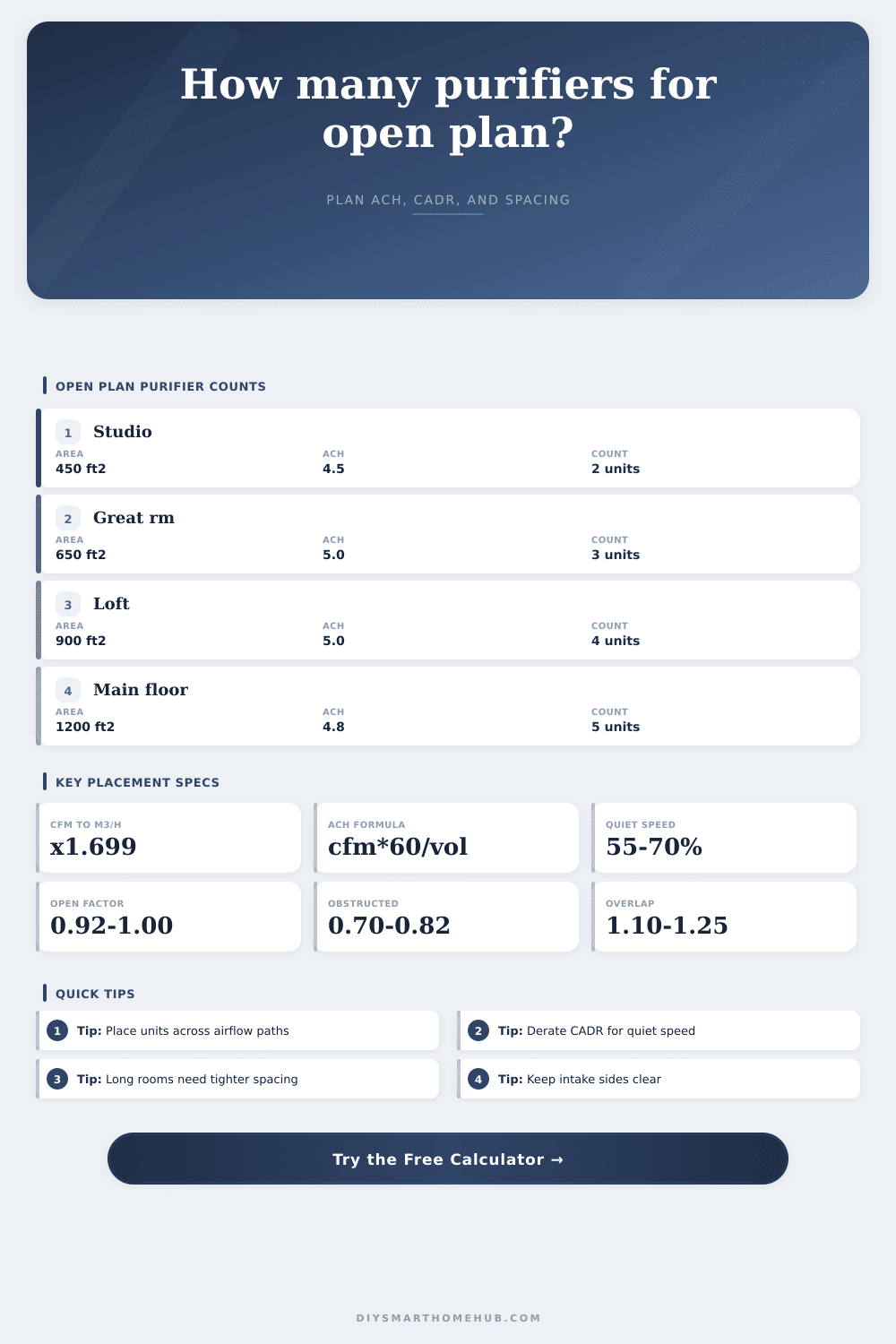
| Studio apartment | 450 ft² / 42 m² | 8 ft / 2.4 m | Often 2 mid-size units |
| Kitchen and living | 520 ft² / 48 m² | 9 ft / 2.7 m | Place across cooking path |
| Great room | 650 ft² / 60 m² | 9 ft / 2.7 m | Two to three zones |
| Main-floor open zone | 1200 ft² / 111 m² | 9 ft / 2.7 m | Spacing usually controls count |
| Profile | Throw Radius | Speed Derate | Effective Spacing Rule |
|---|---|---|---|
| Quiet open | 10 ft / 3.0 m | 0.62 | 2 x throw x shape / overlap |
| Balanced open | 12 ft / 3.7 m | 0.74 | Use for most living areas |
| Furniture busy | 10 ft / 3.0 m | 0.70 | Reduce spacing near partitions |
| Long throw | 15 ft / 4.6 m | 0.82 | Still derate for narrow aspect |
An expensive air purifier is no guarantee of clean air in your open-plan living room. Removing walls takes away natural barriers that help filter the air. Remove the walls and airflow change.
Clean air swirls around furniture and gets trapped in corners so consider the shape of your room to ensure clean air reaches everywhere. The calculator does the math for you on size, but here’s the thing about the numbers. They’re telling you ACH (Air Changes per Hour). This is the number of times every cubic inch of air in the room will be filtered within an hour.
How to Place Air Purifiers for Clean Air
That’s why a room’s ceiling height matter. Air isn’t a two-dimensional object, it exists in volume. And so a typical apartment might require less power than a loft with high ceilings. The calculator ask for this information because you can’t ignore ceiling height without making the power level to low for the space.
Quantity is not everything; placement makes all the difference. The distance the clean air travel is called the throw radius, and the further you sit from the purifier, the less clean air you get. Because a long narrow room loses momentum compared to a balanced rectangle, an even spread of air are not achieved. An item along a wall block the air intake, creating turbulence around furniture. It is better to place a unit in center of the room than one against a wall.
Total airflow isn’t what you’re buying; you’re buying usable airflow. Another trick many purchasers make is using their purifier on high speed to get good numbers for the spec sheet. This is wrong because high speed generates noise, so you end up switching it off at night or when watching TV. Since a unit might move 500 CFM on high but only 200 CFM on low, there’s also a derating factor in the calculator to account for running quietly. If you size your system based off high speed you’ll be disappointed; you should of understand how the unit behaves when you can live with it.
It’s ok to use more than one. Mixing a little help ensure even coverage, but too much mixing will be wasteful. You’ll adjust your overlap in calculator to find that sweet spot of coverage versus efficiency. If it’s a big area then you want higher overlap (to prevent dead zones) and if it’s a small studio, low overlap (because units will fight each other). Check out the spacing guidelines to see what unit count make sense.
Units shouldn’t be in every corner of a room; it’s about putting them where they makes a difference. The places where pollutants are produced, like steam and grease from the kitchen or dust from the living area, are good spots to catch that air. Placing units along those pathways is better than grouping together several. Use the calculator to get the number, then check the layout: look for sightlines and obstructions.
A good open plan space is one where machines are background noise and the airflow is cool. You don’t buy an air purifier to hear it. You buy it to make your air right. To do that, use the tool and identify how many unit you need.
Then, stand back and view the space. Is it well-balanced? If yes, you’re probably there.