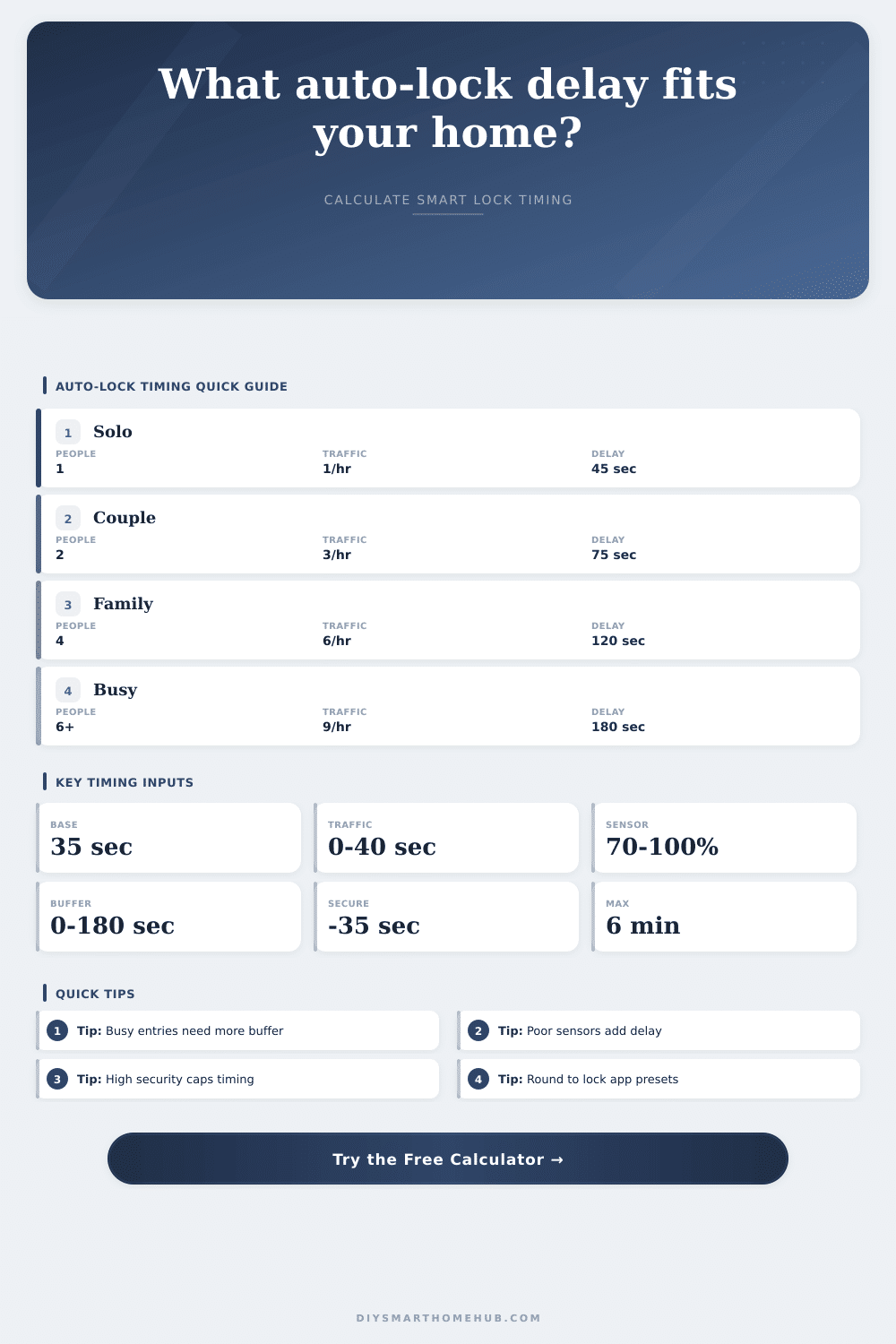
Auto-Lock Delay by Household Size Calculator
Estimate a smart lock auto-lock delay from household size, entry traffic, door type, latch sensor reliability, unloading buffer, child or guest complexity, security priority, and false-lockout risk.
| Door Type | Close Allowance | Risk Modifier | Typical Delay Range |
|---|---|---|---|
| Main swing door | 8 seconds | Standard latch | 60 to 150 seconds |
| Apartment hallway door | 7 seconds | Lower weather variance | 45 to 120 seconds |
| Garage entry door | 18 seconds | Higher unloading risk | 120 to 240 seconds |
| Mudroom or side door | 14 seconds | Frequent carrying traffic | 90 to 210 seconds |
| Patio or back door | 10 seconds | Moderate re-entry risk | 60 to 180 seconds |
| Heavy slow-close door | 22 seconds | Higher latch timing variance | 120 to 300 seconds |
| Household Pattern | People | Traffic Events | Starting Delay |
|---|---|---|---|
| Solo or low-use entry | 1 | 1 to 2 per hour | 45 to 60 seconds |
| Two-adult household | 2 | 2 to 4 per hour | 60 to 90 seconds |
| Family with school traffic | 3 to 5 | 4 to 7 per hour | 90 to 150 seconds |
| Shared or guest-heavy home | 4 to 7 | 6 to 10 per hour | 120 to 210 seconds |
| Peak unloading period | Any | 8 or more per hour | 150 to 300 seconds |
| Reported Reliability | Delay Addition | Confidence Band | Calculator Treatment |
|---|---|---|---|
| 98 to 100 percent | 0 to 2 seconds | Excellent | Uses normal close allowance |
| 90 to 97 percent | 3 to 9 seconds | Good | Adds small debounce margin |
| 80 to 89 percent | 10 to 18 seconds | Fair | Adds sensor confirmation time |
| 70 to 79 percent | 19 to 27 seconds | Weak | Caps confidence in results |
| Below 70 percent | 28 or more seconds | Unstable | Uses maximum sensor penalty |
| Scenario | Inputs Emphasized | Delay Goal | Main Result Driver |
|---|---|---|---|
| High security mode | Security priority, low traffic | Shortest practical delay | Strict cap limits exposure |
| Family school run | Household size, child factor | Moderate buffer | Child and traffic additions |
| Garage unloading | Door type, carrying buffer | Longer close window | Unloading time and slow close |
| Shared rental entry | Guests, traffic, lockout concern | Prevent false lockouts | Guest factor and risk concern |
| Apartment hallway | Door type, security priority | Short balanced delay | Reliable close and lower buffer |
A front door is both a security point of entry and a part of our day-to-day lives. Ideally you’d like the home to automatically lock behind you, eliminating any risk that you’ll walk away and forget to lock up. But ideally you wouldn’t want to set the lock and be left on the other side while you’re still juggling a dog leash or a grocery bag. The auto-lock delay time is what strikes that balance.
Too low, and now you’ve got a bunch of time waiting in your hands outside while your loved ones is stuck inside. Too high, and now you’ve got the door unlocked for longer than necessary, reducing the benefits of having a smart lock at all. Some of these variables make sense, but more importantly, they show you when to trust this or any calculation.
How to Choose the Right Auto-Lock Delay Time
First up: the household size. While the number of inhabitants may factor into how long you’re home, more important is your traffic pattern. Is it just one working individual coming home at the end of each day? Or do you have kids to drop off, or a home with frequent visitors on weekends?
The site’s calculator uses active hours as starting point. How many times an hour does someone enter the door while it’s open? That figure matter greatly because it tells you how many times an hour during active periods that door will be opening and closing. If you’ve got high-frequency entries, you need a longer delay so that the door can remains open for the next arrival. But on the other hand, the longer the delay, then the longer the door is open if you happen to wander off for even just a moment.
Timing is also affected by behavior of the door. Light apartment doors closes faster than heavy storm doors with a slow-close hinge. The latch also engages quicker on light apartment doors. The auto-lock timer can’t kick in until after the physical door has come to rest, otherwise it’ll strain against an engaged bolt. For instance, if it takes the physical door eighteen seconds to settle, then software settings won’t get the lock motor started until at least eighteen seconds have passed. Door type determines the minimum viable delay (see the reference table on the page). Physical reality trumps moddern software settings.
There’s also some doubt about sensor reliability. Different smart locks aren’t all equally good at reporting that they’ve been properly locked (or unlocked). For instance, if yours sometimes doesn’t notice that latch has been engaged, then you want the system to wait until you’re confident the door is truly shut before engaging the lock. The longer it waits for that confirmation, the bigger the delay, and the calculator takes into account that reliability percentage. The lower the number, the higher the recommended delay will be, since the lock will need a little extra time to make sure everything is okay. It’s not a huge adjustment, but it helps you feel more comfortabley at ease.
There’s also a carrying buffer for human behavior. It provides a few practical seconds for unloading the grocery cart or running to catch the kid coming in the door. It is not wasted time. Step-in fully, wipe those hands, and drop that bag. If you don’t account for this buffer, it will falsely lock out, which isn’t just annoying, but can be dangerous if there’s ever an emergency.
That said, the tool uses these inputs to estimate how many seconds a day your house is exposed when unlocked. This gives you a real sense of how long your home is open and vulnerabl. However, delaying for high-security increases your lockout risk (and vice versa). So what’s your bigger risk? Are you at risk of being locked out because of impatience, or being delayed a bit longer as the door latches?
Most folks land somewhere between “very careful” and “convenient.” To help you determine where on that spectrum you are, the calculator measures how much you want lockout protection versus how important your security preference is. It’s meant to be the backdrop: an environment you don’t have to consider. It is a timer you barely notice. A security feature that fits smoothly into whatever life you’re liviv; a single occupant or a family on the go.
A good delay turns what could of been a risk into a welcome addition to everyone’s day. The home stays protected; you go at your own speed. Set it and forget it. From then on it’s just another entrance/exit.