Multi-Door Lock User Slot Allocation Calculator
Estimate the busiest-lock slot load, reserve capacity, temporary-code turnover, and minimum smart lock code capacity for homes with several access-controlled doors.
| Lock class | Typical code capacity | Best fit | Planning note |
|---|---|---|---|
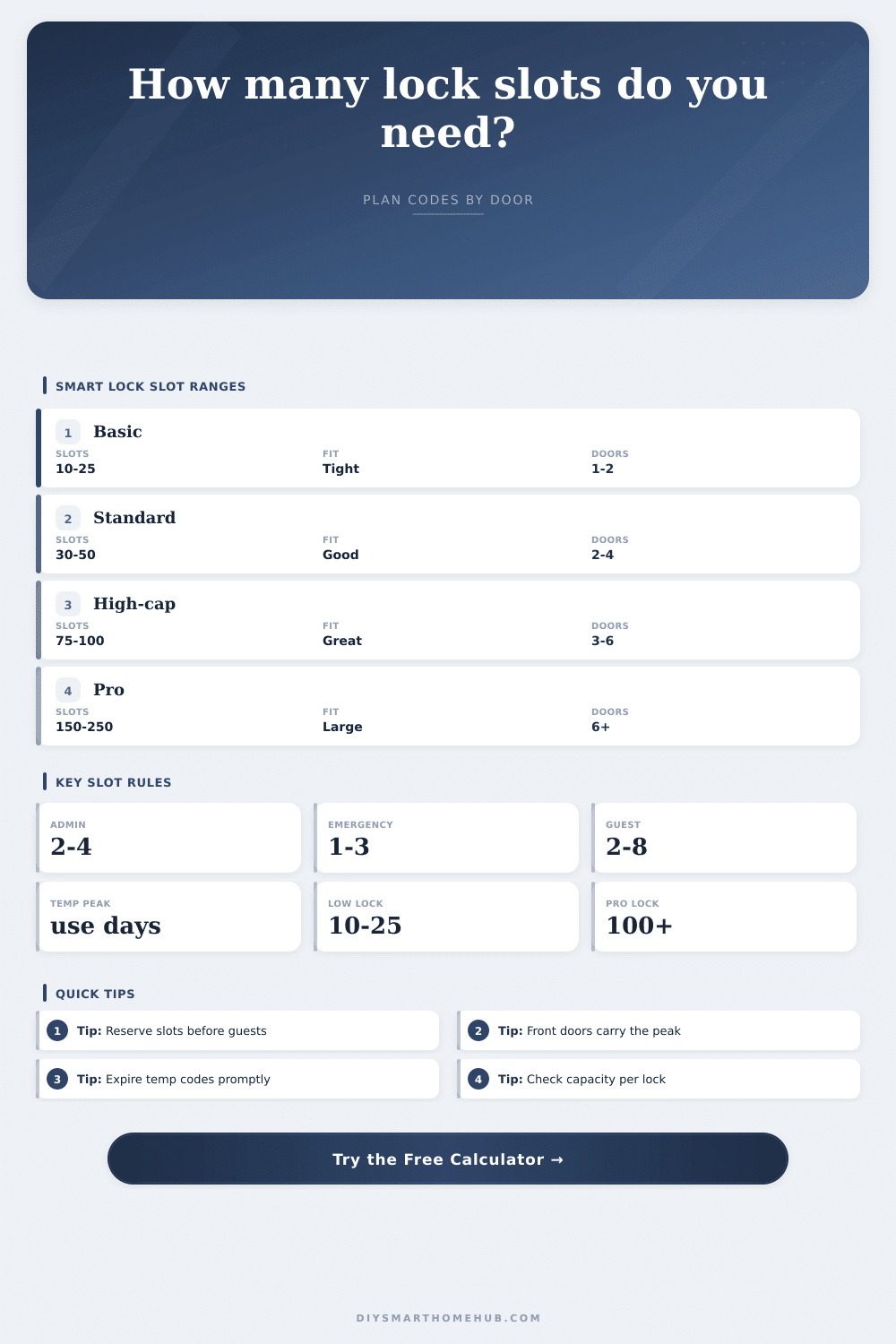
| Basic residential keypad | 10 to 25 user codes | Single door, few guests | Can fill quickly when admin and emergency slots are reserved first. |
| Mainstream app-connected lock | 30 to 50 user codes | Two to four doors | Works for many homes if temporary codes expire quickly. |
| High-capacity smart lock | 75 to 100 user codes | Large homes and rentals | Gives room for recurring service, guests, and seasonal turnover. |
| Light commercial or pro access | 150 to 250 user codes | Multi-unit or staffed doors | Useful when many users need different door permissions. |
| Managed access control keypad | 250 to 500+ user codes | Shared entry systems | Better for large rosters, audit needs, and frequent churn. |
| Access pattern | Shared-code behavior | Door-specific behavior | Capacity effect |
|---|---|---|---|
| Duplicated on every door | Household, guest, contractor, and temp codes appear on all locks. | None by default. | Simple to manage but every lock must fit the full roster. |
| Mixed shared and door-specific | Household and most guest access stay shared. | Some contractor and temporary codes are split by door. | Usually lowers total assignments while keeping common access easy. |
| Entry doors carry most codes | Main entry locks get most visitor and service codes. | Interior, garage, and side doors carry fewer codes. | Front entry lock often becomes the capacity bottleneck. |
| Mostly door-specific access | Only household users are duplicated everywhere. | Guests, service, and temporary users are spread by need. | Lower average load, but requires cleaner access planning. |
| Reserve type | Common range | Why it matters | When to increase |
|---|---|---|---|
| Owner/admin slots | 1 to 3 per lock | Protects owner and manager access from guest cleanup mistakes. | Multiple admins, property managers, or separate installer codes. |
| System/reserved slots | 1 to 3 per lock | Covers bridge, app sync, testing, or code migration headroom. | Locks with integrations, keypad sharing, or frequent programming. |
| Emergency reserve | 1 to 3 per lock | Leaves empty slots for urgent caregivers, lockout help, or backup users. | Elder care, rentals, remote properties, or high guest turnover. |
| Turnover buffer | 5% to 15% | Absorbs overlap when old temporary codes have not expired yet. | Short stays, many contractors, or manual code cleanup. |
| Scenario | Typical doors | Code mix | Likely capacity tier |
|---|---|---|---|
| Small family with front and garage doors | 2 locks | 4 to 6 household, 2 guests, 1 service code | 25 to 30 slots per lock usually leaves headroom. |
| Busy household with side and patio access | 4 locks | 6 to 10 permanent users, guests, cleaners, pet care | 50 slots per lock is often more comfortable. |
| Short-term rental with recurring turnover | 2 to 5 locks | Admin, cleaner, maintenance, and active guest codes | 75 to 100 slots helps with overlapping temporary access. |
| Large home with restricted rooms | 5 to 8 locks | Shared household plus door-specific service access | 100+ slots may be needed at main entry locks. |
| Multi-unit shared entry | 3 to 12 locks | Residents, managers, service teams, and temporary codes | 150+ slots or managed access control is usually safer. |
Remember that day your code stopped functioning? Not likely: It’s not some dramatic 3 am lockout. It’s typicaly a Tuesday afternoon, the house sitter goes to open the door and an error message appears. Then she panic and phones you. You pull up the app. The device memory is full. There are a hundred users. There are forty device slots. And now there is a digital wall. Smart locks are great…until they fills up.
People care about battery life. Fingerprint speed. How many slots do users get? Until they don’t.
Why Your Smart Lock Gets Full
If you’re picky about exact numbers, use the calculator above. But here’s the lesson: Don’t worry so much about how many folks is in your home. Worry about who isn’t there anymore, but whose code is still alive inside your lock. Who you forgot to remove. It was the guy you hired for one job three months back, it was that babysitter from last winter. They take up room, too. As dead as they may be, they holds a space just as solidly as anyone currently inhabiting the same home.
There’s a tax behind each lock. There is a slot for the admin account. There is a slot for the installer or technician. Perhaps there is a hub, a bridge device that take up a slot. Often that’s four or five slots off the bat without ever considering your family. And then there are all the household members.
Assume you have four doors. If you copy them onto each door, which is easy enough to do with duplication, those household member will use four times more total system resources than they would otherwise. Memory is cheap, copying is easy. But copying use a lot of memory. But the front door is a bottleneck. That’s where delivery drivers and guests and service techs and cleaners all congregate. The garages and side doors is quieter. There are fewer slots there. Door-specific vs. Shared also save space. It makes you think about it intentionaly. Why should a lawn service have access to your bedroom door? Why should a pet sitter use the side gate? Only assign codes where necessary; don’t let that main entry lock gets overwhelmed.
The most difficult variable are temporary codes. These codes can expires and do not go away immediately if the system is slow or you are slow to delete them. If you issue ten temporary codes per month, and they last seven days, there’s always a backlog of active visitor, a constant drain on your capacity. You want a buffer. You also want slots reserved for emergency use. This way, you wouldn’t of have to call in a locksmith or lockdown caregiver with a panic attack because your lock is suddenly full.
The range of capacity in reference tables can be as low as ten slots on a simple keypad and as high as hundreds on an expensive system. Four doors on a home with family is somewhere in between. You might move up or down depending on whether you entertain frequentely. Keep in mind that it’s not only today you’re thinking about but also the chaos that is real life. Real life add people. Locks take away memory. It’s not so much headcount as it is an estimate of how much friction you can handle.
How many people are at their peak? Are there holidays that see you hosting more? Will renovations brings more contractors into your space? What happens when your lock is maxed out now? That’ll be maxed out then. Build your margin today and you buy yourself peace of mind down the line. Don’t let the error message catch up with you.
Before your codes pile on, check your capacity. It’s a small thing but it matters. You want the lock to work when you need it, not when you manage it. First reserve those emergency and admin spots. Then add the household. Layer on services and guests. Watch the numbers accumulate on the busiest door. That’s your ceiling. If you’re near that, upsize before you move in. It’s cheaper to buy a better lock than to explain a lock out to your mother. The memory is finite. Your time is not. Use it wisely.