WiFi Coverage Area Calculator
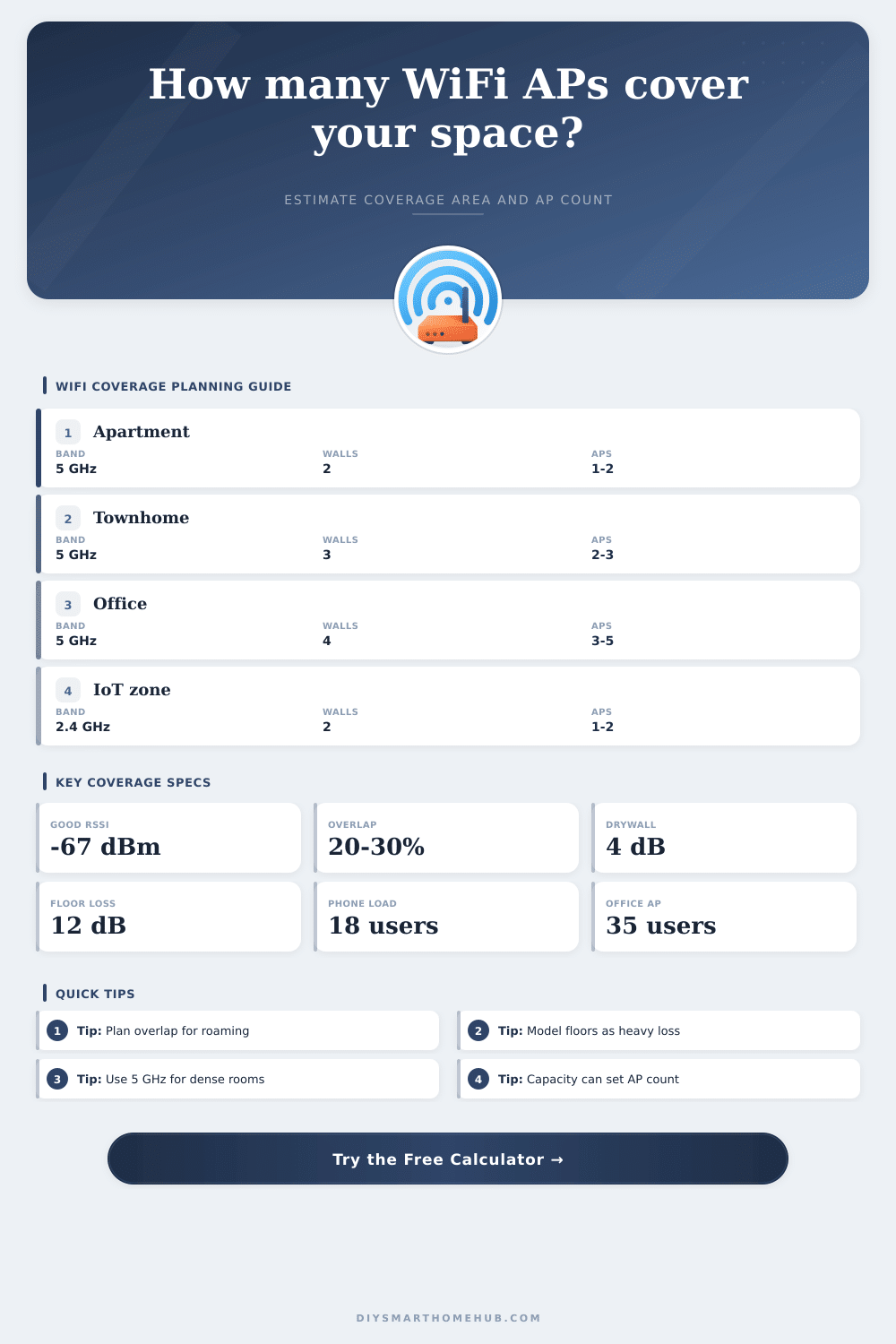
Estimate WiFi coverage area, AP count, wall and floor attenuation, overlap allowance, and capacity users for a home, apartment, office, garage, classroom, or mixed-use floor plan.
📍Home and office coverage presets
⚙Coverage inputs
Coverage calculation breakdown
📶WiFi AP spec grid
📊Band coverage reference
| Band | Base radius | Best fit | Coverage note |
|---|---|---|---|
| 2.4 GHz | 55-75 ft / 17-23 m | IoT, long reach | More range, lower total capacity |
| 5 GHz | 35-55 ft / 11-17 m | Homes and offices | Balanced speed, coverage, and roaming |
| 6 GHz | 25-40 ft / 8-12 m | High-speed rooms | Small cells, least wall tolerance |
| Auto mixed | 38-58 ft / 12-18 m | Dual-band planning | Blends 2.4 GHz reach with 5 GHz capacity |
🚪Obstacle attenuation table
| Obstacle | Typical loss | Band multiplier | Planning use |
|---|---|---|---|
| Drywall partition | 3-5 dB | 1.0 to 1.35x | Typical home and office rooms |
| Wood door or cabinet | 2-4 dB | 1.0 to 1.25x | Light interior obstructions |
| Brick or plaster | 7-10 dB | 1.0 to 1.45x | Older apartments and clinics |
| Concrete or block | 12-18 dB | 1.0 to 1.55x | Garages, stairwells, basements |
| Floor or ceiling | 10-15 dB | 1.0 to 1.45x | Multi-story coverage planning |
👥Capacity planning table
| Profile | Users per AP | Device load | When to use |
|---|---|---|---|
| Light browsing and IoT | 35-45 users | Low airtime | Sensors, casual browsing, simple apps |
| Balanced home or office | 25-35 users | Moderate airtime | Mixed phones, laptops, and smart devices |
| Video calls and streaming | 16-25 users | High airtime | Meeting rooms, remote work, media rooms |
| Dense classroom or clinic | 12-20 users | Strict airtime | Many active clients in adjacent rooms |
🏠Common project size table
| Project area | Typical size | Common AP count | Planning note |
|---|---|---|---|
| Single room | 150-350 sq ft / 14-33 sq m | 1 AP | Capacity rarely drives count unless crowded |
| Apartment | 600-1,000 sq ft / 56-93 sq m | 1-2 APs | Wall type decides whether a second AP helps |
| Whole home | 1,600-2,600 sq ft / 149-242 sq m | 2-4 APs | Floor loss often creates separate cells |
| Small office | 1,200-2,500 sq ft / 111-232 sq m | 2-4 APs | Capacity and roaming overlap both matter |
| Open office | 4,000-8,000 sq ft / 372-743 sq m | 5-10 APs | Capacity usually sets the final count |
💡Coverage planning tips
Ever been on a video call only for it to freeze as you’re about to make an essential point? It’s almost never a problem with the internet. Usually its because your phone is fighting to keep a weak signal. The drywall thins the signal, and distance makes it even weaker.
WiFi planning sounds obvious until you remember: all walls aren’t created equal. Some let signals flow right through (thin partitions), others block ’em entirely (concrete). Knowing what will block your signal before you buy any equipment can be a difference between a seamless network and a painful one.
Why Planning Your WiFi is Important
The most obvious place to start is thinking about how much space you have. Do you have a small apartment, or are you lucky enough to live in a big two story house? But here’s the thing, room size is not an accurate sign of wifi performance. You might think of it like this: wifi signals don’t travel through open air in perfect circles. They bounce around, get weakened by walls, and weakened by other obstacles.
The math involved is to complex for us to try to explain here, but we’ve built it into our calculator. All you need to do is make some realistic assumptions about your obstacles, and the calculator will take care of the rest. For example, a drywall wall weaken your signal by a couple dBs. A concrete/brick wall can wipe out half your signal or worse. If you don’t account for that kind of loss, you’ll get a set of coverage zones that look great on paper, but don’t hold up in reality.
Another place that intuition can get you in trouble is your choice of which frequency band to use. Long range? IoT sensors? That’s going to be on the 2.4 gigahertz band, which reaches further but sends less data. It also gets pretty crowded. Shorter range, higher throughput, that’s the 5 gigahertz band, but again, walls is a problem. If you’re in an office or big family setting, you need both, because you want plenty of range to blanket the room, but you don’t want to be slowing down streaming video when you’re trying to make a call. Mixing is something you’ll have to plan carefuly; turning on all radios won’t necessarily work.
WiFi design also suffers from a silent danger: capacity. Coverage maps tell you where there’s signal, but not if your signal can accommodate twenty people all streaming 4K video simultaneously. There’s a limit to the number of devices an access point can service well. Go beyond this and everyone gets slower speeds, even with a robust signal. That’s why a classroom or conference room might require more access points than a simple coverage map would suggest; these are high density environments. You aren’t just buying range, your buying airtime.
The roaming aspect makes the matter worse. Computers and phones don’t immediately hop between access points. They’ll hang onto a weak signal well beyond the point where they’re inside another’s coverage area. Overlapping coverage areas solve this problem somewhat by letting a device choose which one it prefers for handoff. Having even just a bit of coverage overlap throughout your setup will avoid any dropped calls as you cross the living room/kitchen boundary. It sounds like a little thing, but it makes a big difference.
So how do you design a network that’s going to work? It comes down to understanding tradeoffs and setting realistic expectations. You can’t have maximum speed, maximum range and maximum capacity all at once… It would of cost a lot in infrastructure. But understand your use case so you know what’s important to you. Is it coverage across an entire office plan of open desks and dozens of laptop? Or maybe you just need a few sensors spread throughout a garage. Either way, these same rules apply.
Measure the area. Observe the walls. And don’t confuse signal strength with actualy performance. If you get it right, you’ll spend less time staring at frozen videos and more time getting stuff done.