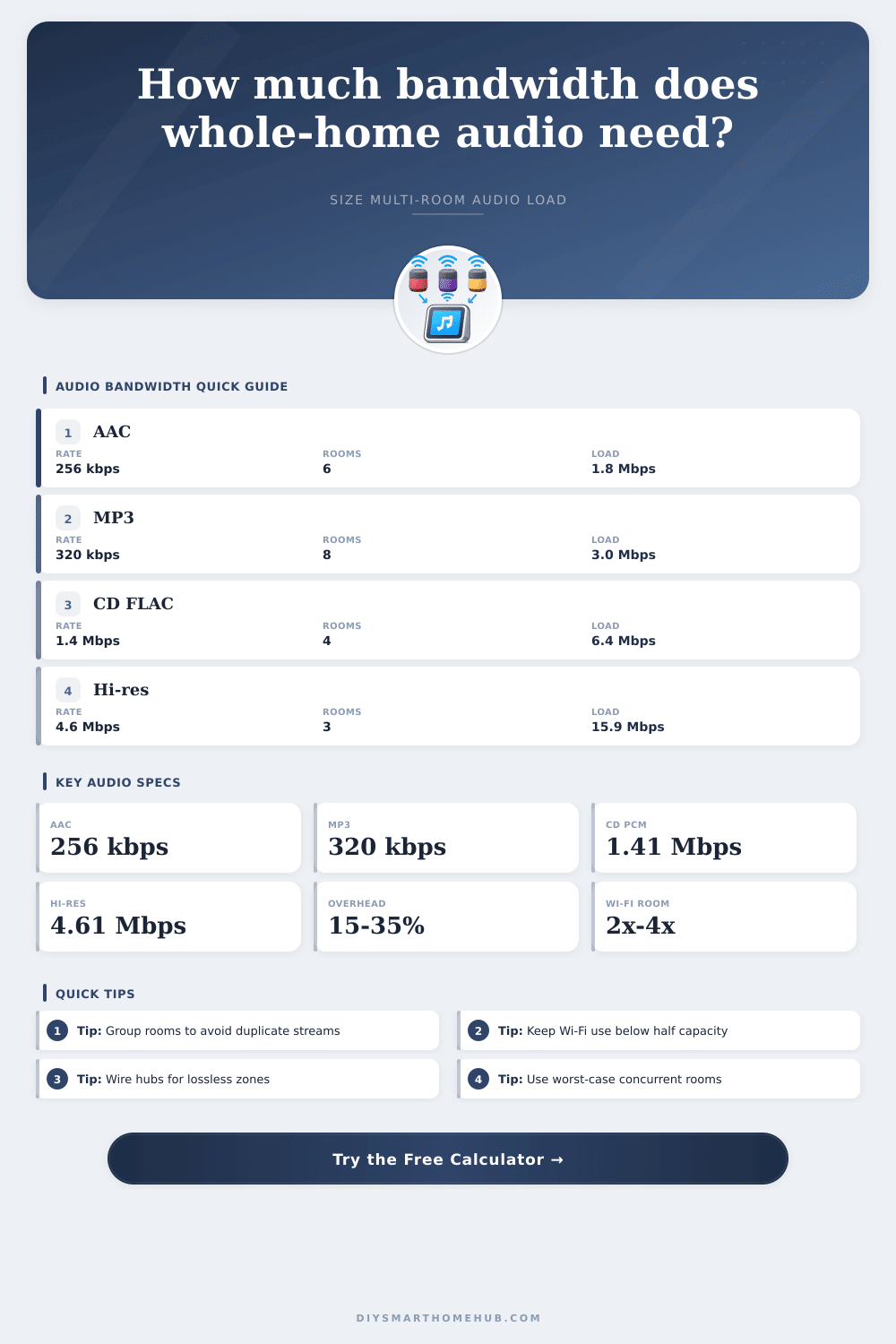
Whole-Home Audio Streaming Bandwidth Calculator
Estimate network load for multi-room audio from codec bitrate, concurrent rooms, grouped playback, multicast behavior, protocol overhead, and Wi-Fi headroom.
Detailed bandwidth breakdown
| Audio format | Typical stereo bitrate | 8-room unicast with 25% overhead | Best planning use |
|---|---|---|---|
| AAC / Opus compressed | 192 to 256 kbps | 1.9 to 2.6 Mbps | Background music and voice-friendly zones |
| MP3 or Ogg high quality | 320 kbps | 3.2 Mbps | Mixed services where bitrate is capped |
| FLAC compressed average | 700 to 1,000 kbps | 7.0 to 10.0 Mbps | Lossless libraries with variable compression |
| CD PCM 16-bit / 44.1 kHz | 1.411 Mbps | 14.1 Mbps | Uncompressed CD-quality distribution |
| Lossless PCM 24-bit / 48 kHz | 2.304 Mbps | 23.0 Mbps | High quality zones and local servers |
| Hi-res PCM 24-bit / 96 kHz | 4.608 Mbps | 46.1 Mbps | Critical rooms where Wi-Fi margin matters |
| Playback behavior | Effective stream rule | Network impact | Planning note |
|---|---|---|---|
| Independent songs in each room | One stream per room | Highest bandwidth load | Use active room count as concurrent streams |
| Unicast grouped playback | One stream to every room | No bandwidth savings | Sync is convenient but still duplicates packets |
| Group leader relay | One source plus local relay copies | Reduces internet load, local Wi-Fi can still rise | Wire the leader when possible |
| Multicast or efficient group stream | One stream per synchronized group | Best bandwidth savings | Switch and AP multicast handling matter |
| Mixed vendors or bridges | Partial duplication | Moderate savings | Plan a safety margin for re-encoded links |
| Wi-Fi condition | Practical audio budget | Headroom target | Good fit |
|---|---|---|---|
| 2.4 GHz legacy or crowded | 5 to 15 Mbps | 25% to 35% of usable throughput | Compressed streams and a few rooms |
| Wi-Fi 5 mixed coverage | 20 to 60 Mbps | 35% to 50% of usable throughput | Most homes with AAC, MP3, or FLAC |
| Wi-Fi 6 clean coverage | 60 to 150 Mbps | 35% to 50% of usable throughput | Lossless groups and larger room counts |
| Wi-Fi 6E / 7 dedicated band | 150 Mbps and higher | 50% or lower for reliability | Hi-res audio plus other smart-home traffic |
| Scenario | Rooms | Audio quality | Typical network load |
|---|---|---|---|
| Two-room casual listening | 2 rooms | AAC 256 kbps | About 0.6 Mbps with overhead |
| Apartment background audio | 4 rooms | MP3 320 kbps | About 1.6 Mbps grouped, 3.2 Mbps unicast |
| Whole-house party mode | 8 rooms | AAC 256 kbps | About 0.4 Mbps efficient group, 2.6 Mbps unicast |
| Lossless listening zones | 4 rooms | CD FLAC / PCM | About 4 to 8 Mbps depending grouping |
| Hi-res premium rooms | 3 rooms | 24/96 stereo | About 6 to 18 Mbps depending grouping |
Compressed streams
AAC, Opus, MP3, and Ogg usually need little bandwidth. The risk is not raw Mbps, but weak signal, retries, and many devices sharing airtime.
Lossless streams
FLAC and PCM raise the bandwidth floor. Use the lossless or hi-res preset when rooms play independently or when speakers sit at Wi-Fi edges.
Grouped playback
Efficient grouping can turn many synchronized rooms into one network stream. Unicast grouping still sends separate copies to each room.
Seamless is the ideal of whole-home audio, think about inviting a few friends to dinner, cranking up the tunes in the kitchen, while having some soft jazz playing in the background in the living room as the kids watch cartoons upstairs (with sound). The real world are different, with all the network traffic caused by the chaos of whole-home audio. A song isn’t very big, most folks figure streaming music doesn’t take much bandwidth, especially compared to video. That is true in a single room. Things slows down once you begin to duplicate streams into several rooms.
With the calculator above, plug in numbers for rooms and codec choices, and it will do the math for you, eliminating guesswork at least on whether or not your Wi-Fi is up to the task. That’s not to say that pure internet speed are the problem. Typicaly the problem is actualy local network congestion. Streaming high-quality audio to eight rooms at once isn’t simply streaming one file across the network. Without efficient grouping protocols, it’s streaming eight separate data flows.
Why Your Wi-Fi Is Slow with Multi-Room Music
By default most smart speaker system assume that each room is its own endpoint, which means that in order to work, the router need to handle each device individually, adding protocol overhead and more potential for lost packets. Because many systems aren’t built to multicast but rather duplicate traffic, bandwidth usage increases with each additional zone. The distinction between multicast and unicast behavior make a difference here.
The baseline consumption is driven by the codec choice. If you’re going with compressed formats such as an MP3 or AAC file, you’re forgiven. Even with a dozen rooms running independently, it’s hardly stressful on a moddern router. Lossless formats, however, tell another story. High-res audio files, or even CD-quality PCM files, take up a lot of space. A single stream of 24-bit, 96kHz audio alone consume nearly five megabits per second. Multiply that times three or four critical listening rooms and you’re pushing close to twenty megabits just for music.
Go to the page and look at the reference table and it will lay it out for you, how fast uncompressed formats eat up your available throughput. It’s not simply about better sound; it’s about leaving bandwidth for other devices to operate without choking connection. Most plans fail here: Wi-Fi capacity. When folks looks at their router box, they’ll find some speed rating, typically two gigabits per second, and assume there’s limitless headroom. But that’s the theoretical maximum under ideal conditions. In real-world use, the edge of your Wi-Fi coverage get a fraction of that speed (particularly on crowded 2.4GHz bands). To account for this kind of realistic overhead and buffer requirement, the tool suggest keeping steady audio usage well below half of your practical limit.
Audio streaming isn’t tolerant of jitter. A dropped packet in a video call might result in a brief freeze, but in synchronized multi-room audio it lead to dropout or stuttering. You want your network to be bored, not busy. The best tool of all is to group your rooms. Multicast or group leader relay modes on your system allow one stream of data to be pushed out from a source and recieved by multiple speakers. Instead of downloading them separately.
In a party mode scenario, that could cut your effective bandwidth load in half (or more). Suddenly that hefty network lift becomes a trickle that’s manageable. If your gear doesn’t do this efficient, then you should of prepare for the worst case. Having to deliver a full bitrate to each room. Finally, make sure your other smart home traffic plays nice with the audio. Video streaming devices, doorbell security cameras and security cameras is all bandwidth hogs and don’t give a hoot about your playlist. They won’t like being asked to share the stage. If they aren’t given proper priority, they’ll compete for airtime and win out.
Leave yourself some kind of buffer for this kind of background process. Don’t stuff every last bit of throughput into music data. You want a system that works so invisibly in the background that it’s quiet when not in use, and ready to go to work when you press play. If you size the network for actual load instead of theoretical max load, then the music just…plays. And that seamless experience is what you’re building towards. You build it one carefully calculated megabit at a time.