Smart Thermostat Recovery Time Calculator
Estimate how early a thermostat should start heating or cooling by combining recovery BTU, HVAC capacity, room or home thermal mass, insulation UA, infiltration, and outdoor-temperature derating.
For the realistic estimate, the calculator uses: recovery time = one-time recovery load / net recovery capacity. Net capacity is derated HVAC output minus envelope and air-leakage load at the target setpoint.
Recovery estimate
| Selection | Calculator value | Typical use | Recovery effect |
|---|---|---|---|
| Light mass | 6 BTU/sq ft-F | Small room, light furnishings, little masonry | Fast temperature change, but less stored comfort |
| Medium mass | 10 BTU/sq ft-F | Typical framed home with normal furnishings | Good default for whole-home thermostat recovery |
| Heavy mass | 16 BTU/sq ft-F | Tile, plaster, stone, masonry, dense contents | Longer recovery because stored mass must shift |
| Slab or radiant | 22 BTU/sq ft-F | Concrete slab, radiant floor, heavy structure | Very slow recovery; small setbacks are more realistic |
| Excellent UA | 0.28 BTU/h-sq ft-F | High-performance envelope, low leakage | More capacity remains available for recovery |
| Leaky UA | 1.05 BTU/h-sq ft-F | Older shell, weak air sealing, many losses | Outdoor weather consumes more equipment output |
| HVAC type | Reference temp | Default derate | Use when |
|---|---|---|---|
| Air-source heat pump | 47 F heating | 1.4% per F colder | Cold-weather preheat and smart recovery checks |
| Mini-split heat pump | 47 F heating | 1.1% per F colder | Zoned recovery with inverter equipment |
| Gas or oil furnace | Any heating | 0.1% per F colder | Capacity is mostly stable; UA load still rises |
| Electric resistance | Any heating | 0% per F colder | Output is stable unless voltage or staging limits apply |
| Central AC | 95 F cooling | 0.8% per F hotter | Hot afternoon precooling and pull-down estimates |
| Custom | Your input | Your input | Use manufacturer tables or measured field data |
| Scenario | Assumptions | Main load driver | Expected range |
|---|---|---|---|
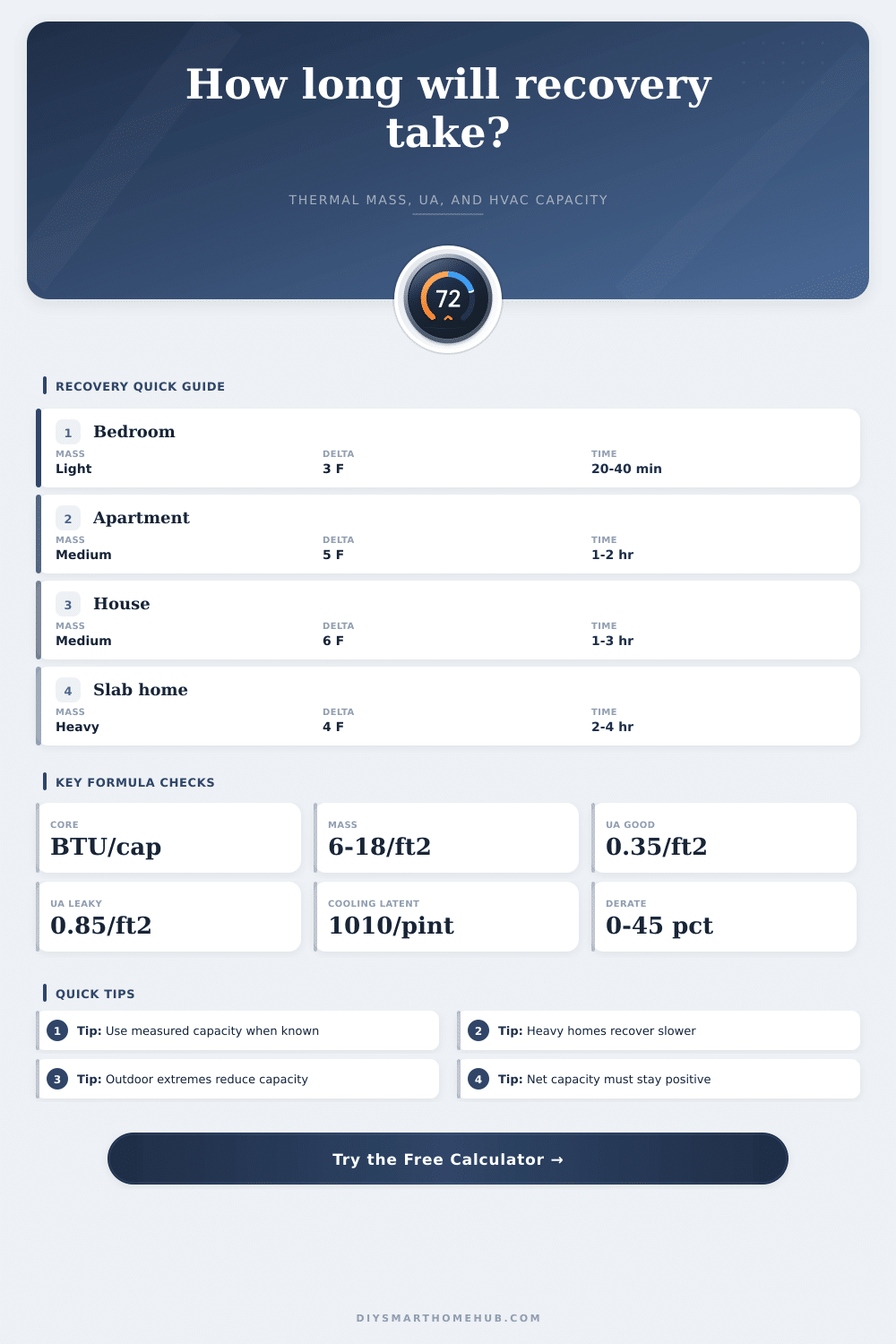
| Small bedroom preheat | 180 sq ft, 4 F, 6k to 9k BTU/h net | Thermal mass, not UA | 20 to 45 minutes |
| Apartment precool | 720 sq ft, 5 F, average shell | Mass plus outdoor gain | 60 to 120 minutes |
| Whole-house morning heat | 2,000 sq ft, 6 F, heat pump near freezing | Derate plus UA load | 90 to 210 minutes |
| Heavy slab recovery | 1,600 sq ft, 4 F, slab mass | Stored floor mass | 2 to 4 hours |
| Leaky older home | 1,800 sq ft, 6 F, high UA | Outdoor load | 2 to 5 hours |
Using this calculator, you determine when to turn on your HVAC system based off what time you want your home to be at its target temperature when you rise in the morning. It makes complex building physics into a practical formula: input parameters and it will calculate how long before it can recover from your home’s heat retention.
When you turn your system back on, heat begins warming the house’s physical structure and air. Air heats rapidly while walls, floors, and even furnitures soak up large amounts of heat until room feels warm again. That’s the thermal mass at work: it describes how much your system has to shares.
How the Calculator Works
A lightweight bedroom with carpet and wood studs might take about twenty minutes to warm up. There isn’t that much cold to displace. On the other hand, a thermal battery, such as a home built on a concrete slab with tile floors; will hold the coolness from last night and take longer to bring the floor up. This increased mass can effectively double/triple your recovery window. What took an hour now takes two.
To understand your house’s energy efficiency, the calculator conduct an “envelope” assessment that models how leaky your house is. It also looks at insulation: Does good insulation keep more heat in? Or do your drafty outlets let heat escape? To model that leakage, the tool assigns a “heat loss coefficient.” The older (and draftier) your house, the more work system does to keep you warm, and the less it has left to actualy make things warmer. Every second your heater’s on, it’s fighting an uphill battle against the outside world.
The condition of the outdoors also impacts how well our tools perform. As the air become cooler, a heat pump will operate less efficient, moving fewer BTUs for each kilowatt of electricity used. Based off the outdoor temperature you enter, the tool provides a reduction amount that accounts for this loss of efficiency. On a 20-degree day, for example, your heat pump could be running at just 60% while your furnace run at full capacity. This drop in effectiveness results in overly optimistic start times and chilly mornings if you don’t account for it.
One complication is that summer cooling recovery also includes humidity. Getting that moisture out of the air take energy (about a thousand BTU’s to condense a pint of water out of the humidity). That means if you neglect this variable in humid climates, you’ll underestimate how long it takes to cool down. In humid environments, the system needs to spend its time getting the air dry rather than dropping the temperature more then much.
The inputs are far more important than adjusting your thermostat. For instance, what if you instruct it to kick in at 6:00 AM but it require one and a half hours of recovery time after being set back? You’re still chilly when putting on your work clothes. There’s also a sanity check on your own numbers in the reference table on the page; it gives you typical range values for various types of home.
Start by getting a baseline from the calculator and build a margin of error around that to account for things like crazy weather fluctuations and doors opening and closing. Adding 10% is typically plenty to handle incidental differences without stressing the system out too much. You should of added more if it was cold.
From there, establish your starting point and hold steady. The smart algorithm needs to learns its cues, so consistency will help it trigger at just the right moment to make cold mornings more pleasant instead of maddening. Quit second-guessing yourself and trust the physics to deliver comfort precisely when it’s needed most.