Smart Bulb Brightness Percentage to Lumens Calculator
Convert a smart bulb brightness setting into estimated lumens, watts, energy use, and room illuminance using real bulb lumen classes and selectable dimming curves.
Full brightness breakdown
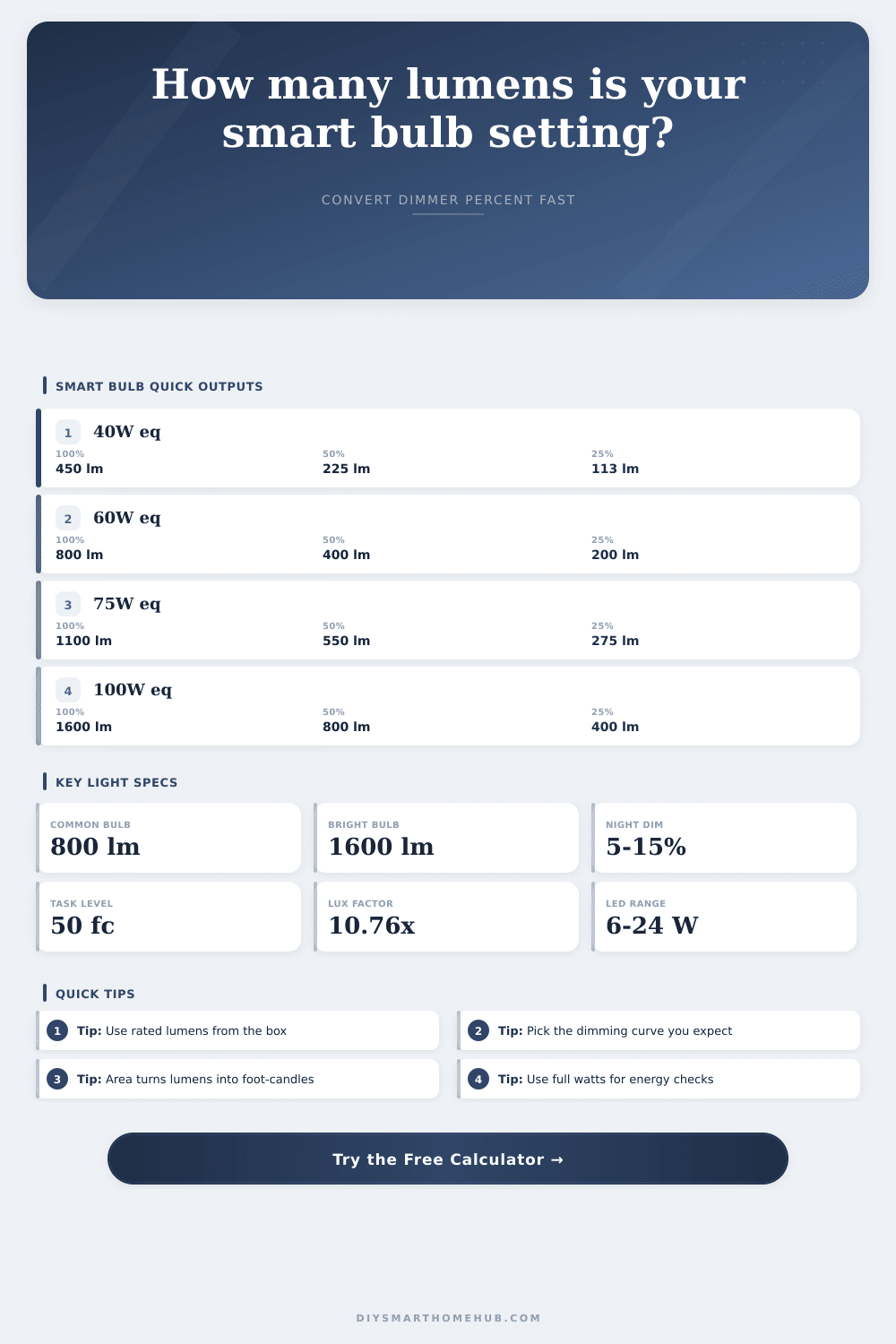
| Incandescent equivalent | Minimum light output | Typical LED watts | Estimated LED efficacy |
|---|---|---|---|
| 40 W standard bulb | 450 lumens | 4.5 to 6.5 W | 70 to 100 lumens per watt |
| 60 W standard bulb | 800 lumens | 8 to 12 W | 67 to 100 lumens per watt |
| 75 W standard bulb | 1,100 lumens | 10 to 14 W | 79 to 110 lumens per watt |
| 100 W standard bulb | 1,600 lumens | 13 to 18 W | 89 to 123 lumens per watt |
| 150 W standard bulb | 2,600 lumens | 22 to 28 W | 93 to 118 lumens per watt |
| Smart setting | Linear lumens from 800 lm | Perceived-linear lumens | Typical scene |
|---|---|---|---|
| 5% | 40 lumens | 2 lumens | Very low night path or sleep scene |
| 10% | 80 lumens | 8 lumens | Dim accent or late evening lamp |
| 25% | 200 lumens | 50 lumens | Soft hallway or movie scene |
| 50% | 400 lumens | 200 lumens | Relaxed room lighting |
| 75% | 600 lumens | 450 lumens | General room lighting |
| 100% | 800 lumens | 800 lumens | Full rated bulb output |
| Room or task zone | Common target range | Lux equivalent | Example smart bulb setup |
|---|---|---|---|
| Hallway or night path | 5 to 10 foot-candles | 54 to 108 lux | One 800 lm bulb at 20% to 40% in a small zone |
| Bedroom ambient lighting | 10 to 20 foot-candles | 108 to 215 lux | Two 800 lm bulbs dimmed for evening scenes |
| Living room general lighting | 10 to 30 foot-candles | 108 to 323 lux | Three or four 800 lm bulbs across lamps or ceiling cans |
| Kitchen general lighting | 30 to 50 foot-candles | 323 to 538 lux | Multiple downlights or brighter 1,100 to 1,600 lm bulbs |
| Reading or desk task zone | 30 to 50 foot-candles | 323 to 538 lux | One focused lamp plus ambient smart bulbs |
| Curve option | Calculator formula | 50% setting from 800 lm | When to use it |
|---|---|---|---|
| Measured-linear | lumens x setting | 400 lumens | Smart app reports actual measured output or manufacturer confirms linear output |
| Perceived-linear | lumens x setting squared | 200 lumens | Slider is tuned so visual brightness feels evenly spaced to the eye |
| Soft low-end LED curve | lumens x setting to 1.45 power | 293 lumens | Many lamps feel smooth at low settings but still reach full output |
| Driver-limited floor | 1.5% floor plus setting to 1.25 power | 343 lumens | Bulb never gets completely dark until switched off |
Why? Because setting your smart bulb to half-brightness doesn’t mean the room will be half as bright, it’ll just seem that way when you look at it. That’s because there isn’t a straight relationship between how dimmed an LED bulb is and how much light your eye thinks it’s emitting. The difference between what lights do and what you expect them to do is hard for human brain to bridge without any information; most folks fiddle with their sliders over and over again until they give up.
To bridge that gap, there’s a calculator on this page that takes the percent setting and converts it into lumens. Based off the rated output of whatever bulb you have, it’ll apply the dimming curve to give you an idea of what hits floor. This happens because “fifty percent” is a different thing based on which mathematical model the app assumes. A linear one gives you exactly half as many lumens, whereas a perceived-linear one may well give you only a quarter. You can use it to test both assumptions, and get an idea where you stand with your existing set up.
Use the Calculator to Get the Right Light Level
But beware: Because so many people confuse wattage equivalence with actual light output (it’s a wattage-equivalent LED), you have to enter the actual bulb rating in the tool. If you don’t know what that is, well, then you can’t realy use this thing, can you? In other words, if you plug in 60 watts as an equivalent, it won’t be sixty watts of electrical power consumed, and you’ll still have no idea how bright it will actualy be unless you check the spec sheet or package for a “lumens” number beside it. That’s your base. Plug that into the tool, and then whatever percent you put in there will give you an idea; anything else would just be a guess.
The reference tables lets you see where the most common bulb classes line up with real light outputs, so you know where to start from. So now you know your starting point. Lumens are the total amount of light emitted, and foot-candles is the amount of light that lands on an object. But now what? Think about the space in which you want more illumination. Keep in mind that not all fixtures produce the same output: The color of the walls, lampshade, or even fixture itself can absorb some of the light. As a ballpark figure, take the number of total lumens then divide it by square footage of the space. You should of been between thirty and fifty foot-candles on whatever you’re looking at (say, a book) but only require five to ten foot-candles when winding down for bedtime.
The calculator will translate your desired lighting level back into bulb settings to ensure you’ve got ample light to complete the task, without blinding yourself. What’s more, those numbers also matter in terms of energy efficiency (not everything that dims saves power proportional to how much light it loses). Some continue to be fairly efficient at their lowest settings; some still draw almost as many watts at 10 percent output as they do fully lit. Know what they’re drawing in watts when set where you want them and you’ll know if your mood lighting is costing pennies or dollars per year. It takes a little math, but it adds up across the house if several bulb are on a schedule all night long.
More importantly, I think folks tend to use brightness controls as if they’re volume dials; there’s an implicit idea that increasing the slider means more light, right? It really doesn’t, because lighting physics isn’t all that simple. The dimmer curve on the calculator represents that. When you find yourself adjusting your slider upwards and your bulb seem overly bright before you’ve even reached halfway, chances are good it has a nice soft low end. Conversely, maybe your bulb doesn’t get much brighter then it was at 0% until you reach the top of the slider; in which case perhaps it’s a driver issue instead. Figuring out its personality will guide your efforts so you’ll know when you need to push your hardware and when you shouldn’t.
Control is the point of smart lighting, but it’s also important to be clear on what you’re controlling. If you know precisely how many lumens each percentage delivers, you’re no longer guessing, you’re building spaces with intention. Want to create a focused work zone? You could create a romantic dinner scene. Having real numbers makes your choices grounded in reality, not hope. It makes that humble light switch an instrument for lighting.