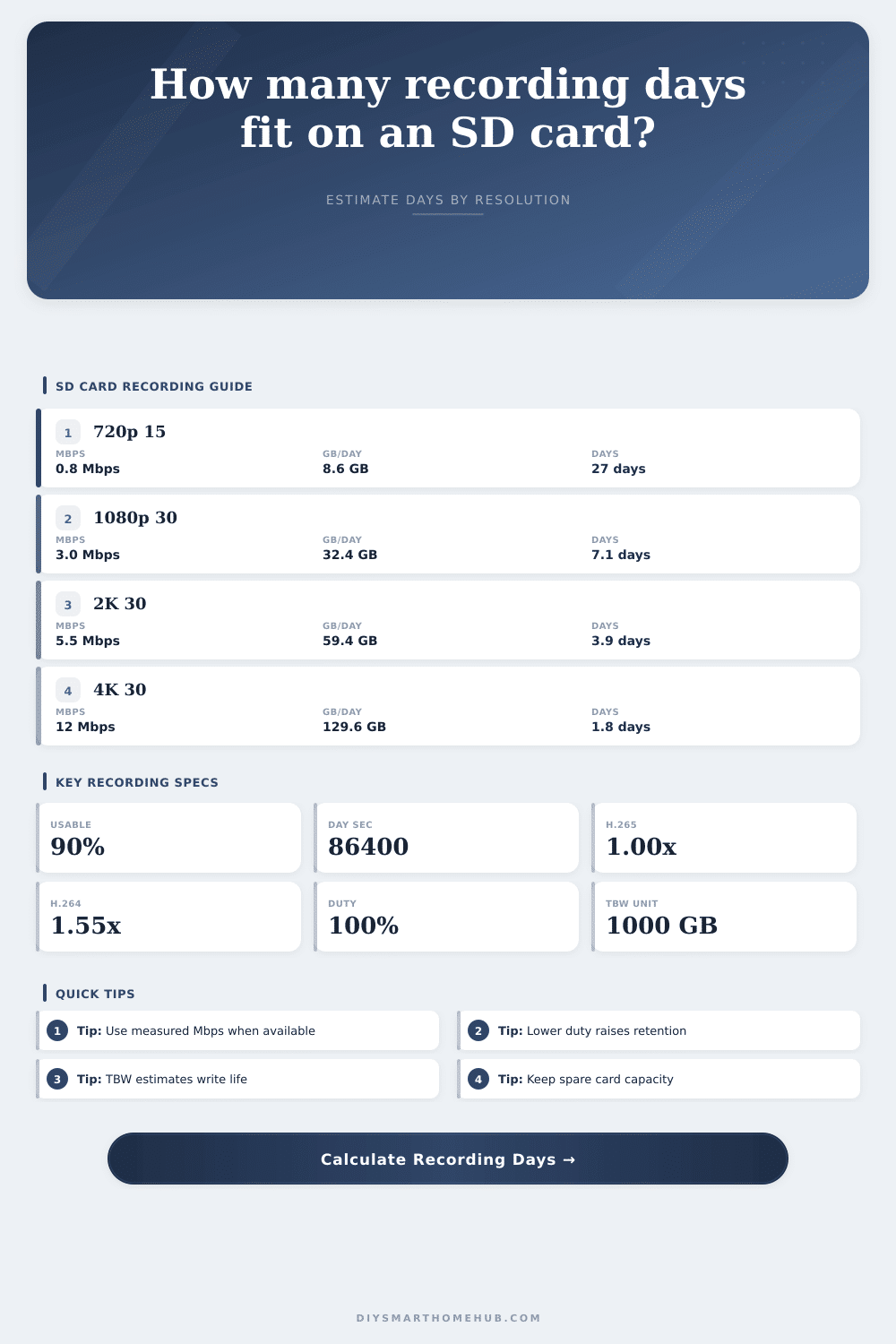
SD Card Recording Days by Resolution Calculator
Estimate how long a camera SD card records from labeled card size, usable storage, resolution and frame rate bitrate, codec factor, recording duty cycle, camera count, and endurance rating.
This calculator estimates video storage only. Real retention can shift with variable bitrate, night scenes, audio, snapshots, thumbnails, file segmentation, and camera reserve policies.
Recording estimate
| Resolution profile | Pixels | FPS | Planning Mbps |
|---|---|---|---|
| 720p low motion | 1280 x 720 | 15 fps | 0.8 Mbps |
| 720p smooth | 1280 x 720 | 30 fps | 1.4 Mbps |
| 1080p moderate | 1920 x 1080 | 15 fps | 1.8 Mbps |
| 1080p standard | 1920 x 1080 | 30 fps | 3.0 Mbps |
| 2K or 4MP detail | 2560 x 1440 | 30 fps | 5.5 Mbps |
| 4K high detail | 3840 x 2160 | 30 fps | 12.0 Mbps |
| Labeled card | Usable at 85% | Usable at 90% | Usable at 95% |
|---|---|---|---|
| 32 GB | 27.2 GB | 28.8 GB | 30.4 GB |
| 64 GB | 54.4 GB | 57.6 GB | 60.8 GB |
| 128 GB | 108.8 GB | 115.2 GB | 121.6 GB |
| 256 GB | 217.6 GB | 230.4 GB | 243.2 GB |
| 512 GB | 435.2 GB | 460.8 GB | 486.4 GB |
| 1000 GB | 850 GB | 900 GB | 950 GB |
| Card type | Example TBW | Write cycles on 256 GB usable | Best planning use |
|---|---|---|---|
| Standard consumer card | 10 TBW | 39 cycles | Light event-only recording |
| High endurance card | 60 TBW | 234 cycles | Daily security camera loops |
| Pro endurance card | 120 TBW | 469 cycles | Busy motion or continuous recording |
| Industrial card | 300 TBW | 1172 cycles | High write environments |
| Recording duty | Meaning | Multiplier | Common fit |
|---|---|---|---|
| 10% | Short event clips | 0.10x GB/day | Quiet entry camera |
| 25% | Moderate motion | 0.25x GB/day | Porch or pet camera |
| 50% | Busy motion zones | 0.50x GB/day | Driveway or shop |
| 100% | Continuous loop | 1.00x GB/day | Always-on security recording |
Gray storage icons on your security camera app often means one thing: You have no room for more. The app says you’re full. What’s worse, it typicaly occurs immediately following an incident, a pet doing something weird or someone stealing something. More often than not, it’s not your camera card. Rarely is your card at fault. No, it’s a gap between the amount of space you have and size of video you’re trying to record.
Most folks purchases the biggest card they can afford. They think this is the solution to their problem. Unfortunately, it often ends up costing them money. The gigabytes are not all raw. Usable capacity also matters. That means it’s not going to be two hundred fifty-six gigs exactly, because formatting and file system overhead take up some of that space. Instead, you’ll usually get around ninety percent of that advertised space after formatting and system overhead are taken into account. But formatting takes up some room. The file system overhead takes up more room. Cameras often reserves some for themselves. Some cards set aside a chunk for camera operation.
Why Your Camera Card Fills Up Fast
How does this work? The calculator accounts for it with a usability percentage. Generally, this is about ninety percent. The reason for that is because you don’t want to plan based off marketing numbers; you want to plan based on actual space. Because trying to eke out additional days in retention matter.
The single largest variable in the equation are resolution. Resolution increases cost. A 30 fps stream of four kilobytes creates more data than a standard high-def feed. Thirty frames a second means four times the number of pixels per frame. Four times the pixels equals bigger file size. In fact, four kilobits per second might be overkill if you’re recording something fairly quiet like a hallway. That will burn through your card in days. But if you are monitoring a busy driveway, then you need higher bitrate because now you need to read license plate numbers.
With this tool, you can customize measured speed or input specific bitrate profiles. The truth is that bitrate is not always just about resolution; it’s about how well your camera chip compresses a scene. It’s better to know exactly what megabits per second than to guess from resolution.
The other variable that has a huge impact on duration are the codec. Specifically, the newer and much more efficient H.265 is compared to the old standby H.264. For equivalent quality, it typically reduces file size by 30-40%. So, if your camera supports this new codec, you’ll record more days. No need to purchase a larger card.
The calculator accounts for these variables. Check out the real-world impact. It also allows you to account for duty cycle (how much does the camera actualy record during the day?). A continuous recording set-up will capture more than motion detection, which may only capture ten percent of the time. That’s a three-fold difference in card length.
SD Cards Are Silent Killers
SD card endurance is a silent killer. Until it fails, most people don’t think about it. Consumer level memory cards aren’t designed to be rewritten constantly. That’s what security cameras does. And they’ll wear them out sooner then you might think. The flash cells degrade bit by bit with each write. Over time that adds up. Terabytes written is how high performance and high endurance cards are rated. It represents the total amount of data that can be written before failure becomes probable. If you’re running continuous recording, you require a card rated for handling heavy writes. Otherwise, a standard card in a loop-recording environment will result in premature failure.
So what do you choose? Depends on your priorities. Do you want very detailed images or longer image retention. Typically, you get one or the other. Or you pay more for storage. That’s where the reference tables on the page come in handy. They illustrate the amount of space that various resolutions use. First, establish your minimum acceptable quality. Next, figure out how many days of footage that quality will allow on a card of your chosen size. Is it too few? Drop the resolution. Upgrade the capacity of the card. Either way it’s a straightforward tradeoff that will save you some headaches down the road.
In the end, it’s all about setting expectations. There is no such thing as unlimited video on an SD card. Usable storage depends on codec, bitrate, and duty cycle. Stop guessing and understand how they interact with one another. Begin planning. Know that your camera will never overwrite critical footage. Rest easy. You did the math ahead of time. That planning turns a potential security gap into a reliable record. It is a record of what happened when you weren’t there.