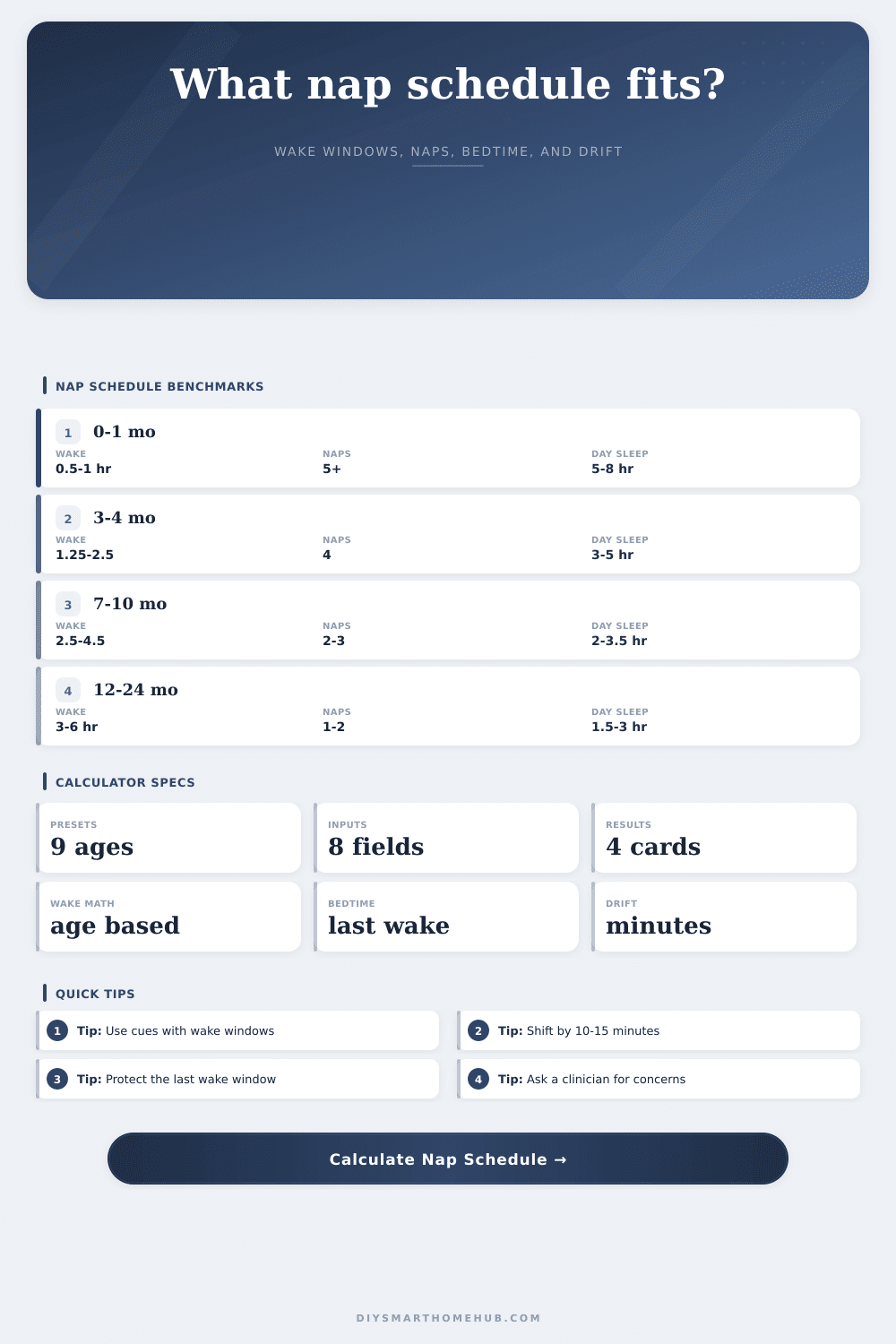
Nap Schedule Calculator
Estimate an age-based nap schedule using wake windows, expected daytime sleep, nap count, bedtime from the last wake window, schedule drift, and nap transition readiness.
Wake windows by age
| Age range | Typical wake window | Formula target | Last window |
|---|---|---|---|
| Birth to 1 month | 30 to 60 minutes | 45 minutes | 45 minutes |
| 1 to 3 months | 1 to 2 hours | 90 minutes | 100 minutes |
| 3 to 4 months | 1.25 to 2.5 hours | 115 minutes | 130 minutes |
| 5 to 7 months | 2 to 4 hours | 165 minutes | 190 minutes |
| 7 to 10 months | 2.5 to 4.5 hours | 180 minutes | 255 minutes |
| 10 to 12 months | 3 to 6 hours | 210 minutes | 285 minutes |
| 12 to 18 months | 3.5 to 6 hours | 250 minutes | 315 minutes |
| 18 to 30 months | 4 to 6.5 hours | 300 minutes | 330 minutes |
Daytime sleep and nap count
| Age range | Common naps | Day sleep target | Watch point |
|---|---|---|---|
| Birth to 1 month | 5 or more | 5 to 8 hours | Flexible feeds and naps |
| 1 to 3 months | 4 to 5 | 4 to 6 hours | Short naps are common |
| 3 to 4 months | 4 | 3 to 5 hours | Nap rhythm emerging |
| 5 to 7 months | 3 | 2.5 to 4 hours | Late catnap may fade |
| 7 to 12 months | 2 to 3 | 2 to 3.5 hours | Two-nap routine builds |
| 12 to 18 months | 1 to 2 | 1.5 to 3 hours | One-nap transition |
| 18 to 48 months | 0 to 1 | 0 to 2.5 hours | Quiet time may replace nap |
Sample schedule anchors
| Routine | Wake | Nap pattern | Bedtime target |
|---|---|---|---|
| Four-nap infant | 7:00 AM | 8:45, 11:15, 2:00, 4:45 | 7:15 to 8:00 PM |
| Three-nap infant | 7:00 AM | 9:15, 12:30, 3:45 | 7:00 to 7:45 PM |
| Two-nap baby | 7:00 AM | 10:00, 2:15 | 7:00 to 8:00 PM |
| One-nap toddler | 7:00 AM | 12:00 to 2:00 | 7:30 to 8:30 PM |
Schedule drift adjustments
| Drift result | Meaning | Next change | Use when |
|---|---|---|---|
| Over 45 min early | Bedtime may be too soon | Add 10 to 15 min | Nap ended early |
| Within 30 min | Anchor is aligned | Hold schedule | Normal day |
| 30 to 60 min late | Overtired risk rises | Move earlier | Late last nap |
| Over 60 min late | Reset gradually | Shift over days | Travel or illness recovery |
Many short sleeps
Uses the shortest wake windows and a broad daytime-sleep range because naps are irregular and feed timing often drives the day.
Three to four naps
Balances a moderate first wake window with a slightly longer final wake window to protect bedtime.
Longer wake blocks
Weights the last wake window more heavily and checks for late drift when the second nap ends too close to bedtime.
One nap or quiet time
Uses midday sleep, longer afternoon stamina, and transition readiness when naps shorten or bedtime keeps drifting late.
When you first start out with baby sleep, you probably just want something that’s going to work consistantly. Maybe you’re thinking of a day where you gets baby down for naps on schedule, and then can move onto whatever else needs doing in the afternoons.
One minute baby seems content; the next she look exhausted but there isn’t an obvious transition point. When you plug in your wake times, the calculator crunches the numbers. You don’t need to worry about converting to another system or finding right coefficient. You also don’t have to guess what’s too long or what’s too short. It translates fuzzy feelings about being overtired into actual time frames.
What Are Wake Windows
That’s the central idea, the wake windows, or the period of time your child can be awake before their body feel overwhelmed with the need to sleep. Early in life, babies goes through these cycles quite frequently (often hourly) and they’re quite brief. As they grow older, the window lengthen. A newborn may only be able to handle waking up for an hour before going back down; a four-month-old might last two hours; a toddler could manage the whole afternoon.
The tool has presets for different ages so you can choose one and observe how these windows scales. Why does this matter? Because if you miss best window by even thirty minutes, it can trigger some fussy behavior that makes bedtime difficult. It’s not that they’re simply tired, but rather over-tired.
The whole day hinges on when you put in your wake time in the morning. Put in when your baby wakes (say it’s 7) and then the rest of the schedule come from there. Put in how many naps they take because this will differ depending on your baby. Some babies drops their third nap early, while others hold onto it for months.
Overriding the auto settings enables you to customize app according to what is happening with your baby. Total daily sleep are calculated by multiplying number of naps by the average nap duration. This helps you determine if you are getting enough daytime sleep to support a decent bedtime.
Another helpful tool is Bedtime Drift: When your days run late (because you fed late, or napped late), the schedule adjust. Based on your previous wake window, the calculator tells you if your estimated bedtime is Late, On-Target, or Early. If it’s more than 45 mins off, that means you should of adjust. To catch the anchor and stay on target for bedtime, try nudging upcoming nap up ten minutes. This keeps things shifting gently without buildup of late nights and early morning wake-ups.
Parents also frequently overlook transition readiness. Dropping a nap doesn’t happen overnight, usually. The app gives you an estimated % of readiness (based off age & current pattern). It lets you know if there’s too much sleep pressure right now from your schedule or if not quite yet. That can help you determine if it’s time to consolidate into one nap earlier than expected or keep going with two. These details helps you stay consistent over time.
Think of the reference tables on the page as a benchmark rather than a hard-and-fast rule. All babies are unique. Some will be able to extend their wake windows by fifteen minutes with no issues whatsoever, while others will yawn and need to sleep right then. The calculator provides a baseline from which to start and against which you can compare what you see for yourself. Don’t force-feed a charted-off schedule if it doesn’t fit your baby’s cues and he or she is feeding well and happy.
What’s happening here is the key… It’s less about “controlling” the baby and more about creating an environment that matches their biology. With time (and lots of tiny adjustments!) you learn how to find a beat that fits you both. That is when sleep invites itself in instead of you chasing after it.
This nap schedule calculator is based off age to show you predicted: wake windows, daytime sleep, number of naps, bedtime, drift, and when you might be ready to try transitioning away from naps. Families can get a sense of what routine looks like (and exactly when to do things).