Multi-Camera Storage Planning Calculator
Estimate NVR, NAS, or local recorder capacity from camera count, bitrate, motion duty cycle, retention days, audio, RAID protection, and formatted-space reserve.
Detailed storage breakdown
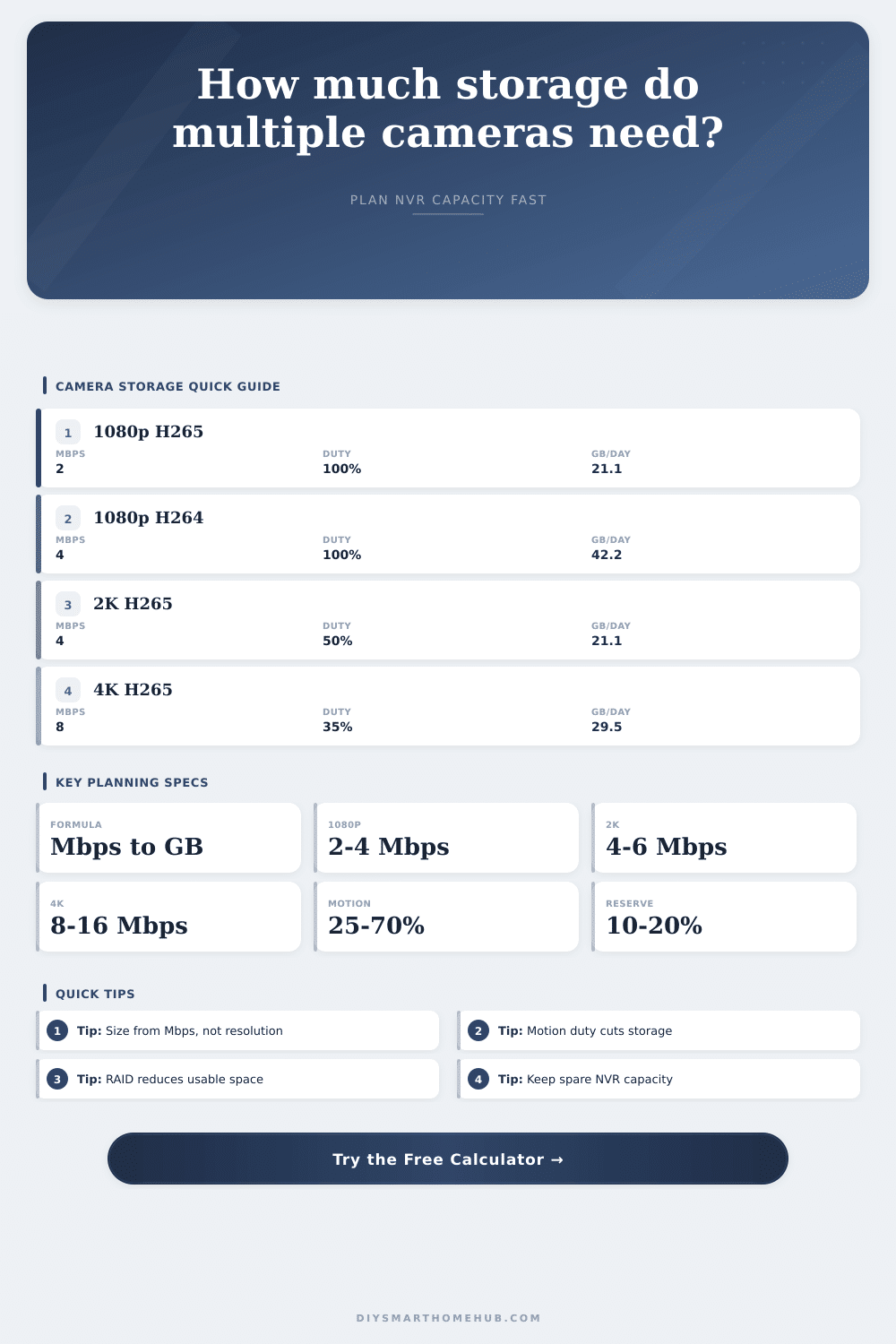
| Profile | Resolution | Codec | Typical Mbps | GB/day at 100% |
|---|---|---|---|---|
| Efficient overview | 720p | H.265 | 1 Mbps | 10.5 GB/day per camera |
| Standard smart home | 1080p | H.265 | 2 Mbps | 21.1 GB/day per camera |
| Legacy compatibility | 1080p | H.264 | 4 Mbps | 42.2 GB/day per camera |
| Sharper entrances | 2K | H.265 | 4 Mbps | 42.2 GB/day per camera |
| 2K high motion | 2K | H.264 | 6 Mbps | 63.3 GB/day per camera |
| 4K detail | 4K | H.265 | 8 Mbps | 84.4 GB/day per camera |
| 4K high detail | 4K | H.264 | 16 Mbps | 168.8 GB/day per camera |
| Layout | Planning usable | Protection style | Capacity impact | Good fit |
|---|---|---|---|---|
| Single drive or JBOD | 100% before reserve | No parity | Lowest overhead | Small noncritical camera sets |
| RAID 1 mirror | 50% before reserve | One mirrored copy | Double nameplate space | Two-bay recorder planning |
| 4-bay RAID 5 | 75% before reserve | Single parity | One drive worth of parity | Balanced home NVR pools |
| 6-bay RAID 6 | 67% before reserve | Dual parity | Two drives worth of parity | Larger retention pools |
| RAID 10 | 50% before reserve | Mirrored stripes | Half the pool usable | High write-rate camera systems |
| NVR managed pool | 90% before reserve | Recorder reserved space | Lower hidden margin | Appliance recorders with overwrite control |
| System type | Cameras | Profile | Motion duty | Likely 30-day usable |
|---|---|---|---|---|
| Entry and porch coverage | 2 to 3 | 1080p H.265 | 25% to 45% | 0.4 to 0.9 TB |
| Apartment or small condo | 4 | 1080p H.265 | 35% to 60% | 0.9 to 1.6 TB |
| Typical whole home | 6 to 8 | 2K H.265 | 50% to 75% | 3.8 to 7.6 TB |
| High-detail driveway | 2 to 4 | 4K H.265 | 70% to 100% | 3.5 to 10.1 TB |
| Small retail or workshop | 10 to 16 | 1080p H.264 | 100% | 12.7 to 20.3 TB |
| All-camera daily recording | 14 days | 30 days | 60 days |
|---|---|---|---|
| 100 GB/day | 1.4 TB usable | 3.0 TB usable | 6.0 TB usable |
| 250 GB/day | 3.5 TB usable | 7.5 TB usable | 15.0 TB usable |
| 500 GB/day | 7.0 TB usable | 15.0 TB usable | 30.0 TB usable |
| 1 TB/day | 14.0 TB usable | 30.0 TB usable | 60.0 TB usable |
It started with a driveway cam and two doorbell cams. Fast forward six months, now there are ten cameras recording every falling leaf off the oak tree. Storage capacity get used up quicker then expected. Soon, the system runs out of space for this week’s video so it begins to overwrite last week’s video. That’s how most home surveillence systems quietly die. Eventually, hard drive runs full and all that evidence is gone. But nobody planned for the math.
But here’s the issue: humans purchase cameras based on their resolutions while they pay for them in bits per second. You might think 4K is sweet, but then you notice it produce sixteen megabits of data every second. That’s a firehose of information. Most residential networks choke on it. Worse yet, it take a double-sized chunk out of your hard drive compared to normal 1080p stream.
How to Plan Your Security Camera Storage
Plug in your preferred bitrates and number of cameras into the calculator above and it does the math for you. It saves you from guessing if your four-bay NAS can really hold thirty days of footage (or only fifteen). The main reason for this is bitrate. If encoder ignores the resolution, then the resolution is nothing more than marketing copy. And H.265 compression makes storage very efficient. Compared to older H.264 codecs, it can reduces daily data usage by half. That’s important if you’re trying to store a month of video on a terabyte drive you can actualy afford.
A fence line doesn’t require perfect picture quality. You simply want to be able to make out a license plate or the face of a person. Set the bitrate too low and your footage will becomes blocky noise. Set it too high and you waste space. Planning is finding that middle ground.
Then there’s motion detection. Recording just when something happens? You’re probably getting thirty percent of the day. Which dramatically reduces storage requirements. Or continuous recording. Where all moments are recorded. Which eats at storage capacity like kindling. The duty cycle input models that tradeoff for you. Front porches in quiet neighborhoods may need as little as ten percent. Dog parks and busy retail entrances can push to one hundred percent fast. Understanding the complexity of your scenes help more than simply purchasing larger drives.
And then there’s what it costs to protect everything. Parity eats up some space. A RAID 5 array leave you with roughly seventy-five percent usable capacity. That’s because the other percentage gets used by error correction data. You can mirror drives (RAID 1), but now you’re paying twice as much in advertised storage for one single copy back. This isn’t something you want to skip if your footage counts. And it’s insurance. The table below on this page details the loss.
When formatting and parity reserves are factored in, most people don’t realize that their four-terabyte drive won’t store four terabytes of video. Daily retention targets simply gets multiplied directly. Need thirty days? Multiply by thirty. Need sixty? Double that. The math is simple, but if you forget the RAID loss factor first, you could of easily miscalculate.
Most recorders also leave a little room free as a reserve for maintenance duties. This keeps writes stable, preventing file fragmentation. Another ten to twenty percent of capacity are gone from your usable pool. Overwrite before your buffer runs out. Gaps will form in your archive if you plan without a buffer.
Now let’s look at your camera’s stream settings. Did you know that most manufacturers list maximum bitrates in their specs which is never achieved in reality? What actualy gets written to the drive is average sustained bitrate. That’s the value to use in your math. At the top end of the pool, leave a little breathing room. A system running near full capacity will stutter when firmware updates kicks in or scene complexity spikes during holidays. You want smooth recording, not constant stress on disk heads.
With hard drive storage it’s all about planning. Planning ahead. Risk management. How much can I afford to lose? What do I need to retain? Feed your numbers honest inputs and they don’t lie. Size your pool based off the bitrate, not the label on the resolution. Buy the hardware based on parity losses. Allow yourself a reserve buffer so the system doesn’t turn on itself. Let the footage roll in regularly. Don’t let it fill up unexpectedly, and you’ll know you did it right. All of this boils down to knowing what really fits in that box.